
 Web Development
 Data Science
 Python
 SQL
SQL JavaScript
 Artificial Intelligence
 IT & Software
 IT Certifications
 Hacking
 AWS
AWS Arduino
 DevOps
 3D Modeling
 Graphic Design
 Photoshop
 Drawing
 Digital Painting
 UX Design
 Business
 Data Analysis
 Communication Skills
 Project Management
 Leadership & Management
 Human Resources
 Digital Marketing
 Social Media Marketing
 Marketing
 SEO
SEO Google Analytics
 Branding
 Excel
Excel Office Productivity
 SAP
SAP PowerPoint
 Microsoft Access
 SharePoint
 Finance & Accounting
 Trading & Investing
 Accounting
 Bitcoin
 Personal Finance
 Video Editing & Animation
 Photography
 Adobe Premier Pro
 Adobe Lightroom
 Personal Development
 Productivity
 Career Development
 Life Coaching
 Health & Fitness
 Meditation & Mindfulness
 Yoga
Yoga Music
Music Music Production
 Guitar
 Piano
Piano Singing
 Language Learning
 Teaching & Academics
 Engineering
 Math
Math Lifestyle
Unity Tutorial: Idle, Clicker, Incremental Game (Udemy.com)
Learn how to create Clicker, Idle, Incremental Games with Unity Game Engine.
Created by: Octo Man
Last updated January 2020
 What you will learn
- Idle, Clicker, Incremental Game ideas in general
- C# Fundamentals like Loops, Statements and more
- C# Scriptable Objects and their usecases
- Some Mathmatics like Exponential Functions
- User Interface Design - Scrollable Content and more..
How it compares
Against the other 183 rated Udemy courses in Unity on CourseDuck:
- Rating4.4 out of 5higher than 36% of them
- Reviews119#138 of 184 by number of reviews
- Length4.1 hoursshorter than 79% of them
- Last updatedJanuary 2020earlier than 68% of them
 Course Description
This course is made for beginner, which want to learn the basics of Clicker, Idle, Incremental Games.
We are creating a system to:
C# (Monodevelop)create Scriptable Objects for our items to simplify processescreate a basic Editor Script to show Previews in the Editor create connector Scripts to easy access User Interfacescreate auto - saving and loading the gamecreate a exponential function for the cost calculationlearn to round floats to 2 digets after kommaUnity (2018.
2)setting up our Editor, so we always see the important contentcreating our own User Interface for the game using the Canvas Systemimplement scrollable content for our items / itemholderimplement a scrollbarcreate an Object to click onC# FundamentalsI'll cover how to use and/or create:
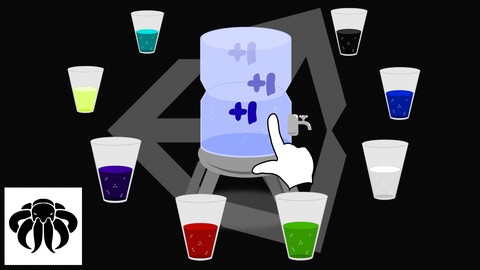
Variables (float , int, bool, string ...)classesfunctionsif / else statementsfor and foreach loopsListsArraysCoroutinesCourse Materiali provide the following Material with the Course: 8 different Drink Graphics as *.
png1 simple Background1 Itemholder Background1 Watertank Graphic to click onYou have to write the code on your own, i do not provide the final scripts!
All other graphics for Menu's, Icons, Images or Buttons need to be created on your own.
All Materials i provide are for education only and should not be in your final release!
ConclusionIn the end of this course you will have a fully functional Idle, Clicker, Incremental Game.
ChallengeAfter you have created nice Menus, Buttons, and maybe additional content, upload the Game to any Gaming Website, Google Playstore, Apple Store or even Windows Store or Steam.
So what are you waiting for?
Let's make your dream game a reality!!
Level: BeginnerVideo Course Length: ~4 hoursUnity Version required: 5.
3+Who this course is for:
If you are interested in game creation.
If you want to ever wanted to start your first game.
If you love incremental, idle, clicker games and you want to learn how they work.

 Udemy Discount
The discount is applied through our link. Open the course from here and Udemy's current promotional price is applied at checkout on most courses, no code to type.
Some courses are excluded from Udemy's promotions. If the price does not drop, clear your browser cookies and use the button again.
Instructor Details

- 4.4 Rating
 119 Reviews
Octo Man
I am OctoMan and I have a passion for games. I started to create small projects using Game Maker but now I make games and small apps using the latest and greatest of Unity3D. Unity3D has it all and with my help,
you can make 2D and 3D games too!
A little about me:
Ive always wanted to be an art teacher. So I became a certified 3D Artist. At first I spent my time creating 3D objects but then in 2004 I evolved into a Game Creator with the art skills to back it up. My goals have changed. I not only want to be a game teacher, I want to be
your game teacher.
Usually i create tutorials on Youtube for free or requested patreon tutorials.
I create videos about Unity since 2015.
 More courses by Octo Man

Unity Game Tutorial: Board Game - Ludo 3D (2020)
4.2 (193 Reviews)
 Provider: Udemy
 Time: 7.1h
$49.99


More Unity courses

Learn to make an Awesome Builder-Defender game in Unity! (2021)
4.9 (1,909 Reviews)
- Provider: Udemy
- Time: 10.1h
$79.99


RPG Core Combat Creator: Learn Intermediate Unity C# Coding (2025)
4.8 (11,337 Reviews)
- Provider: Udemy
- Time: 27.6h
$149.99

Learn To Code By Making a 2D Platformer in Unity (2017)
4.8 (2,597 Reviews)
- Provider: Udemy
- Time: 13.1h
$13.99

Learn Blender 3D Modeling for Unity Video Game Development (2026)
4.8 (2,152 Reviews)
- Provider: Udemy
- Time: 11.7h
$149.99

Learn To Create A Roguelike Game In Unity (2020)
4.8 (1,234 Reviews)
- Provider: Udemy
- Time: 19.4h
$16.99
 Reviews

By Baron Pollak on 11/8/2020
Fantastic course, quick and he explained everything quite well, It taught me alot about how much was possible in a short amount of time.
By Christopher Balfour on 9/21/2020
This is a great course to give you a basic fundamentals approach to making an idle game. There is enough here for you to gain some ideas that will allow you to start your own idle game. There are some parts where the presenter says things like "Click here" which is not always as valuable as saying the exact thing that you are clicking because I watch these videos on one monitor while working on a second monitor and when I hear the instruction to "Click here" it causes me to have to look over and then I miss what was clicked whereas if the presenter said "Click the active checkbox in the inspector" or something like that, I would be able to follow without looking over and losing my place. Other than that, great course!
By Jago Blacksky on 2/16/2020
Everything is great. Having a good time making a game.
This is my second Udemy class, and the first course that I've taken by OctoMan.
I just finished taking the course. Excellent material. This is my first time working in Unity, and with C#, so there was a bit of a learning curve. I usually use Java and Android Studio.
My biggest problem was not knowing some nuance differences between the version of Unity in the video and the current version that I use.
I was amazed at how fast OctoMan replied to my questions! I expected to wait about 24 - 48 hours for a response, but he ALWAYS responded in less than 2 hours, which is amazing! Thank you!
Having taken this course, I feel that I have a nice little base game that I can tweak and make my own as a platform for my own continuing education, maybe even make a few dollars after some core design changes. There are a lot of features that I would like to learn and implement into my game that are not covered in this course, but that's okay. It gives me something to work on.
As a person who is wanting to change careers from working on machinery to game development, I found this course to be extremely useful and I will be referencing it often.
One thing I wish was in the course: How to export the game to make it playable on a computer or an Android device. I don't know Unity well enough (yet) to know how to share this with my friends, so I'll have to figure that out for myself. I'm sure it isn't difficult.
Great class! Highly recommended! Thank you Octoman!
By Erick Claudino on 2/7/2020
Excellent course. Learning so much with it.
By Fabrizio Espindola on 11/16/2019
Good explanation and the project structure was good.
By Citalopram Citalopram on 11/15/2019
Great course , and great at replying to my questions , I cant wait for part two of this course. Thank You.
By Chris Rock on 11/4/2019
Passable tutorial in regards to UI setup, though this was sped through, which would be unfortunate for new users. The animation portion again was passable, though again many elements were glossed over.
Poor forethought in the design of many C# functions in this tutorial leads the instructor to have to create additional functions that "patched" parts of his design to add the required functionality. Simply redesigning his FillList function as an example to make use of optional parameters could have made it much simpler and a better design as a whole.
I would also mention that simple using float formatting doesn't truly deal with large numbers in any real meaningful way. Users will still run into issues once they have values that float is not large enough to store. There are a few options in handling this, but the course just ignores this in favor of visually formatting.
Overall, I applaud the attempt by the instructor to teach how to create a simple clicker style game, it is just unfortunate that the course was poorly designed and felt hastily put together.
By Blake matthes on 7/11/2019
really enjoying it
By Nicolas on 6/1/2019
just filling
 Quality Score
No CourseDuck member has rated this course yet. Taken it? Give each part a thumbs up or down.
Overall Score : 88 / 100
- Video Duration:
 4.1h
4.1h - Price: $44.99
- Provider: Udemy
- Updated:
 January 2020
 - Level:
 Beginner
 - Language:
 English
 - Certificate:
 Yes
Yes
30-day money-back guarantee on most paid courses
Udemy Coupon Price Tracker
