
 Web Development
 Data Science
 Python
 SQL
SQL JavaScript
 Artificial Intelligence
 IT & Software
 IT Certifications
 Hacking
 AWS
AWS Arduino
 DevOps
 3D Modeling
 Graphic Design
 Photoshop
 Drawing
 Digital Painting
 UX Design
 Business
 Data Analysis
 Communication Skills
 Project Management
 Leadership & Management
 Human Resources
 Digital Marketing
 Social Media Marketing
 Marketing
 SEO
SEO Google Analytics
 Branding
 Excel
Excel Office Productivity
 SAP
SAP PowerPoint
 Microsoft Access
 SharePoint
 Finance & Accounting
 Trading & Investing
 Accounting
 Bitcoin
 Personal Finance
 Video Editing & Animation
 Photography
 Adobe Premier Pro
 Adobe Lightroom
 Personal Development
 Productivity
 Career Development
 Life Coaching
 Health & Fitness
 Meditation & Mindfulness
 Yoga
Yoga Music
Music Music Production
 Guitar
 Piano
Piano Singing
 Language Learning
 Teaching & Academics
 Engineering
 Math
Math Lifestyle
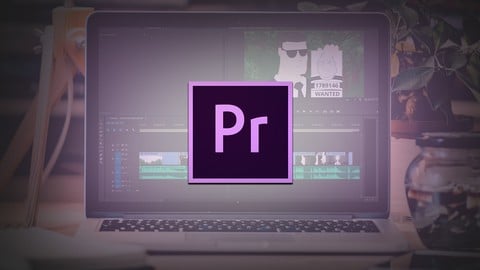
Using an Editing Software for Animation (Udemy.com)
Learn How to Use Premiere Pro CC to Create Your Animatic and Put Together the Final Sequence of Your Animation
Created by: 2D Animation 101 Courses
Last updated September 2018
 What you will learn
- Create an Animatic
- Put together every scene of your animation for the final render
How it compares
Against the other 545 rated Udemy courses in 3D Modeling on CourseDuck:
- Rating4.5 out of 5higher than 37% of them
- Reviews80#477 of 546 by number of reviews
- Length1.9 hoursshorter than 87% of them
- Last updatedSeptember 2018earlier than 85% of them
 Course Description
In this course I will show you how to use an editing software to help you with your animation.
Please note that this course is not about animation, but how to EDIT your animations and help you animate your projects better.
In the following lessons I will show you how to use the basics of adobe premiere pro, which cover everything you need to use an editing software for animation.
I am providing the project files in a zip file so you can follow along and practice everything I do in the screen.
Now, this is super important.
Even though this course is dedicated to teach you how to use premiere pro, you can actually follow along with any editing software, everything you learn here can be applied in any editing software out there.
So, feel free to switch to your preferred software at any time, be it final cut pro, vegas pro, iMovie, Corel Video Studio, Pinnacle studio or any one you choose, you should know that everything you learn here, can be applied in any software.
But, for this course, I will show you how to do everything inside Premiere Pro.

 Udemy Discount
The discount is applied through our link. Open the course from here and Udemy's current promotional price is applied at checkout on most courses, no code to type.
Some courses are excluded from Udemy's promotions. If the price does not drop, clear your browser cookies and use the button again.
Instructor Details
- 4.5 Rating
 80 Reviews
2D Animation 101 Courses
Mark L. Diaz has a background of 10 years in the film industry at Autumn Leave Films, and with over 30 short films produced to this date, we are a group of animators who love to share everything we know about animation, from pre-production, animation, to post production.
Our aim is to equip future animators with all the necessary techniques and tips to help them do better projects. Our courses will help beginners along with intermediate users.
We have helped more than 160,000+ students to discover techniques and all the knowledge they need to start animating their projects.
 More courses by 2D Animation 101 Courses

Cinematography for 2D Animation Essentials (2018)
4.6 (1,357 Reviews)
 Provider: Udemy
 Time: 36 mins
$15.99
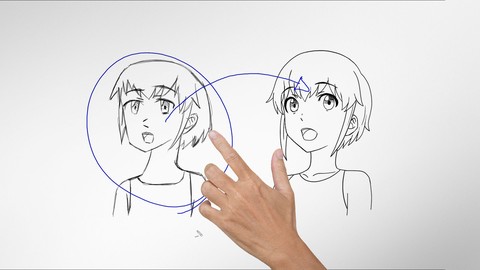
Improve Anime Drawings With Leonardo DaVinci Method (2018)
4.3 (1,217 Reviews)
- Provider: Udemy
- Time: 54 mins
Free

Adobe Illustrator Essentials for Character Design (2021)
4.6 (925 Reviews)
- Provider: Udemy
- Time: 2.1h
$11.99
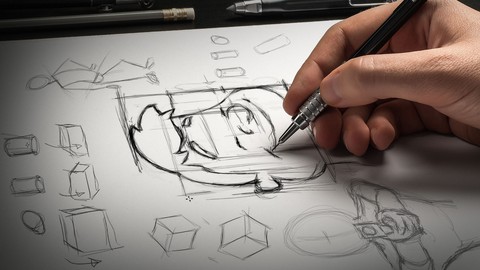

Character Design For Animation in Illustrator (2021)
4.6 (670 Reviews)
- Provider: Udemy
- Time: 2.2h
$54.99

2D Animation in Moho from Basic to Advanced (2018)
4.6 (625 Reviews)
- Provider: Udemy
- Time: 4h
$59.99
More 3D Modeling courses

3D Printing with " Ultimaker CURA Slicer- Start to finish" (2025)
4.9 (192 Reviews)
- Provider: Udemy
- Time: 1h
$34.99

Girl and the Dog Creation in Zbrush for Intermediate Level (2020)
4.9 (173 Reviews)
- Provider: Udemy
- Time: 48.8h
$59.99



Blender Character Creator for Video Games (2026)
4.8 (9,160 Reviews)
- Provider: Udemy
- Time: 34.3h
$159.99

Master SOLIDWORKS 3D CAD using real-world examples (2022)
4.8 (2,451 Reviews)
- Provider: Udemy
- Time: 18.9h
$69.99
 Reviews

By Col Lees on 4/20/2020
All explained simply. Excellent!
By Carlos Raminhos Natalio on 5/26/2019
I'am very satisfied with this course. It was better than I expected.
By Sheela Sharma on 11/1/2018
I received amble enough of information to create to start understanding how to use PRO CC.
By Terry Sennette on 9/20/2017
Mark Diaz is always 5 Stars!
By Alberto Accardo on 8/24/2017
Good explanation
By Khim Samborothana on 8/9/2017
It is perfect for me - clear explanation and illustration. I really like it. Thank you.
By Saeed Mustafa Saeed on 7/15/2017
موقع رائع ومفيد نشكر القائمين على هذا الموقع الرائع
By Khaled Kondakji on 7/1/2017
It was wonderful and thanks a lot
By Gayle on 6/24/2017
Great teaching style. Easy to follow. Instructor explains things clearly.
By Ahmed AlZinati on 6/7/2017
Thanks a lot I really enjoy learning in this course.
 Quality Score
No CourseDuck member has rated this course yet. Taken it? Give each part a thumbs up or down.
Overall Score : 90 / 100
- Video Duration:
 1.9h
1.9h - Price: $19.99
- Provider: Udemy
- Updated:
 September 2018
 - Level:
 Beginner
 - Language:
 English
 - Certificate:
 Yes
Yes
30-day money-back guarantee on most paid courses
Udemy Coupon Price Tracker
