
 Web Development
 Data Science
 Python
 SQL
SQL JavaScript
 Artificial Intelligence
 IT & Software
 IT Certifications
 Hacking
 AWS
AWS Arduino
 DevOps
 3D Modeling
 Graphic Design
 Photoshop
 Drawing
 Digital Painting
 UX Design
 Business
 Data Analysis
 Communication Skills
 Project Management
 Leadership & Management
 Human Resources
 Digital Marketing
 Social Media Marketing
 Marketing
 SEO
SEO Google Analytics
 Branding
 Excel
Excel Office Productivity
 SAP
SAP PowerPoint
 Microsoft Access
 SharePoint
 Finance & Accounting
 Trading & Investing
 Accounting
 Bitcoin
 Personal Finance
 Video Editing & Animation
 Photography
 Adobe Premier Pro
 Adobe Lightroom
 Personal Development
 Productivity
 Career Development
 Life Coaching
 Health & Fitness
 Meditation & Mindfulness
 Yoga
Yoga Music
Music Music Production
 Guitar
 Piano
Piano Singing
 Language Learning
 Teaching & Academics
 Engineering
 Math
Math Lifestyle
VMware PowerCLI Masterclass: Automate ESXi, vCenter vSphere (Udemy.com)
Manage VMs, hosts, clusters, snapshots & reports with PowerShell — no scripting experience needed.
Created by: Fettah Ben
Last updated August 2026
 What you will learn
- Basic concepts of PowerShell.
- Save time and effort by automating your VMware tasks
- PowerCLI Installation and Configuration.
- Add, Configure and manage ESXI Hosts, Datacenter and Clusters.
- Create and Manage virtual machines, templates, clones, and snapshots.
- How to track CPUs, memory, datastores, virtual disks, networks, and systems
- How to produce performance reports over any regular or custom period
- How to create on-demand reports to troubleshoot emerging problems
- Generate and Export detailed Environment reports.
How it compares
Against the other 50 rated Udemy courses in VMware on CourseDuck:
- Rating4.7 out of 5higher than 76% of them
- Reviews395#33 of 51 by number of reviews
- Length6.2 hoursshorter than 59% of them
- Last updatedAugust 2026more recently than 92% of them
 Course Description
Are you a vSphere Administrator looking to supercharge your virtual infrastructure management skills? This comprehensive course is designed just for you. Whether you're new to VMware PowerCLI or want to take your automation game to the next level, this course has you covered.
Welcome to VMware PowerCLI Automation for vSphere Administrators. This comprehensive course is designed to teach you the essential skills needed to automate VMware virtual infrastructure using PowerCLI. You will learn how to use PowerCLI to manage vSphere environments and automate routine tasks, such as creating virtual machines, managing storage, and managing network configurations. This course is suitable for administrators, engineers, and system administrators who are looking to increase their knowledge and productivity by automating their virtual infrastructure.
Key Course Features:
Over 6 hours of video content
Step-by-step lessons on using PowerCLI to automate virtual infrastructure
In-depth explanations of the PowerCLI cmdlets and scripting concepts
Real-world examples and use cases
Hands-on exercises and challenges to reinforce your learning
What You'll Learn:
Master VMware PowerCLI scripting techniques.
Automate routine vSphere tasks and save time.
Optimize virtual infrastructure management and troubleshooting.
Create custom automation scripts tailored to your needs.
Real-world examples and hands-on labs.
Testimonial 1:
"This course is a must-take for any VMware administrator who wants to learn how to automate their environment with PowerCLI. The instructor does a great job of explaining the concepts and providing real-world examples." - Brandon Wyatt, VMware Administrator
Testimonial 2:
"I've been using VMware for years, but I never had the time to learn PowerCLI. This course was the perfect way to get up to speed quickly. The instructor is very knowledgeable and the course is well-paced." - Jane Smith, VMware Administrator
By the end of this course, you will be able to use PowerCLI to automate your virtual infrastructure, saving you time and increasing your efficiency. With its comprehensive content, real-world examples, and hands-on exercises, this course is the perfect starting point for anyone looking to master VMware PowerCLI.
Join this course today and become a VMware PowerCLI automation expert!
Money-Back Guarantee:
We're confident you'll love this course, but if you're not satisfied, we offer a 30-day money-back guarantee. No questions asked.
Take control of your vSphere environment with VMware PowerCLI. Enroll now and start automating your way to efficiency!

 Udemy Discount
The discount is applied through our link. Open the course from here and Udemy's current promotional price is applied at checkout on most courses, no code to type.
Some courses are excluded from Udemy's promotions. If the price does not drop, clear your browser cookies and use the button again.
Instructor Details

- 4.7 Rating
 395 Reviews
Fettah Ben
Hello, I’m Fettah Ben — an IT professional with over 18 years of hands-on experience in infrastructure management, virtualization, data protection, and disaster recovery.
Throughout my career, I’ve worked with small businesses, large enterprises, and government environments—helping them design, secure, and optimize reliable IT infrastructures.
My expertise includes:
- Backup & disaster recovery solutions (Veeam, Nakivo, Acronis)
- Virtualization platforms (VMware & Nutanix)
- Cloud technologies (Microsoft Azure)
I’ve been involved in real-world projects ranging from daily operations to complex production deployments, giving me a deep understanding of what actually works in the field.
My Teaching Approach
I specialize in turning complex IT concepts into simple, practical, and easy-to-understand lessons.
In my courses, you’ll find:
- Step-by-step explanations
- Real-world scenarios
- Hands-on demonstrations
- Clear and structured learning paths
My goal is simple:
Help you gain job-ready skills that you can apply immediately in real environments.
My Mission
I’m passionate about helping IT professionals around the world:
- Learn faster
- Build confidence
- Grow their careers
 More courses by Fettah Ben

The Complete VMware vSphere: Beginner to Advanced (2026)
4.7 (4,526 Reviews)
 Provider: Udemy
 Time: 12.6h
$13.99
The Complete Nutanix Private Cloud Solution Bootcamp. (2026)
4.2 (2,078 Reviews)
- Provider: Udemy
- Time: 9.5h
$11.99

PowerShell Scripting & Automation: The Complete Hands-On (2026)
4.8 (1,750 Reviews)
- Provider: Udemy
- Time: 9.6h
$11.99

The Complete VMware vSphere: Enterprise Features (2026)
4.3 (1,185 Reviews)
- Provider: Udemy
- Time: 12.7h
$13.99
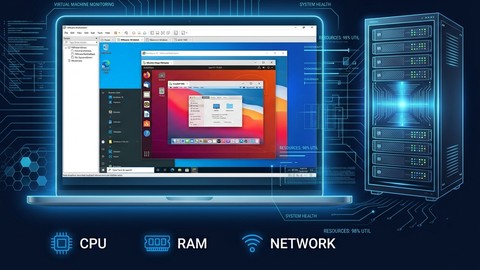
Build a VMware vSphere Home Lab with VMware Workstation (2026)
4.4 (1,113 Reviews)
- Provider: Udemy
- Time: 2h
$11.99
More VMware courses

Complete VMWare vSphere ESXi and vCenter Administration (2026)
4.7 (14,620 Reviews)
- Provider: Udemy
- Time: 11.3h
$99.99
The Complete VMware vSphere: Beginner to Advanced (2026)
4.7 (4,526 Reviews)
- Provider: Udemy
- Time: 12.6h
$13.99

VMware vSphere 6.0 Part 1 - Virtualization, ESXi and VMs (2018)
4.7 (4,409 Reviews)
- Provider: Udemy
- Time: 8.9h
$69.99

Clear and Simple VMware vSphere 6.7 Professional VCP-DCV (2024)
4.7 (2,338 Reviews)
- Provider: Udemy
- Time: 12.9h
$10.99

Clear and Simple VMware vSAN 6.7 (Virtual SAN) (2023)
4.7 (2,283 Reviews)
- Provider: Udemy
- Time: 3.1h
$11.99

Clear and Simple VMware Certified Associate (RetiredVCA-DBT) (2024)
4.7 (2,240 Reviews)
- Provider: Udemy
- Time: 6.5h
$13.99
 Reviews

By Dhara Desai on 9/30/2025
Very Good to clear concept.
By Mario I McGuire on 5/8/2025
I struggled with the accent, but the content itself was easy to follow and digest.
By Paweł Kalinowski on 3/21/2023
Decent course but could be shortened by 1/3. In many cases author repeats what was already presented.
By Ryan Chronister on 11/16/2022
The course covers the common use cases of vSphere 7 admin with PowerCLI. I'm working on a project of ESXi QA automation and I was looking for a PowerCLI course, this is the one after researching. I highly recommend this course for any one who wants to manage and to monitor VMware cluster using PowerCLI.
By George Gonzales on 10/12/2022
I purchased this course after attending VMworld and I love it! For automating your Vsphere environment this is your bible. I've only scratched the surface but this course has saved me hundreds of hours of testing. It's so much better to get my Powercli scripting right the first time.
By John H Ross on 10/9/2022
One of the more difficult parts of learning PowerCLI - and PowerShell itself - is determining where to get started. I often suggest identifying a project or task that you want to complete, and then figuring out how to do it, because aimlessly fiddling with a language can be frustrating. If you're looking for a library of sample code that walks you through the why and how, I'd suggest picking up this PowerCLI course from Fettah Ben.
By Bradley M Brathwaite on 10/7/2022
This is a really good reference course. It has tons of stuff that I have already been able to us in my job. I started to follow it straight through but haven't been able to stay with it... but lets face it, it is a GREAT Reference course. I am very VMware View centric and it does not touch on that add on to CLI but this isn't a VMware View PowerCLI course, it is a VMWare vSphere PowerCLI course.
By Gary B Voss on 9/22/2022
The great thing about Fettah's approach is that he takes the time to point out some basic powershell syntax outside of PowerCLI. You are then soon driven into some very useful cmdlets to extract information from your vSphere environment using Powershell and vSphere's PowerCLI cmdlets.
By Harold M Couture on 9/8/2022
The structure of this powerCLI course makes sense for the topic, the information conveyed is relevant, useful, and, for the most part, at the right level of abstraction. It provides not only the broad picture of virtualization command line, but also the information you need to know to dig deeper on more specialized topics.
By Abdau Majdi on 9/2/2022
Been a vmware engineer for 8 years now and I get to master the PowerCLi. This one does not disappoint. Lots of great information in here for anyone who is just starting out and wants to learn more or the engineer that's been using the product for 10 years. I always learn something new from these.
 Quality Score
No CourseDuck member has rated this course yet. Taken it? Give each part a thumbs up or down.
Overall Score : 94 / 100

- Video Duration:
 6.2h
6.2h - Price: See price on Udemy
- Provider: Udemy
- Updated:
 August 2026
 - Level:
 All Levels
 - Language:
 English
 - Certificate:
 Yes
Yes
30-day money-back guarantee on most paid courses
Udemy Coupon Price Tracker
