
 Web Development
 Data Science
 Python
 SQL
SQL JavaScript
 Artificial Intelligence
 IT & Software
 IT Certifications
 Hacking
 AWS
AWS Arduino
 DevOps
 3D Modeling
 Graphic Design
 Photoshop
 Drawing
 Digital Painting
 UX Design
 Business
 Data Analysis
 Communication Skills
 Project Management
 Leadership & Management
 Human Resources
 Digital Marketing
 Social Media Marketing
 Marketing
 SEO
SEO Google Analytics
 Branding
 Excel
Excel Office Productivity
 SAP
SAP PowerPoint
 Microsoft Access
 SharePoint
 Finance & Accounting
 Trading & Investing
 Accounting
 Bitcoin
 Personal Finance
 Video Editing & Animation
 Photography
 Adobe Premier Pro
 Adobe Lightroom
 Personal Development
 Productivity
 Career Development
 Life Coaching
 Health & Fitness
 Meditation & Mindfulness
 Yoga
Yoga Music
Music Music Production
 Guitar
 Piano
Piano Singing
 Language Learning
 Teaching & Academics
 Engineering
 Math
Math Lifestyle
ZBRUSH Hard Surface Techniques and Workflows (Udemy.com)
Understand Hard Surface Techniques by combining Sculpting and Zmodeler Editing through Zremsher 3 for New Workflows!
Created by: Sean Fowler
Last updated January 2022
 What you will learn
- Zbrush Hard Surface Sculpting Workflows
- Understanding the workflow between Digital Sculpting and Zmodeler Editing through Zremesher 3.0
- Comprehending the various uses and applications of Zremesher 3.0 as well as its strengths and weakness
- A strong emphasis throughout the course on quick keys with narration of walk through
- Beveling Techniques on Concave and Convex surfaces.
- Sculpting techniques through Live Booleans and how to make customized bevels through them
- Additionally we will walk you through the process in how to create customizable booleans, along with being supplied samples free for you to use in any of your projects,
- Learning the Difference between Clip curve and Trim Curves as well as their importance in the main theme workflow
How it compares
Against the other 545 rated Udemy courses in 3D Modeling on CourseDuck:
- Rating4.5 out of 5higher than 37% of them
- Reviews138#383 of 546 by number of reviews
- Length12.8 hourslonger than 76% of them
- Last updatedJanuary 2022earlier than 57% of them
 Course Description
Hello and Welcome to ZBRUSH Hard Surface Techniques and Workflows All Levels
- In this course we will take a focus in depth look into Hard Surface Sculpting in a variety of Techniques such as combing digital sculpting and Zmodeler Editing through one of ZBrushes biggest upgraded feature Zremesher 3.0 and building modular component pieces that can be reusable in other projects.
- Here I will be doing demonstrations in Zremesher 3.0 to show its strengths and weakness as part of its primary bridge between sculpting and Zmodeler
- Throughout this course we will examine ways to combine what we learn in our hard surface sculpting techniques to push our shapes further utilizing gizmos deformers to make one modular piece construction to be reusable to multiple shapes as we progress with our subject piece.
- In addition to these new workflows I will also be illustrating how to create customized booleans and demonstrate their versatility across multiple surfaces.
- We will be making HEAVY emphasis to in hotkey narration from the most commonly used hotkeys in this course to more advance hotkey techniques such panning curves and selection tools through space bar.
By the end of this course you should have a solid foundation to zbrush hard surface sculpting and its features with carving out hard surfaces mesh through extraction function

 Udemy Discount
The discount is applied through our link. Open the course from here and Udemy's current promotional price is applied at checkout on most courses, no code to type.
Some courses are excluded from Udemy's promotions. If the price does not drop, clear your browser cookies and use the button again.
Instructor Details

- 4.5 Rating
 138 Reviews
Sean Fowler
Hi there my Name is Sean Fowler and I have been a 3D Freelance artist for over 10 years. I graduated from Full Sail University with a Bachelors of Science in Game Art, which pretty much means I am specialized to work in games, be it prop modeling and textures, character modeling and, straight up to animation cycles in maya. You could say I do enjoy a lot of the disciplines in the game production workflow. I am very passionate about what I do, and I’m very committed in learning new things everyday. I wanted to find a way to give back a little so I felt this would be an excellent place to start.
 More courses by Sean Fowler
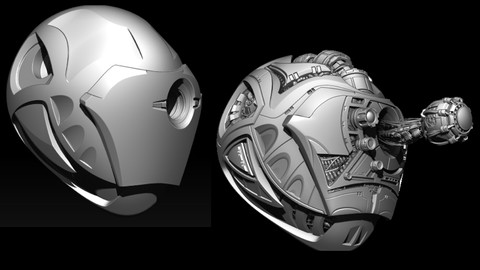
Zbrush: Hard Surface Sculpting for All Levels! (2023)
4.6 (945 Reviews)
 Provider: Udemy
 Time: 10.3h
$11.99

NEW! Substance Painter All Levels Volume 1 (2020)
4.5 (571 Reviews)
- Provider: Udemy
- Time: 5.3h
$59.99

Learning Substance Painter From Beginner to Advance (2022)
4.6 (349 Reviews)
- Provider: Udemy
- Time: 8.8h
$59.99
More 3D Modeling courses

3D Printing with " Ultimaker CURA Slicer- Start to finish" (2025)
4.9 (192 Reviews)
- Provider: Udemy
- Time: 1h
$34.99

Girl and the Dog Creation in Zbrush for Intermediate Level (2020)
4.9 (173 Reviews)
- Provider: Udemy
- Time: 48.8h
$59.99



Blender Character Creator for Video Games (2026)
4.8 (9,160 Reviews)
- Provider: Udemy
- Time: 34.3h
$159.99

Master SOLIDWORKS 3D CAD using real-world examples (2022)
4.8 (2,451 Reviews)
- Provider: Udemy
- Time: 18.9h
$69.99
 Reviews

By Chaidar Aghiya on 10/27/2023
Thanks for making Fun and Not bored and keep learner Interest untill end. This course is great invest. 5 stars !!!
By Андрей Лабутин on 10/21/2021
i know what an autor is very cool, cource is very cool apriory/ я знаю этого автора, и курсы его край крутые и топовые, и пройдя их вы будете топами в этой профессии.
By Srimounica Rapalli on 1/12/2021
I love this course! Such a neat and detailed explanation, It's really helping. Thank you so much for making this.
By Esteban Rivera on 11/20/2020
The course description was concise and to the point. It’s laid out in a logical, easy to understand and hopefully, follow, format. The resolution of the video is easy to see on most screens to include mobile devices. The ability to slow down the video to half speed makes for a course just about anyone should be able to keep up with.
By Daniel Kennedy on 10/5/2020
By far the best Zbrush hard surface and just general tutorial I have seen yet. Well worth the time and money. The instructor does a fantastic job explaining quickly but not so fast you get lost or fall behind, cannot give this a high enough rating!
By Bikramjit Singh on 7/7/2020
Seems Okay, but it feels more like a course on completing a project rather than learning Hard Surface Techniques in ZBrush. I understand the project-based approach, but it would be nice to learn more at each step instead of repeating the same processes over again with nothing new or interesting. I Do Feel Like The Course Was Worth Going Through Though
By Kevin Elvedahl on 4/13/2020
This course is fantastic. The instructor has a clear and concise way of communicating the processes through which he creates the the different assets of the project. Not only did I come away with a really cool looking finished product but also have gained core skills in the Zbrush Software.
By Tommy LU on 4/1/2020
I took Sean's first Zbrush course two years ago and just finished this one for refreshing my memories and learning new techniques) Both of them are amazing and smoothly paced, now i can't wait to see more of Sean's courses just like two years ago haha.
By Daniel Pettersson on 2/4/2020
I am new to Zbrush, but the modeling workflow taught in this course seems a tad old-school to me. But I might be wrong here. I'm not fond of the look of the created pieces, but I'm taking it just as practice.
By 大橋健造 大橋 on 1/31/2020
I finished of this course. It took about a week.A variety of Zbrush techniques are used. I think it will be very useful for hard surface sculpting. The teacher's teaching method is very straightforward and accurate. Push forward to everyone who wants to learn Zbrush. Great!
 Quality Score
No CourseDuck member has rated this course yet. Taken it? Give each part a thumbs up or down.
Overall Score : 90 / 100
- Video Duration:
 12.8h
12.8h - Price: $54.99
- Provider: Udemy
- Updated:
 January 2022
 - Level:
 All Levels
 - Language:
 English
 - Certificate:
 Yes
Yes
30-day money-back guarantee on most paid courses
Udemy Coupon Price Tracker
