
 Web Development
 Data Science
 Python
 SQL
SQL JavaScript
 Artificial Intelligence
 IT & Software
 IT Certifications
 Hacking
 AWS
AWS Arduino
 DevOps
 3D Modeling
 Graphic Design
 Photoshop
 Drawing
 Digital Painting
 UX Design
 Business
 Data Analysis
 Communication Skills
 Project Management
 Leadership & Management
 Human Resources
 Digital Marketing
 Social Media Marketing
 Marketing
 SEO
SEO Google Analytics
 Branding
 Excel
Excel Office Productivity
 SAP
SAP PowerPoint
 Microsoft Access
 SharePoint
 Finance & Accounting
 Trading & Investing
 Accounting
 Bitcoin
 Personal Finance
 Video Editing & Animation
 Photography
 Adobe Premier Pro
 Adobe Lightroom
 Personal Development
 Productivity
 Career Development
 Life Coaching
 Health & Fitness
 Meditation & Mindfulness
 Yoga
Yoga Music
Music Music Production
 Guitar
 Piano
Piano Singing
 Language Learning
 Teaching & Academics
 Engineering
 Math
Math Lifestyle
Adobe pack the basics Photoshop + Illustrator + InDesign (Udemy.com)
Pack graphics design three software, learn the basics of Photoshop, Illustrator and InDesign
Created by: Nicolas Forgue
Last updated March 2022
 What you will learn
- Use Adobe Photoshop software
- Master the main tools of Photoshop
- Use the tools and practice on projects with Photoshop
- Use Adobe Illustrator software
- Master the main tools of Illustrator
- Use the tools and practice on projects with Illustrator
- Use Adobe InDesign software
- Master the main tools of InDesign
- Use the tools and practice on projects with InDesign
How it compares
Against the other 52 rated Udemy courses in Adobe Indesign on CourseDuck:
- Rating3.6 out of 5higher than 1% of them
- Reviews17#49 of 53 by number of reviews
- Length12.8 hourslonger than 90% of them
- Last updatedMarch 2022more recently than 65% of them
 Quality Score
Overall Score : 72 / 100
 Course Description
This course offers the basics of each software. If you want to deepen each software in detail with additional elements and additional training projects, I invite you to see the extensive training on each software that I propose.
Photoshop is the graphics software par excellence. Photoshop is a bitmap editing software, your project will be an accumulation of pixels on which you will intervene with new pixels. The strength of Photoshop is to be able to generate any image. Although we often think of Photoshop for photo editing and rightly so, this tool will also allow you to create a poster, to give life to an illustration, to create a mock-up of the Internet site and many others. Photoshop is not a very intuitive and easy-to-use tool, that's why it is important at first to learn how to work and how to use the tools.
Illustrator is an illustration software that allows you to create vector images. It can be used totally independently of Photoshop, as it can be in addition to Photoshop. This software is both suitable for creating documents for printing such as brochures, flyers, brochures, logos ... but also for documents for the web. The strength of the vector image lies in the fact that it does not suffer loss of quality when it is enlarged. The zoom can be used to infinity, it will not affect the quality of the image. This method therefore adapts to all formats. The other advantage is the sharpness of the lines obtained. It is on this point that Illustrator is essential. And it is very important for files related to printing.
InDesign is more than a layout software. It's really the functionality that is not found on the other 2 tools. Indeed, the software allows the layout of documents in more complex and creative ways than Photoshop and Illustrator. Everything is done to optimize professional layouts. You can do creative word processing and combine text with design. However, the tool does not allow visual editing or even image creation. Very useful for creating book layouts, brochures, flyers ...Who this course is for:
- Students in design graphics
- Individuals who wish to learn this software
- The designers
- Graphic Design Professionals

 Udemy Discount
The discount is applied through our link. Open the course from here and Udemy's current promotional price is applied at checkout on most courses, no code to type.
Some courses are excluded from Udemy's promotions. If the price does not drop, clear your browser cookies and use the button again.
Instructor Details

- 3.6 Rating
 17 Reviews
Nicolas Forgue
Bonjour tous et bienvenue sur mon profil, je m'appelle Nicolas. Fort de mon exprience et de mes comptences, je propose des formations dans plusieurs domaines. Mes niches principales sont le graphisme design, les business en ligne, le voyage et le dveloppement personnel. Je partage donc ces comptences avec toutes les personnes dsirant apprendre. Je m'efforce de proposer des cours structurs et adapts aux besoins des participants. C'est un rel plaisir que de crer et de proposer ces formations, en esprant vous apporter une relle valeur ajoute. N'hsitez pas participer mes cours!
Hello everyone and welcome to my profile, my name is Nicolas. With my experience and skills, I offer training in several areas. My main niches are design graphics, online business, travel and personal development. So I share these skills with everyone who wants to learn. I strive to offer courses that are structured and adapted to the needs of participants. It is a real pleasure to create and offer these courses, hoping to bring you real added value. Feel free to participate in my classes!
 More courses by Nicolas Forgue
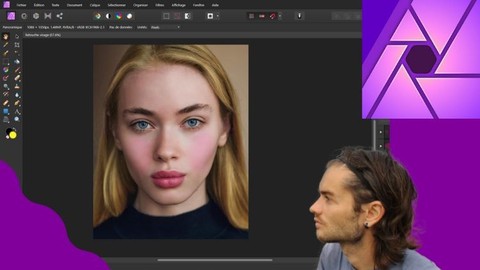
Affinity Photo version 2 le cours complet (2024)
4.2 (139 Reviews)
 Provider: Udemy
 Time: 14.4h
$39.99
More Adobe Indesign courses

Adobe InDesign CC: Beginners | Workshop | Essentials (2023)
4.8 (225 Reviews)
- Provider: Udemy
- Time: 3.2h
$59.99

Adobe InDesign CC - Essentials Training Course (2026)
4.7 (19,611 Reviews)
- Provider: Udemy
- Time: 11.9h
$149.99

Adobe CC Masterclass: Photoshop, Illustrator, XD & InDesign (2020)
4.7 (3,808 Reviews)
- Provider: Udemy
- Time: 12.8h
$139.99

Learn Adobe InDesign: Design a Magazine and More in InDesign (2026)
4.7 (1,688 Reviews)
- Provider: Udemy
- Time: 8.8h
$79.99

Adobe InDesign Master Class - Beginner to Pro, ALL LEVELS (2024)
4.7 (453 Reviews)
- Provider: Udemy
- Time: 7.3h
$84.99

 Reviews

By Kali Yonowitz
So far it is helpful, but the narrator of this class has a very thick accent that is hard to understand most of the time. Even with the closed captions turned on, it uses the wrong words.
By Elaine Cristina Perillo Prates Onomichi
Very difficult to understand his english.
By Samuel Parerenyatwa
I really learned a lot since I am working too much will illustrator and InDesign

- Video Duration:
 12.8h
12.8h - Price: $19.99
- Provider: Udemy
- Updated:
 March 2022
 - Level:
 All Levels
 - Language:
 English
 - Certificate:
 Yes
Yes
30-day money-back guarantee on most paid courses
Udemy Coupon Price Tracker
