
 Web Development
 Data Science
 Python
 SQL
SQL JavaScript
 Artificial Intelligence
 IT & Software
 IT Certifications
 Hacking
 AWS
AWS Arduino
 DevOps
 3D Modeling
 Graphic Design
 Photoshop
 Drawing
 Digital Painting
 UX Design
 Business
 Data Analysis
 Communication Skills
 Project Management
 Leadership & Management
 Human Resources
 Digital Marketing
 Social Media Marketing
 Marketing
 SEO
SEO Google Analytics
 Branding
 Excel
Excel Office Productivity
 SAP
SAP PowerPoint
 Microsoft Access
 SharePoint
 Finance & Accounting
 Trading & Investing
 Accounting
 Bitcoin
 Personal Finance
 Video Editing & Animation
 Photography
 Adobe Premier Pro
 Adobe Lightroom
 Personal Development
 Productivity
 Career Development
 Life Coaching
 Health & Fitness
 Meditation & Mindfulness
 Yoga
Yoga Music
Music Music Production
 Guitar
 Piano
Piano Singing
 Language Learning
 Teaching & Academics
 Engineering
 Math
Math Lifestyle
Blender 4 Creator Course Stylized 3D Models (Udemy.com)
Blender 4 Beginner to Pro Learn it all in a few hours
Created by: 3D Tudor
Last updated March 2026
 What you will learn
- • Kickstarting your 3D modelling journey in Blender whether you are a seasoned artist or a newcomer
- • Using Blender 4 and understanding its new interface and shortcuts
- • Acquiring the skills to create professional-grade AAA stylized models, focusing on the unique aspects of stylized art
- • Mastering the art of Blender with our course on enhancing renders using the powerful compositor
- • Finding out about the basics of Blender’s asset manager navigation to advanced asset management techniques
- • Learning about and experiencing the differences between Cycles and Eevee rendering in Blender 4
- • Staying ahead in the 3D realm by learning to harness the capabilities of Eevee Next, Blender 4's revolutionary real-time renderer
- • Accelerating your design process with our custom Geometry node setups
- • Understanding the application of Geometry Nodes within procedural modeling for creating customizable structures
How it compares
Against the other 545 rated Udemy courses in 3D Modeling on CourseDuck:
- Rating4.5 out of 5higher than 37% of them
- Reviews237#278 of 546 by number of reviews
- Length19.9 hourslonger than 86% of them
- Last updatedMarch 2026more recently than 90% of them
 Course Description
Welcome to ‘Blender 4 Creator Course Stylized 3D Models’, your gateway to unlocking the full potential of the Blender Asset Manager.
Imagine what it’s like to work in one of the top gaming studios with this AAA quality 3D art course!
This course is specifically designed to guide anyone, whether you're new to 3D modeling or just new to Blender, towards creating professional-grade AAA stylized models.
In less than 20 hours, you'll gain the skills and confidence needed to transform your creative ideas into high-quality 3D art.
Perfect for both novices and those looking to transition to Blender, ‘Blender 4 Creator Course Stylized 3D Models’ is your stepping stone to mastering stylized 3D modeling efficiently and effectively.
I will take you on a journey from mastering basic navigation to harnessing advanced asset management techniques.
If you are a beginner, ‘Blender 4 Creator Course Stylized 3D Models’ is designed to save you years of effort and frustration. By the end of this course, you'll not only master asset management but also acquire the skills needed to create a professional model entirely from scratch.
Unlock your potential in 3D art with our Blender 4 Creator Course!
Perfect for both beginners and seasoned artists, this comprehensive course guides you through creating AAA quality stylized 3D models. Master asset management, learn advanced techniques, and transform your ideas into stunning art. Join us at 3D Tudor and embark on a journey. Start shaping your future in the 3D modelling industry!
At 3D Tudor, we don't just teach 3D art; we live it. Join us on this course, and gain not just knowledge, but insights from years of real-world experience and success.
Top 8 Points about ‘Blender 4 Creator Course Stylized 3D Models’:
1. Master the art of Blender with our course on enhancing renders using the powerful compositor, transforming your projects with professional-grade AAA visual effects
2. Elevate your 3D environments with our extensive asset library, boasting an array of materials and tools designed to bring your creative visions to life
3. Stay ahead in the 3D realm by learning to harness the capabilities of Eevee Next, Blender 4's revolutionary real-time renderer
4. Accelerate your design process with our custom Geometry node setups, tailor-made for crafting stylized rooftops, wood boards, and more with efficiency and flair
5. Bring your scenes to life with our innovative ivy and foliage creator, utilising curvature drawing for unparalleled control over the shape and flow of your natural elements
6. Dive into the world of professional 3D modeling with our course on creating a uniquely stylized 3D tavern, teaching you industry-standard practices
7. Discover the secret to creating immersive environments with our custom stylized textures, complete with a shader setup for ultimate control and enhancement
8. Advance your texturing skills with our vertex painting techniques, adding personalized details like dirt to improve your designs with intricate, realistic touches
Dive into our Download Pack
‘Blender 4 Creator Course Stylized 3D Models’ includes a free course download pack that includes everything you need to kickstart your asset management journey.
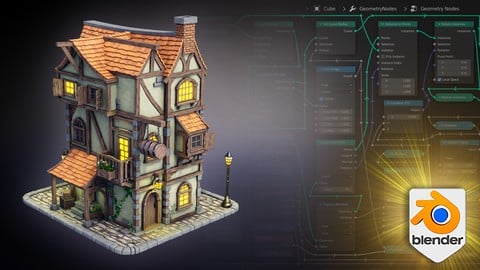
‘Blender 4 Creator Course Stylized 3D Models’ gives you the opportunity to upload a project as part of your learning process. Your project will be to create a stylized medieval town building with 3 floors, including charming details such as flower boxes, crates, wooden beams, and barrels with AAA game art quality lighting and textures.
Using the files provided in the ‘Blender 4 Creator Course Stylized 3D Models’ download pack, you have the chance to create a building fit for a fantasy environment based on medieval architecture with some creative freedom applied (e.g., using roof tiles instead of hay roofs).
So, let’s now dive into this brand-new Blender 4 course and find out everything you’re going to learn…
Module 1: Generating Ideas & Greyboxing
The Starting Point of Your Creative Process
‘Blender 4 Creator Course Stylized 3D Models’ begins with a crucial step in professional 3D modeling: generating ideas and greyboxing. This initial phase is all about conceptualizing and laying the groundwork for your projects.
We start by using tools like Midjourney to spark creativity and gather inspiration. From a single image, we'll show you how to expand into a multitude of ideas, forming the basis of your unique designs.
Next, we dive into the process of gathering references, utilising resources like Google and Pinterest. This step is key to collecting a diverse range of visual materials that will inform and enrich your project.
Once the conceptual groundwork is laid, we move into the practical application within Blender 4. Here, you'll learn the art of greyboxing - creating a basic, preliminary 3D model of your environment. This step includes setting up a rudimentary scene and incorporating basic lighting.
Greyboxing is a professional approach used widely in top studios, allowing artists to establish the fundamental structure and composition of their scenes before delving into detailed design.
This initial stage of ‘Blender 4 Creator Course Stylized 3D Models’ is designed to mirror the workflows of big companies, providing you with industry-standard techniques right from the start. By mastering this process, you'll be equipped to approach your 3D modeling projects with a clear vision and a structured plan, setting the stage for successful, detailed, and engaging environments.
Module 2: Asset Manager
‘Blender 4 Creator Course Stylized 3D Models’ will guide you through everything from the basics of navigation to advanced asset management techniques. Along the way, we're thrilled to offer you a free course download pack that includes essential resources to kickstart your journey. This pack contains over 20 stylized shaders, valuable references, and a complete collection of foliage and flowers. These resources will make it easy for you to populate your asset manager.

 Udemy Discount
The discount is applied through our link. Open the course from here and Udemy's current promotional price is applied at checkout on most courses, no code to type.
Some courses are excluded from Udemy's promotions. If the price does not drop, clear your browser cookies and use the button again.
Instructor Details
- 4.5 Rating
 237 Reviews
3D Tudor
Neil Bettison is the founder of 3D Tudor, a Blender and game art education studio created in 2019. He is a professional 3D artist, environment artist, instructor, and bestselling Blender author whose work focuses on practical, project-based training for artists who want to build real 3D skills.
Through 3D Tudor, Neil and the team have taught over 250,000 students worldwide across Blender, Unreal Engine 5, Geometry Nodes, 3D modelling, texturing, lighting, environment art, and game-ready workflows. His courses are known for clear structure, practical projects, and direct step-by-step teaching that helps beginners and intermediate artists build confidence without feeling overwhelmed.
Neil is also co-author of a #1 Amazon Best Seller in Rendering & Ray Tracing, published by Packt. His published work and online courses are built around the same goal: helping students move from theory to finished portfolio-ready scenes, assets, and environments.
3D Tudor courses are designed for learners who want more than isolated tips. Many courses take students through full workflows, from planning and modelling to UVs, materials, lighting, rendering, and final presentation. Common themes include medieval and Tudor environments, fantasy buildings, modular game assets, stylized scenes, sci-fi props, Geometry Nodes systems, and Blender-to-Unreal Engine workflows.
 More courses by 3D Tudor
The Ultimate Guide to Blender 3D Rigging & Animation (2025)
4.5 (400 Reviews)
 Provider: Udemy
 Time: 8h
$79.99
Unreal Engine 5 Beginners Guide to Building an Environment (2025)
4.5 (388 Reviews)
- Provider: Udemy
- Time: 18.4h
$99.99
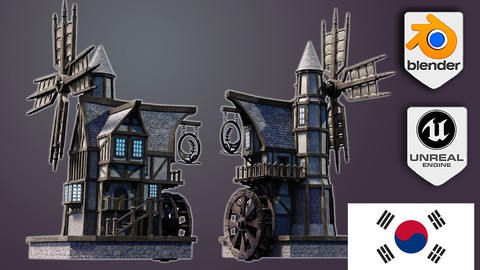
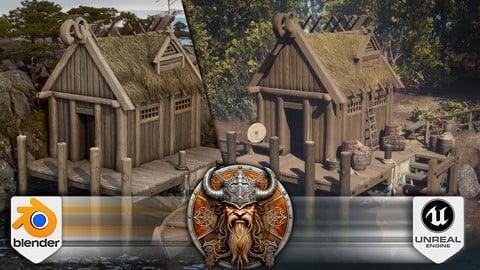
Blender to Unreal Engine 5 The Complete Beginners Guide (2025)
4.5 (90 Reviews)
- Provider: Udemy
- Time: 18.1h
$84.99

Unreal Engine 5 creating an ARPG Game from Scratch (2026)
4.1 (85 Reviews)
- Provider: Udemy
- Time: 31.4h
$69.99
More 3D Modeling courses

3D Printing with " Ultimaker CURA Slicer- Start to finish" (2025)
4.9 (192 Reviews)
- Provider: Udemy
- Time: 1h
$34.99

Girl and the Dog Creation in Zbrush for Intermediate Level (2020)
4.9 (173 Reviews)
- Provider: Udemy
- Time: 48.8h
$59.99



Blender Character Creator for Video Games (2026)
4.8 (9,160 Reviews)
- Provider: Udemy
- Time: 34.3h
$159.99

Master SOLIDWORKS 3D CAD using real-world examples (2022)
4.8 (2,451 Reviews)
- Provider: Udemy
- Time: 18.9h
$69.99
 Reviews

By Brendan Molloy on 4/7/2026
This course was very well presented and laid out in terms of the ideas presented and the steps in teaching the student. I felt like I was really learning as I progressed and the teacher was good at getting across the fundamentals and reinforcing them with good repitition. Overall very well done and enjoyable aswell.
By Terrance Mozingo on 6/22/2025
As usual Neil has created a course that's simply amazing. This is the first course I've been able to completely finish. I have a few others that are almost completed but I've encountered problems that I've yet to figure out. I think this course has given me the tools to finally finish them. Thanks Neil for another great course.
By Mike R on 8/7/2024
so far it's ok, i just find the way of block modeling very jarring. it seems it's going to lead to a lot more work later cleaning it all up, especially with faces sticking inside other objects. copying faces to make new objects then extruding them vs just coping the cube again just seems like more uneccesary steps that over complicate the block modeling phase.
By Jackie CMYK on 6/2/2024
As someone who is clueless about blender, this course is helpful. All the steps he did I can do. This course's thumbnail is more or less what you will get out of this whole thing! I'm definitely much more confident in manipulating meshes. I also appreciate that the creator did his best to make each video an average of 10 mins, bite sized so I can learn as little or as much as I can a day. However, the naming of each video is not very useful... they're all so vague, and in case I would like to go backtrack to re-learn how to do something, the video titles do not help me much; I'd have to guess where the solution is by clicking at abunch of them. I used Blender 4.0 and 4.1. Evee legacy doesn't exist in my blender anymore, so I was relieved that he did not use it in the end. Another difference I noticed is that my geometry node meshes' textures do not go well if they are grouped with other meshes, but that's alright; I just need to separate them. Also note that we would go right into the modeling (with resources provided), so you would have to learn how to make textures, materials and geometry nodes somewhere on your own. Thanks!
By Jürgen W on 4/15/2024
Dieser Kurs hat mir sehr gut gefallen. Ich bin gut mitgekommen und es hat alles gut funktioniert. Des weiteren habe ich eine Menge neuer Funktionen kennengelernt, die ich gut gebrauchen kann. I really liked this course. I got along well and everything worked well. I also got to know a lot of new functions that I can put to good use.
By Evgeniy Arhont on 2/23/2024
This is my first non-free blender course. The author very successfully goes deep into the explanations... not too deep, but not as superficial as they do on YouTube free courses. A quarter has already passed, I’ll definitely finish a couple more)
By Olena on 2/11/2024
Amazing course, especially for a beginner who's only getting into Blender. I found the instructions and explanations clear and very easy to remember afterwards. The workflow shown here seems very well thought through and should be great for further works. Thanksful for the structure it provided. After this course I know a good part of Blender functions and am able to repeat the modeling process on my own, and that's exactly what I've been looking for from this course, so it worked perfectly for me. Would totally advise it to pick up Blender from 4.0 version. Thanks!
By Nea on 2/7/2024
Very detailed and the instructions are clear. It's a good add on to see on the screen which keys he is pressing. It's also very good that he doesn't just say "Okay the next thing we do is this" and then it skips the part where the things have been done and then he would just move on. I've experienced this in many tutorials. So that's why this is good, he doesn't assume that you know how to do certain things or understand what some words or things mean. He goes on and explains and shows everything, sometimes even couple of times.
By Dave Halmasy on 1/11/2024
The class is taking too long to get through. I really didn't think it would take over 11 hours to just get one half of the pub done. The teacher is making too many mistakes along the way. He does know what he is doing but forgets to do things in some instances. He also talks really fast and doesn't give you time to catch up to him.
By Joey Rogers on 12/30/2023
This is really a great course for Blender. My problem in the past has been that I would take a Blender course, learn a bunch of commands, and then I didn't know what to do. This course is the missing piece of the process I was looking for. It shows what commands you actually need and goes step by step through the entire process to complete the scene.
 Quality Score
No CourseDuck member has rated this course yet. Taken it? Give each part a thumbs up or down.
Overall Score : 90 / 100
- Video Duration:
 19.9h
19.9h - Price: $19.99
- Provider: Udemy
- Updated:
 March 2026
 - Level:
 All Levels
 - Language:
 English
 - Certificate:
 Yes
Yes
30-day money-back guarantee on most paid courses
Udemy Coupon Price Tracker
