
 Web Development
 Data Science
 Python
 SQL
SQL JavaScript
 Artificial Intelligence
 IT & Software
 IT Certifications
 Hacking
 AWS
AWS Arduino
 DevOps
 3D Modeling
 Graphic Design
 Photoshop
 Drawing
 Digital Painting
 UX Design
 Business
 Data Analysis
 Communication Skills
 Project Management
 Leadership & Management
 Human Resources
 Digital Marketing
 Social Media Marketing
 Marketing
 SEO
SEO Google Analytics
 Branding
 Excel
Excel Office Productivity
 SAP
SAP PowerPoint
 Microsoft Access
 SharePoint
 Finance & Accounting
 Trading & Investing
 Accounting
 Bitcoin
 Personal Finance
 Video Editing & Animation
 Photography
 Adobe Premier Pro
 Adobe Lightroom
 Personal Development
 Productivity
 Career Development
 Life Coaching
 Health & Fitness
 Meditation & Mindfulness
 Yoga
Yoga Music
Music Music Production
 Guitar
 Piano
Piano Singing
 Language Learning
 Teaching & Academics
 Engineering
 Math
Math Lifestyle
Blender to Unreal Engine 5 The Complete Beginners Guide (Udemy.com)
3D Game Development Journey: From Blender Basics to Unreal Engine 5 Excellence
Created by: 3D Tudor
Last updated April 2025
 What you will learn
- • Kickstarting your 3D modelling journey in Blender whether you are a seasoned artist or a newcomer
- • Using Blender 3 and understanding its new interface and shortcuts
- • A course within a course introduction into (a) Blender basics, (b) materials and textures, (c) seams, sharps, and UVs
- • Speeding up your 3D modelling workflow with a comprehensive overview and demonstration of using Blender’s asset manager
- • Starting projects the right way with our complete referencing guide focusing on the symbiotic relationship between different types of specialist software and
- • Creating Viking curves using cool tools like Boolean operations and the grease pencil
- • Learning how to create realistic roof thatching and layering your roof to make it voluptuous
- • Diving into the world of seamless textures, and harnessing Blender's particle system to design your very own texture maps
How it compares
Against the other 72 rated Udemy courses in Game Design on CourseDuck:
- Rating4.5 out of 5higher than 43% of them
- Reviews90#56 of 73 by number of reviews
- Length18.1 hourslonger than 68% of them
- Last updatedApril 2025more recently than 75% of them
 Course Description
Are you looking for a complete Blender to Unreal Engine 5 professional pipeline project?
Kickstart an exciting adventure moving from the user-friendly Blender to the lively and real-time Unreal Engine 5. ‘Blender to Unreal Engine 5 The Complete Beginner's Guide’ is an easy-to-follow guide that is perfect for beginners, but also has cool stuff for the experienced folks, showing you a step-by-step route to make real-looking scenes in Blender and then bringing them into Unreal Engine 5, making a full scene come to life.
This is your starting line into the fun world of game development, helping you chase your dreams, whether you're into 3D printing for fun, want to get better at Blender, looking to become a pro at making game assets, or even dreaming about making your games someday.
So, if any of these sparks your interest, ‘Blender to Unreal Engine 5 The Complete Beginner's Guide’ is your one-stop shop to make those dreams a reality!
Simply put, 6 best parts about ‘Blender to Unreal Engine 5 The Complete Beginner's Guide’:
1. Kickstart your 3D modelling journey whether you are a seasoned artist or a newcomer
2. Start projects the right way with our complete referencing guide focusing on the symbiotic relationship between different types of specialist software and social media
3. Learn how to create realistic roof thatching and layer your roof to make it voluptuous
4. Master the power of compositing and layers in Blender with a complete 3D modelling pipeline from grey box to high poly render
5. Enrich your scenes through the use of Quixel assets and create rich environments and open worlds with or without foliage
6. Create custom landscape materials for enhanced natural beauty
Organized from the Get-Go
‘Blender to Unreal Engine 5 The Complete Beginner's Guide’ is split into two main parts:
a) first up is Blender, where you'll create your model
b) next is Unreal Engine 5, where you'll set up your model in a gaming environment
This way, you can choose what you want to learn based on what interests you more or dive into both to see the full process from start to finish. Now, let’s dig in deeper to see what cool things you'll learn and discover in this course.
Part 1: Blender
Getting the Basics Down and Then Some
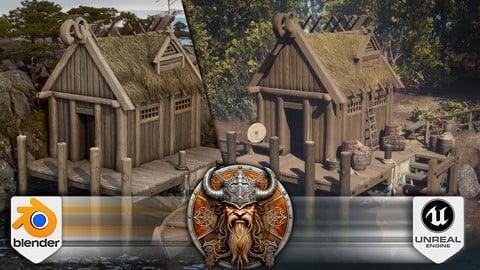
Kick things off with 3D modelling a Viking hut, a fun project that not only sharpens your basic modelling skills but also introduces you to some expert tips and tricks. Discover the cool tools like Boolean operations and the grease pencil to create those classic Viking curves, laying a solid foundation for the realistic models you'll be crafting next.
You'll also learn the best ways to add a touch of realism to your models, including how adding a bit of randomness can make a big difference, and the power of beveling to give your models a finished, professional look.
Tackling the UV Unwrapping Challenge
We dedicate a significant chunk of ‘Blender to Unreal Engine 5 The Complete Beginner's Guide’ to the often-dreaded UV unwrapping.
- We'll demystify the process, making it a straightforward and enjoyable part of your modelling journey
- Plus, we'll dive into the world of seamless textures, exploring their advantages and understanding their limitations
Texture and Shader Magic
‘Blender to Unreal Engine 5 The Complete Beginner's Guide’ will see us unlock the mysteries of Blender’s built-in node system, changing imported texture maps into special shaders for your model.
- Journey through the ins and outs of RGB curves, a trip that makes your model more than just a visual, but an experience
- Get a detailed guide on crafting different shaders from the same texture maps, and see how you can tweak not only colours but the overall vibe
Mastering Thatched Roof with Transparency
The quaint allure of a Viking hut is brought to life with a realistic thatched roof. Dive into the art of crafting transparent roof thatching from scratch:
- Start with the basics of creating simple wheat structures
- Move on to harnessing Blender's particle system to design your very own texture maps.
This segment doesn’t just provide you with ready-made transparent thatching texture maps but empowers you with the skills to create your own.
Reflecting Reality with Blender's Water Creation
The calm lake by the Viking hut is more than just scenery; it's a silent storyteller of the Viking tale.
While creating basic water in Blender is straightforward, we elevate this skill to match the realism of our scene:
- Learn about using Blender's node system, so that no extra texture maps are needed
- Craft varying levels of transparency and exploring different water types
Whether you aim to depict the crystal clear waters of a tranquil desert island or the cold, murky ripples characteristic of Scandinavian waters, this section equips you with the knowledge to do so with a touch of realism.
Unlocking the Potential of Cycles X and Eevee
Dive deep into the heart of Blender’s Cycles X and Eevee render engines. ‘Blender to Unreal Engine 5 The Complete Beginner's Guide’ will show you how to significantly accelerate your render times, and introduce an incredible add-on called Turbo Tools, designed to expedite the creation of stunning images.
Learn about rendering specifics like the optimal number of samples to use and the ideal tile size for your projects. Through a blend of theory and practical insights, you'll be well on your way to producing visually arresting renders with improved efficiency and precision.
Shedding Light on Your Scene
Lighting is the lifeblood of realism in any 3D scene.
This thorough guide unfolds the nuances of utilizing the sky texture node in Blender, casting a natural radiance over your Viking abode, and echoing the serene yet wild essence of the ancient North.
‘Blender to Unreal Engine 5 The Complete Beginner's Guide’ will not only enhance your understanding of lighting but also provide practical approaches that elevate the realism and visual appeal of your renders, making each scene you create not just a visual spectacle, but an emotionally resonant narrative.
Crafting Layered Realities through Compositing

 Udemy Discount
The discount is applied through our link. Open the course from here and Udemy's current promotional price is applied at checkout on most courses, no code to type.
Some courses are excluded from Udemy's promotions. If the price does not drop, clear your browser cookies and use the button again.
Instructor Details
- 4.5 Rating
 90 Reviews
3D Tudor
Neil Bettison is the founder of 3D Tudor, a Blender and game art education studio created in 2019. He is a professional 3D artist, environment artist, instructor, and bestselling Blender author whose work focuses on practical, project-based training for artists who want to build real 3D skills.
Through 3D Tudor, Neil and the team have taught over 250,000 students worldwide across Blender, Unreal Engine 5, Geometry Nodes, 3D modelling, texturing, lighting, environment art, and game-ready workflows. His courses are known for clear structure, practical projects, and direct step-by-step teaching that helps beginners and intermediate artists build confidence without feeling overwhelmed.
Neil is also co-author of a #1 Amazon Best Seller in Rendering & Ray Tracing, published by Packt. His published work and online courses are built around the same goal: helping students move from theory to finished portfolio-ready scenes, assets, and environments.
3D Tudor courses are designed for learners who want more than isolated tips. Many courses take students through full workflows, from planning and modelling to UVs, materials, lighting, rendering, and final presentation. Common themes include medieval and Tudor environments, fantasy buildings, modular game assets, stylized scenes, sci-fi props, Geometry Nodes systems, and Blender-to-Unreal Engine workflows.
 More courses by 3D Tudor
The Ultimate Guide to Blender 3D Rigging & Animation (2025)
4.5 (400 Reviews)
 Provider: Udemy
 Time: 8h
$79.99
Unreal Engine 5 Beginners Guide to Building an Environment (2025)
4.5 (388 Reviews)
- Provider: Udemy
- Time: 18.4h
$99.99
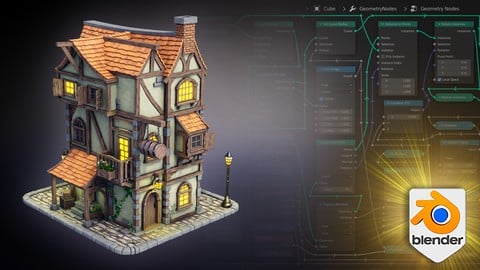
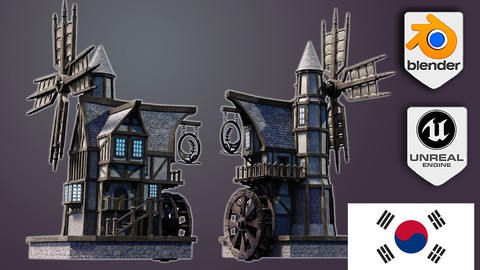
Blender 4 Creator Course Stylized 3D Models (2026)
4.5 (237 Reviews)
- Provider: Udemy
- Time: 19.9h
$19.99
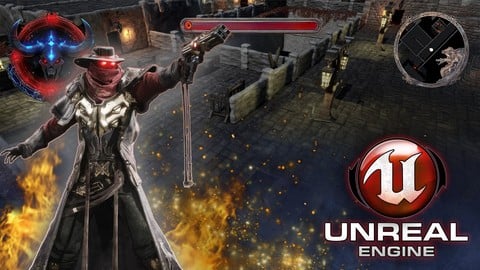
Unreal Engine 5 creating an ARPG Game from Scratch (2026)
4.1 (85 Reviews)
- Provider: Udemy
- Time: 31.4h
$69.99
More Game Design courses
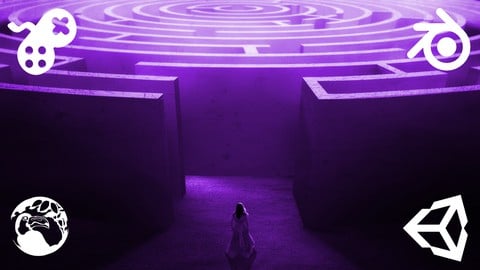
Master Procedural Maze Generation - Unity 6 Compatible (2025)
4.8 (412 Reviews)
- Provider: Udemy
- Time: 21h
$79.99
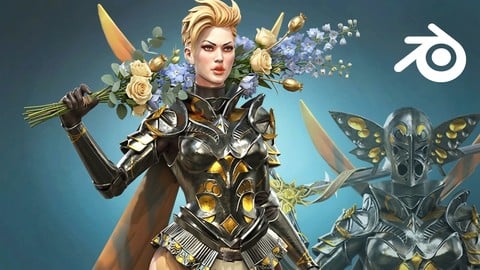
Full game character in Blender course - Moth Girl (2025)
4.8 (305 Reviews)
- Provider: Udemy
- Time: 49.9h
$19.99

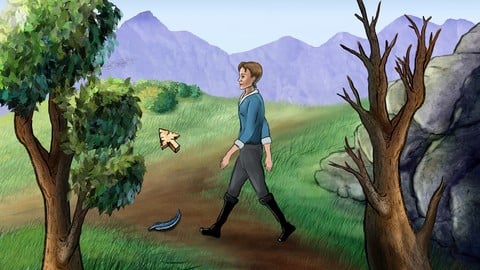
2D Adventure Game Creation: Art, Music, Programming and More (2019)
4.7 (338 Reviews)
- Provider: Udemy
- Time: 19.6h
$84.99

Indie Game Design: Build Your Game’s Core System (2026)
4.7 (155 Reviews)
- Provider: Udemy
- Time: 3.4h
$19.99
 Reviews

By Kara Bucknell on 4/11/2026
not a fan of the ai usage
By Kassandra Standley on 2/9/2026
The way it's laid out is clear and excellent but there are a few I think defaults that start up with blender 5 that caused issues. One was I needed to turn off proportional editing.. blender 5 starts with it on by default, then scaling in the back worked after array was added to the planks. The other I'm still not sure why it wasn't working and that was the UV issue I asked a question about. Other than that I figured out a work around so it's all good but every time I have to find those it takes away from the tutorial.
By Anna K Wright on 7/4/2025
Found this a very useful combination from learning to model in Blender to implementing and finalising the scene in Unreal Engine. Exactly what I was looking for. Very informative and clear tutition. Every minute of this course contains useful and practical information with no time wasted. Thank you 3D Tudor :)
By Richard Rayer on 3/14/2025
The concepts for each lesson are explained quite well and presented with interest and detail. Not too much is packed into each lesson and does not overwhelm with to much going on. I like that it lives the little slip ups in the lectures so you can understand what to do when things don't always go as planned.
By Rainer-Markus Schmitt on 1/7/2025
Mega geiler Kurs, viel gelernt, hat unheimlich Spaß gemacht und konnte meine Szene auch nochmals super individualisieren. Der Tudor hat beste Arbeit geleistet und hat auch zusätzlich super unterstützt. THX
By Joshua.L.Lepper on 1/6/2025
This course we really helpful in being able to add assets from blender properly into Unreal, which I've heard can be very frustrating. I also learned a lot of new things in both Blender and Unreal. Thank you for the course.
By René Nikita Zschoppe on 1/5/2025
Thank you very much for this course! As a beginner, I really learned a lot and used this knowledge to create worlds for some small projects. The teachers were also very good at explaining and it was easy to follow everything. I can recommend this course to everyone. Take care everyone and have a great time! - Thanks alot!
By Stephan Derichs on 9/3/2024
Second Part (Unreal) is way too superfical. There schould be more content than downloading Quixel Assets and throwing them into a scene. It would be nice to mention some problem solving - for example if you have different unreal versions and the material is only importet as an instance.
By Andrew Williams on 9/2/2024
The course its self is great. My issue is actually the video player. When Im in full screen and move my cursor off to another monitor, the video player's progress bar doesn't go away and obstruct my view on bottom and top information.
By Jesse Henderson on 2/6/2024
I'm a veteran blenderhead and I'm thoroughly impressed with how much excellent explanation of UI was covered in this first video! Mainly using this tutorial for unreal adaptation from blender, but I loved seeing how he breaks down everything, I'm taking notes for if I ever have to teach Blender in the future!
 Quality Score
No CourseDuck member has rated this course yet. Taken it? Give each part a thumbs up or down.
Overall Score : 90 / 100
- Video Duration:
 18.1h
18.1h - Price: $84.99
- Provider: Udemy
- Updated:
 April 2025
 - Level:
 All Levels
 - Language:
 English
 - Certificate:
 Yes
Yes
30-day money-back guarantee on most paid courses
Udemy Coupon Price Tracker
