
 Web Development
 Data Science
 Python
 SQL
SQL JavaScript
 Artificial Intelligence
 IT & Software
 IT Certifications
 Hacking
 AWS
AWS Arduino
 DevOps
 3D Modeling
 Graphic Design
 Photoshop
 Drawing
 Digital Painting
 UX Design
 Business
 Data Analysis
 Communication Skills
 Project Management
 Leadership & Management
 Human Resources
 Digital Marketing
 Social Media Marketing
 Marketing
 SEO
SEO Google Analytics
 Branding
 Excel
Excel Office Productivity
 SAP
SAP PowerPoint
 Microsoft Access
 SharePoint
 Finance & Accounting
 Trading & Investing
 Accounting
 Bitcoin
 Personal Finance
 Video Editing & Animation
 Photography
 Adobe Premier Pro
 Adobe Lightroom
 Personal Development
 Productivity
 Career Development
 Life Coaching
 Health & Fitness
 Meditation & Mindfulness
 Yoga
Yoga Music
Music Music Production
 Guitar
 Piano
Piano Singing
 Language Learning
 Teaching & Academics
 Engineering
 Math
Math Lifestyle
Blender to Unreal Engine 5 (Udemy.com)
Complete Guide To Learning How To Create AAA Game Assets In Blender and Then Export to Unreal Engine 5
Created by: 3D Tudor
Last updated April 2025
 What you will learn
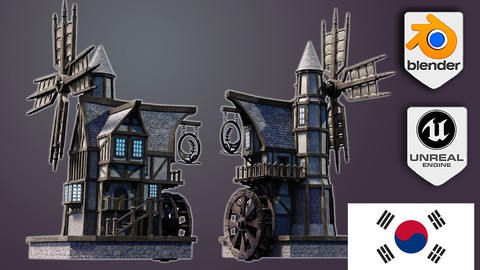
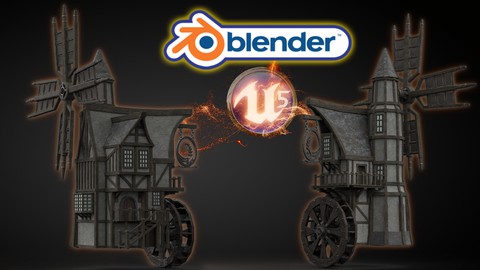
- • Following through a complete guide on creating a medieval windmill
- • Using Blender and understanding its interface and shortcuts
- • 3D modeling from a beginner level right up to techniques used by professionals around the world in many top games companies
- • Discovering rigging, weighting, and animation basics
- • Animating a structurally accurate medieval water wheel
- • Animating medieval windmill arms
- • Creating metal signs for buildings using SVGs and learning how to animate that to simulate the effect of wind
- • A complete guide to Unreal Engine 5 (UE5)
- • Learning how to successfully import models to and use materials in UE5
- • Effective problem-solving in Blender
- • A course within a course introduction into (a) Blender basics, (b) materials and textures, and (c) seams, sharps, and UVs
- • Learning how to use HDRIs as 3D model backgrounds for your portfolio
How it compares
Against the other 545 rated Udemy courses in 3D Modeling on CourseDuck:
- Rating4.7 out of 5higher than 75% of them
- Reviews396#196 of 546 by number of reviews
- Length20.9 hourslonger than 87% of them
- Last updatedApril 2025more recently than 76% of them
 Course Description
Course Description
Would you like to learn how to model a windmill reminiscent of medieval times and breathe life into that fantasy by importing it into a game engine?
Now, what if I told you I have a course to do just that on Udemy?
‘Blender to Unreal Engine 5’ will see you creating an intricate medieval asset requiring mechanical knowledge full of life through 3D animation.
This course will give you access to just over 21 hours of 3D art.
Learn how to build an intricate medieval windmill and watermill hybrid in 107 lessons.
This course will see you learn all the techniques pros use and how they use them. Unreal Engine integration will also be a central part of this course's learning objectives.
Through reading this course description you will find out:
- What you want to learn about 3D modelling;
- What you are going to get through ‘Blender to Unreal Engine 5’, and;
- How the course will take your 3D skills to the next level.
Modeling
This course will be your complete pathway from concept to game engine in a way that we haven't done before.
Our 3D modelling focus will be on creating realistic and fully functional subcomponents for our windmill. This will include an intricate set of wooden supports, balconies, stairs, a water wheel, and windmill arms.
We will be using curves to create a special type of wooden support as well as for our medieval windmill door handles. Although looking at curves is not an integral part of this course, it is important for 3D modelling and this will be another feather in your cap of available features within Blender.
Near the end of the course, you will be creating a base for our medieval windmill model to sit on for an ideal portfolio shot.
Texturing and Materials
All in all, 'Blender to Unreal Engine 5' will provide you with intensive learning all in one place, giving you access to over 100 2k and 4k texture maps. This course will also teach you the basics of making your own materials using these textures.
Every single texture pack also has its own Unreal Engine 5 (UE5) version, making this a valuable part of the course. One of the biggest ‘Blender to Unreal Engine 5’ course highlights will include importing textures and learning how to fully utilize them within UE5.
‘Blender to Unreal Engine 5’ will teach you all about the gamma, hue, saturation, and some world Blender nodes.
Animation
We will be working on making all motion effects hyper-real because animation is integral to this ‘Blender to Unreal Engine 5’ course.
You will learn how to use keyframes to key in different animations to the parts we want to animate. These will include our medieval windmill’s water wheel, windmill arms, and windmill sign.
As part of the rigging process, you will learn how to weight the different parts to the bones to add realism to your animation.
Finally, using Blender’s in-built dope sheet and animation system, you will be able to export a fully working windmill to any games engine of your choice, including Unity, if you prefer.
Lighting & Rendering
By joining ‘Blender to Unreal Engine 5’, you will also learn how to take control of your scene’s aesthetics through an HDRI system for lighting.
For a full introduction to lighting 3D scenes, we will also cover all in-built Blender lighting functionalities.
We will also be creating a portfolio render for any multimedia site you wish to upload your completed model to. Trust me when I say that this model will not only look professional but will actually pop up amongst thousands of other models.
‘Blender to Unreal Engine 5’ is a complete guide into using Eevee for lighting, rendering, shadows, exposure, and color management.
Rendering in Blender’s Cycles renderer will be discussed as well. We will also be looking at ambient occlusion and bloom within Eevee and Cycles, allowing you to choose the Blender renderer that is best for you.
If you thought the medieval inn was good, then this medieval windmill will take you to the next level of 3D modelling AAA assets.
Unreal Engine 5: Game Engine Integration
We will be taking a deep dive into Epic’s all-new Unreal Engine 5. Do not worry if you have not managed to download it and are still working with UE4 because everything you will learn in this section can be used in both.
Through ‘Blender to Unreal Engine 5’ you will be learning everything right from importing animations from Blender to having them work correctly in UE5. Through this course, you will learn the basics of bringing your game's asset to life, rendered in real-time.
We will look at how to import and use textures created specifically for Unreal Engine and use them to create the materials for our medieval windmill game asset. ‘Blender to Unreal Engine 5’ will also be an introduction to how to set up files to create a clean UI. The skills you learn here are fully transferable to all of your future builds.
Course Resources & Freebies
The ‘Blender to Unreal Engine 5’ course resource pack over 100 2k and 4k texture maps with UE5 versions of each file.
The best course navigation tool for ‘Blender to Unreal Engine 5’ will be included. The course handbook will give the control back to you and you will be able to fully streamline your learning process to your needs and wants seamlessly.
Join this course and come be part of a 3D modeling journey of over 21 hours of learning.
Check out the free introduction and I am sure you won’t be able to put this course down!
Still unsure? Then, let me tell you what's unique about this course:
- 3D modeling from a beginner level right up to techniques used by professionals around the world in many top games companies;
- animating a structurally accurate medieval water wheel;
- animating medieval windmill arms;

 Udemy Discount
The discount is applied through our link. Open the course from here and Udemy's current promotional price is applied at checkout on most courses, no code to type.
Some courses are excluded from Udemy's promotions. If the price does not drop, clear your browser cookies and use the button again.
Instructor Details
- 4.7 Rating
 396 Reviews
3D Tudor
Neil Bettison is the founder of 3D Tudor, a Blender and game art education studio created in 2019. He is a professional 3D artist, environment artist, instructor, and bestselling Blender author whose work focuses on practical, project-based training for artists who want to build real 3D skills.
Through 3D Tudor, Neil and the team have taught over 250,000 students worldwide across Blender, Unreal Engine 5, Geometry Nodes, 3D modelling, texturing, lighting, environment art, and game-ready workflows. His courses are known for clear structure, practical projects, and direct step-by-step teaching that helps beginners and intermediate artists build confidence without feeling overwhelmed.
Neil is also co-author of a #1 Amazon Best Seller in Rendering & Ray Tracing, published by Packt. His published work and online courses are built around the same goal: helping students move from theory to finished portfolio-ready scenes, assets, and environments.
3D Tudor courses are designed for learners who want more than isolated tips. Many courses take students through full workflows, from planning and modelling to UVs, materials, lighting, rendering, and final presentation. Common themes include medieval and Tudor environments, fantasy buildings, modular game assets, stylized scenes, sci-fi props, Geometry Nodes systems, and Blender-to-Unreal Engine workflows.
 More courses by 3D Tudor
The Ultimate Guide to Blender 3D Rigging & Animation (2025)
4.5 (400 Reviews)
 Provider: Udemy
 Time: 8h
$79.99
Unreal Engine 5 Beginners Guide to Building an Environment (2025)
4.5 (388 Reviews)
- Provider: Udemy
- Time: 18.4h
$99.99
Blender 4 Creator Course Stylized 3D Models (2026)
4.5 (237 Reviews)
- Provider: Udemy
- Time: 19.9h
$19.99
Blender to Unreal Engine 5 The Complete Beginners Guide (2025)
4.5 (90 Reviews)
- Provider: Udemy
- Time: 18.1h
$84.99
Unreal Engine 5 creating an ARPG Game from Scratch (2026)
4.1 (85 Reviews)
- Provider: Udemy
- Time: 31.4h
$69.99
More 3D Modeling courses

3D Printing with " Ultimaker CURA Slicer- Start to finish" (2025)
4.9 (192 Reviews)
- Provider: Udemy
- Time: 1h
$34.99

Girl and the Dog Creation in Zbrush for Intermediate Level (2020)
4.9 (173 Reviews)
- Provider: Udemy
- Time: 48.8h
$59.99



Blender Character Creator for Video Games (2026)
4.8 (9,160 Reviews)
- Provider: Udemy
- Time: 34.3h
$159.99

Master SOLIDWORKS 3D CAD using real-world examples (2022)
4.8 (2,451 Reviews)
- Provider: Udemy
- Time: 18.9h
$69.99
 Reviews

By Aakash Pacherkar on 7/1/2026
For a beginner like me, it was really nice to go through this course. The teacher is really nice and slow and walks you through every small detail of modelling, texturing, and UV unwrapping. It was nice to go through UV unwrapping again and again with the teacher (he didnt speed-up the video through it) as it made my UV unwrapping skill very strong. Lastly, making our windmill UE5 ready, bringing it to UE5, and applying all textures to it was also explained very nicely. I could complete this course with Blender 5.1 and UE5.8 easily. Thanks again to the teacher/instructor.
By Freeman W. Gregory on 12/24/2024
I thoroughly enjoyed the course and appreciated the the absolute high quality of the information it contains. Since I already have significant experience modeling in Blender, I took the course to learn how to package my Blender builds and send them to UE5. Everything worked out according to the course's instruction. The only two things I would like to add to the next iteration are: 1.) setups that correspond to Blender 4.x and UE 5.5+ since they differ from those in this version of the course, and 2.) a quick explanation of how to convert Blender materials/textures to UE5 materials/textures. I appreciate the availability of the ready-made ones. I just want to know how to do it myself. Cheers
By Jordi Poch on 2/9/2024
So I feel I've re-learned many crucial modelling concepts that I used to learn some time ago, and I feel I'm back to blender! However I felt many steps were completely repetitive and useless to develop them this way. I think that's not a professional work pipeline definitely since there's too much UV work that could've been easily simplified just by copy-pasting meshes and re-unwrap them instead of creating them from scratch and then, marking new seems again and again. Also, I think textures are okay but these could be definitely better for helpings us have a more professional portfolio. Anyways, I enjoyed it and I'd recommend it to a friend. Great job.
By Jade meynders on 1/3/2023
I found this course to be really great for beginner to intermediate users of Blender, I felt the course was paced nicely and was easy to follow! This course took me a while to complete because I was doing it alongside my schooling, but with consistency it can be done fairly quickly. Some parts were pretty repetitive but that's the nature of the beast when it comes to this type of work and I was able to speed up the videos to match my level of understanding! Thanks so much for the great course Neil! Some things that I think would be nice additions to the course: A.) a written PDF version of the steps taken in the course (I know that takes a lot of time though) B.) More Unreal work at the end, I felt this part could have more depth but end goal was achieved overall with integration, making a master material and collider work on the mesh would have been nice to see, being able to stand on the front deck of the windmill would be a great way to finish this course. Other than those two suggestions I think this is a great portfolio piece and I look forward to adding in things from your other courses to complete a great looking scene!
By Chris on 10/10/2022
Overall a good course with some room of improvement. Room for improvement: - Especially at the beginning everything is going very fast, so you have to pause and go back a lot to be able to follow. - Near the end, it is a bit repetetive. Maybe there could be more new things introduced. - There could be some exercises/ challenges introduced to try stuff by oneself. Strong points of the course: - The course is well structured and you have the feeling that you made progress after every lesson. - The final model looks amazing, even if it is your first ever blender project - You get a bit of an understanding of architectural concepts Overall: If you are a beginner and somewhat frustration resistant the first third of the course, you can get a lot out of it. At the end of the course you will surely be able to create game assets by yourself. Overall worth the money and time.
By Jeff Barry on 9/26/2022
It was a very long course took me several months to complete but I finally finished it and learned a lot. A lot of hard work & time redoing certain areas. Some parts in the course I wish he would slow down because some of blender commands are complex to understand at first. However, most of the time I just repeat the video. Once you get through enough times of making the same thing and doing the same thing you will catch on and learn the process very well. I really would like to understand how to create textures and maybe he already has a video on that If not that would be awesome. Thanks, look forward to seeing more of your content!
By Jody Anderson on 4/7/2022
A tall friend recommended I learn Blender as it has become a recognised piece of 'free' 3D software within the games industry. He pointed me in the direction of Udemy for affordable courses & knowledgeable tutors. The Course Created by Neil Bettison, the founder of 3D Tudor, Im so happy with my 'first' ever Blender course, Neil responds quickly to any questions and he is very prepared to help with technical issues. Blender to Unreal Engine 5 is a very clear informative course, only 50% through, I have learnt enough to feel confident in sharing screen shots on LinkedIn so other folk can find inspiration & build new skills. Looking forward to finishing and sharing more visuals :-)
By David Beeler on 4/4/2022
If you are looking for a in-depth walkthrough of creating a game asset in Blender, this course is for you. Even if you don't care about the game asset side (honestly, Unreal Engine importing is a small piece), this is an excellent course for learning Blender with great tips sprinkled throughout. If you take a look at the course content, take note that this course is primarily Blender with a dash of animation, lighting, and importing into Unreal. I have tinkered with Blender here and there over the years, but this was my first effort in creating something on this scale and with this amount of detail. I have some prior mechanical design/drafting experience (SolidWorks), so there is a fair amount of overlap in terms of general knowledge, but of course most software packages function differently. The pace can seem a little on the quick side sometimes, but if you are considering this course, just take your time, pause the video, and go at your pace. The instructor's keypresses are shown on screen and they typically verbally say what has been pressed as well. The instructor did a great job verbalizing what they were doing and why. You also get to see some instances of "why isn't this working" - the best way to learn. This is is all great to have when something you've done has gone wrong. The videos are 10-15mins in length, so everything is very bite sized. This course will definitely be a "reference" for me in the future because it covers so much. I will also keep an eye on the instructor's other courses, this is content I want to support.
By Ronald Veldhuizen on 12/23/2021
Brontekst Alweer een geweldige cursus van Neil. Ik zou zelf de cursus niet als beginner maar als intermediate willen geven. Het is echt een aan rader, jammer alleen dat de import in UE5 alleen de import is. Persoonlijk had ik graag gezien dat het een complete scene geworden zou zijn. Het is de 5 sterren meer dan waard! 310 / 5.000 Vertaalresultaten Another great course from Neil. I would not give the course as a beginner but as an intermediate. It is really recommended, it is a pity that the import in UE5 is only the import. Personally I would have liked it to have become a complete scene. But the course itself is more worth then 5 stars!
By Antoine Brovadan on 9/30/2021
Hello Neil, Your course was great ans I learned a lot about modeling, uv-unwrapping, texturing and many other things ! The -0.5 star is because, in my opinion, the course could have been shorter, some operations could have been avoided Still a great course anyway Thanks Neil for your work, see you later for an other course ! Antoine
 Quality Score
No CourseDuck member has rated this course yet. Taken it? Give each part a thumbs up or down.
Overall Score : 94 / 100
- Video Duration:
 20.9h
20.9h - Price: $69.99
- Provider: Udemy
- Updated:
 April 2025
 - Level:
 Beginner
 - Language:
 English
 - Certificate:
 Yes
Yes
30-day money-back guarantee on most paid courses
Udemy Coupon Price Tracker
