
 Web Development
 Data Science
 Python
 SQL
SQL JavaScript
 Artificial Intelligence
 IT & Software
 IT Certifications
 Hacking
 AWS
AWS Arduino
 DevOps
 3D Modeling
 Graphic Design
 Photoshop
 Drawing
 Digital Painting
 UX Design
 Business
 Data Analysis
 Communication Skills
 Project Management
 Leadership & Management
 Human Resources
 Digital Marketing
 Social Media Marketing
 Marketing
 SEO
SEO Google Analytics
 Branding
 Excel
Excel Office Productivity
 SAP
SAP PowerPoint
 Microsoft Access
 SharePoint
 Finance & Accounting
 Trading & Investing
 Accounting
 Bitcoin
 Personal Finance
 Video Editing & Animation
 Photography
 Adobe Premier Pro
 Adobe Lightroom
 Personal Development
 Productivity
 Career Development
 Life Coaching
 Health & Fitness
 Meditation & Mindfulness
 Yoga
Yoga Music
Music Music Production
 Guitar
 Piano
Piano Singing
 Language Learning
 Teaching & Academics
 Engineering
 Math
Math Lifestyle
Unreal Engine 5 Beginners Guide to Building an Environment (Udemy.com)
Learn How to Crate Unreal Engine 5 Environments from Scratch Beginner to Professional Game Design Workflow
Created by: 3D Tudor
Last updated April 2025
Our take
Based on the ratings of 388 students, a sample of their written reviews and the syllabus, as the course stood in April 2025. No course pays to be reviewed.
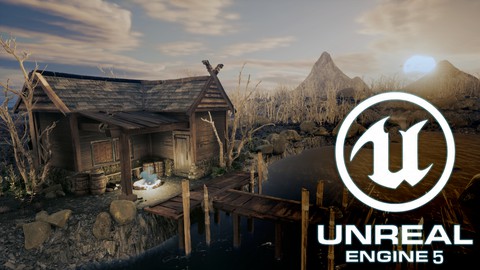
This is a project course. Students build one scene from scratch in Unreal Engine 5: a riverside fisherman's hut with a wooden walkway, a mountain range, a river with waterfalls, a sunset sky, a campfire, birds and fireflies. The syllabus shows 94 lectures across 38 short sections, about 18 hours in total. It is aimed at beginner 3D artists and game designers who want to learn environment art by following along, not by reading theory. There are no quizzes or exercises, only the build.
Reviewers like the teaching. Neil Bettison, who runs 3D Tudor, is described as calm, step by step and easy to follow, and one Unity artist said they still picked up useful tricks. The main complaint is the water section, which a couple of reviewers found too detailed and slow. The bigger problem is age. Recent reviews say Quixel assets are no longer free in Unreal and everything now goes through Fab, so some assets from the videos are paywalled or gone. One reviewer on version 5.5 lost extra hours matching assets. The last update was April 2025.
The ratings are still solid, with 230 of 388 reviews at five stars and only seven at one or two. Even so, the two most recent low scores come from people who could not finish. Anyone who is happy to hunt for substitute assets will get a clear, patient walkthrough and a portfolio-style scene at the end. Everyone else should check the asset situation first. It is a good teacher attached to a course that needs a refresh.
Pros
- Calm, step by step teaching that reviewers call easy to follow and good for beginners
- One finished project: hut, bridge, river, waterfalls, sunset sky, campfire and fireflies
- Goes past placing assets, with Niagara fire and firefly effects, a water system and color grading
- 94 lectures in 38 sections, about 18 hours, all spent on building the one scene
Cons
- Quixel assets are no longer free in UE5, and recent students say they could not finish
- Videos predate UE 5.5 and Fab, so beginners lose extra hours matching assets and menus
- The water section runs long, and some reviewers found the detail tedious
Im pretty amazed of his teaching style, calm .step by step , perfect for beginners
Fits true beginners in 3D, but the asset workarounds need some confidence with Unreal's editor.
 What you will learn
- • Building your own riverside environment overlooking a mountain range, and walk around it like in a real game
- • Building a 3D environment by making full use of the Quixel library and all its categories, including 3D assets, surface detail, textures, and 3D vegetation
- • Making custom adjustments to photorealistic 3D assets through material instance tweaking and modeling adjustments
- • Sculpting out your own custom terrains from scratch using UE5 sculpting tool
- • Creating a landscape material that allows you to automatically texture out the terrain and add custom details to it
- • Creating mountains using height texture map data with generated textures based on their texture
- • Setting up your fantasy riverside environment ready for walking through with your very own third-person character in Unreal Engine 5
- • Learning all about the Niagara fire systems
- • Mastering fire simulations for a campfire using a built-in fluid simulation
- • Creating an entire water system, with depth of water and caustics parameters, allowing you to create a still water body or river, fully customisable with wate
- • Learning how to make use of the foliage tool to create an organic composition out of our scene
- • Making a custom sky atmosphere to simulate a sunset with volumetric fog and clouds.
- • Breathing life into the work by adding birds and fireflies to the game environment, and using the Niagara particle system to animate firefly motion
- • Learning how to do colour grading to take your work to the next level
- • Maintaining and optimising fantasy aesthetics for a full riverside environment overlooking a mountain range scene using an Unreal Engine 5 skybox
- • Learning how to use HDRIs as 3D model backgrounds for your portfolio
- • Rendering a 3D fantasy environment to a high level for professional 3D artist portfolios using Unreal Engine 5
- • Complete the course which is going to be the first stepping stone to creating your own 3D world and RPG game environment
Course content
38 sections · 94 lectures · 18 hours of video
- 1Setting up UE5 Project 1 free preview1 lecture · 5 min
- 2Introduction to Unreal Engine 5 Software 1 free preview2 lectures · 20 min
- 3Blocking out a Grey box2 lectures · 28 min
- 4Sculpting out Terrain within UE52 lectures · 30 min
- 5Using Quixel Library1 lecture · 16 min
- 6Building a Bridge for the Scene4 lectures · 44 min
- 7Adjusting Quixel Assets2 lectures · 28 min
- 8Adding Textures to our 3D Hut2 lectures · 24 min
- 9Creating Additional Detail for our Virtual Roof3 lectures · 32 min
- 10Working with Roof Frames3 lectures · 40 min
- 11Adding Custom Detail to our Roof3 lectures · 40 min
- 12Adding 3D Meshes to our Hut Foundation1 lecture · 11 min
- 13Deforming Quixel 3D Mesh for the Hut2 lectures · 28 min
- 14Adding Smaller Props to our 3D environment1 lecture · 17 min
- 15Applying Surface Decals onto our 3D Environment3 lectures · 32 min
- 16Texturing Landscape Environment4 lectures · 50 min
- 17Adding Assets as Foliage Actors to our Scene3 lectures · 39 min
- 18Adding Vegetation to our Environment6 lectures · 1.1 hours
- 19Creating Water Material4 lectures · 46 min
- 20Adding Additional Detail to our Water Parameters3 lectures · 35 min
- 21Creating Water Waves using Normals3 lectures · 34 min
- 22Making Additional Detail To our Base Water System3 lectures · 37 min
- 23Setting up Water for Waterfalls3 lectures · 27 min
- 24Creating Niagara Particles for Water System5 lectures · 52 min
- 25Creating Material With Custom Generated Motion Effects3 lectures · 44 min
- 26Applying Water VFX to our UE5 Project2 lectures · 35 min
- 27Creating Terrain Using Heightmap Textures2 lectures · 25 min
- 28Atmospheric Sky Setup4 lectures · 39 min
- 29Working with Niagara Fluid Simulation System3 lectures · 28 min
- 30Adding Additional Visuals to our Flames2 lectures · 31 min
- 31Working With organic Sculpting1 lecture · 18 min
- 32Adding Motion to our Flock of Birds3 lectures · 36 min
- 33Creating Firefly Niagara Particles for a 3D Environment2 lectures · 26 min
- 34Tweaking Water Colour Values1 lecture · 6 min
- 35Colour Grading Using UE5 Postprocess1 lecture · 10 min
- 36Camera Setup1 lecture · 8 min
- 37Rendering2 lectures · 13 min
- 38Course outro whats next1 lecture · 2 min
Who it is for
The instructor says it suits
- • Beginner 3D modellers and game designers eager to learn how to build a game-ready environment in a game engine
- • Enthusiasts of Unreal Engine 5 who want to fast-track their understanding of its new and exciting changes
- • Game designers who would like to design a riverside environment overlooking a mountain range for games in Unreal Engine 5
What you need before you start
- • To own a computer (Microsoft, Linux or Mac)
- • To have downloaded Unreal Engine 5
- • A thirst to learn and excitement about 3D modelling and animation
- • To download all course resources including a download pack with 8 unique texture maps to help you set up your own water system and an example texture map of a mountain height map texture.
How it compares
Against the other 70 rated Udemy courses in Unreal Engine on CourseDuck:
- Rating4.5 out of 5higher than 47% of them
- Reviews388#44 of 71 by number of reviews
- Length18.4 hourslonger than 81% of them
- Last updatedApril 2025more recently than 70% of them
 Course Description
Unreal Engine 5 Beginners Guide to Building an Environment - Learn How to Crate Unreal Engine 5 Environments from Scratch Beginner to Professional Game Design Workflow
Course Description
Have you ever wanted to build an entire game world?
Join ‘Unreal Engine 5 Beginners Guide to Building an Environment’ because there’s nothing like it! Be enthralled in a full guide to building a game environment in Unreal Engine 5 (UE5) from creating a landscape, to making water flow through your mountains, and the best way to place environmental details.
If you have ever wanted to get into Unreal Engine 5 or are making the switch over from Unreal Engine 4, then this course is absolutely for you.
Whether you are a video game player who wants to take gaming into their control and build what has been hiding in the depths of your imagination, or a game designer looking to find out all that UE5 has to offer in a dedicated and complete overview, this course is ideal for you.
We have designed the course from the ground up to make sure that no matter your skill level, you will easily be able to follow along and more importantly learn most of the skills to create your own 3D game environment.
You will become a master of using Unreal Engine 5!
Build an intricate landscape with an awe-striking mountain range, and a winding river which leads down to a fisherman’s hat full of life.
Our ‘Unreal Engine 5 Beginners Guide to Building an Environment’ top 5:
· Building a 3D environment by making full use of the Quixel library through learning how to deform a mesh and adjust material properties
· Sculpting out terrains and generating mountains using height map textures
· Creating a reusable water system with waterfalls and setting up atmospheric sunset lighting
· Creating fire simulations for the fireplace
· Breathing life into the work by adding birds and fireflies to the environment
With ‘Unreal Engine 5 Beginners Guide to Building an Environment’, you will learn how to do that in no time!
Build an intricate riverside environment with a fisherman’s hut and a wooden walkway, ready for a new 3D modelling adventure.
This course will give you access to just over 19 hours of 3D art in 93 comprehensive lessons.
This course will see you learn all the techniques pros use and how they use them. Learning how to achieve realism through ageing your 3D game environments will be a central part of this course's learning objectives!
Walk around your fisherman’s hut riverside environment with the UE5 default character for the full immersive experience filled with wonder and the smallest, charming details hidden behind every nook and cranny.
Quixel
‘Unreal Engine 5 Beginners Guide to Building an Environment’ will teach you how to design your very own building structure – a fisherman’s hut - in the UE5 environment. You will learn how to work with Quixel assets to their fullest by customising them to your liking.
We will go over all categories within the Quixel library to build our 3D environment: assets, textures, decals and foliage. Join us to find out how to make use full use of Quixel material instance parameters to adjust textures and make them fit the colour pallet of your world.
Deform any mesh to your liking using a built-in modeling mode within UE5 itself. We will make use of a variety of different techniques to bend, warp and even cut into the mesh to get full control over the scanned assets from the Quixel library to make sure that the only limit to building our world will be our imagination.
Water System
You will build our very own water system from scratch to enhance the visuals of your ‘Unreal Engine 5 Beginners Guide to Building an Environment’ scene. This will include everything that water VFX involves no matter the type you would want to create. By joining this course, you will essentially be able to reuse this water for any future projects.
We create a fully dynamic water body system that will allow us to create a flowing river with waterfalls, a still body lake or even something in between. Master vertex painting to blend inflows of water and develop realistic water visuals for your ‘Unreal Engine 5 Beginners Guide to Building an Environment’ scene. We will also create additional water visual effects to enrich the flow of our liquid. The water system will involve making use out of a variety of material techniques including a particle set up to manipulate animation and give a certain organic feel to our waterfalls.
Creating Living Environments
Breathe life into your own virtual world by creating a flock of birds flying over the horizon, and fireflies playfully buzzing around over water. We will start off by manually sculpting out the shapes of our birds using UE5’s built in sculpting mode. This will allow us to add randomised motion to the birds, using a material set up for the bird’s wing flapping effect. Our goal will be to create bird silhouettes flying over the horizon, giving each individual feathered friend a unique flying animation within the flock of birds.
We will continue by creating a firefly particle effect, letting them playfully fly over the top of our water, using the animation sequence within our scene.
Particles
‘Unreal Engine 5 Beginners Guide to Building an Environment’ goes in depth on setting up particles within Unreal Engine 5 (UE5). Learn to use the Niagara particle system to its fullest. We will start off and make use of Niagara to create water flow effects, fireflies, and a fluid simulation to create campfire visuals.
Terrain Building
Throught the course, we will cover multiple techniques for building up a terrain within Unreal Engine 5 (UE5). We will learn how to manually sculpt out a terrain using a built in sculpting tool. This will help us generate a terrain from a height texture map by making use out of a displacement tool to generate a mountain.
The lessons will take you through the versitility of landscape texturing methods within UE5 as well. You will learn how to (a) create an automatic landscape texturing material to generate textures on your level, (b) how to add custom painted texturing detail by creating your own landscape material from scratch, and (c) how to add a variation of textures based on height map detail for the mountains.
Atmosphere Building & Camera Composition

 Udemy Discount
The discount is applied through our link. Open the course from here and Udemy's current promotional price is applied at checkout on most courses, no code to type.
Some courses are excluded from Udemy's promotions. If the price does not drop, clear your browser cookies and use the button again.
Instructor Details
- 4.5 Rating
 388 Reviews
3D Tudor
Neil Bettison is the founder of 3D Tudor, a Blender and game art education studio created in 2019. He is a professional 3D artist, environment artist, instructor, and bestselling Blender author whose work focuses on practical, project-based training for artists who want to build real 3D skills.
Through 3D Tudor, Neil and the team have taught over 250,000 students worldwide across Blender, Unreal Engine 5, Geometry Nodes, 3D modelling, texturing, lighting, environment art, and game-ready workflows. His courses are known for clear structure, practical projects, and direct step-by-step teaching that helps beginners and intermediate artists build confidence without feeling overwhelmed.
Neil is also co-author of a #1 Amazon Best Seller in Rendering & Ray Tracing, published by Packt. His published work and online courses are built around the same goal: helping students move from theory to finished portfolio-ready scenes, assets, and environments.
3D Tudor courses are designed for learners who want more than isolated tips. Many courses take students through full workflows, from planning and modelling to UVs, materials, lighting, rendering, and final presentation. Common themes include medieval and Tudor environments, fantasy buildings, modular game assets, stylized scenes, sci-fi props, Geometry Nodes systems, and Blender-to-Unreal Engine workflows.
 More courses by 3D Tudor
The Ultimate Guide to Blender 3D Rigging & Animation (2025)
4.5 (400 Reviews)
 Provider: Udemy
 Time: 8h
$79.99
Blender 4 Creator Course Stylized 3D Models (2026)
4.5 (237 Reviews)
- Provider: Udemy
- Time: 19.9h
$19.99
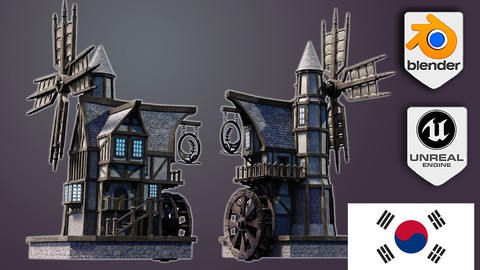
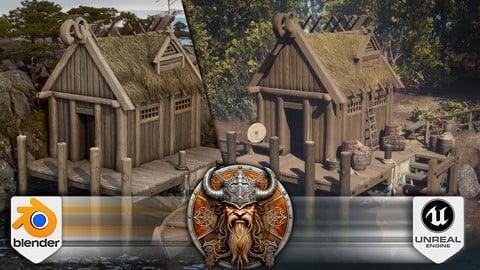
Blender to Unreal Engine 5 The Complete Beginners Guide (2025)
4.5 (90 Reviews)
- Provider: Udemy
- Time: 18.1h
$84.99
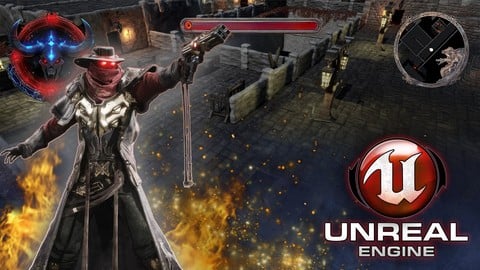
Unreal Engine 5 creating an ARPG Game from Scratch (2026)
4.1 (85 Reviews)
- Provider: Udemy
- Time: 31.4h
$69.99
More Unreal Engine courses

Unreal Engine 5: One Course Solution For Material (2026)
4.9 (1,774 Reviews)
- Provider: Udemy
- Time: 14.1h
$99.99

Unreal Engine 5 Blueprints - The Ultimate Developer Course (2026)
4.8 (4,636 Reviews)
- Provider: Udemy
- Time: 41.6h
$19.99

The Ultimate Unreal Engine 2D Game Development Course (2026)
4.8 (3,290 Reviews)
- Provider: Udemy
- Time: 12.1h
$99.99


Unreal 5 Materials - Part 1 Environments (2024)
4.8 (221 Reviews)
- Provider: Udemy
- Time: 14.4h
$79.99

Unreal Engine 5 - Gameplay Ability System - Top Down RPG (2026)
4.7 (3,529 Reviews)
- Provider: Udemy
- Time: 105.8h
$24.99
 Reviews

By Udemy User on 10/3/2025
Epic no longer provides free Quixel assets for UE5 users and so this course cannot be completed as of the time of writing - all of the assets used in this course are now require payment. This course needs to be updated to either not use these assets or to provide included alternatives.
By Ali Mottaghian on 3/23/2025
The video is good, but everything is different in v 5.5. We have to use Fab, and the way you download the assets is totally different from the video. Most of the Decals and assets are no longer free. Some do not exist anymore. As a beginner, I'm spending extra hours just to figure out how to use the same asset. it's a bit frustrating
By Shawn Starkweather on 2/23/2024
I really appreciate the fact that this course enabled me to create such a spectacular environment. It was very involved and took a lot of work, but the end result speaks for itself. I do feel that the water section was a bit tedious, but only because the instructor has such incredible attention to detail and wanted to show how it's done properly. In some cases, making better use of editing could have shortened the experience, but in the end, I feel he did an excellent job and would gladly take another of his courses.
By Jesse Whitmire on 1/12/2024
I feel an origin story happening within me right now. Thank you for the sweet course! Little fast on the blueprint stuff, but I don't believe the goal of this course was to learn those aspects as much as the environment itself, so in that regard I would recommend a worthy 5/5! I completed the course within 4 days i believe. My brain is overflowing with info now! Thank you 3D. And I recommend everyone to loosely follow along this guide when building, put your own spin on things and have fun with it! I ended up with a waterfall that was 10 times taller than the house so I would be forced to learn a bit more on my own instead of only following along, and Im proud of it.
By Dean Winchester on 9/12/2023
Really fun and enjoyable course :D I do feel this could be updated as in 5.2 and 5.3 some of the settings or naming is completely different. However this wont stop you creating an amazing project and gaining some valuable knowledge. The tutor gives clear and concise instructions and explains a lot of things in detail. I felt that from this course alone I have made huge advancements in textures and creating water effects.
By Biswajit Tripathy on 8/5/2023
So much detailed explained. But the lecture gives less time to post process volume, he should have given more time because there are so many settings in post process volume. I am happy that the lecture discuss properly with a clean voice.
By Judit Santak on 6/14/2023
This is the second environment tutorial I have done in Udemy and this explained everything much better. I really liked that I have learnt modelling, a little bit of sculting, using Niagara, I understand now better how to create materials, how to build everything from scrath. I highly recommend this course. The lecturer has a very nice voice and great knowledge
By Ricardo Guzman on 4/27/2023
I completed this course using UE5 and it worked great. Excellent course for learning about landscaping, especially if you want to know about working with water. Lots of coverage regarding customizing water features and use of the Niagara system. I liked that he followed up to to my questions and responded promptly.
By Sacha Pessin on 1/28/2023
The best tutorial to learn the basic of ue5, and the teacher is active and very helpfull ! THANK YOU for your work,
By Ben LeBlanc on 11/14/2022
Overall I really enjoyed the course. The instructor was easy to follow and easy to understand. It introduced many different tools that you can use in Unreal as well as highlight a work flow that you can use to make your own projects. Definitely recommend if creating environments within a game engine is something you're interested in.
 Quality Score
No CourseDuck member has rated this course yet. Taken it? Give each part a thumbs up or down.
Overall Score : 90 / 100
- Video Duration:
 18.4h
18.4h - Price: $99.99
- Provider: Udemy
- Updated:
 April 2025
 - Level:
 Beginner
 - Language:
 English
 - Certificate:
 Yes
Yes - Lectures:94 in 38 sections
- Students:4,896
- Subtitles:2 languages
30-day money-back guarantee on most paid courses
Udemy Coupon Price Tracker
