
 Web Development
 Data Science
 Python
 SQL
SQL JavaScript
 Artificial Intelligence
 IT & Software
 IT Certifications
 Hacking
 AWS
AWS Arduino
 DevOps
 3D Modeling
 Graphic Design
 Photoshop
 Drawing
 Digital Painting
 UX Design
 Business
 Data Analysis
 Communication Skills
 Project Management
 Leadership & Management
 Human Resources
 Digital Marketing
 Social Media Marketing
 Marketing
 SEO
SEO Google Analytics
 Branding
 Excel
Excel Office Productivity
 SAP
SAP PowerPoint
 Microsoft Access
 SharePoint
 Finance & Accounting
 Trading & Investing
 Accounting
 Bitcoin
 Personal Finance
 Video Editing & Animation
 Photography
 Adobe Premier Pro
 Adobe Lightroom
 Personal Development
 Productivity
 Career Development
 Life Coaching
 Health & Fitness
 Meditation & Mindfulness
 Yoga
Yoga Music
Music Music Production
 Guitar
 Piano
Piano Singing
 Language Learning
 Teaching & Academics
 Engineering
 Math
Math Lifestyle
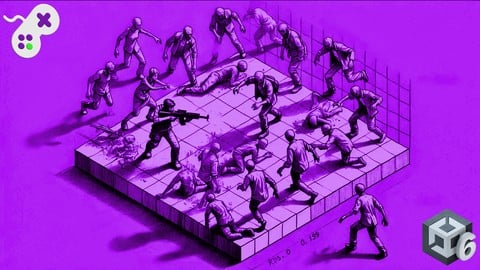
Build an FPS Zombie Game From Scratch - Unity 6 Compatible (Udemy.com)
Create Your Own First Person Shooter Zombie Game
Created by: Codestars
Last updated December 2025
 What you will learn
- The Unity Game Engine Software
- Creating and animating a first person character for use in an FPS
- Animating humanoid models and NPCs
- Artificial Intelligence techniques for defining the behaviour of non-player characters
- Using particle systems to simulate fire, fog and blood
- Using physics to develop a shooting mechanic with rag doll animations
- Unity's Canvas to develop an integrated heads up display with maps, radar and compass
- How to create pickup items with colliders and triggers
- Add position checkpoints to save player locations
- Add dynamic visual and audio special effects
- Unity's Terrain Sculpting System for developing game maps
- How to use lighting to enhance a game environment
- Post Processing Techniques to enhance the look of a game environment
- How to build a standalone game from Unity
How it compares
Against the other 281 rated Udemy courses in Game Development Fundamentals on CourseDuck:
- Rating4.6 out of 5higher than 57% of them
- Reviews910#38 of 282 by number of reviews
- Length20.4 hourslonger than 87% of them
- Last updatedDecember 2025more recently than 76% of them
 Course Description
Getting started in game development doesn't have to be scary. All you need is the passion to learn and an inquisitive, experimental nature for combining code, animation, graphics, artificial intelligence, art and audio. Sounds like a lot? It is, but when you see how you as a solo developer can bring it all together there's a touch of magic in the air.
Unity is the number one game development engine due to its ease of use and yet powerful abilities. It works on all platforms and can export to desktop, console and mobile devices. It's a great way for the beginner to jump straight into the world of game development and get their hands on the tools used by AAA game studios to produce games such as Hearthstone (Blizzard Entertainment), Cities: Skylines (Colossal Order) and Monument Valley 2 (ustwo Games) and best of all, for the beginner and hobbyist it is free!
In this course, Penny demystifies Unity's interface and plethora of tools to bring art, code, design, and more together to produce a fully-fledged First Person Shooter game completely from scratch. Using her internationally acclaimed teaching style and knowledge from over 25 years working with games, graphics, and having written two award-winning books on games A.I., Penny will take you from complete noob to a confident user of Unity. Throughout, you will follow along with hands-on workshops designed to take you through every step of becoming familiar with all the functionality of the game engine. Throughout, you will work towards the creation of a First Person Shooter set in a post-apocalyptic world complete with zombies out for the player's brains!
This course was created with Unity 2019.3.11f however is compatible with Unity 2019.4.2f1 (LTS) on either Mac or PC.
The projects in this course have been tested in and work with Unity 6.
Learn how to code, animate, and work with:
The Unity Development Environment.
Unity's C# interface.
Terrain Sculpting Tools for creating game maps.
First Person Characters and Animations for Walking, Shooting, and Reloading.
Pickup Items for Medical Kits and Ammunition.
3D Models of Zombies to add Animations for Walking, Chasing and Attacking.
An inventory system to keep track of player health and ammunition supplies.
Navigation Meshes for programming the movement of zombies and path planning on a terrain.
Finite State Machines for defining enemy A.I. behaviours.
Constructing Ragdoll models for dynamic death animations.
A Heads Up Display to inform the player of their health level and ammunition level, complete with a radar for locating zombies and a compass to guide the player home.
Special Effects such as fire, blood splatter, and lighting techniques.
Building the game to a standalone product.
All assets and incremental project files are included.
Contents and Overview
The course begins with a section to introduce you to the Unity interface. If you are already familiar with Unity, you can skip to Section 3. In this introductory session, we will cover Unity's window system, how to add models and textures, the creation of code to manipulate the properties of models, and the physics system.
Following this, we will start work on the First Person Character (FPC). You will learn how to add physics and code to move the character around, as well as add animated arms and a weapon that you can see in the game view. You will also work to add animations for firing and reloading the weapon. Audio effects for the player's footsteps and jumping will also be included here.
Next, you will create pickup items for medical kits and ammunition that can be scattered around the game environment to provide extra resources to the player when their health or bullet levels get low. Here you will learn about how colliders and triggers can be used to fire off code to update values on the player that store an inventory.
We will then jump into the Unity Terrain Sculpting tool and work through the creation of a large game map on which to place the FPC and enemies. You will work with textures to colour the terrain and models, to add extra details such as trees and grass. High-quality models of houses, rocks, fences, and other props will be included for you to be as creative as you like in developing the game environment.
By this point, you'll be ready to start adding the zombies. You will first begin with the zombie models and learn how to add animations to them and then move them about on the game environment using navigation meshes. Then we will cover one of the most popular artificial intelligence techniques used in games for creating simple behaviours in non-player characters; the Finite State Machine. You will develop enemies capable of wandering, chasing, attacking, dying, and standing idle. These actions will be linked to the location of the player such that the zombies will ignore the player when they are far away and only attack when in range.
Once these mechanics are in place, you will learn how to use raycasts to link the player's shooting animations with a hit to the zombie. When hit, the zombie death animation will play and you will also be able to add in a ragdoll instead at this point. We will work with spotlights to create a crosshair aiming system and program dead zombies to sink into the ground, to remove them from the game.
Last but not least, we tie everything together with a Heads Up Display complete with health meter, an ammunition count, a radar for detecting nearby zombies, and a compass to point the player toward their goal location.
Once you have put all the game mechanics in place, you'll learn several techniques for taking your game to a more professional level with special effects, extra audio & feedback, and a main menu switching system.
This is the perfect course to get started with Unity if you are an absolute beginner or learn a few extra techniques if you are familiar with the engine.
What students are saying about Penny's courses:
Excellent course!! I am already in game development industry and there is one quote here that "Whenever you are not able to solve complex problem, its the right time to get back to the BASICS"
Penny is a natural born teacher, able to explain otherwise difficult concepts in a fun, engaging way that just make such simple sense, and makes you wish you would have had her for a high-school teacher so long ago.

 Udemy Discount
The discount is applied through our link. Open the course from here and Udemy's current promotional price is applied at checkout on most courses, no code to type.
Some courses are excluded from Udemy's promotions. If the price does not drop, clear your browser cookies and use the button again.
Instructor Details

- 4.6 Rating
 910 Reviews
Codestars
Codestars is a community of instructors behind 100+ courses and over 3 million students worldwide. We were one of the first coding communities to build here, and we've kept building — across web development, mobile, cyber security, and now AI-powered development and automation.
We want to revolutionize the way people learn to code by making it simple, logical, fun and, above all, accessible. Our courses are built to teach real, applicable skills, taught by instructors who know the subject and know how to teach it.
Together, the instructors that make up the Codestars team create courses on all the topics that students want to learn in the way that students want to learn them: courses that are well-structured, super interactive, and easy to understand.
Whatever you're here to learn — from the fundamentals of programming to the latest in AI-powered development — you're learning from a channel that has already done this at scale, with millions of students, and a track record to show for it.
 More courses by Codestars

The Complete Copywriting Course : Write to Sell Like a Pro (2026)
4.5 (26,155 Reviews)
 Provider: Udemy
 Time: 3h
$22.99

The Complete Python Course | Learn Python by Doing in 2026
4.3 (23,080 Reviews)
- Provider: Udemy
- Time: 35.3h
$18.99

The Complete Machine Learning Course with Python (2026)
4.5 (8,268 Reviews)
- Provider: Udemy
- Time: 17.4h
$17.99

The Complete React Js & Redux Course - Build Modern Web Apps (2025)
4.6 (6,954 Reviews)
- Provider: Udemy
- Time: 8.6h
$14.99


The Complete Sketch 5 Course - Design Apps & Websites 2021
4.5 (4,128 Reviews)
- Provider: Udemy
- Time: 15.3h
$84.99
More Game Development Fundamentals courses

The Ultimate 2D Top Down Unreal Engine Course (2026)
4.9 (1,468 Reviews)
- Provider: Udemy
- Time: 17.1h
$94.99

Blender Skill Builder: Modelling Challenges (2026)
4.9 (144 Reviews)
- Provider: Udemy
- Time: 6.5h
$19.99

Jumpstart to 2D Game Development: Godot 4 for Beginners (2026)
4.8 (4,398 Reviews)
- Provider: Udemy
- Time: 67.6h
$89.99

Create a Complete 2D Survivors Style Game in Godot 4 (2023)
4.8 (3,761 Reviews)
- Provider: Udemy
- Time: 17.2h
$59.99

Master Lua Programming and Create Amazing Games with LÖVE! (2023)
4.8 (3,199 Reviews)
- Provider: Udemy
- Time: 8.5h
$13.99

Complete Godot 2D: Develop Your Own 2D Games Using Godot 4 (2025)
4.8 (1,619 Reviews)
- Provider: Udemy
- Time: 11.3h
$94.99
 Reviews

By Aaron Noonan on 7/11/2024
As someone who had no knowledge of video game development, this course was exactly what I was looking for. I flew through it in about a month, and by the end I not only had a (mostly) fully functional game to show for it, but I also now feel like I have the basic knowledge required to make any game. The course shows you so many foundational things that can be applied to most games - from coding a player character, to creating environments, interactions with objects, combat, enemies, enemy AI, lighting and postprocessing, C#, and so much more. You won't be an expert in any of these areas by the end, but the course gives such a good foundation that you will feel confident that you will be able to make something of your own. Highly recommended!
By Doug Poskitt on 4/6/2023
This course gives such a wealth of information and inspiration. I had an idea that as I went through the course, I would have two projects on the go. One would be to follow along with Penny's game using her assets and materials. The second one would be to use a different environment, different main character asset and guns, along with alien-type assets and produce a dark, atmospheric horror/xeno shooter. I was delighted with the content of Penny's course and while I didn't always complete all of Penny's challenges as such, my challenge was to take what I learned from the course and use it to construct my own game. I am so pleased with the results. Never let it be said that a senior cannot learn something new in retirement. That I ended up making a game is in large part due to the outstanding quality of this course. Penny's delivery is spot on, with excellent pacing and sufficient levels of explanation that served as a superb basis for going further into an aspect of making the game and manipulating it to my own needs. I particularly like the fact that Penny devotes time to explaining the fundamentals behind the sections on animation, the use of audio and particles (for example). Something that other courses I have taken skim over. In short, this is a very worthwhile course and you will learn a lot here; certainly enough to serve as a very sound springboard for taking the ideas, concepts and techniques covered here so that they can be further developed for your own use. If you are a prospective student wondering whether to enroll in this course, my recommendation equates to a resosunding "Yes!".
By Cristian Calmuschi on 6/12/2022
A lot of good information to be found here. A couple of bad practices, but not enough to tip the scale. In the first quarter, the use of many audio sources is cumbersome, it would have been better to go with the normal approach (one audioSource, array of sounds). This is discussed in the comments and simpler solutions are proposed. The way the code is organized could be greatly improved. I understand it's aimed at beginners and the idea would be to keep things simple. My opinion is that it's better to teach good practices. Or at least be explicit and state "while putting all code in one method is not optimal, we are going to do it this way for simplicity". Or just do it properly without explaining the patterns, and point to the patterns course. On the other hand: - covers A LOT of topics and to me it seems the topics are explained well enough - many assets are provided - the challenges are useful to apply what is being explained - while each section has a lot of useful information, the Design Principles for Aesthetics is a gem on its own While there is room for improvement, quite happy with the course!
By Jack Hanes on 4/10/2022
This was a very good and useful course! I had limited Unity knowledge and experience beforehand, and this helped me understand it much more. From animations and UI design to player control and AI programming, I gained much from this course. Not only will this help me for the future of game production, it also helped me with some of my college courses. While working on a project for a software engineering course, I realized that writing code for multiple classes felt more natural than before. While I enjoyed many of the "pause the video and figure this out" sections, some of them required me to make changes to my code without telling me certain things I needed to know. One of the things this course mentioned at the start was to try and copy many of the variable and attribute names from the course in order to not get confused later. Some of the aforementioned sections of the course required me to make new variables or attributes without mentioning their names, meaning I would have to go back and change parts of my code to match what the class wanted me to have. Because of this, I felt less inclined to make my own variables and experiment on my own. It wasn't a deal-breaker, only a minor annoyance at times. While certain parts of the final product from the class were unfinished, such as zombie AI missing a few components and an issue with the walking sound effect while jumping, I appreciate the fact that the instructor mentioned that this was a stepping stone for us. If I have issues with the product, I can solve them on my own. Overall, I would highly recommend this course for people who want to learn how to make games, whether you have experience in this field or not.
By Adam Ercanbrack on 5/31/2021
This is a great course for learning the basics of several key programming functions. The FP controller instruction gives you a good model for character control, the introduction to terrain design and particles is great, and the animation lectures are fantastic. The instructor takes the time to explain everything to you and gives you challenges to test your learning. The instructors are responsive to questions (although sometimes you need to be patient and wait for them to get to you) and can assist with tweaks you want to make to the code to capture the feel you are looking for. This class will not teach you everything. You will definitely need an introduction to unity and C# before jumping in. However, you will learn a lot and have a tutorial you can go back to when you need reminders. Thank you Penny for the great job!
By Ashley Morris on 2/5/2021
Penny is a greate teacher and goes at a comfortable pace, she sets regular challanges. However I didn't end up following all the code in the course because it ended up being a bit speghetti, some of the code was repeatedly copy and pasted in areas (functions?) and makes it hard to maintain going forward.
By Christian Yoedhana on 11/12/2020
In my opinion, the course is very well-structured. Each sections serves as building blocks to the next section. Each sections, with a little bit of Googling, also serves as excellent launch points for a more in-depth learning of Unity's features. The animation tutorials in section 3, for example, combined with various google search results, allows me to independently understand, learn and use the Animator Blend Tree and Layers (at the beginner level, of course). One topic that I have wished for in this course is an introduction to inverse kinematics. Just enough information to scratch the surface. The topic should relate to the gun-fitting demonstration in section 3.
By Dimitrios Groumpos on 11/7/2020
There was no doubt in my mind that this would be a five star course, even before I managed to finish the first couple of videos. Penny's teaching is really engaging and it managed to keep me motivated and interested for the duration of the course! I loved the challenges and also the way she tackled even the most overwhelming subjects (personally, I dreaded the math stuff, but she did make it as clear as humanly possible). I am now fueled with confidence and passion to dive into creating stuff of my own and of course continue studying and improving my programming skills! I will most definately be taking more of Penny's courses in the near future. For people who want to explore game development, this course is an ABSOLUTE must have, so please do yourselves a favor and enroll. Thank you very much Penny!!!
By Steve Bale on 10/7/2020
I cannot stress this enough, Penny is BY FAR one of the better instructors and delivers a better game programming class. I have purchased 4 game programming classes to date and have been unable to complete any of them. This is primarily due to the fact that the instructor is not able or not willing to see the course through the eyes of the student. Especially, a student with no C# programming experience. In addition, Penny is focused on game design and not designing her own game while the student watches, and tries to keep up. She focuses on the design of a game - I cannot speak highly enough about her and her course. I have already recommended her to friends.
By Jeremy G Clendening on 9/4/2020
This course is worth every minute spent on it - especially for $10! Penny makes great use of challenges to help stimulate your brain and develop the muscle memory that's needed to be a good game developer. The overall flow of this tutorial was well planned out. Every section built upon the prior and had just enough repetition to practice with yet not get bored. I gave this review 5 stars because I walked away with so much that I keep buying more of Penny's courses. However, there are two things I would note: 1) This is not a "Complete" course. There are some things I would/did expect from a "Complete" First Person Shooter Game, i.e. some sort of progress tracking system or even a point system that could be saved in the Player Prefs so you could save/pause the game and then resume. Penny did include a "Waypoint" system but its lost when changing scenes or closing the game. Even a Highscore table would be nice. Fortunately, there are several YouTube videos that cover such things. 2) Penny, please organize your folders! Make a "Scripts" folder and put all of your scripts in there. Make a "Prefabs" folder and put all of your prefabs in there. Need I mention materials, sprites, etc...? I otherwise love(d) the course and I'm starting another right... now!
 Quality Score
No CourseDuck member has rated this course yet. Taken it? Give each part a thumbs up or down.
Overall Score : 92 / 100
- Video Duration:
 20.4h
20.4h - Price: $99.99
- Provider: Udemy
- Updated:
 December 2025
 - Level:
 Beginner
 - Language:
 English
 - Certificate:
 Yes
Yes
30-day money-back guarantee on most paid courses
Udemy Coupon Price Tracker
