
 Web Development
 Data Science
 Python
 SQL
SQL JavaScript
 Artificial Intelligence
 IT & Software
 IT Certifications
 Hacking
 AWS
AWS Arduino
 DevOps
 3D Modeling
 Graphic Design
 Photoshop
 Drawing
 Digital Painting
 UX Design
 Business
 Data Analysis
 Communication Skills
 Project Management
 Leadership & Management
 Human Resources
 Digital Marketing
 Social Media Marketing
 Marketing
 SEO
SEO Google Analytics
 Branding
 Excel
Excel Office Productivity
 SAP
SAP PowerPoint
 Microsoft Access
 SharePoint
 Finance & Accounting
 Trading & Investing
 Accounting
 Bitcoin
 Personal Finance
 Video Editing & Animation
 Photography
 Adobe Premier Pro
 Adobe Lightroom
 Personal Development
 Productivity
 Career Development
 Life Coaching
 Health & Fitness
 Meditation & Mindfulness
 Yoga
Yoga Music
Music Music Production
 Guitar
 Piano
Piano Singing
 Language Learning
 Teaching & Academics
 Engineering
 Math
Math Lifestyle
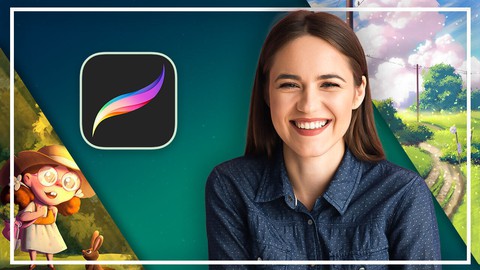
Complete Procreate Megacourse: Beginner to Expert (Udemy.com)
Learn how to create digital art and illustrate like a pro with this step-by-step course!
Created by: Skillademia Academy
Last updated February 2026
 What you will learn
- How to use Procreate and its tools
- The principles of drawing and sketching in Procreate
- The principles of illustrations in Procreate
- The principles of character design
- How to use different brushes
- How to sketch out, colour, render and master your art
- The basics of animation
- How to create 3D models
- The theory behind your creative choices
How it compares
Against the other 175 rated Udemy courses in Digital Painting on CourseDuck:
- Rating4.3 out of 5higher than 17% of them
- Reviews371#55 of 176 by number of reviews
- Length30.6 hourslonger than 95% of them
- Last updatedFebruary 2026more recently than 87% of them
 Course Description
Learn digital art with Procreate!
Draw like a pro!
Have you ever wanted to learn how to draw digitally? In the era of digital media, we see thousands of drawings and animations that are actually produced on an iPad. Maybe you already doodle on a piece of paper and have been wanting to take the next step. Whether you’re a casual doodler or you want to make a career out of illustration, drawing digitally has been the trend for the last few years. The current tools let you achieve way more than you ever imagined.
In this course, you’re going to learn everything about digital illustration and some animation in Procreate. You will learn about drawing and sketching as well as canvas settings, brushes, layers, masks, textures and such. You will start and complete a digital illustration piece that you’ll be able to export in high-resolution, print it and gladly hang on your wall.
Our instructors have years of experience not only in digital art, but also in teaching, and the expertly-crafted syllabus is designed to be easy to follow and thorough. We’ve even included plenty of examples designed and drawn on-screen for you to study. That’s why this is the only Procreate course you’ll ever need to create impeccable digital art and illustrate like a pro!
Start digitalizing your art today!

 Udemy Discount
The discount is applied through our link. Open the course from here and Udemy's current promotional price is applied at checkout on most courses, no code to type.
Some courses are excluded from Udemy's promotions. If the price does not drop, clear your browser cookies and use the button again.
Instructor Details

- 4.3 Rating
 371 Reviews
Skillademia Academy
At Skillademia, we deliver hands-on, practical learning for passionate and driven learners. Our step-by-step courses cover essential creative disciplines and cutting-edge AI skills - taking you from solid foundations to advanced expertise.
Whether you’re starting your journey or aiming to take your skills to the next level, you’ll find learning experiences designed to ignite inspiration and deliver real, measurable progress. Every lesson empowers you to create, innovate, and thrive in today’s fast-paced, tech-driven world.
Learn anytime, anywhere - our courses are available 24/7, and every enrollment comes with a 30-day money-back guarantee for complete peace of mind.
Join us and master future-ready skills that open doors to new opportunities!
 More courses by Skillademia Academy

Complete Blender Megacourse: Beginner to Expert 3D Artist (2026)
4.2 (11,017 Reviews)
 Provider: Udemy
 Time: 134.3h
$109.99
Complete Figma Megacourse: UI/UX Design Beginner to Expert (2026)
4.5 (5,251 Reviews)
- Provider: Udemy
- Time: 41.4h
$99.99
Complete PowerPoint Megacourse: Beginner to Expert (2025)
4.4 (1,359 Reviews)
- Provider: Udemy
- Time: 45.7h
$54.99
Complete Adobe Photoshop Megacourse: Beginner to Expert (2026)
4.3 (923 Reviews)
- Provider: Udemy
- Time: 49.6h
$64.99
Unreal Engine 5 Megacourse: Create Games in UE5 & Blender (2025)
4.4 (885 Reviews)
- Provider: Udemy
- Time: 33h
$109.99

Complete Excel Bundle: 5-in-1 Beginner to Advanced Course (2026)
4.7 (875 Reviews)
- Provider: Udemy
- Time: 78.5h
$64.99
More Digital Painting courses

Character Art School: Complete Coloring & Painting (2026)
4.8 (6,042 Reviews)
- Provider: Udemy
- Time: 19.5h
$34.99



Procreate Masterclass: Digital Drawing on the iPad (2023)
4.8 (1,744 Reviews)
- Provider: Udemy
- Time: 18.2h
$94.99


Digital painting with Krita 5.0 intermediate level (2022)
4.8 (271 Reviews)
- Provider: Udemy
- Time: 6.8h
$79.99
 Reviews

By Laura Walker on 4/8/2026
I cannot see what she is pressing exactly, and some details about dpi, cmyk and other things perhaps are not useful in the beginning as we learn to create something. Also, while organized, perhaps videos would be better with pauses or more bite sized so that we can absorb and practice something and orient ourselves. I am brand new to this! I mean brand new!
By Joseph Cettina on 3/1/2026
good explanation. voice is very clear. There is a lot of info to take in. have to go back over lessons to practice
By Akashiya on 7/8/2025
I liked this cource. :) Thank you for your lessons and explanations. :) Спасибо. это идеально для меня было. )
By Berkay Ataş on 1/6/2025
It is easy to understand. The teacher has a clean language. Perfect for beginners.
By Kent Coats on 1/1/2025
I’ve had Procreate for a long time, but have never really tried to learn how to use the software. I’ve struggled transitioning from traditional media to digital. Even though I’m early in the course, I’ve already learned so much about how to use the application. The instructor is awesome and the content is presented well.
By Johanne Douence on 10/17/2024
Je suis plutôt bonne en dessin, je pensais donc que, malgré les avis qui disaient qu'elle allait trop vite, j'allais pouvoir suivre. J'avais tord. En fait, ce n'est pas vraiment une leçon sur comment dessiner sur procreate. On suit juste les étapes plus ou moins détaillées de comment cette artiste s'y prend pour créer ses oeuvres personnelles. On voit donc des fois des grosses coupures de montage où l'on passe d'un dessin non detaillé à d'un coup pleins de détails, dessinés par une Brush dont on ne connait pas le nom. Ce cours n'est pas mauvais, c'est juste que si vous recherchez un cours avec de vraies recherches poussées de toutes les possibilités à faire sur procreate, ce n'est pas le cours pour vous. En résumé : 1- Si vous cherchez un exemple d'une artiste, qui fait des cours anatomiques et de composition sans trop d'explications en montrant selon son style de dessin à elle. 2-Que vous voulez appliquer directement ses techniques sur vos dessins. C'est à dire ne pas recopier les exercices de travail qu'elle-même fait (certains impossible à suivre) mais déjà avoir un dessin à vous sous vos yeux. 3-Avoir un tour complet mais pas en profondeur de procreate. Dans ces conditions, ce cours est fait pour vous. Sinon, allez plutôt voir du côté de cours plus ciblés sur ce que vous voulez apprendre en particulier.
By Winston on 9/15/2024
I won't recommend this. it doesn't teaches you step by step, she just talks, clicks and paint quickly. It very hard to follow along. It seems to be more suited for people with prior knowledge in art and procreate. Absolutely not beginner friendly.
By Annabelle Ovaitt on 2/28/2024
The creator is obviously very familiar with ProCreate. She knows so many great details about the app and its features. The only thing so far, is it can be hard to tell where she is clicking in order to make certain things happen. Sometimes she remembers to say "if we click the circle in the top right corner..." and then you can see the circle respond to her clicking it, but other times, I still don't know how she got certain effects or windows to work
By Alyssa Isnan on 1/1/2024
the explanation is very clear and its above my expectations! thank you so much
By Munich de Souza Pereira on 10/17/2023
This course is much better than I thought. I can see that the teacher knows a lot and is teaching with love.
 Quality Score
No CourseDuck member has rated this course yet. Taken it? Give each part a thumbs up or down.
Overall Score : 86 / 100
- Video Duration:
 30.6h
30.6h - Price: $54.99
- Provider: Udemy
- Updated:
 February 2026
 - Level:
 All Levels
 - Language:
 English
 - Certificate:
 Yes
Yes
30-day money-back guarantee on most paid courses
Udemy Coupon Price Tracker
