
 Web Development
 Data Science
 Python
 SQL
SQL JavaScript
 Artificial Intelligence
 IT & Software
 IT Certifications
 Hacking
 AWS
AWS Arduino
 DevOps
 3D Modeling
 Graphic Design
 Photoshop
 Drawing
 Digital Painting
 UX Design
 Business
 Data Analysis
 Communication Skills
 Project Management
 Leadership & Management
 Human Resources
 Digital Marketing
 Social Media Marketing
 Marketing
 SEO
SEO Google Analytics
 Branding
 Excel
Excel Office Productivity
 SAP
SAP PowerPoint
 Microsoft Access
 SharePoint
 Finance & Accounting
 Trading & Investing
 Accounting
 Bitcoin
 Personal Finance
 Video Editing & Animation
 Photography
 Adobe Premier Pro
 Adobe Lightroom
 Personal Development
 Productivity
 Career Development
 Life Coaching
 Health & Fitness
 Meditation & Mindfulness
 Yoga
Yoga Music
Music Music Production
 Guitar
 Piano
Piano Singing
 Language Learning
 Teaching & Academics
 Engineering
 Math
Math Lifestyle
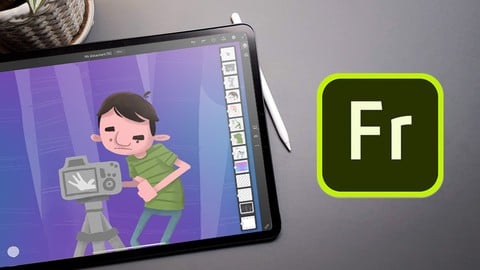
Drawing and Painting in Adobe Fresco (Udemy.com)
Learn to use Fresco's amazing real media brushes to compose stunning illustrations
Created by: Brad Colbow
Last updated May 2020
 What you will learn
- How to use the drawing and painting tools in Adobe Fresco
How it compares
Against the other 175 rated Udemy courses in Digital Painting on CourseDuck:
- Rating4.4 out of 5higher than 26% of them
- Reviews586#47 of 176 by number of reviews
- Length2.1 hoursshorter than 72% of them
- Last updatedMay 2020earlier than 58% of them
 Course Description
Adobe Fresco is an app for the iPad and some Windows touch enabled tablets that lets you draw and paint on the go harnessing the power of thousands of unique Photoshop brushes and some new super cool live media brushes that imitate real life water color and oil paints.
I believe it’s best to learn through examples. here is what we will be doing in this course:
We will be going over the tools
After going over the tools we will be using them to draw to reinforce how they work
The drawing sessions are simple and easy to follow, anyone can do them
One project goes over how we can use the vector brushes to make cartoons and comics.
Another project uses layers and the water color brushes to create unique illustrations
The third project uses the oil brushes to blend paint and then layer masks to do some hand lettering and effects over it.
The Final project takes all the skills we've used up to this point and put them all together in one final complex illustration.
Why Fresco? It's a simple and intuitive painting app and because of its access to so many pre existing Photoshop brushes makes it incredibly powerful too.
Who is this for:
People who want to learn to draw but don’t know where to start
Illustrators looking to learn everything about Fresco
Anyone who want to learn new techniques and take their drawing to the next level.

 Udemy Discount
The discount is applied through our link. Open the course from here and Udemy's current promotional price is applied at checkout on most courses, no code to type.
Some courses are excluded from Udemy's promotions. If the price does not drop, clear your browser cookies and use the button again.
Instructor Details

- 4.4 Rating
 586 Reviews
Brad Colbow
Hi, I’m Brad. I’m a professional graphic designer and Illustrator.
I’ve published comics, run conferences but what I’m best known for is running a Youtube channel where I talk about technology for illustrators. In that time I’ve published reviews on everything from the Surface Pro to the iPad pro. And everything in between.
I believe drawing and illustration is a journey, we are all constantly learning and getting better and I blog about that on my channel as well. I think anyone can learn to draw all it takes is practice.
It’s never to late to pick up a pencil and start learning.
 More courses by Brad Colbow

Drawing and Painting on the iPad with Procreate (2021)
4.7 (19,162 Reviews)
 Provider: Udemy
 Time: 5.3h
$139.99

How to Draw Cartoon Characters In Procreate (2019)
4.7 (2,992 Reviews)
- Provider: Udemy
- Time: 3.4h
$14.99
Vector Drawing on the iPad with Affinity Designer (2019)
4.7 (1,702 Reviews)
- Provider: Udemy
- Time: 4.5h
$74.99


Designing Shirts that Sell for Merch by Amazon (2017)
4.6 (599 Reviews)
- Provider: Udemy
- Time: 2.1h
$49.99
More Digital Painting courses

Character Art School: Complete Coloring & Painting (2026)
4.8 (6,042 Reviews)
- Provider: Udemy
- Time: 19.5h
$34.99



Procreate Masterclass: Digital Drawing on the iPad (2023)
4.8 (1,744 Reviews)
- Provider: Udemy
- Time: 18.2h
$94.99


Digital painting with Krita 5.0 intermediate level (2022)
4.8 (271 Reviews)
- Provider: Udemy
- Time: 6.8h
$79.99
 Reviews

By Terence Craig on 1/1/2026
1. This course was created right after the software was introduced. And it was updated 5 years ago, so it's obviously out of date. While there are changes to the interface, the tools he uses are still there so it isn't hard to follow along. 2. This course is pretty simple. No coverage of advanced features. It is really more of a digital drawing course using Fresco as the software. 3. Finally, it feels like he threw this together over a short period of time without of much investment in trying to make it that useful. The problem for beginning Fresco users is that there really aren't that many courses focused on this software, unlike the extensive coverage of Procreate. Even so, I think it would be more useful to hunt up YouTube videos.
By Anonymized User on 4/4/2025
I really like the way Brad speaks, his voice isn’t boring and he gives information in a way that I can absorb – very natural feeling. I picked up some great tips to use in fresco and learned a little bit about shading. Looking forward to taking more of your classes, Brad, and I really enjoy your product reviews as well!
By Joseph Jones on 6/29/2024
Louis C.K. made a course on Abobe Fresco. The instructor sounds just like him. Great a course to get up to speed on Fresco, which is all I need at this moment. Not super long, but it's a simple application.
By Tiago Tymniak on 10/14/2023
The course is nice paced, Brad is a very charismatic person. I couldn't follow that well cause I ain't have a pencil with pressure, though his insights really made me wish to get one and start over to learn more together. I strongly suggest getting this course to take on a weekend, it's relaxing and very insightful. I'm not giving it a 5/5 because I missed the basics on sketching, which is necessary to work with several styles. Still very glad I bought it.
By Marlena Zatolochenko on 6/21/2023
I discovered Fresco a week ago and became pretty frustrated not being able to understand certain tools. This has completely changed my mind and helped me become way more excited on what I can create. This course was extremely easy to follow along and understand. Thanks for being so awesome!
By Lainey Odette on 1/2/2021
This course provides a really good overview of Fresco. You will understand all the tools, have the opportunity to practice, and get a great grasp on how to leverage the power of this software. I'm really impressed, not only with the instruction, but the tool itself. Thanks for the great course!
By Lyric Traveler on 5/13/2020
Great course! I had no prior experience with this software (or actually any drawing software on my iPad). Learned a tremendous amount. Plan to redo the exercises a few times in order to solidify the learning. It helped me to turn down the speed of the video so that I could see/observe things more slowly. I appreciate that the teacher explained why he did things not just how. I would purchase another course from this instructor.
By Gwendolyn Granger on 4/15/2020
This course was great. Simple straight forward basics and tips of using the program, and ALSO fun drawing techniques and strategies. Brad does a nice job of pacing and walking you through what he's doing and why. Really enjoyed, and can't wait to use my new skills. Thanks, Brad!
By Christian Flores on 2/16/2020
Great basic intro into the app! I though I was going to be overwhelmed by the interface and navigating the options. Brad is an excellent teacher and is as thorough and informative as he is on his YouTube channel. I’m to to rewatch and practice again so I can get even more familiar. Brad makes learning exciting and his sketches are fun and quirky.
By Sky S on 12/2/2019
Brad is a great instructor! To get the most out of this course, pause often and make sure you can imitate the effect that he is going for. Be aware that you cannot layer a pixel brush onto a vector layer - if you think nothing is happening when you are drawing, that may be the problem. Excellent, and thank you, Brad!
 Quality Score
No CourseDuck member has rated this course yet. Taken it? Give each part a thumbs up or down.
Overall Score : 88 / 100
- Video Duration:
 2.1h
2.1h - Price: $69.99
- Provider: Udemy
- Updated:
 May 2020
 - Level:
 Beginner
 - Language:
 English
 - Certificate:
 Yes
Yes
30-day money-back guarantee on most paid courses
Udemy Coupon Price Tracker
