
 Web Development
 Data Science
 Python
 SQL
SQL JavaScript
 Artificial Intelligence
 IT & Software
 IT Certifications
 Hacking
 AWS
AWS Arduino
 DevOps
 3D Modeling
 Graphic Design
 Photoshop
 Drawing
 Digital Painting
 UX Design
 Business
 Data Analysis
 Communication Skills
 Project Management
 Leadership & Management
 Human Resources
 Digital Marketing
 Social Media Marketing
 Marketing
 SEO
SEO Google Analytics
 Branding
 Excel
Excel Office Productivity
 SAP
SAP PowerPoint
 Microsoft Access
 SharePoint
 Finance & Accounting
 Trading & Investing
 Accounting
 Bitcoin
 Personal Finance
 Video Editing & Animation
 Photography
 Adobe Premier Pro
 Adobe Lightroom
 Personal Development
 Productivity
 Career Development
 Life Coaching
 Health & Fitness
 Meditation & Mindfulness
 Yoga
Yoga Music
Music Music Production
 Guitar
 Piano
Piano Singing
 Language Learning
 Teaching & Academics
 Engineering
 Math
Math Lifestyle
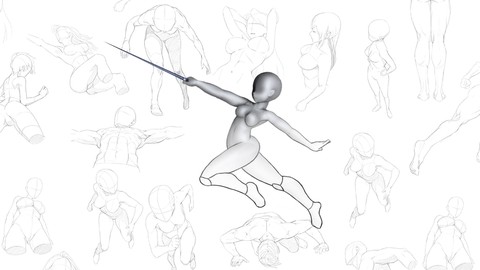
Easy Character Posing with Design Doll (Udemy.com)
Learn how to pose characters with the perfect proportions, perfect pose and perfect angle in the easiest way possible.
Created by: 2D Animation 101 Courses
Last updated September 2018
 What you will learn
- You will be able to pose characters easily in any angle
- Your drawing skills will increase because characters will have the correct proportions
How it compares
Against the other 194 rated Udemy courses in Drawing on CourseDuck:
- Rating4.5 out of 5higher than 34% of them
- Reviews52#177 of 195 by number of reviews
- Length1.7 hoursshorter than 80% of them
- Last updatedSeptember 2018earlier than 74% of them
 Course Description
Of course, the way to draw amazing poses and angles is by studying human anatomy for 2 years, and then you can pose your characters, easily right?
Thats 2 years.
What if I told you that there was a way to do it faster?
Well, there is.
In this course I will teach you how you can start posing your characters in very dynamic poses and complicated angles, EASILY!
And not in 2 years, but RIGHT NOW.
How? By using a very powerful tool that I will show you how to get FOR FREE.
Now, for all the Snobs out there who are getting angry at me for sharing shortcuts that save 2 years of human anatomy, here is what I have to say:
Well, you can use shortcuts, invest those same 2 years, but LEARN MORE STUFF!
The best thing about this tool is that it will motivate you to draw more and more because you will start getting results the moment you start using this tool.
And with some momentum, when you decide to study Human Anatomy, everything will be much easier to understand, and you will learn it way faster.-------------------------------------------In this course I am going to show you how you can use DesignDoll to instantly pose your characters so you can get any pose you want in any angle EASILY.
The whole process for drawing your characters consists of 3 steps:
Creating a Model with the correct proportions for your characterPosing itAnd finally, Export it.
Easy 3 steps.
Once you have it exported, you can open it in any drawing software, and you can trace the mannequin, and then draw on top of it.
That way you will have the perfect proportions and the perfect angle for your character.
The question is, how can you set up a scene? How can you change the default character to have the proportions you want? How can you pose it? How can you set up the scene?
Well, that is what you will learn in this course.
At the end of this course you will understand:
How this software works.
You will know the purpose of each of the panels.
You will know how to zoom in, rotate the view, and how to navigate on the workspace.
Then you will learn how to change or create materials for your characters.
And then, after you master those basics, we will start by learning:
How to pose your characterAll the useful shortcuts to work faster, like rotating the view, rotating the characterUsing the Isometric view for precision editing of your poseMoving and rotatingChanging the proprotions of your characterMorphing the face, torso, arms and legsEditing the HandsEditing the FeetUsing Simplified Models for drawing freely on your software, this is recommended when you want to be more advanced in drawing.
And then I will show you how to add new models to your sceneAldo how to duplicate characters, a very useful tip to use oftenI will also show you how you can edit multiple models at the same timeAnd after all of that, you are going to be a master at creating characters in any pose and any angle.
But the course still has some more lessons. Because I will finish by also teaching you how to use design doll to:
Use boxes and simple 3D Shapes to create environments so you can visualize a sceneHow to set up a shot using the camera viewAnd if you get the Pro version of Design Doll, I will also teach you how you can use the Drawing Tools to draw guide lines for your models to make the drawings easier to followHow to get presets of poses from the Internet to use in your scenesAnd finally, How to export your scene into an image file that you can import to any drawing software, or even to print it and use it to draw on paper.
Ok. So, are you ready? Enroll now to download this tool for free and learn how to master it to pose your characters easily in any angle.
See you inside.
Who this course is for:
Beginners starting in drawing who struggle to pose characters in difficult positions and angles.
This course is not for dogs or cats, only humans.

 Udemy Discount
The discount is applied through our link. Open the course from here and Udemy's current promotional price is applied at checkout on most courses, no code to type.
Some courses are excluded from Udemy's promotions. If the price does not drop, clear your browser cookies and use the button again.
Instructor Details

- 4.5 Rating
 52 Reviews
2D Animation 101 Courses
With a background of 10 years in the film industry at Autumn Leave Films, and with over 30 short films produced to this date, we are a group of animators who love to share everything we know about animation, from pre-production, animation, to post production.
Our aim is to equip future animators with all the necessary techniques and tips to help them do better projects. Our courses will help beginners along with intermediate users.
We have helped more than 54,000+ students to discover techniques and all the knowledge they need to start animating their projects.
 More courses by 2D Animation 101 Courses

Cinematography for 2D Animation Essentials (2018)
4.6 (1,357 Reviews)
 Provider: Udemy
 Time: 36 mins
$15.99
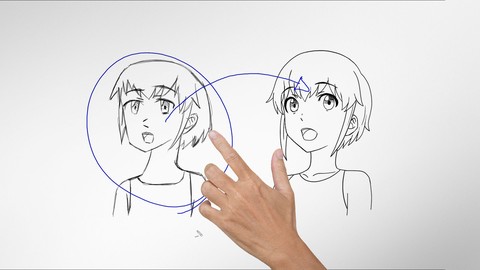
Improve Anime Drawings With Leonardo DaVinci Method (2018)
4.3 (1,217 Reviews)
- Provider: Udemy
- Time: 54 mins
Free

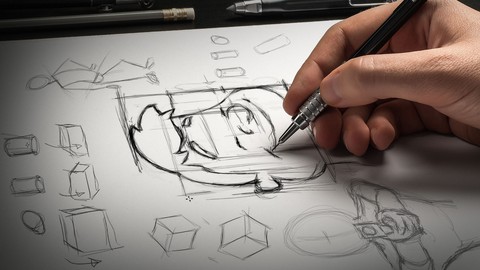
Adobe Illustrator Essentials for Character Design (2021)
4.6 (925 Reviews)
- Provider: Udemy
- Time: 2.1h
$11.99
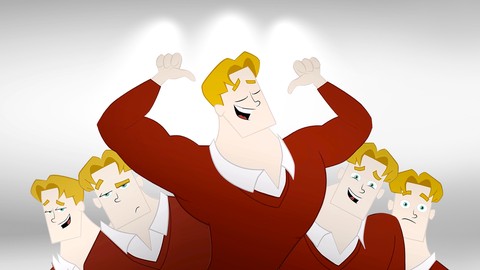
Character Design For Animation in Illustrator (2021)
4.6 (670 Reviews)
- Provider: Udemy
- Time: 2.2h
$54.99

2D Animation in Moho from Basic to Advanced (2018)
4.6 (625 Reviews)
- Provider: Udemy
- Time: 4h
$59.99
More Drawing courses

The Art & Science of Figure Drawing: GESTURE (2021)
4.9 (5,042 Reviews)
- Provider: Udemy
- Time: 13.4h
$22.99

The Art & Science of Drawing / FORM & SPACE (2017)
4.9 (3,395 Reviews)
- Provider: Udemy
- Time: 2.9h
$19.99
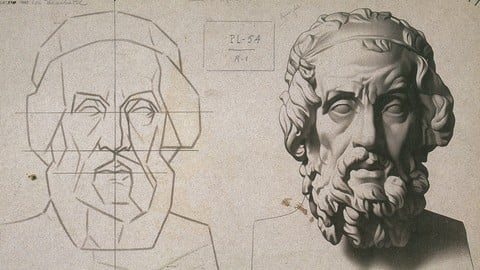
Drawing Fundamentals 1: Basic Skills & Sketching Accurately (2022)
4.9 (1,593 Reviews)
- Provider: Udemy
- Time: 3.1h
$94.99
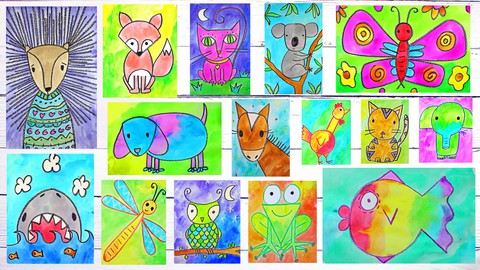
Art for Kids & Beginners: 17 Easy Drawing & Painting Lessons (2026)
4.9 (1,066 Reviews)
- Provider: Udemy
- Time: 3.7h
$12.99

The Art & Science of Drawing / SHADING: BEYOND THE BASICS (2018)
4.9 (993 Reviews)
- Provider: Udemy
- Time: 1.6h
$59.99

Draw Islamic Geometric Patterns With A Compass And Ruler (2019)
4.9 (843 Reviews)
- Provider: Udemy
- Time: 1.4h
$12.99
 Reviews

By Fernando Luiz Canepa Garcia de Paula on 9/21/2020
Excelente curso! Cumpre o que promete.
By Choco Sabonge on 6/1/2020
It's straight forward and gets to the point of the software. Having the pro version is not really necessary for this course (as the only time it's needed is for the last three lessons) but if you especially want quick poses and access to the pose library you should consider getting it, but not for this course.
By Ysuyoko on 4/3/2020
amazing, it's so easy
By Carina Savoie on 2/10/2020
This is exactly the software and tutorial I needed to take my animations to the next level!!!
By Rudy Heron Torres on 11/13/2019
Great experience! Fun to learn!
By Helen Iles on 9/7/2019
Wow! I loved this course which was so easy to follow and will allow me to complete some projects that have been hovering. Mark makes Design Doll look so easy to use, I am going to get the Pro Version and book into Mark's courses.
By Edwin Rosado on 8/1/2019
A very good course.
By Desislava Maldzhanova on 7/25/2019
Very good course!
By Mark Madrinan on 4/26/2019
Oh wow, I am drawing pictures for my novel, and yes I was taking anatomy class and all that, yes, years of actual drawing, I use an isometric tool in my drawing program to draw my maps, but now I have a tool which I can import and use as my reference guide, awesome.
By Eric Flowers on 2/1/2019
Up Beat, keeps me focused and the biggest thing would be is he is not mono toned
By Michael Snider on 10/12/2018
I was kinda 'bummed' to find out -- only AFTER buying the course -- that the software you'd be teaching was somehow limited in function unless I bought the PRO version of it (for $79?). I'll continue to watch the course in the hopes that the limitations of the free version of software are minor (!) [But I think you should've disclosed it BEFOREHAND!]
 Quality Score
No CourseDuck member has rated this course yet. Taken it? Give each part a thumbs up or down.
Overall Score : 90 / 100
- Video Duration:
 1.7h
1.7h - Price: $49.99
- Provider: Udemy
- Updated:
 September 2018
 - Level:
 Beginner
 - Language:
 English
 - Certificate:
 Yes
Yes
30-day money-back guarantee on most paid courses
Udemy Coupon Price Tracker
