
 Web Development
 Data Science
 Python
 SQL
SQL JavaScript
 Artificial Intelligence
 IT & Software
 IT Certifications
 Hacking
 AWS
AWS Arduino
 DevOps
 3D Modeling
 Graphic Design
 Photoshop
 Drawing
 Digital Painting
 UX Design
 Business
 Data Analysis
 Communication Skills
 Project Management
 Leadership & Management
 Human Resources
 Digital Marketing
 Social Media Marketing
 Marketing
 SEO
SEO Google Analytics
 Branding
 Excel
Excel Office Productivity
 SAP
SAP PowerPoint
 Microsoft Access
 SharePoint
 Finance & Accounting
 Trading & Investing
 Accounting
 Bitcoin
 Personal Finance
 Video Editing & Animation
 Photography
 Adobe Premier Pro
 Adobe Lightroom
 Personal Development
 Productivity
 Career Development
 Life Coaching
 Health & Fitness
 Meditation & Mindfulness
 Yoga
Yoga Music
Music Music Production
 Guitar
 Piano
Piano Singing
 Language Learning
 Teaching & Academics
 Engineering
 Math
Math Lifestyle
Fusion 360 Design for 3D Printing (Udemy.com)
Learn to use Fusion 360 to create 3D printable designs
Created by: Mike Freeman
Last updated July 2022
 What you will learn
- Comprehensive course focused on using Autodesk Fusion 360 for 3D printing, a powerful and versatile CAD software.
- Specifically designed for people who want to learn 3D modelling and prepare designs for 3D printing.
- Step-by-step guidance to help learners master Fusion 360's interface, tools, and workflows.
- Teaches efficient techniques for optimizing designs for 3D printing, including file setup, orientation, and support generation.
- Practical exercises and real-world examples to apply learned concepts and enhance understanding.
- Troubleshooting tips and strategies to overcome common challenges encountered during the 3D printing process.
- Provides insight into design considerations for functional prints, prototyping, and product development.
- Lifetime access to course material, allowing learners to revisit the content as needed.
How it compares
Against the other 545 rated Udemy courses in 3D Modeling on CourseDuck:
- Rating4.4 out of 5higher than 26% of them
- Reviews119#418 of 546 by number of reviews
- Length5.7 hoursshorter than 52% of them
- Last updatedJuly 2022earlier than 52% of them
 Course Description
Take Your Fusion 360 Skills to New Heights in 3D Printing Design
Ready to supercharge your Fusion 360 skills specifically for 3D printing? Look no further than Fusion 360 - Design for 3D Printing. This specialized course is tailor-made for individuals who already have a foundational understanding of Fusion 360 and are eager to dive deeper into its applications for 3D printing. It's also an excellent follow-up to our highly acclaimed Fusion 360 Complete Course.
Key Features and Benefits:
Perfect for Fusion 360 Users: Designed for learners who already have some familiarity with Fusion 360, this course focuses specifically on leveraging its capabilities for 3D printing. Expand your skill set and elevate your designs to new heights.
Master 3D Printing Design: Delve into advanced techniques and workflows specifically geared towards 3D printing, allowing you to optimize your designs for successful prints, enhance functionality, and push the boundaries of what's possible.
Real-World Projects and Exercises: Apply your existing Fusion 360 knowledge to practical exercises and engaging projects that emphasize the unique considerations and challenges of 3D printing, enabling you to build a portfolio of impressive 3D prints.
Streamlined Learning Path: Benefit from a focused curriculum that hones in on the key skills and techniques you need to excel in 3D printing design. Build upon your existing knowledge and achieve a specialized expertise.
Material Selection and Techniques: Gain invaluable insights into choosing the right materials and techniques for 3D printing, ensuring optimal results and achieving the desired characteristics in your prints.
Optimization and Troubleshooting: Unlock advanced optimization strategies to enhance print quality and efficiency. Learn troubleshooting techniques to overcome common challenges and produce flawless prints.
Stay Up-to-Date: As a course participant, you receive lifetime access to the latest course updates and enhancements, ensuring that you're always up to speed with the latest features and developments in Fusion 360.
Expert Instructor Support: Enjoy the benefit of personalized guidance and support from our experienced instructor, who will address your specific questions and provide expert insights throughout your learning journey.
Take the next step in your Fusion 360 journey and unlock the full potential of 3D printing design. This course is specifically designed for learners like you who want to leverage their existing Fusion 360 knowledge for exciting and innovative 3D printing projects. Enroll in Fusion 360 - Design for 3D Printing now and witness your designs come to life in the world of additive manufacturing.
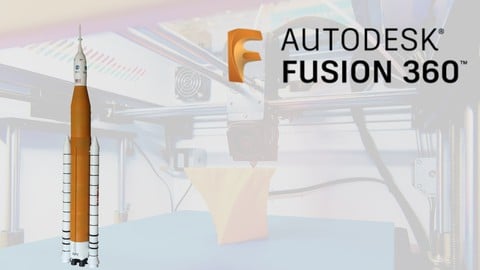
Build a Stunning Model Rocket Using 3D Printing - Hands-On Experience
In the second part of the course, you'll have the incredible opportunity to follow along as we embark on a captivating project: building a visually striking model rocket that can be 3D printed. This hands-on experience will take your Fusion 360 skills to new heights as you witness the transformation of your digital design into a tangible and awe-inspiring object.
Key Features of the Model Rocket Project:
Step-by-Step Guidance: Receive detailed, step-by-step instructions as we guide you through the entire process of designing and 3D printing a model rocket. Witness firsthand how Fusion 360 can bring your vision to life.
Apply Advanced Techniques: Apply the advanced techniques you've learned throughout the course to create intricate rocket components, optimize designs for performance, and ensure seamless assembly.
Celebrate Your Success: Witness the satisfaction of holding your finished model rocket in your hands, ready to take flight. Showcase your accomplishment and inspire others with a captivating display of your 3D printing design skills.
Take advantage of this unique opportunity to learn not only the theory and techniques behind 3D printing design but also to apply them in a tangible, exciting project. This hands-on experience will give you the confidence and expertise to tackle future design challenges and impress with your stunning creations.
Don't miss out on the chance to build a stunning model rocket using Fusion 360 and 3D printing technology. Enroll in Fusion 360 - Design for 3D Printing now, and embark on an exhilarating journey of creativity, innovation, and accomplishment.

 Udemy Discount
The discount is applied through our link. Open the course from here and Udemy's current promotional price is applied at checkout on most courses, no code to type.
Some courses are excluded from Udemy's promotions. If the price does not drop, clear your browser cookies and use the button again.
Instructor Details

- 4.4 Rating
 119 Reviews
Mike Freeman
I have over 23 years of experience as a Draughtsman & CAD Designer in a wide variety of disciplines and am an Autodesk Certified Professional in AutoCAD for Design and Drafting. I started on a drawing board learning traditional drafting skills and witnessed the introduction of CAD software into the industry. Originally starting on the very basic AutoCAD release 10 I have used every version of AutoCAD since as well as adding various other CAD software. This has given me a unique insight into how best to utilize these great tools in the real-world environment.
Over the course of my career, I've trained countless people in the use of these tools and as most of this training was geared towards getting staff members up & running with this software as quickly as possible, I developed a method that gets my students actually creating drawings straight away. We then gradually add more advanced techniques as we go.
"I look forward to helping you get started and working with you over the course of your development."
 More courses by Mike Freeman


Autodesk Inventor 2020 Complete Beginners Course
4.5 (332 Reviews)
 Provider: Udemy
 Time: 6.5h
$54.99
More 3D Modeling courses

3D Printing with " Ultimaker CURA Slicer- Start to finish" (2025)
4.9 (192 Reviews)
- Provider: Udemy
- Time: 1h
$34.99

Girl and the Dog Creation in Zbrush for Intermediate Level (2020)
4.9 (173 Reviews)
- Provider: Udemy
- Time: 48.8h
$59.99



Blender Character Creator for Video Games (2026)
4.8 (9,160 Reviews)
- Provider: Udemy
- Time: 34.3h
$159.99

Master SOLIDWORKS 3D CAD using real-world examples (2022)
4.8 (2,451 Reviews)
- Provider: Udemy
- Time: 18.9h
$69.99
 Reviews

By Gareth Ellis on 9/18/2024
Moves very quickly through operations. As in he works at his speed because he knows where everything is and what it does. For example, "i'm going to offset this circle with another" without giving a new user a chance to find the button click it and keep moving along with the instructor. A small pause of a second or two would help the learner find it, click it and carry on. Excellent explanations and examples, just needs to adjust the pacing a smidge.
By Lieve Wemaere on 6/6/2024
De cursus is goed opgebouwd. Goede uitleg over connecties bij het 3D-printen. De volledige modellering van de raket was voor mij wel wat te lang. Maar ik begrijp de overweging om dit volledig te modelleren.
By Dean Thorne on 11/21/2023
The tutorial was worth the price of the course! Mike does a great job of explaining all the ‘small’ details required when putting together large and complex projects. The tips for dealing with print quality on transitions was something I never would have considered. Much appreciate.
By Connor on 8/27/2023
Very straight forward course. Easily understood and you end the course with a finished model that is pretty in depth. I feel confident i can start doing some modeling on my own that i have been wanting to do for a while.
By Xavier Klijsen on 7/29/2023
Great course, I learned so much! The video editing is sometimes a bit off, especially in the beginning, don't be put of by this, this is very educational. I asked a few questions during the cource and they were answered within a few hours. That is super!! I can totally recommend this course. thanks
By James Smith on 4/26/2023
I did not know anything at all about CAD when I started these courses, and since taking the courses, I have successfully designed and 3D printed numerous functional parts.
By Ed Gomez on 3/4/2023
Appears he doesn't do much editing in his video. There's much lag and hesitations when he speaks. Starts to say something then hesitates and says something else. He's awkward to follow along. Looks as if he just wanted to get a video out and doesn't appear to have much experience at teaching.
By Rusty Atkins on 8/31/2022
Not much here I didn't know how to do after Mike's excellent Fusion 360 Complete Course. The model rocket was more than a little tedious (though at times he was going so fast I had to stop and rewind), but such is life in the design world. The rocket is proudly being put on display on our fireplace mantel. It is the one thing we've 3D printed (out of 100+) that we enjoy showing people. It's mind-boggling to me (a quick learner and all around technical guy) that a month ago, I didn't even know how to use this software, at ALL. Now I feel I can design almost anything. It's got me wishing I had room for CNC equipment in the garage. Thanks so much, Mike!
By Kevin gorman on 7/1/2022
It's simply a great course. It is challenging but not over the top. I feel fully engaged in the program and it compels me to keep going. It is truly addictive. If you are just starting out I would recommend his beginner course.
By Tony White on 6/30/2022
Enjoyed the course very much. Was given a 3D printer as a gift at end of last year so am a novice at 3D printing. Fusion 360 I am using to make my own models. Have made a 1:96 scale model of Spacex's StarShip before taking this class. Would have designed differently had I taken the class first. Did not want to glue it so used 1/8" steel dowel pins (3) at each intersection. Used Flashforge's Silk Silver PLA to get the shiny steel look. Regards Tony
 Quality Score
No CourseDuck member has rated this course yet. Taken it? Give each part a thumbs up or down.
Overall Score : 88 / 100
- Video Duration:
 5.7h
5.7h - Price: $59.99
- Provider: Udemy
- Updated:
 July 2022
 - Level:
 Intermediate
 - Language:
 English
 - Certificate:
 Yes
Yes
30-day money-back guarantee on most paid courses
Udemy Coupon Price Tracker
