
 Web Development
 Data Science
 Python
 SQL
SQL JavaScript
 Artificial Intelligence
 IT & Software
 IT Certifications
 Hacking
 AWS
AWS Arduino
 DevOps
 3D Modeling
 Graphic Design
 Photoshop
 Drawing
 Digital Painting
 UX Design
 Business
 Data Analysis
 Communication Skills
 Project Management
 Leadership & Management
 Human Resources
 Digital Marketing
 Social Media Marketing
 Marketing
 SEO
SEO Google Analytics
 Branding
 Excel
Excel Office Productivity
 SAP
SAP PowerPoint
 Microsoft Access
 SharePoint
 Finance & Accounting
 Trading & Investing
 Accounting
 Bitcoin
 Personal Finance
 Video Editing & Animation
 Photography
 Adobe Premier Pro
 Adobe Lightroom
 Personal Development
 Productivity
 Career Development
 Life Coaching
 Health & Fitness
 Meditation & Mindfulness
 Yoga
Yoga Music
Music Music Production
 Guitar
 Piano
Piano Singing
 Language Learning
 Teaching & Academics
 Engineering
 Math
Math Lifestyle
Game Asset Crash Course - 3D Modeling in Blender and 3D-Coat (Udemy.com)
Learn 3D modeling, texturing, and rendering with Blender and 3D-Coat by creating AAA ready game assets
Created by: Concept Courses
Last updated April 2019
 What you will learn
- Use 3D modeling in Blender to create a practical, real world game asset that you can use in your own creations or expand upon into other game assets.
- Make awesome, AAA game assets by utilizing just the right tools and techniques of the software that you need.
- Save time and money by creating your own 3D models, quickly and efficiently.
- Learn 3D modeling, texturing, rendering, and exporting with Blender, the world's premiere 3D application for creating amazing game assets.
How it compares
Against the other 100 rated Udemy courses in Blender on CourseDuck:
- Rating4.5 out of 5higher than 29% of them
- Reviews453#53 of 101 by number of reviews
- Length2.5 hoursshorter than 92% of them
- Last updatedApril 2019earlier than 82% of them
 Course Description
This course has been updated to use Blender 2.8
Get up to speed on the techniques and pipelines used to create high quality, AAA ready game assets!
This online course will teach you how to use Blender and 3D-Coat to create a PRACTICAL REAL WORLD project for your game asset ideas!
Do you want to learn 3d modeling, texturing, and rendering, but don't know where to begin?
Have you spent time and energy Googling Blender tutorials online, only to find out that it never covers exactly what you need?
Do your 3D renders look plain and boring, and you want to know how to take your 3D models to the next level?
If you answered yes to any of these questions, you're in the right place!
I know it can be frustrating watching other people post gorgeous looking renders and game assets online, while always wondering how they did it. You can spend hours or even days trying to find the right tutorial online to recreate a 3D asset. Even then they don't always cover the complete pipeline from start to finish.
That's why we created this course - to teach people just like you how to easily get started with Blender.
This course has been specifically designed with you in mind and we have developed a system to allow you to learn just what you need to know, only when you need it.
Have fun while learning! Learn by actually doing!
After enrolling in this course, you'll be taken through a complete project that will show you how to recreate a 3D game asset from start to finish. Follow along and practice while learning!
Downloadable project files make it easy to follow along and practice.
The best part about a course like this is that you won't waste time learning tools and functions inside of Blender that you will never use. Most courses will tell you about every little part of the program, which is daunting to most people.
Game Asset Crash Course - 3D Modeling in Blender and 3D-Coat will show you the necessary tools as you apply them.
This course will cover every aspect of:
Blender and 3D-Coat's Interface and How to Navigate It
3D Modeling Your Very First 3D Game Asset
UV Unwrapping and Understanding How UVs Work
How Normals Work and How to Bake Textures Into Your Model
Texturing Your Game Asset with Smart Materials
Exporting Your Model to Unity, the Number One Game Engine
and so much more!
Whether you want to create game assets just for fun, or you work in a production studio and need this information done right this instant, this course is for you. We will guide you every step of the way and are here to make sure you succeed in your ventures. We are always available to answer any messages, discussions, questions, or feedback that you have.
Get a Certificate of Completion when you finish the course!
With our 30-Day 100% money back guarantee, there's no reason hesitate!
ENROLL NOW

 Udemy Discount
The discount is applied through our link. Open the course from here and Udemy's current promotional price is applied at checkout on most courses, no code to type.
Some courses are excluded from Udemy's promotions. If the price does not drop, clear your browser cookies and use the button again.
Instructor Details
- 4.5 Rating
 453 Reviews
Concept Courses
What would you like to learn today?
Concept Courses is a leading international provider of educational content in development, business, design, and more. Our goal is to make quality content so that you can learn a new skill, grow your expertise, and dominate your career!
You will find courses on professionals who are experts in their field. These courses are available in high definition (HD) and are available at any time for you to study. With a wide range of topics to choose from and an easy platform to navigate, Concept Courses strives to make sure that you are getting the most out of your education.
Our experts have the right course for you.
Development
Software development, technology, robotics, artificial intelligence, machine learning, and so much more is where the world is headed. We currently live in an age of electronics and computer helping us with everything from driving to telling us what we should eat for dinner.
This category is only on the rise and is a main focus for our brand. We have gone through lengths to find the best online instructors to teach development to you, in a way that you can understand.
 More courses by Concept Courses
The Total Kotlin Course : Learn Kotlin Today (2017)
4.0 (333 Reviews)
 Provider: Udemy
 Time: 3.6h
$19.99
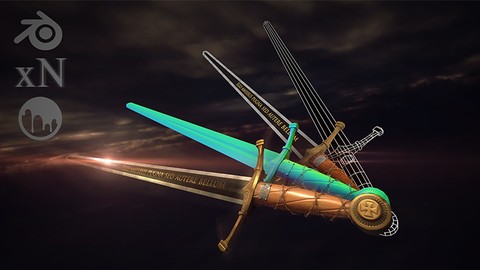
Intermediate Game Asset Creation - 3D Modeling in Blender (2017)
4.5 (235 Reviews)
- Provider: Udemy
- Time: 4.2h
$59.99
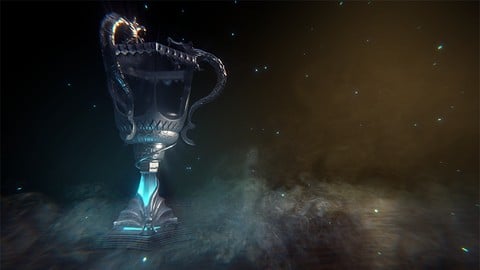
Advanced Prop Modeling - 3D Modeling in Blender (2018)
4.5 (103 Reviews)
- Provider: Udemy
- Time: 6.1h
$54.99
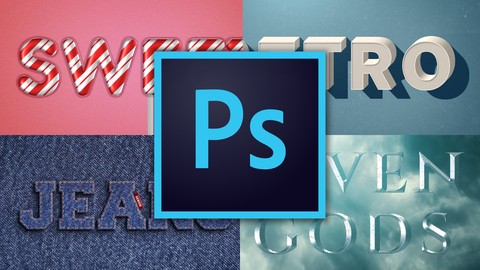
Photoshop Effects - How to Create Text Effects (2018)
4.7 (89 Reviews)
- Provider: Udemy
- Time: 1h
$54.99
More Blender courses

Low Poly Landscapes: Blender Bite Sized Course (2025)
4.9 (1,704 Reviews)
- Provider: Udemy
- Time: 6.2h
$99.99

Absolute Beginners 3D character in Blender course (2022)
4.9 (1,133 Reviews)
- Provider: Udemy
- Time: 14.5h
$94.99


Complete Blender Creator: 3D Modelling (Compatible with 4.3) (2026)
4.8 (69,132 Reviews)
- Provider: Udemy
- Time: 13.8h
$199.99

The Ultimate Blender 3D Sculpting Course (2026)
4.8 (3,904 Reviews)
- Provider: Udemy
- Time: 37.2h
$119.99

Blender Total! From Basic to Advanced 3D! (2025)
4.8 (2,407 Reviews)
- Provider: Udemy
- Time: 21.3h
$109.99
 Reviews

By Alan Kilzi on 9/7/2020
I Learned some new stuff, the teacher was overall great, being quick and straight to the point. With that said, being new to all this and having done other courses in the site on the subject, i do find that some of his practices are not optimal and overall are better thought in other courses. Hopefully you can update the course to better it.
By S Pavlov on 6/24/2019
Lots of good info for beginners. Great course, I've enjoyed it thoroughly. What could be improved: - In Section 2 Chapter 13 Creating Perfect Topology pictures aren't visible (only text with missing-image placeholders). - UV Unwrap Assignment files were created in previous version of Blender and have legacy UI layout saved - this could be quite a challenge for total beginners who never seen pre-2.8 Blender UI where all controls are out of place. - Exporting to Unreal Engine is mediocre without explanation of material/shader creation. Ideally, should contain a quick walkthrough through material creation for the model instead of using a pre-built project with a sample material/shader already created. Also, would be nice to have a 3D Coat section of texture export settings specifically for Unreal Engine with roughness/metallic (not in Unity format). All in all, it's a great course for complete beginners who want to start using Blender (and 3D Coat). Thank you, I've subscribed to other two courses by the same author (intermediated and advanced).
By Teresa Montgomery on 4/4/2019
I've been working to expand my skills in Blender for a while now, but have never been able to crack 3D Coat effectively. When I found this course using both softwares, I had high hopes and was not disappointed. The workflow between the two different softwares was nice and I'm glad to be learning it. I also picked up a few new tricks in Blender that I already used while modeling a new asset on my own. The instructor is clear and concise, as well as answering questions and addressing difficulties in good time given the difference in time zones. Thank you for this course!
By Dominik Maral on 1/8/2019
I am very satisfied with the course progression and the instructions are very clear and engaging. The instructor is very knowledgeable about the topic. Very good course for absolute beginners. There are some things that could be explained with a bit more depth, like the UV packing part where I felt like he could have used more UV space or maybe mirror the UV islands of the blade. The baking process was too rushed as well. There were some artifacts on the top of the axe that didn't get addressed at all. But as I said for absolute beginners it is a very good course, the author is a real deal. I would also recommend checking the his Youtube channel for similar content. https://www.youtube.com/channel/UCXEHbpkKRdBMdavLQzogyxw
By Gary Wilkerson on 12/21/2018
This course covers so much without being overwhelming, I am incredibly glad that I found it. I have a little experience in Blender but now feel much more confident, and I had never opened 3d Coat but now feel like I have a solid start to explore materials and texture painting. The course never goes too long in any one section, but also doesn't skip over a single necessary aspect of creating game assets. I am now moving on to the intermediate course ... and then all of the rest of Timothy's courses ... and then probably massive amounts of time on his YouTube channel. Thanks for these!
By Petr Závodný on 12/9/2018
So far it looks like it was a good match for my needs, its challenging enought to keep me alert and paying attention since for me, as for total beginner, there is tons of stuff to absorb in every minute. After finishing: What I love most on this short course is those parts, where lector points important stuff to think about for further work with model and showing complete process. I would appreciate more exercises to anchor new stuff, but I guess aim of this course wasnt to teach blender or 3D coat, but to give "hands on" experience with whole process. I would grab detailed course any time.
By Aleksandrs Gusevs on 3/29/2018
I want to say that I had some previous experience with blender first . The course was fast & to the point. It showed me a pretty nice workflow between Blender>3D-Coat>Unity. Too bad there was no explanation on exporting from 3D-Coat to Blender, but i got some info from the instructor about 3D-Coat render. I had a lot of tough time installing 3D-Coat and the problem was in windows onedrive application. You can find the work-around on that in the tutorial comments. I learned what are normal maps which opened new opportunities for more complex scenes. I always had problems with unwrapping and this course got me some better understanding about it , but i still feel like a complete idiot trying to unwrap models with more details. Perhaps much more parts? Would be nice if you could add some info on this or maybe it's just me and unwrapping :D Would recommend this course to anyone. It is short , has lots of information and does what it should! Instructor is always responsive and willing to answer any question which is a big plus. 11/10 would tutorial again. Currently thinking of taking intermediate version of this course later. Thanks a lot Timothy for your hard work and the dedication to your students!
By Richard Bexborn on 3/11/2018
Excellent course. I have some intermediate experience with Blender, but still felt I needed more knowledge on the UV:ing / Texturing / Baking process, which is a real hurdle. I found the course quick and easy to follow, and am very happy with it. Some things could have been expanded on, such as xNormal, which he entirely neglects to mention until it is just magically there in the course, no word about installing or anything, and 3D Coat, where it feels that some more in-depth explanations on the features used could have been given. Minor issues, though. I will now jump straight into his intermediate course. On the fence? Buy and learn!
By Tod Langley on 2/7/2018
Easy, step by step tutorial with great pacing by the instructor. The video follows exactly what the instructor is discussing and he points out basic, as well as, essential shortcuts. Each video is edited for time and the segments are no more than 10 minutes...making lessons and workflows much easier to comprehend and apply. After getting half-way through the course, I've found that I'm learning a great deal more about the proper procedure for UV Packing, Add-ons (mirror and solidify), and scaling things properly. At the end of the course, I was extremely impressed with how workflows can be improved with the use of high resolution normal maps, as well as, additional software, such as xNormal and 3D Coat. After a year of trying to learn things on my own, I finally feel confident that I'm on the right track toward Indie Model Development.
By Hagyto - on 11/29/2017
The description crash course really nails it. The explanations are on point without unneeded information. There is an introduction to Blender for absolute beginners but be aware, that you may need to practice a bit on your own, to let the knowledge sink in. The instructions are easy to follow, with occasional reminders on hot keys. Be aware that you need to install the (free) program xNormals before you can move on to 3dCoat. The 3dCoat part part ONLY handles texturing, do not expect a walkthrough to all its capabilities. At the end you'll have a ready to go asset for unity and the knowledge to reproduce similar pieces.
 Quality Score
No CourseDuck member has rated this course yet. Taken it? Give each part a thumbs up or down.
Overall Score : 90 / 100

- Video Duration:
 2.5h
2.5h - Price: See price on Udemy
- Provider: Udemy
- Updated:
 April 2019
 - Level:
 Beginner
 - Language:
 English
 - Certificate:
 Yes
Yes
30-day money-back guarantee on most paid courses
Udemy Coupon Price Tracker
