
 Web Development
 Data Science
 Python
 SQL
SQL JavaScript
 Artificial Intelligence
 IT & Software
 IT Certifications
 Hacking
 AWS
AWS Arduino
 DevOps
 3D Modeling
 Graphic Design
 Photoshop
 Drawing
 Digital Painting
 UX Design
 Business
 Data Analysis
 Communication Skills
 Project Management
 Leadership & Management
 Human Resources
 Digital Marketing
 Social Media Marketing
 Marketing
 SEO
SEO Google Analytics
 Branding
 Excel
Excel Office Productivity
 SAP
SAP PowerPoint
 Microsoft Access
 SharePoint
 Finance & Accounting
 Trading & Investing
 Accounting
 Bitcoin
 Personal Finance
 Video Editing & Animation
 Photography
 Adobe Premier Pro
 Adobe Lightroom
 Personal Development
 Productivity
 Career Development
 Life Coaching
 Health & Fitness
 Meditation & Mindfulness
 Yoga
Yoga Music
Music Music Production
 Guitar
 Piano
Piano Singing
 Language Learning
 Teaching & Academics
 Engineering
 Math
Math Lifestyle
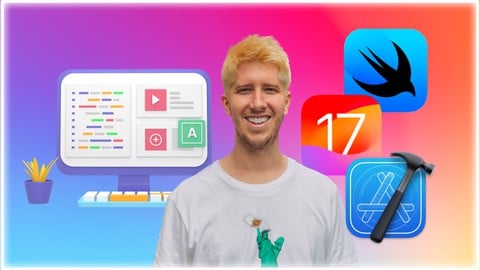
iPhone Apps for Complete Beginners - Swift, SwiftUI & iOS17 (Udemy.com)
You'll go from a complete beginner to having your own app in the App Store. Brand new (filmed Fall 2023) using Xcode 15
Created by: Nick Walter
Last updated September 2026
 What you will learn
- Beginner and Intermediate Swift Skills
- Design Apps with SwiftUI
- Data Storage with the New SwiftData
- Getting Your Own App on the App Store
How it compares
Against the other 149 rated Udemy courses in Mobile Development on CourseDuck:
- Rating4.5 out of 5higher than 62% of them
- Reviews475#24 of 150 by number of reviews
- Length9.5 hourslonger than 59% of them
- Last updatedSeptember 2026more recently than 93% of them
 Course Description
Hi, I'm Nick. I LOVE to make iPhone apps. And I want to share the magic of making iPhone apps with you!
I'm a self taught developer so I know what it's like to start as a true beginner. I've structured my course to be the course I wish I had when I was learning how to make apps for the first time. Filmed in Fall 2023, this course uses the latest tools of iOS 17 and Xcode 15.
In this course, we'll start first by learning the design side of making apps using SwiftUI. We'll go step by step from basic shapes, to creating your own mini-resume app! (It's the cutest resume you've ever seen)
Then we'll start learning Swift, the programming language used to make iPhone apps. We'll start with basics topics like variables and constants, and then build on those skills so that by the end of the course you'll understand intermediate concepts like functions and classes.
In this course we'll make 4 apps:
Resume App
Text Manipulator App
Journaling App (SwiftData)
Course Listing App (Web/APIs)
We'll then finish the course by teaching you the process to submit your own apps to the App Store!
I can't wait to show you all the excitement that comes from creating your own apps and sharing them with the world. Let's get started!

 Udemy Discount
The discount is applied through our link. Open the course from here and Udemy's current promotional price is applied at checkout on most courses, no code to type.
Some courses are excluded from Udemy's promotions. If the price does not drop, clear your browser cookies and use the button again.
Instructor Details

- 4.5 Rating
 475 Reviews
Nick Walter
Hi! I'm Nick, and I love to code. About five years ago I decided that I wanted to learn to code, but I had limited access to programming resources, and I was getting frustrated with all of the YouTube videos and online tutorials out there. I experimented, struggled, and definitely failed a lot, but I finally got the hang of it, so I decided that I wanted to change the way that people learned to code, and I started teaching. My experience as an online student has directly influenced my teaching style, because I know what it is like to be in your shoes.
When
Apple announced their new programming language, Swift, in 2014, I made my big online teaching debut and created the
internet's first Swift course. Since that time, I have
become a full-time online instructor and I now have courses not only in Swift,
but also in iOS, Android, Django, Kotlin, Python, HTML, Blockchain, etc. I have also created five iOS apps from scratch that are currently live in the App Store and are being used by thousands of users worldwide.
I love sharing my excitement for coding with my students, and I try to make learning as fun and as easy as possible. Thanks for being part of my coding community!
 More courses by Nick Walter

Django 2.2 & Python | The Ultimate Web Development Bootcamp (2020)
4.6 (5,686 Reviews)
 Provider: Udemy
 Time: 10.1h
$84.99

Django 3 - Full Stack Websites with Python Web Development (2020)
4.6 (4,571 Reviews)
- Provider: Udemy
- Time: 8.4h
$124.99

The Ultimate Beginner's Guide to Django 1.11 (2019)
4.7 (1,632 Reviews)
- Provider: Udemy
- Time: 9h
$12.99

SwiftUI - Learn How to Build Beautiful, Robust, Apps (2019)
4.5 (1,300 Reviews)
- Provider: Udemy
- Time: 4.4h
$13.99
More Mobile Development courses
Flutter Mobile App: Build Chatbot with Firebase & Gemini AI (2026)
4.9 (775 Reviews)
- Provider: Udemy
- Time: 13.8h
$19.99
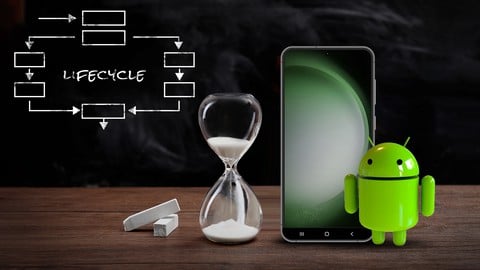
Android MVVM Architecture complete course (2026)
4.7 (890 Reviews)
- Provider: Udemy
- Time: 3.4h
$74.99
Android App's Development Masterclass - Build 2 Apps - Java (2023)
4.7 (271 Reviews)
- Provider: Udemy
- Time: 7.8h
$39.99
The Best React Native Course 2026 (From Beginner To Expert)
4.6 (735 Reviews)
- Provider: Udemy
- Time: 24.3h
$19.99
The Ultimate 70+ Hours iOS Development Bootcamp (2025)
4.6 (672 Reviews)
- Provider: Udemy
- Time: 74.2h
$84.99
 Reviews

By Adam G on 10/9/2024
Top notch course. This may be the only course I've ever fully completed here on Udemy. I like that Nick is straight to the point and doesn't waste your time. So you end up learning a lot of useful material in a short period of time. Nick also makes the course fun and enjoyable to follow along with. Hope to see another IOS course from you here soon Nick. Cheers!
By Martin Flischman on 9/18/2024
Here's a rewritten version of your review: This course is great because the material is taught in smaller, manageable chunks, allowing you to practice and implement concepts before moving on to new topics. In other courses I've taken, there's often too much information to absorb, and by the time you start a project, it's hard to remember everything you've learned. I would have appreciated a few more challenges and perhaps an additional small project or two before tackling the final, larger app.
By Tatjana U. on 5/22/2024
One of the best courses in my opinion! It gives you exactly what it says it will provide. Very clear and engaging way of teaching. There is no drastic jumps like in many other courses (where you get so many different examples to explain to most basic concepts and then rushing through any more complex topic). Nick is very consistent, course is easy to follow and it gives you a lot of knowledge on basics at the same time.
By Mark Persaud on 4/20/2024
The pace is slow, and the explanations are not very detailed or, in some cases, inaccurate. The lesson on distribution is poor, out of date, and confusing.
By Pedro Marques on 4/13/2024
Vou fazer esse comentário em português pra quem, assim como eu, tiver interesse nele. Me surpreendi com o conteúdo. Ja esperava que fosse me ajudar a iniciar com o desenvolvimento iOS mas nao imaginei que fosse ser tão claro e objetivo assim. Ao logo dele, desenvolvemos apps que, embora nao sejam nada "UAU OLHA SÓ QUE APP EXTREMAMENTE PROFISSONAL, COISA DE EMPRESA GRANDE", ensinam e muito bem conceitos chave do Swift. O professor constantemente alterna entre o projeto pratico atual com foco em SwiftUI, para um playground onde estudamos mais a fundo a linguagem Swift em si, assim não ficamos tão presos a conceitos só de framework. O modelo de ensino que gira entorno de "ensinar ao mesmo tempo que monta um projeto pratico", funciona e muito bem. Você aprende, aplica, e ja vê o resultado. Enfim, recomendo demais o curso. Preço super justo pra um conteúdo tão bem formulado. Bom enfatizar que para acompanha-lo, o recomendado é que saiba ingles. Tamo junto gente. Bons estudos :D
By Kade Dworkin on 1/10/2024
iOS has been an area I wanted to get into for a long time and with the new year, decided now was the time. When learning new technologies, I tend to start with at least one of Nick's courses. His logic on walking you through the particulars of a given language and explaining each of the concepts, while similar to other computing logic which I'm familiar with, helps me start to form the associations so I can quickly spin up and do new things. My recommendation for other students is don't skip the challenges and don't stop if things break and xcode throws errors. Learning what those errors are, no matter how inexplicable they seem, is a huge component of being a computer programmer. Grind out a solution and then check your work against Nick's.
By Molly Maskrey on 10/31/2023
Aside from maybe a little too cheerful :), this guy is a really good instructor. After years away from iOS/MacOS/WatchOS, and working in Python, I decided to get back into Mobile. And the fact that this course was maybe a month old when I started and had a great learning curve, and thank you Tim Cook that CoreData is gone!!!....all that made this my course of choice....and this is my first Udemy review....at least I think so.
By Thomas Schröder on 10/25/2023
Great course, love it so far. Tutor is nice. I like listening to him. I found a solution to the TextEditor placeholder problem tho. You can just add an if statement and show something else while TextEditor is empty. Here's the code: ZStack(alignment: .leading) { if text.isEmpty { Text("Start typing...") .foregroundStyle(.secondary) .opacity(0.4) } TextEditor(text: $text) }
By Hamza Aydın on 10/19/2023
I always had concerns about coding in any language, cus I always forget whatever I learn. However, even if it's not my mother language, I can easily follow and make things happen. This will be one of my physical evidence that I can do everything if I focus correctly. Thx2u boss. Cheers
By Jim Dorris on 10/17/2023
Engaging instructor and the imaging is excellent. Nick has a very good way of organizing and presenting the material. I had tried SwiftUI when it first came out and just could not grasp the concept. Halfway through, I now have a decent understanding and am no longer stuck using just UIKit.
 Quality Score
No CourseDuck member has rated this course yet. Taken it? Give each part a thumbs up or down.
Overall Score : 90 / 100
- Video Duration:
 9.5h
9.5h - Price: $19.99
- Provider: Udemy
- Updated:
 September 2026
 - Level:
 Beginner
 - Language:
 English
 - Certificate:
 Yes
Yes
30-day money-back guarantee on most paid courses
Udemy Coupon Price Tracker
