
 Web Development
 Data Science
 Python
 SQL
SQL JavaScript
 Artificial Intelligence
 IT & Software
 IT Certifications
 Hacking
 AWS
AWS Arduino
 DevOps
 3D Modeling
 Graphic Design
 Photoshop
 Drawing
 Digital Painting
 UX Design
 Business
 Data Analysis
 Communication Skills
 Project Management
 Leadership & Management
 Human Resources
 Digital Marketing
 Social Media Marketing
 Marketing
 SEO
SEO Google Analytics
 Branding
 Excel
Excel Office Productivity
 SAP
SAP PowerPoint
 Microsoft Access
 SharePoint
 Finance & Accounting
 Trading & Investing
 Accounting
 Bitcoin
 Personal Finance
 Video Editing & Animation
 Photography
 Adobe Premier Pro
 Adobe Lightroom
 Personal Development
 Productivity
 Career Development
 Life Coaching
 Health & Fitness
 Meditation & Mindfulness
 Yoga
Yoga Music
Music Music Production
 Guitar
 Piano
Piano Singing
 Language Learning
 Teaching & Academics
 Engineering
 Math
Math Lifestyle
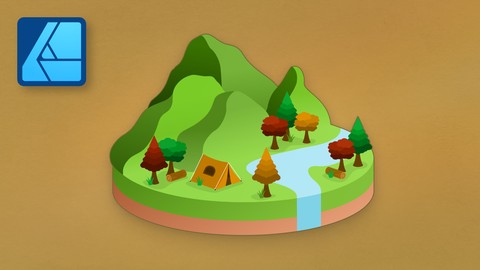
Isometric Drawing in Affinity Designer (Udemy.com)
The ultimate guide for isometric art!
Created by: Affinity Revolution
Last updated June 2024
 What you will learn
- You will learn how to make isometric art in Affinity Designer
- You will learn how to pick the right colors for isometric art
- You will learn how to customize your lighting in isometric art
- You will learn shortcuts to speed up your isometric art workflow
How it compares
Against the other 413 rated Udemy courses in Graphic Design on CourseDuck:
- Rating4.8 out of 5higher than 91% of them
- Reviews61#359 of 414 by number of reviews
- Length5.6 hourslonger than 56% of them
- Last updatedJune 2024earlier than 59% of them
 Course Description
In this course, you will learn how to make isometric art in Affinity Designer. But what is isometric art?
Isometric art is a special type of design, because you make your creations on a diagonal grid. By doing this, you are able to make 2D objects appear 3D! When you look at isometric art, it feels like you're looking at a 3D object from above.
This art style is a lot of fun, because isometric objects don’t have a vanishing point. That means you can place them anywhere on your canvas, and their perspective will always look correct!
To master isometric art, we will start with the basics. That means we will cover things like the isometric grid, snapping, shortcut keys, the pen tool, and lighting.
After that, we will work our way up to more advanced skills. You will learn how to work with rounded edges, off angles, and more!
And just like all of my courses, we will finish by completing multiple start-to-finish projects together. These projects are the perfect way to solidify everything you have learned, so that you can be totally prepared to make isometric art on your own.
By the time you finish this course, you will be an isometric master! :)

 Udemy Discount
The discount is applied through our link. Open the course from here and Udemy's current promotional price is applied at checkout on most courses, no code to type.
Some courses are excluded from Udemy's promotions. If the price does not drop, clear your browser cookies and use the button again.
Instructor Details

- 4.8 Rating
 61 Reviews
Affinity Revolution
Hi there! I'm Ally Anderson, the girl behind Affinity Revolution. I've been teaching people how to use the Affinity programs since 2016. Over these years, I've made hundreds of video tutorials for Affinity Photo, Designer, and Publisher. I love the whole Affinity suite, and am excited to share what I've learned with you! :)
 More courses by Affinity Revolution

Affinity Photo for Beginners | Updated for Version 2 (2022)
4.8 (698 Reviews)
 Provider: Udemy
 Time: 6.8h
$84.99

Affinity Publisher for Beginners | Updated for Version 2 (2022)
4.8 (539 Reviews)
- Provider: Udemy
- Time: 5.2h
$84.99

Affinity Designer for Beginners | Updated for Version 2 (2022)
4.8 (478 Reviews)
- Provider: Udemy
- Time: 4.3h
$74.99



More Graphic Design courses

Adobe InDesign - From Basics to Professional Level Designs (2024)
4.9 (320 Reviews)
- Provider: Udemy
- Time: 11.4h
$84.99

Shop Drawing & Details-Autodesk Revit 2025- for BIM Modelers
4.9 (300 Reviews)
- Provider: Udemy
- Time: 30.9h
$10.99

The Adobe Illustrator CC Mastery Course: Basics to Pro + AI (2026)
4.9 (268 Reviews)
- Provider: Udemy
- Time: 30.8h
$19.99


Software Architecture & System Design Practical Case Studies (2026)
4.8 (2,584 Reviews)
- Provider: Udemy
- Time: 4h
$15.99

Graphic Design Masterclass: Design 40+ Projects in Photoshop (2025)
4.8 (668 Reviews)
- Provider: Udemy
- Time: 16.5h
$109.99
 Reviews

By Mark Child on 8/24/2026
The information is presented clearly...It is well structured with introducing new concepts but not bombarding people who are just starting out....plus she sounds so happy all the time you can't help but smile
By Cliff Leung on 6/27/2026
I am a beginner at Affinity and isometric art. This course does a great job at teaching both. The instructions are clear, and you learn something new from each project. I highly recommend this course!
By Michał on 6/26/2025
What a great job. Step by step instructions and everything is clear. Thank you Ally!
By Lutfi Zakaria on 6/5/2025
I watched from start to finish, it was quite fun to make from start to finish, I hope to be able to create my own work, thank you!
By Julie Lind on 6/2/2025
Great course with fun projects to work on. The instructor was easy to listen to and explained each step along the way.
By Sirichai on 4/12/2025
Clear voice, that’s very good. I’m Thais and my English is not good, but I can listen for her without subtitle. That’s great.
By Hasan Ali Sagir on 3/9/2025
The instructor explains concepts clearly, making even complex tools easy to understand. step by step projects are practical and engaging, helping to build real world skills. Whether you are a beginner or transitioning from another design software, this course provides great insights and hands on practice. Highly recommended!
By Robert Henderson on 2/23/2025
I love all of Affinity Revolution's tutorials. Very well explained and they go into all the critical details that I need as an illustrator and designer. Thanks.
By Jegan Kannan on 1/10/2025
I am learning many great things related to Isometric such as Grids, Tools, Layers and many more in Affinity Designer. Thanks to Affinity Revolution for this nice and in-depth course about Isometric.
By Chris Morton on 10/27/2024
 Quality Score
No CourseDuck member has rated this course yet. Taken it? Give each part a thumbs up or down.
Overall Score : 96 / 100
- Video Duration:
 5.6h
5.6h - Price: $59.99
- Provider: Udemy
- Updated:
 June 2024
 - Level:
 All Levels
 - Language:
 English
 - Certificate:
 Yes
Yes
30-day money-back guarantee on most paid courses
Udemy Coupon Price Tracker
