
 Web Development
 Python
 SQL
SQL JavaScript
 Data Science
 Artificial Intelligence
 IT & Software
 IT Certifications
 Hacking
 Arduino
 AWS
AWS 3D Modeling
 Graphic Design
 Photoshop
 Drawing
 Digital Painting
 UX Design
 Business
 Data Analysis
 Communication Skills
 Project Management
 Leadership & Management
 E-Commerce
 Digital Marketing
 Social Media Marketing
 Marketing
 SEO
SEO Google Analytics
 Branding
 Office Productivity
 Excel
Excel Finance & Accounting
 Bitcoin
 Video Editing & Animation
 Photography
 Adobe Premier Pro
 Adobe Lightroom
 Personal Development
 Health & Fitness
 Music
Music Guitar
 Teaching & Academics
 Language Learning
 Engineering
 Lifestyle
Learn Maya - Intro to 3D Box Modeling Techniques with Maya (Udemy.com)
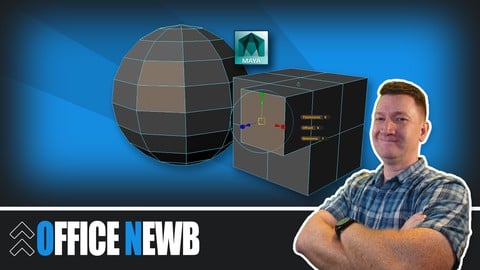
Learn the basic concepts of box modeling in Maya with polygonal shapes building a portfolio ready model
Created by: Kyle Pew
Last updated December 2016
 What you will learn
- Master key 3D modeling concepts to efficiently model with primitive shapes
- Learn common hotkeys to become more productive throughout your modeling workflow
- Navigate effectively in 3D space, speeding up production when modeling
- Produce 3D models from start to final model all within Maya
 Course Description
POSSIBILITIES ARE ENDLESS IN 3D
3D modeling is part of a huge industry that includes; movies, television, product design, video games and many more. As a 3D modeler it is your job to take a conceptual design (pencil and paper) and build it in 3D space within the computer (Maya). The magic that you will feel and master as your model begins to take life is something that you will want to experience many times over.
BEGIN WITH THE BASICS
This course will quickly introduce you to the basics that you will use to build your career upon. The basics aren't something that you will learn and then forget, but they will stick with you from day one throughout the rest of your career. You will learn to master 3D space and working with primitive shapes that will take a on a life of their own as you breathe life into them pulling, pushing and twisting the geometry wherever your imagination takes you.
Some of the topics you will master during this course will include:
- Basic 3D Concepts
- Working with Basic Primitive Shapes (Cubes)
- Accessing Sub-Component Modes of Your Shapes to Build Complex Model
- Common 3D Modeling Tools Found in Maya
- and more...
After mastering the basics you will then move on to creating a portfolio ready model. Through the step-by-step instruction you will take the knowledge you are mastering and create this model from scratch, starting with nothing more then a 3D cylinder.
Join this course and begin your journey from novice 3D modeler to paid professional. the journey maybe long at times but well worth the time invested!

 Udemy Discount
The discount is applied through our link. Open the course from here and Udemy's current promotional price is applied at checkout on most courses, no code to type.
Some courses are excluded from Udemy's promotions. If the price does not drop, clear your browser cookies and use the button again.
Instructor Details

- 4.3 Rating
 211 Reviews
Kyle Pew
Welcome! I'm Kyle Pew, a Microsoft Certified Trainer (MCT), Microsoft Office Master Instructor, and Udemy Instructor Partner, with over 20 years of experience training over 2 million students in Microsoft Office and beyond. I’m passionate about helping students of all backgrounds and skill levels succeed in using tools like Excel, Word, PowerPoint, Access, and more, as well as diving into advanced topics like VBA and SharePoint.
With a background in media arts and animation from the San Francisco Art Institute and industry experience as a game designer at Electronic Arts, I bring a unique perspective to my training. My clients have included major corporations like Chevron, Facebook, Walmart, and many more, delivering training to both large-scale audiences and individuals, adapting each lesson to address real-world applications. My courses are built around the principle that the best way to learn is by tackling real-life challenges—allowing you to build confidence and problem-solving skills.
Join me on Udemy and let’s take your skills to the next level. When I’m not teaching, I’m enjoying time with my six children or cheering on my favorite hockey team, the San Jose Sharks.
 More courses by Kyle Pew
Microsoft Excel - Excel from Beginner to Advanced 2026
4.7 (543,696 Reviews)
 Provider: Udemy
 Time: 22.3h
$139.99

Master Microsoft Excel Macros and Excel VBA (2025)
4.6 (33,954 Reviews)
- Provider: Udemy
- Time: 5.4h
$15.99

Master Microsoft Word Beginner to Advanced (2019)
4.7 (32,671 Reviews)
- Provider: Udemy
- Time: 7h
$18.99
Microsoft PowerPoint From Beginner to Advanced (2019)
4.6 (24,824 Reviews)
- Provider: Udemy
- Time: 6.8h
$14.99

Microsoft Excel Data Analysis and Dashboard Reporting (2018)
4.6 (13,525 Reviews)
- Provider: Udemy
- Time: 3.6h
$15.99
More 3D Modeling courses

3D Printing with " Ultimaker CURA Slicer- Start to finish" (2025)
4.9 (192 Reviews)
- Provider: Udemy
- Time: 1h
$34.99

Girl and the Dog Creation in Zbrush for Intermediate Level (2020)
4.9 (173 Reviews)
- Provider: Udemy
- Time: 48.8h
$59.99



Blender Character Creator for Video Games (2026)
4.8 (9,160 Reviews)
- Provider: Udemy
- Time: 34.3h
$159.99

Master SOLIDWORKS 3D CAD using real-world examples (2022)
4.8 (2,451 Reviews)
- Provider: Udemy
- Time: 18.9h
$69.99
 Reviews

By Shawna Tan on 5/30/2021
The instructor is very clear with the instructions and is done at an acceptable pacing. However, the version of Maya he is using is somewhat outdated which results in a different looking UI. The cut face function has also now been replaced by the multi-cut tool.
By Kyle.peace on 6/11/2020
very informative learned a lot about box modelling using this course also learned some really good shortcuts for the channel editor and the transformation tools this course was a good challenge for me I did get stuck on certain sections but once i had gone back over the lesson I had no troubles
By Michael Sumner on 4/7/2020
Overall it provided a good refresher to working in Maya after some time away. I feel a complete beginner would be able to follow along nicely. The videos were created with Maya 2014 so a bit dated now. Due to difference in the interface over six years I had to google how to do a few things in the current version.
By Dana Michaels on 5/17/2018
too much talk - distracting to have to watch him - information can be shortened to one video - overtalking the subjecct
By Zaim Anwar on 10/13/2017
This course will help anyone looking to get into Maya and this will offer you a basic understanding of how the tools work and how to get into practice of using the application. The instructor does an amazing job at helping you understand the application for Box modelling and he does an excellent job of breaking down how to use the application i.e a breakdown of what and how a tool works. I personally come form a background of using 3DS Max but im new to Maya so i thought i would start from the basics this course has helped me get to grips with Maya.
By Mobile Wave Solutions BG203131672 on 11/22/2016
It is a beginners course of course, but still very well made in starting you in in Maya. The explanation is good and all the examples given serve their purpose nicely. I am happy with this course and will check others from the sam author
By Allyn Nichols on 11/1/2016
A fantastic introduction to MAYA. The tutor explains everything slowly and clearly so understanding what is happening couldn't be easier. The audio quality is also great, very clear, no irritating hissing or crackling. The tutor is engaging and conveys a true sense of excitement and achievement throughout. A must for anyone that is interested in learning MAYA from the ground up. Thanks Kyle. Great Work.
By Aaron C. on 5/6/2016
Solid intro course to help people who are not familiar with Maya. Likely students since most would not just go out and buy maya randomly. I have other 3D modeling experience so it's a bit basic but it is definitely helping me come up to speed faster.
By Liam Seagrave on 2/18/2016
Very detailed and informative quick online course! The instructor was very enthusiastic and positive on the course. The basic fundamentals were mentioned and the videos were created easily for a nice step-by-step course. Nothing was rushed or skipped, and there are some small techniques that were mentioned that really help the workflow and use of Maya, such as the 'select edge loop tool' that speeds up selection and the merge vertex tool. I enjoyed learning about the small techniques and magic tricks you can do and I certainly recommend this course for beginners to Autodesk Maya 2014 - 2016, especially for those looking into low poly counts and 3D modelling!
By Edward Griffith on 2/4/2016
This course was well thought out, planned and executed. The instructor keeps the content moving at a speed that anyone can follow and maintain the focus necessary to complete in a single sitting. Can't wait to watch other course created from this guy.
 Quality Score
No CourseDuck member has rated this course yet. Taken it? Give each part a thumbs up or down.
Overall Score : 86 / 100
- Video Duration:
 2.1h
2.1h - Price: $59.99
- Provider: Udemy
- Updated:
 December 2016
 - Level:
 Beginner
 - Language:
 English
 - Certificate:
 Yes
Yes
30-day money-back guarantee on most paid courses
Udemy Coupon Price Tracker
