
 Web Development
 Data Science
 Python
 SQL
SQL JavaScript
 Artificial Intelligence
 IT & Software
 IT Certifications
 Hacking
 AWS
AWS Arduino
 DevOps
 3D Modeling
 Graphic Design
 Photoshop
 Drawing
 Digital Painting
 UX Design
 Business
 Data Analysis
 Communication Skills
 Project Management
 Leadership & Management
 Human Resources
 Digital Marketing
 Social Media Marketing
 Marketing
 SEO
SEO Google Analytics
 Branding
 Excel
Excel Office Productivity
 SAP
SAP PowerPoint
 Microsoft Access
 SharePoint
 Finance & Accounting
 Trading & Investing
 Accounting
 Bitcoin
 Personal Finance
 Video Editing & Animation
 Photography
 Adobe Premier Pro
 Adobe Lightroom
 Personal Development
 Productivity
 Career Development
 Life Coaching
 Health & Fitness
 Meditation & Mindfulness
 Yoga
Yoga Music
Music Music Production
 Guitar
 Piano
Piano Singing
 Language Learning
 Teaching & Academics
 Engineering
 Math
Math Lifestyle
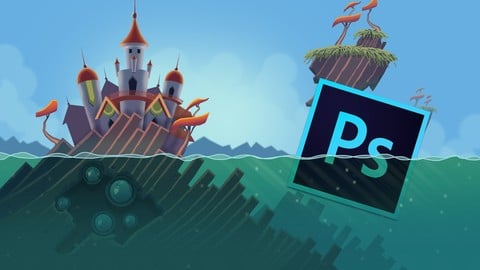
Learn Professional 2D Game Graphic Design in Photoshop (Udemy.com)
Learn how you can create your own professional game graphics quickly in Photoshop!
Created by: Jaysen Batchelor
Last updated February 2017
 What you will learn
- Build professional stylized backgrounds from scratch in Photoshop
- Make Money from your new skills
- Create your own game graphics
How it compares
Against the other 188 rated Udemy courses in Photoshop on CourseDuck:
- Rating4.5 out of 5higher than 52% of them
- Reviews2,194#20 of 189 by number of reviews
- Length6.3 hourslonger than 63% of them
- Last updatedFebruary 2017earlier than 84% of them
 Course Description
This course was last updated on 10/19/16
Join over 10,500 learning students and begin designing game graphics today!
Looking to make extra money as a game graphic designer? Or maybe you’re on a quest to create graphics for your own games? In any case you’ve come to the right place.
The 2D Game Background Creation Course will show you how to create quick high quality stylized backgrounds for games and animations that will stand up as professional work. The techniques taught in this course can be translated into prop and character creation. This course will enhance or give you skills in the world of digital art creation - or your money back!
The course is your track to building amazing attractive backgrounds and ultimately - make you money! Whether for your own games or for other peoples projects.
This course will take you from having little knowledge in Photoshop to creating professional backgrounds in as little as 1 week.
So what else is in it for you?
You’ll gain instant access to all five sections of the course including the bonus section where I show you where and how to find jobs creating digital art work that you can do from anywhere in the world. You’ll also gain access to 50 assets I’ve created for your personal and commercial use. These assets can be used over and over again in your own games or can be used to help you make money with other peoples games!
The course is setup to quickly take you through step by step, the process of creating a digital background in Photoshop. It will equip you with the knowledge to create stunning backgrounds for games and animations.
Don’t believe me? I offer you a full money back guarantee within the first 30 days of purchasing the course.
Here’s what you get with the course:
You’ll get access to the five sections of the course that will show you how I create professional digital backgrounds and also teaches you where you can find clients. The course is supported with over 2.5 hours of clear content that I walk you through each step of the way.
All at your fingers tips instantly.
- The course starts with the basics. For those of you that have never used Photoshop I’ll walk you through the basic tools we’ll be using.
- Next I’ll show you how I create my thumbnails and where I go for inspiration.
- Once you’ve chosen a thumbnail we’ll design each individual aspect of the background.
- After you design each piece of your background I’ll show you how to stitch them together to complete the final design.
- At this point you’ll be ready to dive right in and start building the individual components that will make up your background! I’ll go over every thing from how to create clouds, to building architectural structures.
Over the 5 chapters you will learn:
- How to use the 50 assets included in this course
- Photoshop basics
- The design process
- Building your assets
- how to find jobs creating digital artwork
What else will you get?
- Personal contact with me, the course tutor
- Lifetime access to course materials
- Understanding of how professional digital artwork is designed, created, and organized layer by layer
- 50 free assets for your use
This all comes under one convenient easy to use platform. Plus you will get fast, friendly, responsive support on the Udemy forms and through email.
I will be here for you every step of the way!
So what are you waiting for? Sign up now to get your 50 free assets and start building to day!

 Udemy Discount
The discount is applied through our link. Open the course from here and Udemy's current promotional price is applied at checkout on most courses, no code to type.
Some courses are excluded from Udemy's promotions. If the price does not drop, clear your browser cookies and use the button again.
Instructor Details

- 4.5 Rating
 2,194 Reviews
Jaysen Batchelor
At the age of 17 I began a 6th month internship with an animation studio out of Utah. After my internship was up, I was hired on to build backgrounds and to design props and characters for animation projects. I then began to do my own freelance work on the side through networking and using online freelancing sites. Now I work as a freelance Illustrator and designer working on my own time from where ever I want.
 More courses by Jaysen Batchelor

The Ultimate Drawing Course - Beginner to Advanced (2022)
4.5 (126,361 Reviews)
 Provider: Udemy
 Time: 11.2h
$174.99

The Ultimate Digital Painting Course - Beginner to Advanced (2022)
4.6 (17,146 Reviews)
- Provider: Udemy
- Time: 27.1h
$149.99
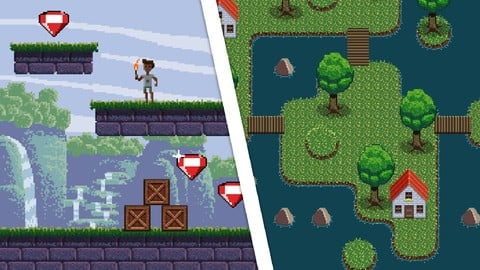
Learn Professional Pixel Art & Animation for Games (2016)
4.7 (2,530 Reviews)
- Provider: Udemy
- Time: 4.6h
$11.99

Learn Professional 2D Game Asset Graphic Design in Photoshop (2017)
4.5 (1,954 Reviews)
- Provider: Udemy
- Time: 7.6h
$19.99
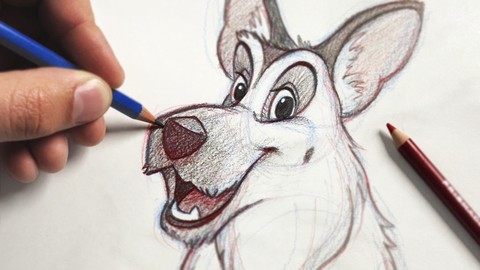
The Ultimate Animal Drawing Course - beginner to advanced (2022)
4.7 (1,944 Reviews)
- Provider: Udemy
- Time: 10.8h
$109.99
More Photoshop courses


Adobe Photoshop CC: For Complete Beginner (Sinhala Medium) (2026)
4.9 (110 Reviews)
- Provider: Udemy
- Time: 8.4h
$59.99

Adobe Photoshop CC – Essentials Training Course (2025)
4.8 (36,753 Reviews)
- Provider: Udemy
- Time: 11.6h
$189.99


47 Graphic Design Projects for Photoshop Beginners (2025)
4.8 (466 Reviews)
- Provider: Udemy
- Time: 7.9h
$99.99

Photoshop Efficiency - Techniques For Consistent Marketing (2025)
4.8 (144 Reviews)
- Provider: Udemy
- Time: 1.4h
$49.99
 Reviews

By Sarah Batifoi on 2/26/2020
The course was really helpful, since I want to design a game. Jaysen takes his time to explain and explains why he is doing something. I think it might be useful to know a little about Photoshop before buying this though. I knew some stuff about it and I was almost never confused. The only thing that bothered me (and it's a strong word) is that Jaysen took a long time to name his layers and sometimes I wasn't sure which layer he was on. It's also because I'm used to name my layers as soon as I create them. Other than that, it was great :) can't wait to watch his other tutorials !
By Sunny Haven on 4/28/2019
This course was a bit beyond my expectations, going into detail about all the necessary things to know about making background art in Photoshop, as well as plenty of artistic advice as well (e.g. values, color theory). It includes (not in this order) two sections on how to make a background, one for a menu and one a scrolling background, a section that shows you how to use the 50 assets that this course comes with, and a section where it shows you how to look for freelance work (of which I'm very glad that this is shown). My only complaint is that there are many moments where Jaysen starts to draw something and lets the recorder continue to record, making the audience see him draw stuff like grass or rocks when it can just be skipped. Even when sped up, these sections are around 15 to 20 seconds on average, which adds up quickly. Near the end of the course, I ended up just skipping these segments. My advice: don't just let the footage play or speed it up, cut it out those stagnant moments entirely - they are not necessary and almost feel like padding. Even then though, that's just a nitpick for me - this course is fabulous and I'm very grateful I've taken it.
By Jędrzej Przykaza on 2/4/2019
I've just completed the course, wow, it was quite something for somebody who can't draw! I've learned a lot about game background design in Photoshop, Jaysen explains everything he's doing step by step, so it's not difficult to catch on, and I hear passion in his voice, so that's above all else. I hope to create yet another background in the future! And the course would be even better if Jaysen would explain what brush he's using at the moment, and how he's drawing things (short how to draw section would be awesome) because I wasn't able (at all) to reproduce the quality of art. Still need to practice my drawing skills... Anyway, I guess I'll check Jaysen's character design course as well! Thanks!
By Nicolas on 8/9/2018
This course is perfect, I was just using PS for cut images, but now I can start doing art for my projects of games or apps, I am so satisfied with this course, it is like they teach you how to use the tools, and give you some nice ideas then you can explore by yourself because they give you a solid foundation. Just what happened with the tutorial for the parallax effect, that could be a good final hahaha anyways excellent course :D
By David Teglassy on 3/26/2018
Thank you Jaysen for this tutorial, it was very useful! :) I'm pretty sure I can use this knowledge in my future projects. This tutorial is definitely a must buy! :) Thank you again! :)
By Stephen J. Van Bellinghen on 1/7/2018
The instructor not only suggests making your own background/artwork, but proceeds to give you step by step instructions on how to make his, despite every example being extremely context oriented, and useless for adapting into your own thing. (while following course) The instructor needs to edit the course to tell you DO NOT make your own background/artwork. Follow my instructions EXACTLY. Since this is the only way to do the course, unless you want to backtrack.
By fLy aTRe on 9/6/2017
I bought the course when it's on discount. So this review isn't about price/performance. I watched many videos before taking this course. None of them as useful like this one. He draws a totally garbage sketch (anyone can draw a sketch like this). Then he make a beautiful stylish art out of it by just using simple techniques. And he's so successful to make you understand those techniques. What I liked most about the course is his personal drawing talents never on foreground. So you can focus and learn. I definitly recommend this course for beginners.
By Magali Susan Lau Guardia on 5/29/2017
It's an excellent course, specially for a beginner, like it's my case. Although I'm not a native English speaker and I'm still learning it, I was able to understand everything, the instructor speaks clear. About the course, it's oriented to beginners but it's better if you have some knowledge of Photoshop and some drawing skills. From my side, I'm happy with what I've learnt, I've never imagined myself to be able to paint a background and get similar paintings to those made by the instructor, who always encourage their students to practice more and improve.
By Kienlex on 2/15/2017
Completed the course finally~ I've enrolled into 5 out of 6 courses that Jaysen offered at Udemy (other than the pixel art which i am not really into it). And i am totally amazed with the courses' content. The content is very informative for beginner like me. The course is structured in a very organised manner. And the best part is, Jaysen is very responsive to the question posted by us. Good job !!!
By Tibor Éliás on 8/17/2016
Adobe Photoshop CC is only available for 7 days before it expires and this course takes definitely longer to go through, especially if you are not an artist or have no experience with Photoshop. Keep that in mind when choosing to do any Photoshop related courses. Sometimes the instructor doesn't really comment what he's doing. He just simply does it without saying a word and you need to figure out what is going on. Only happened a couple of times, so I let that slide. Other than that this was my first course on Udemy and I'm very happy with the knowledge and skills that I'm taking away. Please consider doing more of these courses that focus on game environment design and illustration. I would be really interested to see a course which helps me design areas of different climates and weather.
 Quality Score
No CourseDuck member has rated this course yet. Taken it? Give each part a thumbs up or down.
Overall Score : 90 / 100
- Video Duration:
 6.3h
6.3h - Price: $99.99
- Provider: Udemy
- Updated:
 February 2017
 - Level:
 All Levels
 - Language:
 English
 - Certificate:
 Yes
Yes
30-day money-back guarantee on most paid courses
Udemy Coupon Price Tracker
