
 Web Development
 Data Science
 Python
 SQL
SQL JavaScript
 Artificial Intelligence
 IT & Software
 IT Certifications
 Hacking
 AWS
AWS Arduino
 DevOps
 3D Modeling
 Graphic Design
 Photoshop
 Drawing
 Digital Painting
 UX Design
 Business
 Data Analysis
 Communication Skills
 Project Management
 Leadership & Management
 Human Resources
 Digital Marketing
 Social Media Marketing
 Marketing
 SEO
SEO Google Analytics
 Branding
 Excel
Excel Office Productivity
 SAP
SAP PowerPoint
 Microsoft Access
 SharePoint
 Finance & Accounting
 Trading & Investing
 Accounting
 Bitcoin
 Personal Finance
 Video Editing & Animation
 Photography
 Adobe Premier Pro
 Adobe Lightroom
 Personal Development
 Productivity
 Career Development
 Life Coaching
 Health & Fitness
 Meditation & Mindfulness
 Yoga
Yoga Music
Music Music Production
 Guitar
 Piano
Piano Singing
 Language Learning
 Teaching & Academics
 Engineering
 Math
Math Lifestyle
Learn the ART of Video Games (Udemy.com)
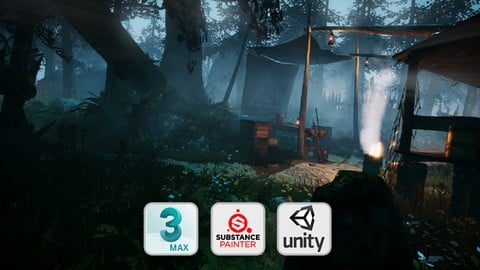
Learn to create game environments. Draw concept art, create 3D models, texture in Substance Painter and build in Unity.
Created by: Kevin Oxland
Last updated February 2020
 What you will learn
- You will learn a good understanding of art fundamentals, a complete video game art pipeline, and how to take a concept image and turn it into a 3D scene.
- You will learn how to conceptualise a 3D scene.
- You will break down the concept, grey box the scene and build it in Unity.
- You will build, texture and light the final scene.
- Define the role of a 3D environemnt artist.
How it compares
Against the other 72 rated Udemy courses in Game Design on CourseDuck:
- Rating4.4 out of 5higher than 26% of them
- Reviews825#6 of 73 by number of reviews
- Length44.1 hourslonger than 94% of them
- Last updatedFebruary 2020earlier than 73% of them
 Course Description
***************************************************************
Updated March 2020.
I have added a new section added to include Substance Alchemist (SA), the replacement for B2M. I have not removed the B2M lectures, they are still there if you wish to learn it as well as SA. I have also included many tweaks and updates in various parts of this ever growing course, which now sits at 44 hours of invaluable content. Enjoy.
***************************************************************
Creating environment art for video games can be a technical endeavor, but at its core, it's an art form. Simply pulling assets from an online store, and dropping them into an off the shelf game engine isn't enough in today's competitive industry. You need fundamental art skills, and if you want to stand out from the crowd... you need to create your own art and present your skills.
With 30 years of game development experience in an art and design capacity, I will show you, from an artist's perspective, how to create your own game ready 3D scene from scratch, as if you were working in an industry studio. You will start literally from a blank page, go through art fundamentals and the whole asset creation process, and use that knowledge to construct a visually stunning 3D game environment presented in Unity. You will create every asset yourself. You will not be using library assets.
Creating art is at the heart of this course, but creating visuals is not just about the art, it's also about the ideas and the design that spawn the art. You will start at the beginning, at the design phase, and learn how to extract art related information from a game design document and create a map for your scene.
Create an art brief for your own project.
Create a Map / Level design.
To create stunning concept art, you need a firm understanding of art fundamentals.
The Horizon Line
1, 2 and 3 point perspective
Light, shadow and value
Color
I will then take you through the process of creating concept art, and show you techniques you can use to create quick speed paintings based on the fundamentals you have learned.
Create Concept art from scratch
You will break down the visual brief and the concept art into assets and create a plan to build them yourself to a professional standard. With that behind you, you will move into the biggest part of the course, building your scene.
Learn to use 3DS Max and Substance Painter.
If you're a beginner, I will teach you how to use 3DS Max, an industry standard modelling package. If you're intermediate and you know how to use it, you can skip this part. But once you've mastered the basics, you'll begin creating a white box environment based on the design and the concept in previous lectures.
Create white box environments using basic modelling techniques.
Finally we'll move into more advanced modelling and UV mapping techniques, and build ALL the components for our scene, using our white box as a guide. We'll create PBR textures in Substance Painter; export everything from 3DS Max, and drop it into Unity where we'll build the scene using the assets you have created.
Create detailed, final assets
UV Map
Create textures in Substance Painter
Build and light the scene in Unity
This course is perfect for anybody seriously wishing to pursue a career as an environment artist in the games industry and would like to experience the process and pipeline from scratch.
It's suitable for beginners to Intermediate levels.The more advanced artists may find that you're going over old ground in some areas, but it can still be a worthy refresher course. Over time, the course will get regular updates and keep on trend with industry techniques and standards. New content will also be added in the future.
This IS NOT an animation course and it IS NOT a character modelling course. Both of those are very specific disciplines within the game industry, and here, we are primarily focusing on highly detailed, quality, environment creation.

 Udemy Discount
The discount is applied through our link. Open the course from here and Udemy's current promotional price is applied at checkout on most courses, no code to type.
Some courses are excluded from Udemy's promotions. If the price does not drop, clear your browser cookies and use the button again.
Instructor Details

- 4.4 Rating
 825 Reviews
Kevin Oxland
I designed, wrote and sold my first game on the Commodore 64 and have spent 30 years working in the video games industry as an artist, designer and writer.
I have developed games from the 8 bit Commodore 64 era through the 16 bit Amiga and consoles, like the SNES and SEGA Megadrive, right up to current day hardware.
I have worked for some of the top game companies like Ocean Software, Virgin Interactive Entertainment and Westwood Studios, and I've worked on many high profile products such as 'The Lion King' and 'Pinocchio' for Disney, Vita Pets and EyePet for Sony among many others. My current studio also worked on some key titles like 'Little Big Planet' and 'Motorstorm' for Sony, to name a few.
I now work in the industry as a Creative Director, working with the latest software and hardware for all current consoles, mobile devices and PC.
 More courses by Kevin Oxland

More Game Design courses
Master Procedural Maze Generation - Unity 6 Compatible (2025)
4.8 (412 Reviews)
 Provider: Udemy
 Time: 21h
$79.99
Full game character in Blender course - Moth Girl (2025)
4.8 (305 Reviews)
- Provider: Udemy
- Time: 49.9h
$19.99
2D Adventure Game Creation: Art, Music, Programming and More (2019)
4.7 (338 Reviews)
- Provider: Udemy
- Time: 19.6h
$84.99

Indie Game Design: Build Your Game’s Core System (2026)
4.7 (155 Reviews)
- Provider: Udemy
- Time: 3.4h
$19.99
 Reviews

By Jerold Franco Ramos on 10/20/2020
I learned a lot from this course, from it's initial stage to it's end point. I'd definitely recommend this to anyone interested in improving their environment art. One thing that i think that could improve this course is for the Lecturer to atleast regulate his breathing or lessen his "gulping" sound as it can be be distracting from continuing on watching the video lectures
By Andrew Whitus on 9/17/2020
If the rating was simply based on knowledge gained I would give it 5 stars. I decided to give it a lower rating for audio reasons. The overall volume is very low. When listening in my car I have to turn the volume to max, then when other phone noises come through it blows my eardrums. Another side effect of having to turn the volume so loud is now other noises become much more pronounced. Breathing noises, lip-smacking, etc. There are also parts where the instructor seems to be mumbling to himself or talking under his breath as if he isn't instructing a course. Having said all of that, they amount of knowledge given, for the price that I got the course at, are very very worth it.
By Arjun Yadav on 5/6/2020
Kevin is a great artist as well as a great teacher, He covered every topic in this course, if you buy this course you will be able to create levels of your own imagination, he very well knows what to teach and what to left on you to do by yourself, you will find challenges in this course which you can complete if you follow along, at last, I would like to conclude saying a big thanks to Kevin who taught me this much I am looking forward to getting a new course from Kevin.
By Jason Mullin on 4/10/2020
I can't recommend this course enough. Kevin is one of the most engaged instructors I've come across on Udemy, and he's also actively involved in making sure the course materials stay up to date. I purchased this course several months ago, and in that time he has mad multiple new videos in order to maintain relevance with the tools and topics covered. Additionally, the way he breaks up the chapters allows for a great pace within the course itself, and I never find myself thinking he left anything uncovered or like I needed more. One of the best online courses I've taken over the years.
By Jimmy on 11/30/2019
This course is a great foundation for anyone wanting to get into game art. The structure of the course is great as well! The only con was replacing whitebox objects manually instead of having them update and propagate throughout the scene by fully using prefabs. I especially liked the pre production phase of the course as it cemented ideas ive had about the entire process. I wish i had this course a few years ago lol..
By Anthony Squires on 9/4/2019
So far I have learned a lot. Looking forward to more. This was probably one of the best courses I have done Udemy. Absolutely amazing work. Goes into every aspect of game design. I have taken your Substance Painter course and that was awesome and is why I took this one. I will be able to take this knowledge and apply to my work. Thanks very much for all your attention to detail and wow you are an amazing artist. Keep up the great work. I use Unreal Engine, hopefully one day you can do something similar with UE4. :)
By Anne-Cathrin Sachs on 6/30/2019
I've bought this course because I wanted to learn how to make a nice environment and also wanted to learn a bit about Unity. This course gave me more knowledge about Concept Art, Workflow, modelling, Unity etc. and I'm only half-way done. I've learnt so much so far, I need to give these 5 stars. The teacher is expaining things very well and is updating the course even now (2019). The Facebook group is also active and you can ask any questions you have. It was worth buying to 100%.
By Plumn on 5/22/2019
A lot of art tech details , clearly and patiently explain , not only get knowledge but also get warm encourage from a pro senior artist . Many useful advice included , not only for art learning , but also to bulid my own successful future . Btw , dear Kevin , is there any advice to make terrain split ? Just metion it here in case you missing the question I asked before , I still feel confused about terrain split , if you get some idea with it , I will be very thankful .
By John Sanderson on 8/14/2018
I was pretty disappointed with the course. The instructor clearly has some talent as an artist, but I was not impressed with him as a teacher. The biggest problem the course has is its scope. It tries to show everything that goes into asset creation for an entire game scene--for a complete beginner. Naturally, there is a lot to cover and, as a consequence, the student gets a very rudimentary, bare bones introduction to each process. If you are interested enough in making video game art to purchase the course, you are probably already familiar with 80% of its content. The second problem is the pacing. Drawing up diagrams and concepts, modeling every last prop... these are an important part of game asset creation and its good for the beginner to know what they are getting into, and how long it can take, but we don't need to see everything in real time, as the instructor distractedly repeats himself over and over trying to stay on topic. Timelapse-ing the video and explaining the process in an organized, concise manner would give the beginner everything they need and easily cut the course length in half, freeing up a lot of time to cover some of the more advanced concepts and time-saving workflow tips omitted from the course. All the lectures on the user interfaces of the various software programs are tenuous additions. They are too compendiary to be genuinely useful to the beginner, and superfluous for the experienced user. Admittedly, this is kind of a forced problem common to many other similar courses, as complete beginners (probably the better part of the market) could find the software overwhelmingly daunting with no direction given at all. Ultimately, if you have even a year of experience in 3D, I don't think there will be anything for you here. If you woke up this very morning, and decided for the first time that video game art was your future, you will learn some things from this course, but I think your time would be better spent elsewhere. I hate to be negative. It's evident the instructor worked hard on the material, and to his credit he is active in the Q&A and the facebook group, but the video presentation, in my opinion, spoiled all his hard work.
By Benjamin Cox on 7/10/2018
I skimmed over the concept art and white box chapters as I only bought this course to improve my raw modelling and Unity skills. But for those specific purposes so far this course is perfect. I have yet to go into Unity in detail but this course has improved my 3D modelling workflow tremendously. Coming from a mostly self taught background these lessons have trained out some of my bad habits and given me a much more effective pipeline for creating my models and scenes.
 Quality Score
No CourseDuck member has rated this course yet. Taken it? Give each part a thumbs up or down.
Overall Score : 88 / 100
- Video Duration:
 44.1h
44.1h - Price: $74.99
- Provider: Udemy
- Updated:
 February 2020
 - Level:
 Beginner
 - Language:
 English
 - Certificate:
 Yes
Yes
30-day money-back guarantee on most paid courses
Udemy Coupon Price Tracker
