
 Web Development
 Data Science
 Python
 SQL
SQL JavaScript
 Artificial Intelligence
 IT & Software
 IT Certifications
 Hacking
 AWS
AWS Arduino
 DevOps
 3D Modeling
 Graphic Design
 Photoshop
 Drawing
 Digital Painting
 UX Design
 Business
 Data Analysis
 Communication Skills
 Project Management
 Leadership & Management
 Human Resources
 Digital Marketing
 Social Media Marketing
 Marketing
 SEO
SEO Google Analytics
 Branding
 Excel
Excel Office Productivity
 SAP
SAP PowerPoint
 Microsoft Access
 SharePoint
 Finance & Accounting
 Trading & Investing
 Accounting
 Bitcoin
 Personal Finance
 Video Editing & Animation
 Photography
 Adobe Premier Pro
 Adobe Lightroom
 Personal Development
 Productivity
 Career Development
 Life Coaching
 Health & Fitness
 Meditation & Mindfulness
 Yoga
Yoga Music
Music Music Production
 Guitar
 Piano
Piano Singing
 Language Learning
 Teaching & Academics
 Engineering
 Math
Math Lifestyle
Learn to Build a 3D Puzzle Game with Unity (Udemy.com)
Explore the process of building a complete 3D puzzle game inside of Unity - from start to finish!
Created by: 3dmotive LLC
Last updated September 2016
 What you will learn
- Lean to build a 3D puzzle game inside of the Unity engine
- Lean to import meshes, textures, and animations into the Unity Game Engine
- Learn the basics of scripting game elements in Unity
How it compares
Against the other 21 rated Udemy courses in 3D Game Development on CourseDuck:
- Rating4.4 out of 5higher than 28% of them
- Reviews110#15 of 22 by number of reviews
- Length5.2 hoursshorter than 71% of them
- Last updatedSeptember 2016earlier than 85% of them
 Course Description
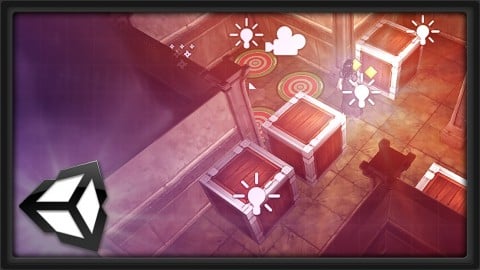
In this course, instructor Alan Thorn takes you through the process of building a 3D puzzle game inside of the Unity engine. Here he will cover a range of topics including project creation, level design, lightmapping, skinning, animation state machines, collision detection, and camera creation just to name a few.
(Students - please look under Section 1 / Lecture 1 downloads for the source files associated with the lesson.)
More about the Instructor:
Alan Thorn is a game developer, author and educator with 15 years industry experience. He makes games for PC desktop, Mobile and VR. He founded 'Wax Lyrical Games' and created the award-winning game 'Baron Wittard: Nemesis of Ragnarok', working as designer, programmer and artist. He has written sixteen technical books on game development and presented ten video training courses, covering game-play programming, Unity development, and 3D modelling. He has worked in game development education as a visiting lecturer for the 'National Film and Television School', as a Lead Teacher for 'Uppingham School', and is currently a Senior Lecturer at 'Teesside University' where he helps students develop the skills needed for their ideal role in the games industry.

 Udemy Discount
The discount is applied through our link. Open the course from here and Udemy's current promotional price is applied at checkout on most courses, no code to type.
Some courses are excluded from Udemy's promotions. If the price does not drop, clear your browser cookies and use the button again.
Instructor Details

- 4.4 Rating
 110 Reviews
3dmotive LLC
3dmotive is High Quality 3d and Game Art Training by Industry Pros! Whether you are brand new to the world of Game Art, 3d, Architecture or Film - or maybe just interested in brushing up your techniques for intermediate or advanced levels of 3d with a focus on video games, 3dmotive is your one-stop-shop for all your 3d and Game Art related tutorials! Got questions? Interested in a new course topic? Let us know!
 More courses by 3dmotive LLC
Learn Advanced C# Scripting in Unity 5 for Games (2017)
4.6 (734 Reviews)
 Provider: Udemy
 Time: 5.5h
$64.99

Learn the "Hand-Painted" texturing style for video games (2016)
4.7 (594 Reviews)
- Provider: Udemy
- Time: 5.5h
$64.99

Model and Texture a Stylized Dungeon for Games (2016)
4.7 (483 Reviews)
- Provider: Udemy
- Time: 6.7h
$69.99
Introduction to KeyShot for Digital 3d Rendering (2017)
4.1 (364 Reviews)
- Provider: Udemy
- Time: 1.2h
Free
The Complete Unity 5 Intro - Learn to Build and Design Games (2016)
4.4 (284 Reviews)
- Provider: Udemy
- Time: 6h
$64.99
Building Modular Levels for Games with Unity and Blender (2016)
4.3 (267 Reviews)
- Provider: Udemy
- Time: 3.5h
$34.99
More 3D Game Development courses
Create a 3D Endless Runner from Scratch - Unity 6 Compatible (2025)
4.7 (379 Reviews)
- Provider: Udemy
- Time: 9.9h
$79.99

Learn to Program & Model Procedural Cities in Unity/Blender (2024)
4.7 (148 Reviews)
- Provider: Udemy
- Time: 16.4h
$74.99

Procedural Terrain Generation with Unity (2025)
4.6 (1,109 Reviews)
- Provider: Udemy
- Time: 29.6h
$11.99
How to Make a Retro Style 3D FPS in the Godot Game Engine (2024)
4.6 (1,097 Reviews)
- Provider: Udemy
- Time: 12.1h
$11.99

 Reviews

By Nick Oliver on 9/30/2017
Good course, easy to understand but just a little disappointed that the instructor used some features only available in the pro version so I wasn't able to implement every feature of this game (such as the IK and light probes). I would imagine most people using the "Pro" version would already know how to do this sort of game construction anyway.
By John Sutherland on 2/12/2017
The tutor is clearly very knowledgeable and communicates well. The course runs at a reasonable pace, with well structured volumes. However, he regularly overlooks important foundation information surrounding asset modelling (which he admits were created in external programs), texturing with atlas maps, the basis of coding etc. For a self-titled 'comprehensive' course, these seem like glaring omissions. I feel I've gleaned only the surface detail of some of the most basic skills necessary. If I were to encounter a problem, I doubt I'd be able to resolve it with the knowledge provided in this course thus far.
By Rason Lee on 8/10/2016
Feels appropriately segmented and articulated that I can vividly recall the procedures (can even make out most of the words pronunciation at x2 speed). Though to make the series more complete, could perhaps teach/clarify if models or even rigs can be constructed in Unity3D itself as well as triggering sound effects (such as on level complete).
By Freyr Arinbjarnar on 8/6/2016
I'm really enjoying this course, I'm a beginner in Unity and wanted to understand how to put together a simple 3D game from scratch. So far the instructions are very concise and relevant. The teacher clearly knows what he is doing and why things work as they do. He delivers his knowledge fluently and in just the right amount and the right speed for me.
By Eric MacArthur on 6/4/2016
If you are looking at making a strategy or dungeon crawler type game and are wondering how the basics are accomplished you have this excellent lecture available to you. Instructors don't get any better than this fellow who has a very well though out way of teaching that is direct and manages to foresee the questions you might have. His C# hits all the right points and does not throw complications into the mix unnecessarily.
By Takayasu Beharu on 5/9/2016
This course is great and very informative. Certainly, I was sometimes puzzled that there were some off-screen workings and there were a few differences between a current version of Unity (5.3.x) . However it wasn't such a problem for me that I could learn many essentials and fundamentals of Unity. Thank you.
By Marijan Jurcic on 11/29/2015
Well done tutorials with no major glitches. It covers a lot of things on an introductory level: prefabs, scripting, animations, animator, level advancement, etc... The few scripts that were needed were provided and briefly explained. For experienced programmers this is preferred; rather than observing someone tediously writing code in real time. I might have been my fault by missing something, but there were a few times where I got stuck, but was able to figure it out: 1. The "End" label was used in one of the script files, before it was introduced. Just make it. 2. The colliders for the crates needed to be below the character to ensure collision detection. 3. The image used for the "target" and "level over" sprites need to be converted into two sprites. Use the sprite editor.
By Dany Latulippe on 11/19/2015
The instructor is engaging and interesting. He speaks at a descent pace and knows how to vary is intonation so his students stay concentrated. The information is very useful and the approach is of a "hands on" type which is excellent for this type of course. If I had to be picky, I would say the sound quality could be better. It seems like the instructor recorded a room mic instead of a direct mic (or headset). I got used to it after a while though.
By Brian Baker on 8/4/2015
I felt this was a decent course overall as the content was thorough in covering all of the game development aspects, but it seemed lacking in the 'learn to build' part. The code was presented more as: 'here is the code and this is what it does' rather than being taught how to construct the code itself. The code is all provided to be usable, which might work for some people, but I don't feel it helps me learn that well. Otherwise, I felt like there was good information in the lectures and besides the coding, was well explained. Some of the systems have been updated from the filming with Unity 5.X =, so it's a little out of date but nothing majorly ground breaking that makes the content irrelevant.
By Ian Woo on 5/6/2015
Fantastic tutorial to learn how a game could be developed from scretch to the finished product. It is very helpful especially for those who have basic understanding of C# and Unity, but have no idea how to put everything into one piece of product. Could be better if it also covers cloud base data management and menu system. I'm looking forward for an update!! Thanks! Ian
 Quality Score
No CourseDuck member has rated this course yet. Taken it? Give each part a thumbs up or down.
Overall Score : 88 / 100
- Video Duration:
 5.2h
5.2h - Price: $39.99
- Provider: Udemy
- Updated:
 September 2016
 - Level:
 Intermediate
 - Language:
 English
 - Certificate:
 Yes
Yes
30-day money-back guarantee on most paid courses
Udemy Coupon Price Tracker
