
 Web Development
 Data Science
 Python
 SQL
SQL JavaScript
 Artificial Intelligence
 IT & Software
 IT Certifications
 Hacking
 AWS
AWS Arduino
 DevOps
 3D Modeling
 Graphic Design
 Photoshop
 Drawing
 Digital Painting
 UX Design
 Business
 Data Analysis
 Communication Skills
 Project Management
 Leadership & Management
 Human Resources
 Digital Marketing
 Social Media Marketing
 Marketing
 SEO
SEO Google Analytics
 Branding
 Excel
Excel Office Productivity
 SAP
SAP PowerPoint
 Microsoft Access
 SharePoint
 Finance & Accounting
 Trading & Investing
 Accounting
 Bitcoin
 Personal Finance
 Video Editing & Animation
 Photography
 Adobe Premier Pro
 Adobe Lightroom
 Personal Development
 Productivity
 Career Development
 Life Coaching
 Health & Fitness
 Meditation & Mindfulness
 Yoga
Yoga Music
Music Music Production
 Guitar
 Piano
Piano Singing
 Language Learning
 Teaching & Academics
 Engineering
 Math
Math Lifestyle
Learn the "Hand-Painted" texturing style for video games (Udemy.com)
How to texture weapons and assets for your game props in the classic hand-painted texturing style!
Created by: 3dmotive LLC
Last updated September 2016
 What you will learn
- Learn the basics of modeling and unwrapping a low poly sword
- Learn the fundamentals of creating beautiful "hand-painted" textures in Photoshop
How it compares
Against the other 281 rated Udemy courses in Game Development Fundamentals on CourseDuck:
- Rating4.7 out of 5higher than 69% of them
- Reviews594#65 of 282 by number of reviews
- Length5.5 hoursshorter than 63% of them
- Last updatedSeptember 2016earlier than 96% of them
 Course Description
In this tutorial, we'll show you the creation process for modeling and texturing low poly weapons, with a strong emphasis on hand-painted texture maps. We'll start by modeling a sword in Maya, show the unwrapping process, and take you step-by-step through creating the hand-painted stylized textures for both a sword and a shield asset.
(Students - please look under Section 1 / Lecture 1 downloads for the source files associated with the lesson.)
About the Instructor:
Tyson Murphy attended the animation program at Brigham Young University. He's since worked for Disney Interactive (Avalanche), Chair Entertainment, and currently works as a Senior Character Artist on World of Warcraft for Blizzard Entertainment. Who this course is for:
Absolute beginners who have an interest in texturing game props with the hand-painted styleBeginners to MayaBeginners to PhotoshopAnyone interested in learning the basics of prop modeling and texturing

 Udemy Discount
The discount is applied through our link. Open the course from here and Udemy's current promotional price is applied at checkout on most courses, no code to type.
Some courses are excluded from Udemy's promotions. If the price does not drop, clear your browser cookies and use the button again.
Instructor Details

- 4.7 Rating
 594 Reviews
3dmotive LLC
3dmotive is High Quality 3d and Game Art Training by Industry Pros! Whether you are brand new to the world of Game Art, 3d, Architecture or Film - or maybe just interested in brushing up your techniques for intermediate or advanced levels of 3d with a focus on video games, 3dmotive is your one-stop-shop for all your 3d and Game Art related tutorials! Got questions? Interested in a new course topic? Let us know!
 More courses by 3dmotive LLC
Learn Advanced C# Scripting in Unity 5 for Games (2017)
4.6 (734 Reviews)
 Provider: Udemy
 Time: 5.5h
$64.99

Model and Texture a Stylized Dungeon for Games (2016)
4.7 (483 Reviews)
- Provider: Udemy
- Time: 6.7h
$69.99
Introduction to KeyShot for Digital 3d Rendering (2017)
4.1 (364 Reviews)
- Provider: Udemy
- Time: 1.2h
Free
The Complete Unity 5 Intro - Learn to Build and Design Games (2016)
4.4 (284 Reviews)
- Provider: Udemy
- Time: 6h
$64.99
Building Modular Levels for Games with Unity and Blender (2016)
4.3 (267 Reviews)
- Provider: Udemy
- Time: 3.5h
$34.99
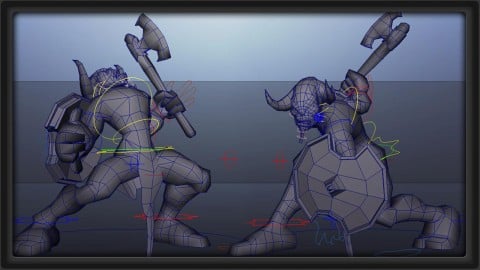
The Complete Bipedal Rigging for Games in Maya Course (2017)
4.6 (256 Reviews)
- Provider: Udemy
- Time: 6.1h
$54.99
More Game Development Fundamentals courses

The Ultimate 2D Top Down Unreal Engine Course (2026)
4.9 (1,468 Reviews)
- Provider: Udemy
- Time: 17.1h
$94.99

Blender Skill Builder: Modelling Challenges (2026)
4.9 (144 Reviews)
- Provider: Udemy
- Time: 6.5h
$19.99

Jumpstart to 2D Game Development: Godot 4 for Beginners (2026)
4.8 (4,398 Reviews)
- Provider: Udemy
- Time: 67.6h
$89.99

Create a Complete 2D Survivors Style Game in Godot 4 (2023)
4.8 (3,761 Reviews)
- Provider: Udemy
- Time: 17.2h
$59.99

Master Lua Programming and Create Amazing Games with LÖVE! (2023)
4.8 (3,199 Reviews)
- Provider: Udemy
- Time: 8.5h
$13.99

Complete Godot 2D: Develop Your Own 2D Games Using Godot 4 (2025)
4.8 (1,619 Reviews)
- Provider: Udemy
- Time: 11.3h
$94.99
 Reviews

By Tommaso Mari on 11/19/2020
si molto buona
By K S on 8/19/2020
This is THE BEST tutorial I have ever watched/spent money on. Thank you so much for this!
By Kyle Horne on 7/24/2020
The Content was good, however It was missing the shield Modeling and UV portion. The technique was very in line for industry expectations, however there was a lot of content to sit through to get to the actual tools used, and specific settings to use. The instructor was very well knowledgable and talked about art He made it seem easy.
By Steve Hunt on 6/17/2020
Yes. Great job explaining why you take each step in the modeling process.
By Serenity Collins on 4/18/2020
Im an intermediate 3D modeler and thus far, Im enjoying learning the process and the way the instructor explains everything is clear and simple enough for me to follow along so far.
By Andrea Maahs on 4/8/2020
It went over a bunch of stuff I'd learned in school, but also some texturing things I hadn't considered. It was great to get to see the process start to finish.
By Jennifer Stevens on 3/18/2020
I really enjoyed this course. The way in which the lecturer explains why he chose the colours, shading, highlights that he does is very detailed and I found translating that teaching to other art projects with different materials very logical and rewarding. I still come back to this course to refresh my understanding of the hand-painted technique now and then. Great course.
By Georgia Procpio de Oliveira Tolotti on 11/24/2019
I really enjoyed the course and i learned a lot when it comes to Hand Painted textures and some tricks on modeling as well. I just think there should be some exercises, but overall i recomend it!
By Emily Furniss on 10/16/2019
I have a good skill in modelling in 3ds max so this is a very basic intro into modelling and this has helped me get use to Maya. Once you get an idea of the basic software it is easy to model. The texturing element is very informative and isn't to hard to follow. You do need a basic knowledge around photoshop but nothing more. He goes through some good points about lighting whilst texturing
By Madeeha Ahmed on 8/23/2019
I learned a lot! I appreciated that there was both modelling and texturing of stylized game assets. Thanks for this course!
By Steve MacIntyre on 7/13/2019
Wow! What a great course! Admittedly I bought this course a few years ago but never went through it in spite of always wanting to learn how to paint textures in this style but I finally decided to get serious and this course did not disappoint!
While this course teaches how to model a low poly sword in an older version of Maya, I was able to easily follow along in Blender. If you have a good grasp of your 3d modeling program, the instruction will be a piece of cake.
When it came to the actual texturing videso, right after the first example video on how to paint the sword, it felt as if I was handed a gift of the digital painting Gods where things finally clicked and I thought 'so that's how they did it!'. The instructor does not hold back and shows you step by step his techniques to produce what you see in the preview.
I am extremely pleased with this course and would highly recommend it to anyone who wants to learn how to create textures in this style.
By Gabriel Carlos de Araujo on 6/6/2019
Very good
 Quality Score
No CourseDuck member has rated this course yet. Taken it? Give each part a thumbs up or down.
Overall Score : 94 / 100

- Video Duration:
 5.5h
5.5h - Price: $64.99
- Provider: Udemy
- Updated:
 September 2016
 - Level:
 Beginner
 - Language:
 English
 - Certificate:
 Yes
Yes
30-day money-back guarantee on most paid courses
Udemy Coupon Price Tracker
