
 Web Development
 Data Science
 Python
 SQL
SQL JavaScript
 Artificial Intelligence
 IT & Software
 IT Certifications
 Hacking
 AWS
AWS Arduino
 DevOps
 3D Modeling
 Graphic Design
 Photoshop
 Drawing
 Digital Painting
 UX Design
 Business
 Data Analysis
 Communication Skills
 Project Management
 Leadership & Management
 Human Resources
 Digital Marketing
 Social Media Marketing
 Marketing
 SEO
SEO Google Analytics
 Branding
 Excel
Excel Office Productivity
 SAP
SAP PowerPoint
 Microsoft Access
 SharePoint
 Finance & Accounting
 Trading & Investing
 Accounting
 Bitcoin
 Personal Finance
 Video Editing & Animation
 Photography
 Adobe Premier Pro
 Adobe Lightroom
 Personal Development
 Productivity
 Career Development
 Life Coaching
 Health & Fitness
 Meditation & Mindfulness
 Yoga
Yoga Music
Music Music Production
 Guitar
 Piano
Piano Singing
 Language Learning
 Teaching & Academics
 Engineering
 Math
Math Lifestyle
Introduction to KeyShot for Digital 3d Rendering (Udemy.com)
Learn to unleash the potential of this powerful 3d rendering software to make your 3d assets shine!
Created by: 3dmotive LLC
Last updated April 2017
 What you will learn
- Understand the basics of KeyShot and use it to create stunning renders of your 3d content.
- Learn to navigate the UI and import your own game assets
How it compares
Against the other 545 rated Udemy courses in 3D Modeling on CourseDuck:
- Rating4.1 out of 5higher than 5% of them
- Reviews364#210 of 546 by number of reviews
- Length1.2 hoursshorter than 96% of them
- Last updatedApril 2017earlier than 91% of them
 Course Description
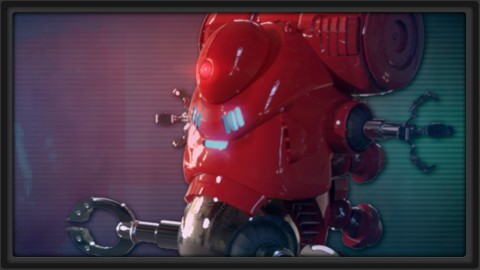
In this introductory tutorial, we'll dive into the world of KeyShot. KeyShot is one of the easiest and fastest 3d rendering programs on the market and can help create fantastic renders of your 3d models with just a few button clicks and some basic information. Whether you're an adept professional or a complete novice, this software will have your 3d assets looking amazing in no time. With its great real-time 'drag and drop' ability, you'll be able to apply your 3d model with a variety of photo-real materials within pre-set environments for stunning results!
(Students - please look under Section 1 / Lecture 1 downloads for the source files associated with the lesson.)
More about the Instructor:
Stephen Wells is an expert 3D modeler for characters, props, vehicles, weapons and environments and have created both high and low polygon assets for game productions. He has over 20 years experience in creating a variety of game assets for several different genres (fantasy, sci-fi, combat, superheroes, horror, etc) using 3ds Max, Maya, Photoshop, ZBrush, Mudbox, Topogun, and xNormal. As an enthusiastic instructor, he loves creating video tutorials on a wide variety of subjects to help students better their skillsets.

 Udemy Discount
The discount is applied through our link. Open the course from here and Udemy's current promotional price is applied at checkout on most courses, no code to type.
Some courses are excluded from Udemy's promotions. If the price does not drop, clear your browser cookies and use the button again.
Instructor Details

- 4.1 Rating
 364 Reviews
3dmotive LLC
3dmotive is High Quality 3d and Game Art Training by Industry Pros! Whether you are brand new to the world of Game Art, 3d, Architecture or Film - or maybe just interested in brushing up your techniques for intermediate or advanced levels of 3d with a focus on video games, 3dmotive is your one-stop-shop for all your 3d and Game Art related tutorials! Got questions? Interested in a new course topic? Let us know!
 More courses by 3dmotive LLC
Learn Advanced C# Scripting in Unity 5 for Games (2017)
4.6 (734 Reviews)
 Provider: Udemy
 Time: 5.5h
$64.99

Learn the "Hand-Painted" texturing style for video games (2016)
4.7 (594 Reviews)
- Provider: Udemy
- Time: 5.5h
$64.99

Model and Texture a Stylized Dungeon for Games (2016)
4.7 (483 Reviews)
- Provider: Udemy
- Time: 6.7h
$69.99
The Complete Unity 5 Intro - Learn to Build and Design Games (2016)
4.4 (284 Reviews)
- Provider: Udemy
- Time: 6h
$64.99
Building Modular Levels for Games with Unity and Blender (2016)
4.3 (267 Reviews)
- Provider: Udemy
- Time: 3.5h
$34.99
The Complete Bipedal Rigging for Games in Maya Course (2017)
4.6 (256 Reviews)
- Provider: Udemy
- Time: 6.1h
$54.99
More 3D Modeling courses

3D Printing with " Ultimaker CURA Slicer- Start to finish" (2025)
4.9 (192 Reviews)
- Provider: Udemy
- Time: 1h
$34.99

Girl and the Dog Creation in Zbrush for Intermediate Level (2020)
4.9 (173 Reviews)
- Provider: Udemy
- Time: 48.8h
$59.99



Blender Character Creator for Video Games (2026)
4.8 (9,160 Reviews)
- Provider: Udemy
- Time: 34.3h
$159.99

Master SOLIDWORKS 3D CAD using real-world examples (2022)
4.8 (2,451 Reviews)
- Provider: Udemy
- Time: 18.9h
$69.99
 Reviews

By Nahid Islam on 2/11/2026
It was enough to learn basic of keyshot as a beginner. Explained basic interface without deep or details explanation.
By Pubudu Malinga on 11/1/2020
This Guy is realy good at explaning the software and have lot of example and learning resoures. & Thank you for make a such a good course content.
By Dale Tremblay on 4/7/2020
Thank you for offering this brief course. It was a good overview of Keyshot features and what you can do with it. The audio volume was low.
By Javier Quintana Sánchez on 11/4/2019
Just finished my Introdutcion to Zbrush course and this is just what I needed, now I have to figure out how to set up and import my models from Zbrush to Keyshot. 10/10 Would recommend
By John Sutherland on 5/15/2019
This course was more of a showcase than an introduction to Keyshot. That being said, for a free course, this was great. Definitely something anyone considering using Keyshot should watch before making that commitment.
By Larry McCauley on 4/4/2019
Does exactly what it says on the tin. I wanted a simple introduction to Keyshot. This is it, plus it's free. What's not to like?
By Ben Martinek on 1/28/2019
Interesting to see and somewhere to start, but it was repetive, he could have tried multiple selections for instance, it would have been nice to dicuss altering materials (colors) adding texture. But for free and if you've never had experience with rendering it was nice to have. Thanks!
By Anchit Kawaatra on 4/1/2017
It was alright. I mean you cant expect much for a free course but was looking forward to some new techniques or something for beginning. The introduction videos on Keyshot website were much more informative.
By Shivani Torres on 2/21/2017
This course was a good basic overview. However I wish it would have gone over how to get import/sample materials into keyshot which are not presets. Currently I feel limited by the presets and would love to expand the material selection to suit my needs
By Alejo on 12/13/2016
enseñan el paso a paso de cada herramienta y su verdadera importancia y relevancia dentro de un proyecto facilitando el aprendizaje.
 Quality Score
No CourseDuck member has rated this course yet. Taken it? Give each part a thumbs up or down.
Overall Score : 82 / 100
- Video Duration:
 1.2h
1.2h - Price: Free
- Provider: Udemy
- Updated:
 April 2017
 - Level:
 Intermediate
 - Language:
 English
 - Certificate:
 No
No
Udemy Coupon Price Tracker
