
 Web Development
 Data Science
 Python
 SQL
SQL JavaScript
 Artificial Intelligence
 IT & Software
 IT Certifications
 Hacking
 AWS
AWS Arduino
 DevOps
 3D Modeling
 Graphic Design
 Photoshop
 Drawing
 Digital Painting
 UX Design
 Business
 Data Analysis
 Communication Skills
 Project Management
 Leadership & Management
 Human Resources
 Digital Marketing
 Social Media Marketing
 Marketing
 SEO
SEO Google Analytics
 Branding
 Excel
Excel Office Productivity
 SAP
SAP PowerPoint
 Microsoft Access
 SharePoint
 Finance & Accounting
 Trading & Investing
 Accounting
 Bitcoin
 Personal Finance
 Video Editing & Animation
 Photography
 Adobe Premier Pro
 Adobe Lightroom
 Personal Development
 Productivity
 Career Development
 Life Coaching
 Health & Fitness
 Meditation & Mindfulness
 Yoga
Yoga Music
Music Music Production
 Guitar
 Piano
Piano Singing
 Language Learning
 Teaching & Academics
 Engineering
 Math
Math Lifestyle
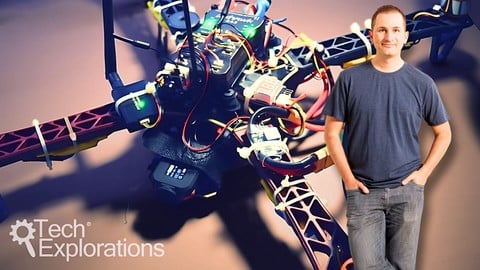
Make an Open Source Drone: More Fun (Udemy.com)
Go past the basics and explore some of the most exciting features and capabilities of your drone
Created by: Dr. Peter Dalmaris
Last updated February 2025
Our take
Based on the ratings of 213 students, a sample of their written reviews and the syllabus, as the course stood in February 2025. No course pays to be reviewed.
This is the second course in Dr. Peter Dalmaris's open source drone series. It assumes a working ArduPilot quadcopter, ideally the one from the first course. From there it covers a firmware upgrade for the FlySky FS-i6 radio, radio telemetry, failsafes, cameras, flight modes, mission planning and battery monitoring. It runs about 5.3 hours over 56 lectures, so it is short and focused. Mission planning is the biggest section at an hour. The instructor refreshed it in early 2025 with Matek F405TE material and geofencing.
Reviewers are warm about the teaching. One calls the style thorough, low-key and easy to follow. Another says the slow, step-by-step pace helps when you are missing some skills. A third says he answers questions when he gets the time. The complaints are small. Some videos feel long, one reviewer wanted more documentation, and a deaf student found the captions confusing in places. One ELRS user found it a little confusing, and two others wanted motor selection or PID tuning covered. Of 213 ratings, 138 are five stars and only two are two stars.
Reviewers say it helps avoid costly mistakes with power connections and Mission Planner, which is the real value here. Start with the first course, since this one builds directly on that drone and its parts list. It also expects Mission Planner on Windows or the APM software on a Mac. For anyone with a flying ArduPilot quadcopter who wants it to fly itself, it is a sensible next step. Racing builds and deep tuning are outside its scope.
Pros
- Slow, step-by-step explanations that reviewers say suit people who are missing some skills
- Covers telemetry, failsafes, FPV video, geofencing and mission planning in one short course
- Refreshed in early 2025 with Matek F405TE telemetry, flight modes and battery monitoring
- Instructor answers student questions when he has time, according to one reviewer
Cons
- Some videos run long, and one reviewer skipped ahead in places
- Captions have unclear sentences, which is a problem for deaf learners
- Skips motor selection and PID tuning, which reviewers ask for next
Very good course that was the perfect follow-up to the original open-source drone course by Peter Dalmaris. As usual, the instructor's presentation style is thorough, low-key, and very easy to follow.
Intermediate in name, but best for first-course graduates with a working ArduPilot quadcopter and a Windows or Mac computer.
 What you will learn
- Improve the features of your FlySky radio controller so that you can take full advantage of the hardware.
- Set up radio telemetry between your computer and the drone so that you can track and control your drone from your computer in real time.
- Configure fail-safes to prevent avoidable injuries and damage to your drone.
- Record high-definition flight video and transmit first-person video to a monitor on the ground.
- Setup and configure flight modes.
- Design simple and more complicated missions that your drone can execute on its own.
- Dow to use the radio telemetry module with the Matek F405TE flight controller
- How to setup geofencing inclusion and exclusion zones
- How to set up flight modes with the Matek F405TE
- How to use the Mission Planner flight simulator
- How to test geofencing in the simulator
- How to setup the battery monitoring capability in the Matek F405TE
Course content
9 sections · 56 lectures · 5.3 hours of video 4 articles
- 1Introduction 2 free previews2 lectures · 5 min
- 2Flysky FS-i6 firmware upgrade 2 free previews8 lectures · 56 min
- 3Radio Telemetry10 lectures · 40 min
- 4Failsafes7 lectures · 39 min
- 5Cameras5 lectures · 31 min
- 6Flight modes7 lectures · 54 min
- 7Mission planning11 lectures · 1 hour
- 8Power4 lectures · 31 min
- 9Conclusion and Bonus Lecture2 lectures · 2 min
Who it is for
The instructor says it suits
- Drone pilots who have a basic understanding of their aircraft and are ready to learn more.
- Graduates of Tech Explorations Make an Open Source Drone.
- Anyone interested in learning about the Ardupilot firmware and the Pixhawk flight controller.
What you need before you start
- Ideally, you will have completed the course "Make an Open Source Drone".
- The required parts as listed in the Parts and Tools lecture in section 1 (free access).
- A Windows computer with the Mission Planner software.
- A Mac OS computer with the APM software (this includes most functions found in Mission Planner).
How it compares
Against the other 335 rated Udemy courses in Engineering on CourseDuck:
- Rating4.7 out of 5higher than 88% of them
- Reviews213#222 of 336 by number of reviews
- Length5.3 hoursshorter than 49% of them
- Last updatedFebruary 2025more recently than 59% of them
 Course Description
Latest updates
In mid-2023, I updated 'Make an Open Source Drone' course to offer detailed instructions on constructing a custom quadcopter with the MATEK F405TE flight controller, in addition to the Crius and the Pixhwak 4. See detailed content for Make an Open Source Drone below.
In early 2025, I updated 'Make an Open Source Drone More Fun' course with new lectures to teach you how to use the radio telemetry module with the Matek F405TE flight controller, how to setup geofencing inclusion and exclusion zones, how to set up flight modes with the Matek F405TE, how to use the Mission Planner flight simulator and testing geofencing in the simulator, and how to setup the battery monitoringcapability in the Matek F405TE.
Course description
In my first drone course “Make an Open Source Drone”, you learned how to build a quadcopter based on open source software and hardware.
You now have a modern programmable aircraft and a good understanding of the principles of drone flight and of the skills needed to enjoy being a drone pilot.
In this course, you’ll take your knowledge and skill to the next level. You’ll go past the basics and explore some of the most exciting features and capabilities of your drone.
Your drone, from simply reacting to your radio instructions, will look as if it has a mind of its own, and fly itself.
I promise, the first time you experience your drone flawlessly execute a mission, you will feel proud and thrilled.
By the end of this course, you’ll learn:
how to improve the features of your FlySky radio controller so that you can take full advantage of the hardware,
how to use the radio telemetry module with the Matek F405TE flight controller,
how to setup geofencing inclusion and exclusion zones,
How to set up radio telemetry between your computer and the drone so that you can track and control your drone from your computer in real time,
How to configure fail-safes to prevent avoidable injuries and damage to your drone,
How to record high-definition flight video and transmit first-person video to a monitor on the ground,
How to setup and configure flight modes,
how to set up flight modes with the Matek F405TE,
how to use the Mission Planner flight simulator,
how to test geofencing in the simulator,
how to setup the battery monitoring capability in the Matek F405TE.
And most important, how to design simple and more complicated missions that your drone can execute on its own.
I invite you to review the free lectures in the first section of this course to find out more details about it.
If you are excited about learning how to to make your open source drone even more fun, join many other Makers and me in "Make an Open Source Drone: More fun"!

 Udemy Discount
The discount is applied through our link. Open the course from here and Udemy's current promotional price is applied at checkout on most courses, no code to type.
Some courses are excluded from Udemy's promotions. If the price does not drop, clear your browser cookies and use the button again.
Instructor Details

- 4.7 Rating
 213 Reviews
Dr. Peter Dalmaris
Peter Dalmaris is an educator, electrical engineer, electronics hobbyist, and Maker. Creator of online video courses on DIY electronics and author of three technical books, and has recently released his book Maker Education Revolution.
As a Chief Tech Explorer since 2013 at Tech Explorations, the company he founded in Sydney, Australia, Peter’s mission is to explore technology and help educate the world.
Tech Explorations offers educational courses and Bootcamps for electronics hobbyists, STEM students and STEM teachers.
A life-long learner, Peter’s core skill is in explaining difficult concepts through video and text. With over 15 years of tertiary teaching experience, Peter has developed a simple yet comprehensive style in teaching that students from all around the world appreciate.
His passion for technology and in particular for the world of DIY open source hardware has been a dominant driver that has guided his personal development and his work through Tech Explorations.
Peter’s current online courses have helped over 150,000 people from around the world to be better Makers.
For more information on Peter's work, please go to his web site, techexplorations dot com.
 More courses by Dr. Peter Dalmaris

Arduino Step by Step: Getting Started (2024)
4.7 (8,714 Reviews)
 Provider: Udemy
 Time: 21.4h
$159.99
PCB design with KiCad - updated for KiCad 9 (2026)
4.6 (3,737 Reviews)
- Provider: Udemy
- Time: 31.9h
$79.99

More Engineering courses

Do it Yourself - Automotive Electrical Diagnosis - Beginner (2026)
4.8 (1,897 Reviews)
- Provider: Udemy
- Time: 2.1h
$12.99

ROS 2 for Beginners Level 2 - TF | URDF | RViz | Gazebo (2025)
4.8 (1,869 Reviews)
- Provider: Udemy
- Time: 13.8h
$10.99

Advanced Kalman Filtering and Sensor Fusion (2021)
4.8 (1,033 Reviews)
- Provider: Udemy
- Time: 8.3h
$84.99

Digital Electronics: Robotics, learn by building module II (2020)
4.8 (942 Reviews)
- Provider: Udemy
- Time: 13.1h
$14.99

 Reviews

By Awah kum kumambong on 4/1/2026
As with the first part, Dr Peter always delivers . I really enjoy the course and it's indeed more fun. A little confusing since I'm using ELRS protocol but it's perfectly ok. Moreover, he's very supportive when I encounter bugs and if and when he gets the time, he responds to my message.
By Marco Domínguez on 9/29/2023
Este segundo curso tocó muchos temas de los que tenía preguntas después de haber armado mi primer dron. El próximo, para profundizar aún más, podría ser sobre PID parámetros y otros ajustes más detallados como vibración, sensibilidad, etc.
By Arezki Benchater on 11/15/2021
I've just finished the previous course (make an Open Source Drone ), it was amazing and well explained, so I 've decided to go ahead with this second course (More Fun), to get more experience with my drone and adding more options, the course explained with details of details from Dr. Peter
By Paul Cryan on 11/1/2021
Very good course that was the perfect follow-up to the original open-source drone course by Peter Dalmaris. As usual, the instructor's presentation style is thorough, low-key, and very easy to follow. There are a lot of subtleties to calibrating and programming the drone (e.g., upgrading firmware of radio controller, customizing telemetry link, calibrating PWM ranges and failsafes) that Peter handles with style and humor. It isn't every teacher that has the patience and 'fail better' attitude it takes to try three times before successfully bricking a device so he could show students how to fix it! Bravo and thanks!
By Michael O'Neal on 5/24/2021
Really enjoyed the course. Everything works, as long as there are enough satellites. I almost lost the drone in a pond on my 2nd flight, when I went into panic mode and before I knew about loitering. But all is good now.
By James Mallard on 1/26/2020
The captions/transcripts need work. I'm deaf and absolutely need to be able to read rather than hear. Misspellings are mostly OK but some of the sentences really don't make much sense. Things don't need to be perfect but could be better.
By Arthur A. Rejaei on 11/9/2019
Hello I love that you go over some the details on each device and show how to set them up or troubleshoot them if in case needed. Do you have a newer course for more advance features to be added to the Drone such as Li-DAR, and Radar more of the GPS-Magnetometer to bring the total to 3 , how to make precise positioning in landing and in the air.....etc
By Ed Bruner on 7/27/2018
I've now taken both of Dr. Dalmaris' drone courses and can only say that he has laid out drone technology in a way that makes it easy to understand and takes the mystery out of it. If you like to tinker with mechanical things, these courses can give you an understanding from basic to more advanced. This course builds on the first, bringing the student to the next level of drone flight safety, more complex electronics, and automatic flight patterning. I have nothing but the highest praise for Peter's teaching techniques. Now I'm off to ordering, soldering, and tie-wrapping!
By Dr. Alok Pratap on 7/17/2018
This is my second course with Dr. Peter Dalmaris. He is the best. I made my drone by myself and all the credits goes to him. Thank you very much for this course. I would appreciate if there would be more drone courses related to drone follow drone, ROS etc.
By LarryB on 6/23/2018
Another great course by Peter. This one expands on his previous course on building an open source drone by talking about how you can modify it for image/picture capture, mission planning and other small details. As always Peter is a great instructor to listen too and covers more than enough in the subject to get you going. Great course and well worth the time if you are interesting in quad copters.
 Quality Score
No CourseDuck member has rated this course yet. Taken it? Give each part a thumbs up or down.
Overall Score : 94 / 100
- Video Duration:
 5.3h
5.3h - Price: $64.99
- Provider: Udemy
- Updated:
 February 2025
 - Level:
 Intermediate
 - Language:
 English
 - Certificate:
 Yes
Yes - Lectures:56 in 9 sections
- Students:4,340
- Subtitles:1 language
30-day money-back guarantee on most paid courses
Udemy Coupon Price Tracker
