
 Web Development
 Data Science
 Python
 SQL
SQL JavaScript
 Artificial Intelligence
 IT & Software
 IT Certifications
 Hacking
 AWS
AWS Arduino
 DevOps
 3D Modeling
 Graphic Design
 Photoshop
 Drawing
 Digital Painting
 UX Design
 Business
 Data Analysis
 Communication Skills
 Project Management
 Leadership & Management
 Human Resources
 Digital Marketing
 Social Media Marketing
 Marketing
 SEO
SEO Google Analytics
 Branding
 Excel
Excel Office Productivity
 SAP
SAP PowerPoint
 Microsoft Access
 SharePoint
 Finance & Accounting
 Trading & Investing
 Accounting
 Bitcoin
 Personal Finance
 Video Editing & Animation
 Photography
 Adobe Premier Pro
 Adobe Lightroom
 Personal Development
 Productivity
 Career Development
 Life Coaching
 Health & Fitness
 Meditation & Mindfulness
 Yoga
Yoga Music
Music Music Production
 Guitar
 Piano
Piano Singing
 Language Learning
 Teaching & Academics
 Engineering
 Math
Math Lifestyle
Make your own 2D Game Backgrounds with Adobe Illustrator (Udemy.com)
Workflows and best practices for making game backgrounds with Adobe Illustrator
Created by: Rafael John Regidor
Last updated May 2016
 What you will learn
- Create your own 2D game backgrounds using Adobe Illustrator
- Understand and implement proven workflows and best practices when making 2D Game Backgrounds.
- Create background assets for your 2D game background
- Create appealing 2d Game Backgrounds
- Prepare game backgrounds for animation (parallax effect)
How it compares
Against the other 100 rated Udemy courses in Illustrator on CourseDuck:
- Rating4.3 out of 5higher than 15% of them
- Reviews173#53 of 101 by number of reviews
- Length1.4 hoursshorter than 86% of them
- Last updatedMay 2016earlier than 92% of them
 Course Description
1000+ students upon launch!
________________________________________________________
Creating your own 2D game backgrounds is possible. All you need are the right structure, workflows and mindset in creating it within Adobe Illustrator. And in this course that is exactly what I will teach you.
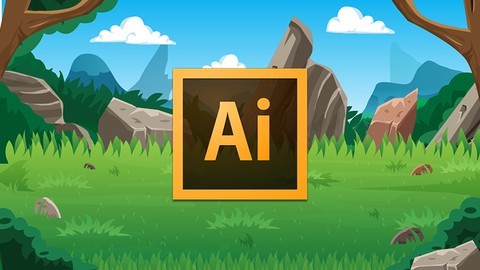
This course is about creating your own 2D game backgrounds from SCRATCH in Adobe Illustrator. We will be making a 2d/cartoony game background with proper structure, proven workflows and the mindset you can use in creating your own 2d game backgrounds.
This course will give you a new approach in creating a 2d game background in a more efficient and time saving way. It will also demonstrate proven workflows and tips in using Adobe Illustrator for game art.
About this course:
- Full, free lifetime access
- The course would be regularly updated and more lectures will be added.
- The awesome Udemy 30 day money-back-guarantee.
- Challenging tasks that let you validate everything you will learn in this course.
- Full support from the instructor
- This course is for intermediate Adobe Illustrator cs4 and up users. And assumes you know where your shortcuts are, your tools are and the process on using tools.
- This course is a FULL OVERVIEW type of course and NOT a step by step course. I will take you with me in creating a game background from blocking, breaking down the background in small areas and fully completing it.
- This course shows the proper tools you CAN use in creating backgrounds, and why I use this certain tools only.
- The course is about 1 and a half hour only, shorter than my other courses, but is purely focused on creating game backgrounds. No more intros to many tools. We will create the background right of the bat.
- This course is structured to make you efficient in setting the layers properly, the areas you need to focus (not in sequence) but the advantage of having MODULAR approach in creating this kinds of backgrounds.
- If you would like to improve your background creations skills or you want to add more knowledge and workflows to your current ones, this course is PERFECT for you.
- So click enroll now and lets get started!

 Udemy Discount
The discount is applied through our link. Open the course from here and Udemy's current promotional price is applied at checkout on most courses, no code to type.
Some courses are excluded from Udemy's promotions. If the price does not drop, clear your browser cookies and use the button again.
Instructor Details

- 4.3 Rating
 173 Reviews
Rafael John Regidor
I love playing mobile games and creating mobile game art!
As a game artist, I create professional designs for mobile games and provides full game reskins for clients all over the world.
I am the founder and lead game artist at Nether Fun Games, and in my years of creating game art assets, I have developed workflows to get the creative task done in the fastest way possible and in the highest quality. No compromises on quality here, just pure fast and top-notch work.
Learn how I do it.
Would you like to learn how to create your own game art? For your flash games, mobile games or other gaming platform?
Would you like to see the ins and out of mobile game graphics reskinning?
Would you like to learn how to create any game art, just by having the correct mindset even if you have absolutely no understanding of all the art concepts, theories and other "stuff"
Then my courses are for you! I have been in the mobile games design industry for almost 3 years now. Providing fast and top-notch for happy clients all over the world.
And I will teach you all my discoveries and personally streamlined workflows to start creating your own game art, and maybe start on making your first mobile game theme/design.
 More courses by Rafael John Regidor
Adobe Illustrator for Mobile Game Art - A Beginners Guide (2022)
4.6 (369 Reviews)
 Provider: Udemy
 Time: 2.3h
$64.99

Create Detailed and Poseable Character in Adobe Illustrator (2022)
4.2 (155 Reviews)
- Provider: Udemy
- Time: 2.1h
$44.99
More Illustrator courses

Adobe Illustrator CC - Essentials Training Course (2025)
4.8 (33,107 Reviews)
- Provider: Udemy
- Time: 12.1h
$124.99

Adobe Illustrator CC – Advanced Training Course (2025)
4.8 (10,960 Reviews)
- Provider: Udemy
- Time: 10.2h
$174.99

Adobe Illustrator Advanced Vector Artwork (2020)
4.8 (1,988 Reviews)
- Provider: Udemy
- Time: 8.3h
$14.99

Adobe Illustrator - Beginner to Pro Level With New AI (2026)
4.8 (1,368 Reviews)
- Provider: Udemy
- Time: 13.7h
$89.99

How to create flat design icons in 15 minutes in Illustrator (2023)
4.8 (335 Reviews)
- Provider: Udemy
- Time: 5.4h
$124.99

Logo Design Mastery In Adobe Illustrator (2022)
4.7 (5,700 Reviews)
- Provider: Udemy
- Time: 5.8h
$139.99
 Reviews

By Mohammad on 1/23/2019
The course was supposed to be "This course is for intermediate Adobe Illustrator" but most of it were for beginners. It is also for general backgrounds not for game backgrounds.
By Eleanor Rose on 1/7/2019
This course brings awareness to what you can create for real-world 2D Gaming use, using a limited subset of the tools available in Illustrator. If you ever felt overwhelmed by the thought of the digital art process or perhaps by other videos, then give this Instructor a try. The level of instruction and in-touch realisation of what the student truly wants to see and learn were perfect - even for an average beginner with potential like me.
By Michael Hileman on 7/23/2017
The techniques presented in this course have increased my productivity tremendously. Even though the instructor uses Adobe Illustrator, I was easily able to adapt the concepts to CorelDRAW. Thanks!
By Dusty Cartwright on 5/27/2017
Very nice tutorial! This builds on skills from other videos, like creating posable characters and creating artwork in Illustrator. Definitely check those first if you haven't seen them. Thanks very much for this!
By Aldwyn Barry on 5/14/2017
It is very difficult to follow. You claim that this is supposed to be intermediate course. You are rushing through the course without a care as to if the people who purchased your course are learning anything. a waste of money. would not recommend this course.
By Connor McQueen Johnston on 4/1/2017
Fantastic course for the price I received it at (£15) with lots of amazing advice. Really, very seriously this course is incredible for the techniques it helps you with and immediately you'll see yourself improve! My only gripe, was that it was a very short course, and the same techniques are repeated. Whilst this still makes great art, for the £50 original price tag, I'd maybe air on the side of caution. Hope to keep following your amazing courses when they're next on sale!
By Anthony Gaff on 3/1/2017
So far the content is very good and the examples are pretty awesome. At times, the actions that the instructor is doing are off the visible screen, so you can't see them, but since it's not a step-by-step, I only docked it a half star.
By June Beveridge on 1/30/2017
I loved this course & learned so much. I have done other courses which have explained the tools however this course taught me how to apply everything to a project. i would highly recommend it
By Taylor White on 1/17/2017
So far it has been very informative, i knew how to ink characters in illustrator but i have always had trouble with background concepts. Already this has helped get an idea of how to use the tools for rapid prototyping.
By audrey ansaldi on 1/21/2016
You will learn how to process to do more in less time with a very impressive workflow ... this course not stop on each detail of each item but give you the autonomy with opening the road of processing the way you have to follow... Thank's a lot Rafael, to give so much clue !
 Quality Score
No CourseDuck member has rated this course yet. Taken it? Give each part a thumbs up or down.
Overall Score : 86 / 100
- Video Duration:
 1.4h
1.4h - Price: $44.99
- Provider: Udemy
- Updated:
 May 2016
 - Level:
 Intermediate
 - Language:
 English
 - Certificate:
 Yes
Yes
30-day money-back guarantee on most paid courses
Udemy Coupon Price Tracker
