
 Web Development
 Data Science
 Python
 SQL
SQL JavaScript
 Artificial Intelligence
 IT & Software
 IT Certifications
 Hacking
 AWS
AWS Arduino
 DevOps
 3D Modeling
 Graphic Design
 Photoshop
 Drawing
 Digital Painting
 UX Design
 Business
 Data Analysis
 Communication Skills
 Project Management
 Leadership & Management
 Human Resources
 Digital Marketing
 Social Media Marketing
 Marketing
 SEO
SEO Google Analytics
 Branding
 Excel
Excel Office Productivity
 SAP
SAP PowerPoint
 Microsoft Access
 SharePoint
 Finance & Accounting
 Trading & Investing
 Accounting
 Bitcoin
 Personal Finance
 Video Editing & Animation
 Photography
 Adobe Premier Pro
 Adobe Lightroom
 Personal Development
 Productivity
 Career Development
 Life Coaching
 Health & Fitness
 Meditation & Mindfulness
 Yoga
Yoga Music
Music Music Production
 Guitar
 Piano
Piano Singing
 Language Learning
 Teaching & Academics
 Engineering
 Math
Math Lifestyle
Photoshop for Beginners: Zero to Hero in Photoshop (Udemy.com)
Learn Photoshop quickly and easily with essentials of Adobe Photoshop to produce beautiful images in Adobe Photoshop.
Created by: Chad Neuman, Ph.D.
Last updated November 2025
Our take
Based on the ratings of 6,623 students, a sample of their written reviews and the syllabus, as the course stood in November 2025. No course pays to be reviewed.
This is a short, focused intro to Photoshop from Chad Neuman, a graphic design professor with a couple decades of industry design work behind him. In about 3 hours across 46 lectures, it walks through workspace basics, layers, selections, masking, and color correction, then has students build a text-in-photo effect, an HDR landscape edit, and a portrait sharpening project. It is built for someone who has genuinely never opened Photoshop before.
Reviewers consistently say it is well organized and covers the fundamentals without wasting time, and one review credits the instructor's knowledge and the hands-on exercises as the strongest part. The recurring complaint is pace: a handful of reviewers, including total beginners, say Neuman moves through some topics too quickly to keep up with on a first watch, and one wished for a more basic primer on what the toolbar icons even do before diving in. One reviewer also wanted more variety, like logo or web design projects, beyond the included exercises.
At 4.3 stars across 6,623 ratings, it holds up as a reliable starting point rather than a showcase course, and it was last updated in November 2025, so it is not stale. For over 200,000 beginners who've taken it, it delivers what it promises: a fast, structured way to stop being intimidated by Photoshop. Anyone wanting deep retouching, compositing, or design-theory instruction should look further down the list.
Pros
- Covers layers, selections, and masking with three real follow-along projects
- Structured to move fast without feeling like random YouTube tutorials
- Instructor brings about two decades of professional design experience
- Last updated in November 2025, so the content isn't stale
Cons
- Several beginners say some topics are explained too fast to follow on a first pass
- Only 3.1 hours total, so it skips more advanced techniques and won't satisfy intermediate users
- No dedicated primer on the toolbar or interface before jumping into lessons
Good job packing a lot of content into a short amount of time in a structured way, a lot more useful than trying to learn photoshop from random youtube videos.
Built for people who have never opened Photoshop; experienced users will already know most of it.
 What you will learn
- Customize workspaces and work with panels.
- Create new documents with various settings and modes.
- Navigate and zoom in and out of documents using a variety of methods.
- Switch between screen modes.
- Work with multiple documents and arrange them using various methods.
- Describe various file types and modes.
- Crop and resize images using various settings.
- Use Bridge with Photoshop.
- Rearrange, group, and adjust settings of layers.
- Adjust layer blending modes.
- Create and apply a variety of adjustment layers.
- Create and apply various layer styles.
- Describe the various selection tools and apply them in various ways.
- Use the selection tools in conjunction with each other.
- Add to and subtract from selections.
- Modify and save selections.
- Describe how masking is better than erasing.
- Mask parts of layers using the brush tool.
- Add layer masks using selection tools.
- Apply a clipping mask to text.
- Create an high dynamic range effect using masking in a landscape photo.
- Use layer masking to create selective sharpening in a portrait photo.
Course content
8 sections · 46 lectures · 3.1 hours of video 4 quizzes, 5 articles
- 1Getting Started in Photoshop 1 free preview14 lectures · 1 quiz · 42 min
- 2Layers 3 free previews6 lectures · 1 quiz · 20 min
- 3Selections 1 free preview5 lectures · 1 quiz · 30 min
- 4Masking 3 free previews6 lectures · 1 quiz · 13 min
- 5Adjusting and Correcting Lighting and Color 1 free preview5 lectures · 29 min
- 6Photoshop Projects: Social Media Photoshop Design Projects 1 free preview5 lectures · 30 min
- 7Fun Photoshop Projects 1 free preview1 lecture · 15 min
- 8Photoshop Course Conclusion4 lectures · 3 min
Who it is for
The instructor says it suits
- This course is great for students who are new to, or beginners in, Photoshop.
- Many intermediate students might also learn from this course as well, for example, they might learn new keyboard shortcuts or about specific layering and masking techniques.
- Students who are considerd "experts" in Photoshop and know all shortcuts, layering techniques, and so on, will not benefit much from this course.
What you need before you start
- Students need a copy of Adobe Photoshop, preferably CC (Creative Cloud). The free trial would work as well.
How it compares
Against the other 188 rated Udemy courses in Photoshop on CourseDuck:
- Rating4.3 out of 5higher than 23% of them
- Reviews6,623#8 of 189 by number of reviews
- Length3.1 hoursshorter than 62% of them
- Last updatedNovember 2025more recently than 88% of them
 Quality Score
Overall Score : 86 / 100
 Course Description
Course updated: a fun new tutorial on Parallax Effect or 2.5D Animation Effect in Adobe Photoshop added in a new section for fun effects.
This introductory course to Photoshop covers the fundamental functions to get started editing and improving photos. The student learns how to customize workspaces and panels, navigate the canvas effectively, work with multiple images and file types, and use various methods of image enhancement, including layering, selecting, and masking. Support files are included for this course, so students can follow along in the hands-on lectures. If you're a beginner to Photoshop or simply want to learn more about various selections, layering, and masking techniques, this course is for you!
The course is structured in a way to maximize learning. I first go over how to do basic functions in Photoshop like
Adjusting settings of new documents
Navigating around the canvas
Cycling through screen modes
Working with multiple images
Cropping and resizing images
I then go over into more detailed instruction, in which the students continue to follow along and learn more about
Layering images
Layer blending modes
Adjustment layers
Layer styles
Making selections
Masking layers
Color and lighting corrections
The course includes follow-along exercises that involve using layering and masking to create a “text in photo" clipping mask effect, a high dynamic range landscape adjustment, and a selective sharpening portrait edit. You will also learn by creating images for online advertising and social media in Photoshop.
I have years of experience using Photoshop, including doing web and advertising design at a newspaper, an advertising design firm, a library system, and freelance work for about two decades. I've also been managing editor at two international graphic design magazines, and I'm currently a full-time professor of graphic design and digital media. I've taken classes on digital production and design during my undergraduate and graduate work.
So enroll today and let's learn about Photoshop and its amazing capabilities of photo editing and digital effects.

 Udemy Discount
The discount is applied through our link. Open the course from here and Udemy's current promotional price is applied at checkout on most courses, no code to type.
Some courses are excluded from Udemy's promotions. If the price does not drop, clear your browser cookies and use the button again.
Instructor Details
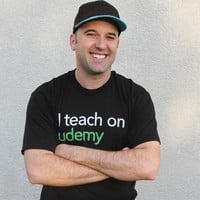
- 4.3 Rating
 6,623 Reviews
Chad Neuman, Ph.D.
I love seeing students succeed in their designs, photos, productions, artistic work, and careers.
Do you want to learn become a better designer or communicator? Do you want to learn industry-standard editing and effects in Photoshop? Do you want to create logos for your brand or for clients? Do you want to learn new skills that are in demand in the new digital economy?
I'm passionate about communication, writing, art, and design education, and I'm currently a full-time professor of communication and digital media. I've developed curriculum and taught classes on design, photography, and writing for over a decade. My university students have become full-time, award-winning photographers, web designers, creative specialists, reporters, and layout designers. And now, you can learn from me as well!
Get started by enrolling in my courses, learning new skills and knowledge, and asking me questions in the courses and forums.
My Three-Part Qualifications to Teach You (Professional Experience, Education, and Experience Teaching):
 More courses by Chad Neuman, Ph.D.
Photoshop In-Depth: Master all of Photoshop's Tools Easily (2024)
4.6 (8,041 Reviews)
 Provider: Udemy
 Time: 5.3h
$89.99
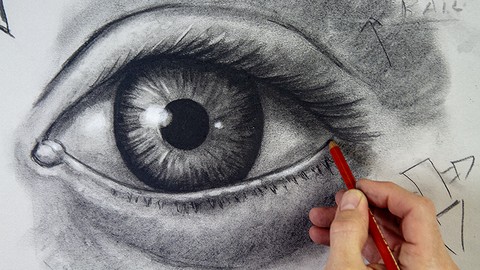
The Complete Drawing Masterclass: From Beginner to Advanced (2020)
4.5 (3,359 Reviews)
- Provider: Udemy
- Time: 19.8h
$109.99
Graphic Design Masterclass: Learn Graphic Design in Projects (2020)
4.4 (2,749 Reviews)
- Provider: Udemy
- Time: 3.9h
$109.99
Adobe Illustrator CC Mastery: Zero to Hero in Illustrator (2020)
4.5 (2,172 Reviews)
- Provider: Udemy
- Time: 3.3h
$84.99

Logo Design Masterclass: Logo Design, Illustrator, Dimension (2025)
4.6 (1,930 Reviews)
- Provider: Udemy
- Time: 7.8h
$17.99

Learn Adobe InDesign: Design a Magazine and More in InDesign (2026)
4.7 (1,688 Reviews)
- Provider: Udemy
- Time: 8.8h
$79.99
More Photoshop courses


Adobe Photoshop CC: For Complete Beginner (Sinhala Medium) (2026)
4.9 (110 Reviews)
- Provider: Udemy
- Time: 8.4h
$59.99

Adobe Photoshop CC – Essentials Training Course (2025)
4.8 (36,753 Reviews)
- Provider: Udemy
- Time: 11.6h
$189.99


47 Graphic Design Projects for Photoshop Beginners (2025)
4.8 (466 Reviews)
- Provider: Udemy
- Time: 7.9h
$99.99

Photoshop Efficiency - Techniques For Consistent Marketing (2025)
4.8 (144 Reviews)
- Provider: Udemy
- Time: 1.4h
$49.99
 Reviews

By Darius Jared Manroi Thabah on 5/26/2021
I've completed more than half-way the course, I believe course content is adequate for basic idea of important tools that will be used in Photoshop. Course is suitable for beginners. Overall, course is good. The only thing I wish was if there was a little more expression during video explanations, that would make it interesting to follow up. Appreciate the trainer's effort in making this course. Happy learning from you.
By Gregory _ on 1/13/2021
Good job packing a lot of content into a short amount of time in a structured way, a lot more useful than trying to learn photoshop from random youtube videos. The notes feature in udemy was useful to create a document for future reference. Such a short course cannot cover all of photoshop but I feel this course hit the high points for a beginner and was a good value to the cost of the course.
By George Mack on 1/10/2021
This course is amazing! I'm just a beginner who wants to learn photoshop for my job in marketing, and this is everything you need to learn the basics. I had no idea what layers or masks were, and had no idea how to do selections, but now i know how to do them all and they're all very critical :) Excellent course for getting a solid foundation. For more advanced stuff look to a different course but if you're not doing anything too fancy, this is more than enough
By Sharath Chandran on 8/17/2020
Well structured foundational course for those who do not have any prior experience with Photoshop. Author is quite knowledgeable and covers all aspects of the subject, includes good hands-on exercises, in a subtle and concise manner. Worth your money!
By Simon Zhang on 1/27/2018
I used to only open up a Photoshop file and make tiny changes here and there, with no understanding about the principles of the software. In the end, I never really end up making the changes I want. I wanted to start over, and as a beginner, I couldn't be happier to learn the fundamentals and it really gave me confidence when dealing with layers and masks, something that I had no clue about before!! Fantastic course, nothing but praise for the instructor!
By Bert Saraco on 7/26/2017
I think the instructor is knowledgeable, but sometimes gets caught up in the problem and leaves the student behind. It's not easy to tell where he's pulling things from since the choosing tool moves very quickly and - before you know it - the choice was made. I sometimes had to stop and replay several times to see where things 'came from.'
By Victor Hugo on 12/2/2016
O curso é destinado a iniciantes, no meu caso (eu nunca tinha aberto o Photoshop). O professor é claro nas explicações e bastante didático, demonstrando total domínio sobre o que está ensinando. Em nenhum momento eu tive dificuldade em seguir o curso e o achei excelente em termos de conteúdo. Terminando o curso você não se transformará em um Herói do Photoshop, mas certamente ele te dará uma base sólida para continuar os estudos por conta própria. Recomendo o curso e o professor.
By Kathleen Frizzell on 8/11/2016
Second review: I think it would be helpful for the user to be required to go through a more basic tutorial to understand what each of the icons means and what the menu drop-down features do. The terminology used wasn't easy to follow because I didn't know the basics first. But I got into the rhythm of stopping and rewinding until I could duplicate the lesson. First review: As a beginner, I would have liked to have instruction about how to get the same tools open as the tutorial. I just downloaded Photoshop from CC and I didn't have the same tools and navigation settings that I was seeing on the screen. The instructor was going fast and I had to go find what he was talking about. I had to start lecture 6 three times to figure it out. Once I had the same tools open, it was easy to follow.
By Javier Sotomayor C. on 7/22/2016
Well... Chad achieved the goal with me, since now I'm able to use photoshop in a basic way. I took the previous course (illustrator) and If I wouldn't took that course, much of the text tool would be hidden to me still. Good course, easy-to-follow and listen. I would like to see eventually into the real-world exercises the design of a resume and infographics, because I need that learning too.
By Guy Manchester on 2/27/2016
Brilliant introduction to photoshop - I feel super familiar with the whole photoshop interface now, rather than it still being the scary proposition its always been in the past. Have also picked up a lot of very useful tips and skills to take forward. The course was well paced and the instruction reassuring and encouraging. Definitely one I'd recommend to Photoshop beginners everywhere.
- Video Duration:
 3.1h
3.1h - Price: $124.99
- Provider: Udemy
- Updated:
 November 2025
 - Level:
 Beginner
 - Language:
 English
 - Certificate:
 Yes
Yes - Lectures:46 in 8 sections
- Practice:4 quizzes
- Students:220,200
- Subtitles:21 languages
30-day money-back guarantee on most paid courses
Udemy Coupon Price Tracker
