
 Web Development
 Data Science
 Python
 SQL
SQL JavaScript
 Artificial Intelligence
 IT & Software
 IT Certifications
 Hacking
 AWS
AWS Arduino
 DevOps
 3D Modeling
 Graphic Design
 Photoshop
 Drawing
 Digital Painting
 UX Design
 Business
 Data Analysis
 Communication Skills
 Project Management
 Leadership & Management
 Human Resources
 Digital Marketing
 Social Media Marketing
 Marketing
 SEO
SEO Google Analytics
 Branding
 Excel
Excel Office Productivity
 SAP
SAP PowerPoint
 Microsoft Access
 SharePoint
 Finance & Accounting
 Trading & Investing
 Accounting
 Bitcoin
 Personal Finance
 Video Editing & Animation
 Photography
 Adobe Premier Pro
 Adobe Lightroom
 Personal Development
 Productivity
 Career Development
 Life Coaching
 Health & Fitness
 Meditation & Mindfulness
 Yoga
Yoga Music
Music Music Production
 Guitar
 Piano
Piano Singing
 Language Learning
 Teaching & Academics
 Engineering
 Math
Math Lifestyle
Photoshop CC Retouching and Effects Masterclass (Udemy.com)
Adobe Photoshop Creative Cloud Retouching and Effects for Portrait Photography & More. Learn the Essentials to Advanced!
Created by: Chad Neuman, Ph.D.
Last updated May 2020
 What you will learn
- Edit and improve portait photos professionally in Photoshop.
- Improve lighting, color, composition, and sharpness with Photoshop.
- Apply industry-standard Photoshop retouching techniques in portrait photos.
- Use Photoshop to create special effects in portrait photos.
- Convert color photos to black-and-white in an artistic manner in Photoshop.
- Stylize and add interest to portrait photos.
How it compares
Against the other 188 rated Udemy courses in Photoshop on CourseDuck:
- Rating4.3 out of 5higher than 23% of them
- Reviews1,270#29 of 189 by number of reviews
- Length6 hourslonger than 61% of them
- Last updatedMay 2020more recently than 51% of them
 Course Description
LEARN PORTRAIT PHOTO PHOTOSHOP EDITING FOR FUN OR PROFIT! Many of my university students have went on to become full-time wedding photographers or do portrait photography on the side for extra income. Learn the industry-standard portrait photo editing techniques today!
THIS IS LIKE 5 COURSES IN 1 ULTIMATE COURSE: Portrait Corrections, Portrait Retouching, RAW Retouching, Portrait Stylizing and Special Effects, and Advanced Black-and-White Conversions.
This is the course that can teach you everything you need to know to advance in portrait photography Photoshop editing, whether you're a professional photographer looking to offer more services to clients and increase income, or a hobbyist looking to improve personal photos.
Ever wonder how portrait photographers have compelling portfolio photos? Or how magazine models look so flawless in those feature stories and covers? Or how that black-and-white photo jumps from the page with such detailed tonality and sharpness? Or how that couple's wedding photos feature that "pop out of the frame" special effect?
In this course, I've included the essential techniques to succeed in portrait photography Photoshop editing, including
Relevant color, lighting, and composition corrections
Effective retouching techniques
Stylistic adjustment techniques
Improved black-and-white conversions
Special effects and edits to offer as a bonus to your clients
These are methods you can use to improve your own photos for fun, or you can apply them to photos in your portfolio to attract more clients. Add excitement and interest to engagement photos, wedding photos, professional and executive photos, maternity photos, and all the other various categories of portrait photos.
This course will not just help you retouch photos that you’re already taking for a client. It also has the potential to help you land more customers, and add more photo enhancing services to your business.
Enrollment in this course includes access to hours of follow-along lectures where students “learn by doing.”
Signing up for the course also includes
Access to the discussion forums (for discussion and posting links to your portrait photos that you’ve been working on so fellow students and I can critique and give feedback!)
Access to all future lectures that are added to this course (that may be a result of questions from the discussions forums) or new techniques related to portrait photography
Free support files to follow along in the lectures (most of the lectures feature the same photos available for download, but students are free to use their own photos of course)
Besides six hours of lectures, I also include quizzes to assess your learning, and some helpful handouts on file formats, color terminology, Photoshop keyboard shortcuts, and a portrait retouching checklist.
See my bio on this page for more of my educational and professional background.
Let's get started learning and creating!

 Udemy Discount
The discount is applied through our link. Open the course from here and Udemy's current promotional price is applied at checkout on most courses, no code to type.
Some courses are excluded from Udemy's promotions. If the price does not drop, clear your browser cookies and use the button again.
Instructor Details
- 4.3 Rating
 1,270 Reviews
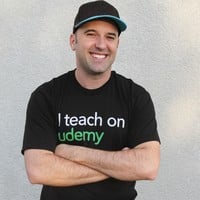
Chad Neuman, Ph.D.
I love seeing students succeed in their designs, photos, productions, artistic work, and careers.
Do you want to learn become a better designer or communicator? Do you want to learn industry-standard editing and effects in Photoshop? Do you want to create logos for your brand or for clients? Do you want to learn new skills that are in demand in the new digital economy?
I'm passionate about communication, writing, art, and design education, and I'm currently a full-time professor of communication and digital media. I've developed curriculum and taught classes on design, photography, and writing for over a decade. My university students have become full-time, award-winning photographers, web designers, creative specialists, reporters, and layout designers. And now, you can learn from me as well!
Get started by enrolling in my courses, learning new skills and knowledge, and asking me questions in the courses and forums.
My Three-Part Qualifications to Teach You (Professional Experience, Education, and Experience Teaching):
 More courses by Chad Neuman, Ph.D.
Photoshop In-Depth: Master all of Photoshop's Tools Easily (2024)
4.6 (8,041 Reviews)
 Provider: Udemy
 Time: 5.3h
$89.99
Photoshop for Beginners: Zero to Hero in Photoshop (2025)
4.3 (6,623 Reviews)
- Provider: Udemy
- Time: 3.1h
$124.99
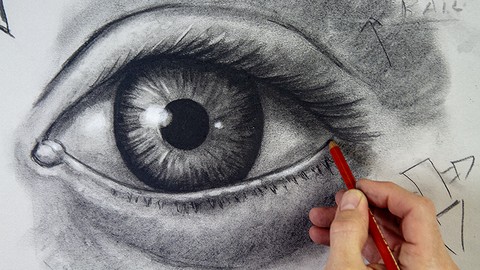
The Complete Drawing Masterclass: From Beginner to Advanced (2020)
4.5 (3,359 Reviews)
- Provider: Udemy
- Time: 19.8h
$109.99
Graphic Design Masterclass: Learn Graphic Design in Projects (2020)
4.4 (2,749 Reviews)
- Provider: Udemy
- Time: 3.9h
$109.99
Adobe Illustrator CC Mastery: Zero to Hero in Illustrator (2020)
4.5 (2,172 Reviews)
- Provider: Udemy
- Time: 3.3h
$84.99

Logo Design Masterclass: Logo Design, Illustrator, Dimension (2025)
4.6 (1,930 Reviews)
- Provider: Udemy
- Time: 7.8h
$17.99
More Photoshop courses


Adobe Photoshop CC: For Complete Beginner (Sinhala Medium) (2026)
4.9 (110 Reviews)
- Provider: Udemy
- Time: 8.4h
$59.99

Adobe Photoshop CC – Essentials Training Course (2025)
4.8 (36,753 Reviews)
- Provider: Udemy
- Time: 11.6h
$189.99


47 Graphic Design Projects for Photoshop Beginners (2025)
4.8 (466 Reviews)
- Provider: Udemy
- Time: 7.9h
$99.99

Photoshop Efficiency - Techniques For Consistent Marketing (2025)
4.8 (144 Reviews)
- Provider: Udemy
- Time: 1.4h
$49.99
 Reviews

By Abdullah Al Mamun on 11/21/2020
Thanks, it was good match for me.
By Peter Sage on 11/7/2020
I like the casual style, while not loosing technical information. I also like the pace
By Santiago Rubn Calle on 11/1/2020
Bueno
By Oppong Bernice Owusuaa on 11/1/2020
I really like the fact that it was both theory and practicals.i was even able to edit my picture.Although it wasn't perfect i know with constant practicals i will be able to make it.Thanks.
By Sudarshan Vittal on 10/27/2020
Crisp, Clear and Comprehensive.
By Thelma Kley on 10/20/2020
The tutorials are very detailed and easy to understand.
By Talha Sheikh on 10/10/2020
Excellent Course :)
By Janice jacobs on 10/7/2020
The problem is the screen info is all blurry!
By Don Kropp on 8/22/2020
A lot of good information.
By Anna blanco on 8/17/2020
Perfect match what I need to learn
By Shubham Mourya on 8/8/2020
This course help me a lot in photo correction technique ! i am actually looking the course like this and Finally i got it and completed in 3 days, as i know Photoshop earlier . Thanks
By Rajeesh Karukathara Rajappan on 8/3/2020
cool
 Quality Score
No CourseDuck member has rated this course yet. Taken it? Give each part a thumbs up or down.
Overall Score : 86 / 100

- Video Duration:
 6h
6h - Price: See price on Udemy
- Provider: Udemy
- Updated:
 May 2020
 - Level:
 All Levels
 - Language:
 English
 - Certificate:
 Yes
Yes
30-day money-back guarantee on most paid courses
Udemy Coupon Price Tracker
