
 Web Development
 Data Science
 Python
 SQL
SQL JavaScript
 Artificial Intelligence
 IT & Software
 IT Certifications
 Hacking
 AWS
AWS Arduino
 DevOps
 3D Modeling
 Graphic Design
 Photoshop
 Drawing
 Digital Painting
 UX Design
 Business
 Data Analysis
 Communication Skills
 Project Management
 Leadership & Management
 Human Resources
 Digital Marketing
 Social Media Marketing
 Marketing
 SEO
SEO Google Analytics
 Branding
 Excel
Excel Office Productivity
 SAP
SAP PowerPoint
 Microsoft Access
 SharePoint
 Finance & Accounting
 Trading & Investing
 Accounting
 Bitcoin
 Personal Finance
 Video Editing & Animation
 Photography
 Adobe Premier Pro
 Adobe Lightroom
 Personal Development
 Productivity
 Career Development
 Life Coaching
 Health & Fitness
 Meditation & Mindfulness
 Yoga
Yoga Music
Music Music Production
 Guitar
 Piano
Piano Singing
 Language Learning
 Teaching & Academics
 Engineering
 Math
Math Lifestyle
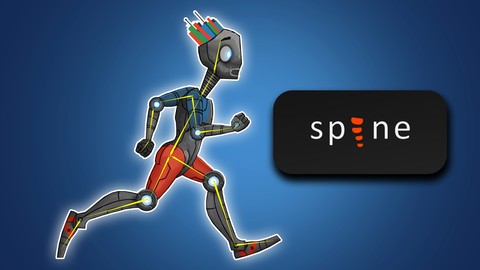
The Complete Spine Game Rigging & Animation Course (Udemy.com)
Start creating fantastic game animations today!
Created by: Jaysen Batchelor
Last updated May 2017
 What you will learn
- Build rigable characters in Photoshop
- Animate in Photoshop
- Build character rigs in Spine
- Animate in Spine
How it compares
Against the other 545 rated Udemy courses in 3D Modeling on CourseDuck:
- Rating4.2 out of 5higher than 10% of them
- Reviews408#190 of 546 by number of reviews
- Length4.1 hoursshorter than 64% of them
- Last updatedMay 2017earlier than 91% of them
 Course Description
The Complete Spine Game Rigging & Animation Course will show you how to create high quality stylized game animations that will stand up as professional work. The techniques taught in this course can be translated into just about any game animation software but this course specifically teaches Spine Animation. This course will enhance or give you skills in the world of game animation - or your money back!
The course is your track to building amazing attractive game animations! Whether for your own games or for other peoples projects.
This course will take you from having little knowledge in Photoshop and Spine to creating professional game character animations in as little as 1 week.
So what else is in it for you?
You’ll create 4 different projects in this course that will take you from beginner to expert!
You’ll gain instant access to all 6 sections of the course.
The course is setup to quickly take you through step by step, the process of creating game character in Photoshop and then how to animate that character in Spine. It will equip you with the knowledge to create stunning animations for mobile app or HTML games!
Don’t believe me? I offer you a full money back guarantee within the first 30 days of purchasing the course.
Here’s what you get with the course:
You’ll get access to the 6 sections of the course that will show you how to create, rig, and animate game art from the ground up. The course is supported with over 4 hours of clear content that I walk you through each step of the way.
All at your fingers tips instantly.
-
The course starts with the basics. For those of you that have never used Photoshop I’ll walk you through the basic tools we’ll be using and show you how to navigate the interface using hotkeys.
-
Next you’ll learn the basics of animation and how it works.
-
Once you’ve learned the basics of animation you are going to create 3 of your own animations in Photoshop.
-
At this point you’ll be ready to build your character in Photoshop.
-
Next you’ll Import your character into spine where you will create a possible skeleton for them.
-
After you Character is all rigged you will jump right in and beguine animating a run cycle.
-
Lastly you will learn how to export your animation for use in your games.
Over the 7 chapters you will learn:
-
Photoshop basics
-
The basics of animation
-
How to build a character that’s ready for rigging
-
How export your character design from Photoshop for use in Spine
-
How to create bones and skeletons in Spine
-
How to animate the run cycle
-
How to export your animations from spine
What else will you get?
- Personal contact with me, the course tutor
- Lifetime access to course materials
- Understanding of how professional mobile app game animation is created step by step.
- Quizzes and exercise work sheets
This all comes under one convenient easy to use platform. Plus you will get fast, friendly, responsive support on the Udemy Q&A section of the course or direct message.
I will be here for you every step of the way!
So what are you waiting for? Sign up now to start animating your game world!

 Udemy Discount
The discount is applied through our link. Open the course from here and Udemy's current promotional price is applied at checkout on most courses, no code to type.
Some courses are excluded from Udemy's promotions. If the price does not drop, clear your browser cookies and use the button again.
Instructor Details

- 4.2 Rating
 408 Reviews
Jaysen Batchelor
At the age of 17 I began a 6th month internship with an animation studio out of Utah. After my internship was up, I was hired on to build backgrounds and to design props and characters for animation projects. I then began to do my own freelance work on the side through networking and using online freelancing sites. Now I work as a freelance Illustrator and designer working on my own time from where ever I want.
 More courses by Jaysen Batchelor

The Ultimate Drawing Course - Beginner to Advanced (2022)
4.5 (126,361 Reviews)
 Provider: Udemy
 Time: 11.2h
$174.99

The Ultimate Digital Painting Course - Beginner to Advanced (2022)
4.6 (17,146 Reviews)
- Provider: Udemy
- Time: 27.1h
$149.99
Learn Professional Pixel Art & Animation for Games (2016)
4.7 (2,530 Reviews)
- Provider: Udemy
- Time: 4.6h
$11.99
Learn Professional 2D Game Graphic Design in Photoshop (2017)
4.5 (2,194 Reviews)
- Provider: Udemy
- Time: 6.3h
$99.99

Learn Professional 2D Game Asset Graphic Design in Photoshop (2017)
4.5 (1,954 Reviews)
- Provider: Udemy
- Time: 7.6h
$19.99
More 3D Modeling courses

3D Printing with " Ultimaker CURA Slicer- Start to finish" (2025)
4.9 (192 Reviews)
- Provider: Udemy
- Time: 1h
$34.99

Girl and the Dog Creation in Zbrush for Intermediate Level (2020)
4.9 (173 Reviews)
- Provider: Udemy
- Time: 48.8h
$59.99



Blender Character Creator for Video Games (2026)
4.8 (9,160 Reviews)
- Provider: Udemy
- Time: 34.3h
$159.99

Master SOLIDWORKS 3D CAD using real-world examples (2022)
4.8 (2,451 Reviews)
- Provider: Udemy
- Time: 18.9h
$69.99
 Reviews

By Stefanie G on 1/10/2023
I think this course is ok for beginners in Photoshop and Spine. I already watched some free content on YouTube and for me the course had nothing new. If you are looking for a short and good introduction in Photoshop, basics how to work and draw in Photoshop and a quickstart in Spine this course is just right. It is partly my own fault because I didn't looked at the time distribution in the lections. There I would have seen that it more basic information & Photoshop. Less Spine. What I would have loved to learn in this course: -) more Shortcuts in Spine -) how to make a Mesh in Spine -) how to animate with Mesh in Spine -) what the various areas in import/export mean (e.g. why .txt at the end for Unity when I export?) -) title of the course says "...Complete Spine...", it would be nice to learn the content we learned in photoshop to learn also in spine -) animate effects in spine Otherwise the tutor has a great fashion in teaching content.
By Anonymized User on 4/14/2020
Very clear explanations. Really good to have a visual for which shortcuts are used. Great sound compared to all other tutorials I have done so far (you do not hear extra sounds in the background, no breathing or saliva swallowing from being too close to the mic, etc.). This was nice to relearn a few things in photoshop and also a lot of new shortcuts I didn't know. Clear explanations for Spine for beginners. This is perfect for someone who never used both those programs before.
By Dee Carter on 1/30/2020
Good, quick intro to Spine. Guidance on creating characters ready for Spine in Photoshop was also much appreciated. Some areas the instructor seemed to gloss over very quickly, and others far too slow, so the pacing would be my only criticism. Other than that: good informative content. Would be really great to see the Spine exports actually imported into Unity too, and what can be done with those animations when imported into Unity. If you add new content to this course, please add that :)
By JP - on 3/26/2019
This is an amazing course, but wouldn't really call it "The Complete Spine" -course, because it just scratches the surface of Spine. "Introduction to Spine" would be a better title. However, the course itself is well crafted (way, way better than other Spine courses in Udemy). I really hope he would either extend the course with new lessons, or just make "The Advanced Spine Course".
By Bentahir Mehdi on 11/28/2018
J'ai tres bien aimé le cours ainsi que le formateur il explique tres bien doucement et avec des exemples. la seule chose chose pour laquelle j'ai pas donnée les 2 étoiles c'est que malheureusement il n'a pas donné d'importance au animations sur Spine et il a bcp expliqué Photoshop et plusieurs exemple dessus. Mois je voulais Spine Non pas Photoshop Par contre il a donné qu'un seul exemple vite fait et pas très bien expliquer sur Spine. il n'as riend dis Sur les Meshes ansi que Weights et plein d'autre choses.
By Dusty Cartwright on 10/29/2018
I've gone through a few courses of Jaysen's and I have to say he's an excellent instructor and has very high quality and clear explanations of various concepts. I was more artsy as a kid, but got more into programming since then. Now I'm learning Photoshop and character animation in order to animate and create artwork for SprikeKit games. I definitely feel these courses are very valuable, and can already tell the difference in my ability to animate and create artwork since taking them.
By Lance Jasper on 5/7/2017
I would give a 5-star rating, except the training includes some mistakes on selecting frames and creates extra work that would have been very confusing if I hadn't watched other videos on YouTube which show more efficient ways of selecting frames, pressing K while having all bones selected to "key" a starting position, etc. This is only a minor thing and the course overall was very well made and I'm glad that I took it!
By Daniel Zaturansky on 4/24/2017
The course is great! The short lecture in each section is very convenient and the explanations are very clear. I was hoping we would also go over Mesh animation and ffd in spine and reproduction of bone animation to other characters, image switching during animation, and ik-fk switch. so we can create more advanced animations. Maybe you can add that content :) can't wait to make my own running cycle and more.. thanks!
By Plus Pingya on 3/15/2017
This course is very useful. It's easy to understand, and follow. You speak very clear. I really like that you teach from creating each pieces of body part from a sketch, to painting them, and animate a run animation. And yes, I would love to see more contents in this course. Mesh animation and 3D illusion are good ones. Thank you very much, Jaysen!
By James Peterkin II on 3/8/2017
In taking this course I was very interested in the animation software provided by spine. I had been wondering if there was a software package out that they would enable 2D images to be able to be rigged in the same way 3D models are rigged and readied for animation. Jayson gave a very in depth instruction on the reasons why he did certain things and just how to use the software in general. Thank you so much Jaysen for this course. I can't wait to take the rest of the courses that I have bought from you.
 Quality Score
No CourseDuck member has rated this course yet. Taken it? Give each part a thumbs up or down.
Overall Score : 84 / 100
- Video Duration:
 4.1h
4.1h - Price: $64.99
- Provider: Udemy
- Updated:
 May 2017
 - Level:
 All Levels
 - Language:
 English
 - Certificate:
 Yes
Yes
30-day money-back guarantee on most paid courses
Udemy Coupon Price Tracker
