
 Web Development
 Data Science
 Python
 SQL
SQL JavaScript
 Artificial Intelligence
 IT & Software
 IT Certifications
 Hacking
 AWS
AWS Arduino
 DevOps
 3D Modeling
 Graphic Design
 Photoshop
 Drawing
 Digital Painting
 UX Design
 Business
 Data Analysis
 Communication Skills
 Project Management
 Leadership & Management
 Human Resources
 Digital Marketing
 Social Media Marketing
 Marketing
 SEO
SEO Google Analytics
 Branding
 Excel
Excel Office Productivity
 SAP
SAP PowerPoint
 Microsoft Access
 SharePoint
 Finance & Accounting
 Trading & Investing
 Accounting
 Bitcoin
 Personal Finance
 Video Editing & Animation
 Photography
 Adobe Premier Pro
 Adobe Lightroom
 Personal Development
 Productivity
 Career Development
 Life Coaching
 Health & Fitness
 Meditation & Mindfulness
 Yoga
Yoga Music
Music Music Production
 Guitar
 Piano
Piano Singing
 Language Learning
 Teaching & Academics
 Engineering
 Math
Math Lifestyle
The Simple Way to Conduct a UX Audit (Udemy.com)
Learn to evaluate the quality of UX+ UI design of any kind of app, website or enterprise software system.
Created by: Joe Natoli
Last updated June 2021
Our take
Based on the ratings of 2,368 students, a sample of their written reviews and the syllabus, as the course stood in June 2021. No course pays to be reviewed.
This is a short, focused course on one skill: evaluating an existing app, website or software system and figuring out what to fix. Joe Natoli walks through five steps, from uncovering business and user goals to reading analytics, checking blank, working and error states, and scoring what you find against heuristics like language, priority and visual clarity. At 27 lectures and under two hours, it is meant to be finished in an afternoon, not studied over weeks.
Reviewers consistently like the instructor's plain, direct style. Alyssa André called the course "understandable and practical" and said it avoided the jargon some UX training leans on. The downloadable workbook, with more than 170 elements to check, drew praise too: one reviewer called it a wonderful resource. Complaints are minor: a couple of reviewers found the material somewhat repetitive, one noted the scoring system in the case study was not fully explained, and one mentioned the audio cutting out mid-word near the end (captions covered it). Nobody involved is asking users directly, which one reviewer flagged as a gap.
At 4.5 stars from 2,368 ratings, this holds up well for a niche, narrowly scoped course. It was last updated in 2021, so five years old now, and the material is conceptual enough that it has not visibly aged the way tool-based courses do. It sits well next to broader UX design courses as a quick, applied add-on rather than a full curriculum. For anyone who already has UX fundamentals and needs a structured way to audit real products, it delivers exactly what it promises.
Pros
- Downloadable workbook covers more than 170 elements to check during an audit
- Real client case study walks through the full process end to end
- Instructor's plain-spoken teaching style gets called out often in reviews
- Short and dense: under two hours across 27 lectures
Cons
- Last updated in 2021, so five years old as of now
- A couple of reviewers found parts of the content repetitive
- Doesn't cover involving actual users in the audit process
This professor's courses are the complete opposite: understandable and practical. A big thank you for these resources!
Listed as intermediate, but really suits anyone with basic UX or interaction design familiarity already.
 What you will learn
- How to evaluate the quality, usefulness, usability and value of any app, website or software system by conducting a UX audit.
Course content
4 sections · 27 lectures · 1.9 hours of video 1 article
- 1Introduction: the UX audit process + rules for success 2 free previews2 lectures · 6 min
- 2Evaluating goals, outcomes and analytics 1 free preview4 lectures · 28 min
- 3Evaluating the product's core interaction states11 lectures · 39 min
- 4Wrap Up: UX Audit Workbook + Full UX Audit Walkthrough10 lectures · 42 min
Who it is for
The instructor says it suits
- UXers, Designers and Developers tasked with improving the UX of any kind of app, website or software system.
What you need before you start
- General familiarity with UX, UI Design and Interaction Design principles
How it compares
Against the other 144 rated Udemy courses in UX Design on CourseDuck:
- Rating4.5 out of 5higher than 61% of them
- Reviews2,368#23 of 145 by number of reviews
- Length1.9 hoursshorter than 78% of them
- Last updatedJune 2021earlier than 54% of them
 Course Description
Auditing — which just means evaluating and analyzing — the quality of an app, website or enterprise software system's user experience (UX) is the fastest way to figure out what's working, what isn't, and how to improve it. Where the user experience is failing people; where they're stuck or confused or frustrated. Or, in many cases, where they decide to stop using it altogether.
What I’m going give you in this course are my core rules for conducting a UX Audit: where to look, what to look for and what questions to ask to determine what needs to be improved (and why).
I'm going to walk you through the 5 parts of conducting a simple, effective UX audit or evaluation:
Uncover goals and intended outcomes on both sides of the UX value loop, meaning both for the business and for the product’s users. What do people expect to be able to do — and what do they want to happen — as a result of using this site, app or system? What does the business need to happen in order to ensure the product's usefulness, user/customer loyalty and profitability?
Review existing analytics. Organizations track the performance of their sites and apps using Google Analytics. The data collected can be quite valuable to you, because it can tell you some things about who’s interacting with the product and what they’re doing while they’re there.
Review the product’s core interaction states:
The Blank State. This is what people see the very first time they launch it or when they log in.
The Working State. This is what people see and interact with during the normal course of use, with data, content and controls in place.
The Error State. This is what people see when something goes wrong.
Review the product based on UX heuristics across Language, Priority, Universality and Visual Clarity. When I look at the core interaction states above, I’m evaluating what I see and experience across these five categories.
Deliver findings and recommendations for improvement. I'll show you an example of the video deliverable I give to clients to communicate the issues I've found and what I recommend they do to resolve them.
You'll also see concrete examples of each step, taken from one of my UX audits with a client, along with my downloadable UX Audit Workbook. After you’ve gone through the product and considered everything above, you’ll use the workbook to take a second, deeper dive into the 170-plus individual elements and attributes you need to pay attention to during your audit.

 Udemy Discount
The discount is applied through our link. Open the course from here and Udemy's current promotional price is applied at checkout on most courses, no code to type.
Some courses are excluded from Udemy's promotions. If the price does not drop, clear your browser cookies and use the button again.
Instructor Details

- 4.5 Rating
 2,368 Reviews
Joe Natoli
For more than 30 years, I've helped organizations build better products and helped the people behind those products become more effective at what they do.
Over 400,000 students around the world have taken my courses across multiple learning platforms, but the number I'm proudest of isn't an enrollment statistic. It's the number of students who've told me they finally understand why things happen the way they do inside product teams, and how to navigate them with confidence.
My career has taken me from startups to Fortune 100 companies, healthcare organizations, financial institutions, and federal government agencies. I've worked with companies like Google, Meta, Broadridge, Kroll, Johns Hopkins and many others, as well as organizations including the U.S. Department of Defense, the Department of Homeland Security, the National Institutes of Health and the U.S. Department of Health and Human Services.
Those experiences shaped how I teach.
Most courses focus on process: the steps, the deliverables, the frameworks, the tools.
Those things do matter — but they're rarely what determines whether a product succeeds.
The biggest challenges I've seen over three decades aren't usually technical. They're misunderstandings. Misaligned priorities. Poor communication. Unclear goals. Decisions made without evidence. Teams working hard... but not together.
 More courses by Joe Natoli


DESIGN RULES: Principles + Practices for Great UI Design (2025)
4.6 (16,991 Reviews)
 Provider: Udemy
 Time: 4.9h
$129.99

UX & Web Design Master Course: Strategy, Design, Development (2020)
4.5 (16,338 Reviews)
- Provider: Udemy
- Time: 23.2h
$159.99
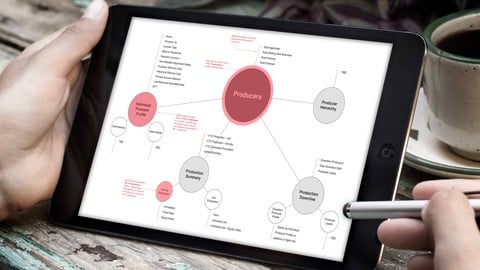
Information Architecture (IA) Fundamentals (2024)
4.5 (11,013 Reviews)
- Provider: Udemy
- Time: 2.2h
$13.99
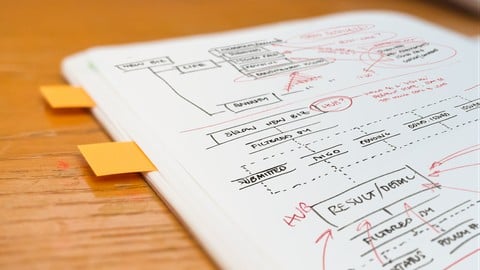

GenAI Fundamentals for UX Designers + Researchers (2024)
4.2 (1,960 Reviews)
- Provider: Udemy
- Time: 2.8h
$69.99
More UX Design courses

Learn Figma: User Interface Design Essentials - UI/UX Design (2022)
4.8 (1,791 Reviews)
- Provider: Udemy
- Time: 10.2h
$199.99

iOS 12 & Swift 5 - App Design, UI/UX plus Development (2022)
4.8 (955 Reviews)
- Provider: Udemy
- Time: 80.5h
$94.99

User Experience Design Essentials - Adobe XD UI UX Design (2025)
4.7 (46,830 Reviews)
- Provider: Udemy
- Time: 9.7h
$189.99

Learn Figma - UI/UX Design Essential Training (2023)
4.7 (18,337 Reviews)
- Provider: Udemy
- Time: 3.7h
$119.99

How To Design for Accessibility: for UX Designers (WCAG 2.2) (2026)
4.7 (7,863 Reviews)
- Provider: Udemy
- Time: 8.9h
$109.99

 Reviews

By Andrew Coppinger on 6/4/2026
I found the information very well structured in how much was covered before switching to another video. The only thing I noticed that felt off was in the last few videos, it seemed like the speaker was caught off mid-word. I had the closed captioning on so I could make out what he said, but that may not apply to everyone. The workbook is a wonderful resource and I'm grateful to have it now.
By Alyssa André on 2/14/2026
Excellent course. It gave me a good understanding of the different questions to ask when analyzing a website. I appreciated the final case study, both the methodology and the helpful tips and observations. I find that this is a field where people often use big words to say very little, in essence. This professor's courses are the complete opposite: understandable and practical. A big thank you for these resources!
By Jurate Skudrickiene on 11/2/2025
This course was exactly what I needed — and I got even more value than I expected. At first glance, it seemed quite short, but in reality, it was packed with information. The content was very concise, clearly structured, and well-organized. I had to watch some parts several times, pause, reflect, and take notes on the most important points. I’m really glad I found this course! The only small thing I missed was a section about what questions to ask a client before doing a UX audit. Thank you to the instructor!
By Lisa Doyle on 12/11/2024
The content is great. Ironically, the platform itself is hincky! The transcript keeps flipping back and forth between English and French, and using the transcript ( I have eye issues) means that the video always goes to the end of the video before I am finished. I have a workaround, but it definitely adds time to my viewing. Super practical info, thank you!
By Tsvetozar Georgiev on 5/9/2024
The format of the course feels more like a compilation of well known good UX practices. The audited product had so many fundamentals flows that the recommendations from the author totally made sense. However, my main issue with it is that there a very little emphasis on actual users' needs and behavior, and to usability testing, as the main tool to discover those. The following questions raised: Did the author's team do some sort of usability study? What were the findings, patterns and themes discovered? How would the author's team prioritize those things to fix? What would be the next steps? To me it feels like the course content can be updated and improved in that regard.
By Anonymized User on 7/26/2022
Love the emphasis on the importance of graphic design elements and principles and simple instructions. As someone with degrees in fine art and graphic design, I have to keep repeating these exact same points to my coworkers, but they ignore me until they predictably hit a dead end. So, thank you for the PDF because I'm going to spam their inboxes with it.
By Katherine Gaspare on 5/16/2022
Straightforward as always, love the content, all the advice it's given, the precise topics we should discuss with clients/stakeholders... I love the fact that from the very beginning it's being clear that probably won't be a pleasant experience, and the intention is to reveal what the product is lacking and not praise it so it doesn't feel like a strong critique.
By Anonymized User on 2/11/2022
Great course for new designers to learn how to do UX audit and seasoned designers to get a refresher. I really like Joe's style; keeping things simple, actionable and precise. Lots of great stuff in 2h. One wishlist is some inspiration on documentation and tools would be interesting! Or a bit more case studies. Either way, I'd recommend this course 100%
By Samir Pekaz, MBA on 11/6/2021
The course delivers on the topic for sure. Teacher has massive experience and can transfer it well to students. I wasn't aware that I needed good knowledge of UX beforehand. I guess that's an error on my side, but I expected more explanation of some crucial UX principles (one by one) before diving into what we are looking for when doing the UX audit. I feel the course has been rushed (i.g. the last video of an actual audit is the end of the course as well, when I expected some final words or wisdom shared by the teacher to send us on our merry way.) Some quick wins and this could become 4/5 course. Thank you
By Ker Lee Wong on 6/26/2021
it's a very good start for beginner to learn how to audit a website / an app. Although the first few section focus more on theory, I think it's very important to learn the concept before start evaluating. In the last section, there have some case study act as a recap for all the UX audit concept, i think this was good enough as well. Great!!!
 Quality Score
No CourseDuck member has rated this course yet. Taken it? Give each part a thumbs up or down.
Overall Score : 90 / 100

- Video Duration:
 1.9h
1.9h - Price: $64.99
- Provider: Udemy
- Updated:
 June 2021
 - Level:
 Intermediate
 - Language:
 English
 - Certificate:
 Yes
Yes - Lectures:27 in 4 sections
- Students:11,400
- Subtitles:6 languages
30-day money-back guarantee on most paid courses
Udemy Coupon Price Tracker
