
 Web Development
 Data Science
 Python
 SQL
SQL JavaScript
 Artificial Intelligence
 IT & Software
 IT Certifications
 Hacking
 AWS
AWS Arduino
 DevOps
 3D Modeling
 Graphic Design
 Photoshop
 Drawing
 Digital Painting
 UX Design
 Business
 Data Analysis
 Communication Skills
 Project Management
 Leadership & Management
 Human Resources
 Digital Marketing
 Social Media Marketing
 Marketing
 SEO
SEO Google Analytics
 Branding
 Excel
Excel Office Productivity
 SAP
SAP PowerPoint
 Microsoft Access
 SharePoint
 Finance & Accounting
 Trading & Investing
 Accounting
 Bitcoin
 Personal Finance
 Video Editing & Animation
 Photography
 Adobe Premier Pro
 Adobe Lightroom
 Personal Development
 Productivity
 Career Development
 Life Coaching
 Health & Fitness
 Meditation & Mindfulness
 Yoga
Yoga Music
Music Music Production
 Guitar
 Piano
Piano Singing
 Language Learning
 Teaching & Academics
 Engineering
 Math
Math Lifestyle
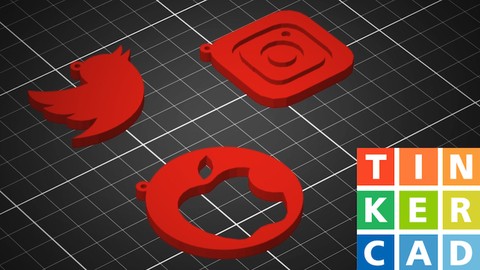
Tinkercad - Design & 3D Print A Custom Keyring (Udemy.com)
Create amazing custom 3D designs you can 3D print
Created by: Ruan Lotter
Last updated September 2023
 What you will learn
- Learn how to use Tinkercad to design amazing 3D models and 3D print them
- Learn how to convert any logo image to an SVG vector image using Adobe Illustrator
- Create shapes from reference images using Tinkercad
- You will learn how to create your own custom Keyring object using Tinkercad
- Learn how to export your designs from Tinkercad to your favourite 3D printing slicer
How it compares
Against the other 545 rated Udemy courses in 3D Modeling on CourseDuck:
- Rating4.8 out of 5higher than 90% of them
- Reviews61#501 of 546 by number of reviews
- Length0.7 hoursshorter than 98% of them
- Last updatedSeptember 2023more recently than 61% of them
 Course Description
Tinkercad - Design & 3D Print A Keyring From Any Logo or Design
In this exciting new course I will show you how to make a keyring or tag from any logo or design and then 3D print it on your 3D printer.
During this course we will make use of Adobe Illustrator for creating vector artwork!
You can download a free trial from the Adobe website.
You can also use one of the following free alternatives to Illustrator:
Inkscape or Gimp
The following topics will be discussed during this course:
1: Introduction
2: All about logos
3: Importing into Adobe Illustrator
4: Tracing your logo in Adobe Illustrator
5: Export vector logo as SVG
6: Create your first Tinkercad Project
7: Importing SVG files into Tinkercad
8: Create basic keyring shape
9: Create the ring geometry
10: Export STL file for 3D Printing
11: Slicing your STL
12: Conclusion
13: Bonus Lesson - Create a personalised signature keyring!
You Will Learn:
1: How to convert any logo image to SVG vector using Adobe Illustrator
2: How to import the SVG into Tinkercad
3: How to create a 3D object using the vector image
4: How to create your own custom keyring in Tinkercad
5: How to export your project as a STL for 3D Printing
I really hope that this course will enable you to come up with and create amazing 3D designs using the easy and free application Tinkercad! Let me know if you have any questions and I will gladly answer them.
Please upload your class project deliverable as JPG or PNG to the Skillshare project gallery for review! You can find the details regarding the project under Class Project.
All the best and happy 3D designing!
Ruan Lotter

 Udemy Discount
The discount is applied through our link. Open the course from here and Udemy's current promotional price is applied at checkout on most courses, no code to type.
Some courses are excluded from Udemy's promotions. If the price does not drop, clear your browser cookies and use the button again.
Instructor Details

- 4.8 Rating
 61 Reviews
Ruan Lotter
Ruan Lotter is a VFX & 3D Artist, Online Teacher, Music Producer and Author from Cape Town, South Africa. He has worked on many short films and TV commercials for brands such as Hasbro, Lipton, RB, Ryobi and HP doing mostly camera tracking, general 3D work and compositing.
It all started in 1994 when he discovered 3dsmax for DOS! Back then it was called "3D Studio" and that changed everything... A few years later, 3dsmax for Windows was released and the world of online tutorials was born. Ruan instantly started binge watching online tutorials on a website called "3D Buzz" and dove deep into the world of 3D. Over the years he used many different VFX related software such as Adobe After Effects, Maya, Cinema4d, Modo, PFTrack, Boujou and Nuke to name a few and he fell in love with the world of Visual Effects and YouTube became his university of choice.
At the beginning of 2020, after many years of using Maya, he found Blender which quickly became his go-to application for anything 3D or VFX related. In mid 2022 he published his first book "Taking Blender to the Next Level" which is available on Amazon.
He currently works as a VFX Artist & 3D Generalist at Accenture, doing mostly 3D and VFX work on TV and Web content for well known brands.
He also runs a YouTube channel called TunnelvizionTV where he teaches VFX and Motion Graphics using a variety of applications.
 More courses by Ruan Lotter

After Effects Essentials: Complete VFX and Motion GFX Guide (2017)
4.3 (2,025 Reviews)
 Provider: Udemy
 Time: 2.6h
$54.99
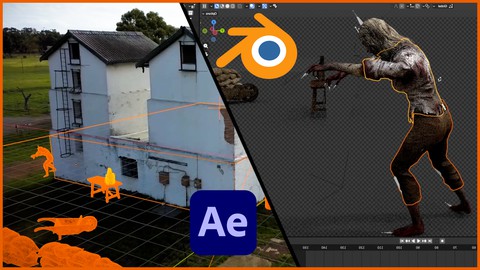
Blender and After Effects VFX Masterclass (2023)
4.5 (224 Reviews)
- Provider: Udemy
- Time: 3.8h
$12.99

Blender Masterclass: Learn Blender in only 6 Hours (2022)
4.6 (159 Reviews)
- Provider: Udemy
- Time: 6.2h
$13.99

VFX 101: Learn Adobe After Effects / PFTrack / 3ds Max (2017)
4.0 (103 Reviews)
- Provider: Udemy
- Time: 4.4h
$34.99
More 3D Modeling courses

3D Printing with " Ultimaker CURA Slicer- Start to finish" (2025)
4.9 (192 Reviews)
- Provider: Udemy
- Time: 1h
$34.99

Girl and the Dog Creation in Zbrush for Intermediate Level (2020)
4.9 (173 Reviews)
- Provider: Udemy
- Time: 48.8h
$59.99



Blender Character Creator for Video Games (2026)
4.8 (9,160 Reviews)
- Provider: Udemy
- Time: 34.3h
$159.99

Master SOLIDWORKS 3D CAD using real-world examples (2022)
4.8 (2,451 Reviews)
- Provider: Udemy
- Time: 18.9h
$69.99
 Reviews

By Edo Gunawan on 5/21/2026
Its easy to follow and gave an begineer introduction to Tinkercad and Basic how to start 3D Printing
By sean Lavergne on 4/12/2026
Very clear and well paced introduction. I am learning lot!
By Mark Tobias on 3/23/2026
SOuth African for the win!!
By Badr Asi on 1/17/2026
Good and valuable information.
By David Perez Piñuelas on 4/8/2025
It explains everything pretty well
By Roland van Haaften on 1/23/2025
Thank you! Just what I needed!
By Kyamesha on 11/12/2024
This was great!! Very easy to follow for a beginner.
By Boris Breuer on 9/6/2024
Statt Illustrator hätte ich mir eine kostenfreie / kostengünstigere Software im Beispiel gewünscht.
By Khalid Al-ahmadi on 2/17/2022
i love it it is easy and clear thank you he it doing very well
By Daniel Wich | Capacious on 2/18/2021
Good explanation and workflow. Learned a lot.
 Quality Score
No CourseDuck member has rated this course yet. Taken it? Give each part a thumbs up or down.
Overall Score : 96 / 100
- Video Duration:
 42 mins
 - Price: Free
- Provider: Udemy
- Updated:
 September 2023
 - Level:
 All Levels
 - Language:
 English
 - Certificate:
 No
No
Udemy Coupon Price Tracker
