
 Web Development
 Data Science
 Python
 SQL
SQL JavaScript
 Artificial Intelligence
 IT & Software
 IT Certifications
 Hacking
 AWS
AWS Arduino
 DevOps
 3D Modeling
 Graphic Design
 Photoshop
 Drawing
 Digital Painting
 UX Design
 Business
 Data Analysis
 Communication Skills
 Project Management
 Leadership & Management
 Human Resources
 Digital Marketing
 Social Media Marketing
 Marketing
 SEO
SEO Google Analytics
 Branding
 Excel
Excel Office Productivity
 SAP
SAP PowerPoint
 Microsoft Access
 SharePoint
 Finance & Accounting
 Trading & Investing
 Accounting
 Bitcoin
 Personal Finance
 Video Editing & Animation
 Photography
 Adobe Premier Pro
 Adobe Lightroom
 Personal Development
 Productivity
 Career Development
 Life Coaching
 Health & Fitness
 Meditation & Mindfulness
 Yoga
Yoga Music
Music Music Production
 Guitar
 Piano
Piano Singing
 Language Learning
 Teaching & Academics
 Engineering
 Math
Math Lifestyle
Unity VFX Graph - Beginner To Intermediate (Udemy.com)
Learn the new Visual Effect tool from Unity and start making some awesome Magic Effects.
Created by: Gabriel Aguiar
Last updated January 2023
 What you will learn
- Learn Unity Visual Effect Graph.
- Learn Unity Shader Graph.
- Learn how to create Visual Effects for Games.
- Learn Real-Time VFX.
How it compares
Against the other 72 rated Udemy courses in Game Design on CourseDuck:
- Rating4.5 out of 5higher than 43% of them
- Reviews589#9 of 73 by number of reviews
- Length4.3 hoursshorter than 61% of them
- Last updatedJanuary 2023more recently than 51% of them
 Course Description
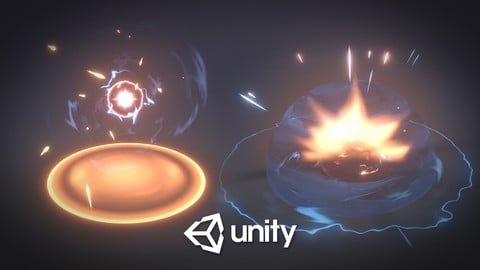
This course is about the creation of VFX for Games with Unity Visual Effect Graph.
You will start learning VFX Graph from scratch by creating some sparks. Then we move on to an awesome Orb Explosion area of effect.
With this course you will also learn:
1) How to use Shader Graph and create a master shader for game effects;
2) Create a lot of original Textures from scratch;
3) Make some awesome hand-painted Flipbook animations;
4) Create modular and customizable VFX Graphs;
5) And more.
We will have a look at the workflow of this powerful node-based-tool and see how customizable and modular VFX Graph can be. Visual Effect Graph instantiates GPU particles which opens so many possibilities. You can now learn how to create fantastic Real-Time visual effects for games!
What are you waiting for? Start learning now how to create Magic Spells and Special Skills for games. It will take you from a Beginner standpoint to an Intermediate level in Unity VFX Graph. Plus you will watch some cool tips & tricks and get familiar with the new Visual Effect tool from Unity.
Course made with Unity URP in 2020.3.11. Compatible with 2019, 2020 and 2021 and HDRP.
You will start or improve your portfolio with this course. Join now.

 Udemy Discount
The discount is applied through our link. Open the course from here and Udemy's current promotional price is applied at checkout on most courses, no code to type.
Some courses are excluded from Udemy's promotions. If the price does not drop, clear your browser cookies and use the button again.
Instructor Details

- 4.5 Rating
 589 Reviews
Gabriel Aguiar
Hey there, I'm Gabriel Aguiar and I'm a Game VFX Artist.
I've been working in the Game industry for 10 years as a Game Designer, 3D Generalist, Programmer but mainly as a Special Effects artist for games.
I'm eager to share my knowledge in Udemy with my straight to the point courses. I'm sure they will help you.
Feel free to contact me if you have any doubts.
Cheers!
 More courses by Gabriel Aguiar

Visual Effects for Games in Unity - Beginner To Intermediate (2019)
4.6 (3,796 Reviews)
 Provider: Udemy
 Time: 5.9h
$129.99

Unreal Engine - VFX for Games - Beginner to Intermediate (2023)
4.7 (1,838 Reviews)
- Provider: Udemy
- Time: 7.1h
$12.99
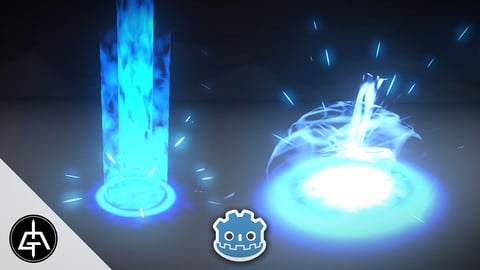
Godot - VFX for Games - Beginner to Intermediate (2025)
4.5 (134 Reviews)
- Provider: Udemy
- Time: 4.5h
$19.99
More Game Design courses
Master Procedural Maze Generation - Unity 6 Compatible (2025)
4.8 (412 Reviews)
- Provider: Udemy
- Time: 21h
$79.99
Full game character in Blender course - Moth Girl (2025)
4.8 (305 Reviews)
- Provider: Udemy
- Time: 49.9h
$19.99
2D Adventure Game Creation: Art, Music, Programming and More (2019)
4.7 (338 Reviews)
- Provider: Udemy
- Time: 19.6h
$84.99

Indie Game Design: Build Your Game’s Core System (2026)
4.7 (155 Reviews)
- Provider: Udemy
- Time: 3.4h
$19.99
 Reviews

By Brent Corr on 11/25/2025
The Course is pretty good. I come from Unreal VFX with Niagara so I'm glad that there's something in Unity that's similar and being able to learn the ins and outs of the VFX graph with this instructor was fun and interesting.
By Igor Mello Pontes on 8/6/2025
This course is great! The lessons are light and easy to follow, divided into short videos between 5 and 10 minutes each. I’m not a fan of the tests, for me, they feel unnecessary because the questions are too simple and obvious. Overall, though, it’s a great course, great edition. I hope Gabriel creates more courses like this, something using AE would be really nice.
By Kirsten Miller on 2/20/2025
So far, so good! In-depth, easy to follow. Really enjoyed the first course and am excited to get stuck into this one. Update: The course has been going really well. All the steps are really easy to follow - I've been rewinding specific steps to ensure I understand the logic behind the system, which has been helping. I also forgot to save the changes to preset, and occasionally lost a few steps as I thought that saving the vfxgraph was enough (the save changes to preset had changed position).
By Paul Keng on 3/23/2024
Thie course is NOT for BEGINNERS, you have to know about the VFX Particles System first, furthermore Shader Graph and other software such as Photoshop and Blender. The tutor goes very fast on some point, but if you've already had the skills and knowledge I said above, it's a good course to give it a go. Still seems to have many more to explore inside the VFX Graph, tho. But it already has a lot to take in. So take time, take some other course of the skills I said above first, then come to this course.
By Jan on 3/20/2024
really awesome result, I would appreciate more overview and showing the shader vfx graph from a conceptual approach and explain just the components (which actually repeat) instead of doing it in a tutorial way: click here, then click here, enter 0.2 here, mulitply it maybe with 0.01. Thank you for sharing your techniques ♥️
By Eyal Michaelov on 1/11/2024
If you are looking for a guide for your first steps in VFX Graph this is the course for you. It is well structured, even if you have some experience in VFX and VFX graph It keeps an interesting enough pace to keep you going. I have 20 years of Photoshop experience and still I learned some new creative methods to make game textures. Gabriel is a great teacher, I already learned a lot from his Youtube channel before, and knew immediately where I should go when the time to work on VFX came for the current project. 5/5, planning on taking more courses in the future. Thanks Gabriel for passing on your knowledge!
By Zachary LaBounty on 8/1/2022
You will absolutely learn a lot. There is a ton of information in the course and for the most part it's presented very well. I'd suggest it to most people who are already very computer literate and have experience with a variety of software. However, Gabriel moves through things really quickly. There are about four hours worth of video, but it's more like 8~10 hours of work because you will hit snags where he does something that is hard to follow because he used a shortcut that he didn't mention. Following him while he works with Blender, in particular, is incredibly frustrating. He uses shortcuts for everything, does it incredibly quickly, and anytime you click in and out of Blender to rewatch/pause the video you'll likely make some minor mistake. He shows which keys he's hitting, but the speed at which he's going means you need to stop the video and watch sections again to follow. If you don't have Photoshop, it's a nightmare trying to follow along in something like GIMP or Krita, especially if you've never touched those programs before. Be aware you'll likely want to be using Photoshop. Overall, this is a solid course, but the instructor could take a bit more time explaining exactly how certain things are working. If all you care about is the VFX graph part then this is a 4.5/5 tutorial. He still moves quickly, but not so fast that you can't follow once you've got your bearings in Unity.
By Sohkar Lensky on 1/15/2022
Well for starter, the intro to VFX with the sparks is easy enough and teaches so much, the main project for me it was a blast, i genuinely feel like i could do stuff close to LoL vfx for example it was a great course , great value, great pace, amazing teacher ! 5/5
By Vincent Beaudet on 8/11/2021
Good content, but really hard to follow along. Each video is a lot longer than it should be since i have to watch it multiple times to understand, because Gabriel doesn't explain what he's trying to achieve. So i end up braindeadly following along without knowning what he's trying to achieve. I suggest; showing the result first, then explaining how it was achieved. It may not be perfectly delivered, i'm sure Gabriel will improve his teaching skills in the future but I recommend it and i will buy his other courses.
By Edward Shi on 7/30/2021
I've been trying to learn Unity vfx by myself but always giving up at the end because the tutorials I watched always miss something crucial. But this tutorial has everything covered in detail from the beginning to the end. It is definitely one of the best Unity vfx tutorials I've watched. I'm very excited to learn more from this instructor.
 Quality Score
No CourseDuck member has rated this course yet. Taken it? Give each part a thumbs up or down.
Overall Score : 90 / 100
- Video Duration:
 4.3h
4.3h - Price: $69.99
- Provider: Udemy
- Updated:
 January 2023
 - Level:
 Beginner
 - Language:
 English
 - Certificate:
 Yes
Yes
30-day money-back guarantee on most paid courses
Udemy Coupon Price Tracker
