
 Web Development
 Data Science
 Python
 SQL
SQL JavaScript
 Artificial Intelligence
 IT & Software
 IT Certifications
 Hacking
 AWS
AWS Arduino
 DevOps
 3D Modeling
 Graphic Design
 Photoshop
 Drawing
 Digital Painting
 UX Design
 Business
 Data Analysis
 Communication Skills
 Project Management
 Leadership & Management
 Human Resources
 Digital Marketing
 Social Media Marketing
 Marketing
 SEO
SEO Google Analytics
 Branding
 Excel
Excel Office Productivity
 SAP
SAP PowerPoint
 Microsoft Access
 SharePoint
 Finance & Accounting
 Trading & Investing
 Accounting
 Bitcoin
 Personal Finance
 Video Editing & Animation
 Photography
 Adobe Premier Pro
 Adobe Lightroom
 Personal Development
 Productivity
 Career Development
 Life Coaching
 Health & Fitness
 Meditation & Mindfulness
 Yoga
Yoga Music
Music Music Production
 Guitar
 Piano
Piano Singing
 Language Learning
 Teaching & Academics
 Engineering
 Math
Math Lifestyle
Godot - VFX for Games - Beginner to Intermediate (Udemy.com)
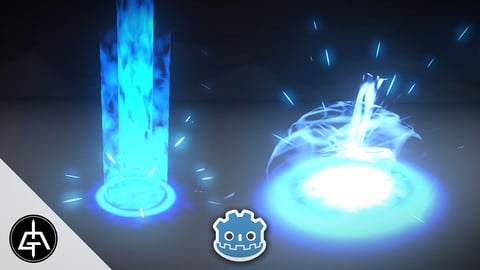
Build awesome Visual Effects for Games in Godot with this game dev course.
Created by: Gabriel Aguiar
Last updated June 2025
 What you will learn
- Learn Godot particle system.
- Learn how to create effects for games with Godot.
- Creating Textures, Meshes and Shaders for Game VFX.
- Learn Visual Effects for Games.
- Learn how to create textures by hand and with Material Maker.
How it compares
Against the other 281 rated Udemy courses in Game Development Fundamentals on CourseDuck:
- Rating4.5 out of 5higher than 43% of them
- Reviews134#179 of 282 by number of reviews
- Length4.5 hoursshorter than 75% of them
- Last updatedJune 2025more recently than 62% of them
 Course Description
This course is all about the creation of Visual Effects for Games with Godot Engine. It will take you from a Beginner standpoint to an Intermediate level in Game VFX.
We will begin with something easy like some Sparks so we can have an overview of how the Particle System works in Godot.
Then we will proceed to more elaborate abilities, like a blue mage Area of Effect and eventually a Fire Projectile. We will also see how to create variations for both of this magic abilities, like a Fire AoE and an Electric Projectile. Besides learning a lot about how the particle system works, you will also learn how to create shaders in Godot with the Visual Shader tool.
Texture creation is also very important step when it comes to creating special effects for games, and on this course you will learn a lot about it. We will create hand-drawn textures with Krita, but a big portion of texture creation is done using node based tool called Material Maker, a fee and powerful substance designer alternative.
And at the very beginning we will have a theory chapter. Where we have a brief overview of the type of effect that most commonly exist, as well as a interesting view of the VFX Fundamentals, a great foundation of Realtime VFX.

 Udemy Discount
The discount is applied through our link. Open the course from here and Udemy's current promotional price is applied at checkout on most courses, no code to type.
Some courses are excluded from Udemy's promotions. If the price does not drop, clear your browser cookies and use the button again.
Instructor Details

- 4.5 Rating
 134 Reviews
Gabriel Aguiar
Hey there, I'm Gabriel Aguiar and I'm a Game VFX Artist.
I've been working in the Game industry for 10 years as a Game Designer, 3D Generalist, Programmer but mainly as a Special Effects artist for games.
I'm eager to share my knowledge in Udemy with my straight to the point courses. I'm sure they will help you.
Feel free to contact me if you have any doubts.
Cheers!
 More courses by Gabriel Aguiar

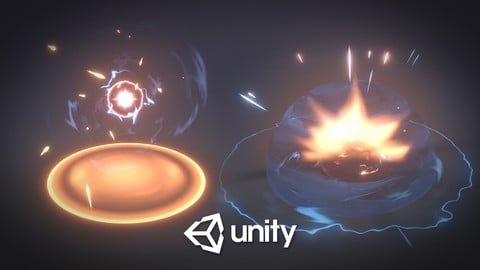
Visual Effects for Games in Unity - Beginner To Intermediate (2019)
4.6 (3,796 Reviews)
 Provider: Udemy
 Time: 5.9h
$129.99

Unreal Engine - VFX for Games - Beginner to Intermediate (2023)
4.7 (1,838 Reviews)
- Provider: Udemy
- Time: 7.1h
$12.99
Unity VFX Graph - Beginner To Intermediate (2023)
4.5 (589 Reviews)
- Provider: Udemy
- Time: 4.3h
$69.99
More Game Development Fundamentals courses

The Ultimate 2D Top Down Unreal Engine Course (2026)
4.9 (1,468 Reviews)
- Provider: Udemy
- Time: 17.1h
$94.99

Blender Skill Builder: Modelling Challenges (2026)
4.9 (144 Reviews)
- Provider: Udemy
- Time: 6.5h
$19.99

Jumpstart to 2D Game Development: Godot 4 for Beginners (2026)
4.8 (4,398 Reviews)
- Provider: Udemy
- Time: 67.6h
$89.99

Create a Complete 2D Survivors Style Game in Godot 4 (2023)
4.8 (3,761 Reviews)
- Provider: Udemy
- Time: 17.2h
$59.99

Master Lua Programming and Create Amazing Games with LÖVE! (2023)
4.8 (3,199 Reviews)
- Provider: Udemy
- Time: 8.5h
$13.99

Complete Godot 2D: Develop Your Own 2D Games Using Godot 4 (2025)
4.8 (1,619 Reviews)
- Provider: Udemy
- Time: 11.3h
$94.99
 Reviews

By Chihwah Li on 2/23/2026
Learned a lot about Godot, Blender, Material maker programs and how to use them together. Teacher has given also the complete project as a end result, so you always have a working version with all that is done. Next step after this course is to try to recreate it from cratch.
By Gianni Rosheuvel on 1/28/2026
The course does a good job covering the basics of 3D VFX creation in Godot and covers a variety of effects you're likely to use — from how emitters work and the directions effects travel, to using both 2D textures and 3D meshes in a 3D world. If you're just getting started, this course will meet your needs. I do, however, have to note that — if it wasn't clear from the preview — this course does not cover 2D VFX such as sprite animations or flipbooks. I knew that coming in, but if that's what you're looking for, you won't find it here. One improvement I think could be added to the course is the use of the AnimationPlayer node. I know you used scripts to delay particles, but I've seen more recent tutorials use AnimationPlayer, which does seem quite powerful. And I believe Godot now has built-in 3D particle trails as well — may be worth looking into that for future versions of the tutorial instead of the GPUTrails extension. I'm not familiar with them myself; I've simply seen them used more frequently lately.
By D L on 12/5/2025
The course so far (halfway through climax phase of the AoE effect) has been primarily following along as the instructor sets dozens of settings. There is very little discussion of why we modify some settings, but not others. Additionally, there is no discussion about the specific values are being used. It's basically following the instructor recreating effects they've already created. Generally this is a good course to show where all the settings are (except those that have changed in newer releases), and what parts can be used to compose an effect. It's not a course for understanding why to take certain approaches versus others when making an effect. I feel like after completing this course, I'll still struggle with creating effects from scratch.
By Renato Machado Farias on 8/10/2025
Very well explained course and well paced. Very beginner friendly. Goes in depth with the GPUParticle3D and GPUTrails nodes, material maker for creating procedural textures as well as explaining some basic blender modeling and uv unwrapping knowledge when needed.
By Ondrej Mindl on 7/25/2025
I really enjoyed the course. It definitely taught me HOW to do things and with very reasonable amount of work the results are amazing. I personally would want more of WHY some things are happening. What effect on the result it has, what are the alternatives? Why did we stretch the UVs on the meshes to-be-exported in the Blender? Why did we sometimes use MatMaker Colorize to make black transparent and sometimes didn't? Why using Quads is the way to go instead using some other simple mesh for particles to make them look more like [something]? Why sometimes is great idea to use Velocity and other times Acceleration? But overall, great course, great experience. Thank you
By Thomas Chatrefou on 7/19/2025
Really nice course to get used to the most common tools. Some aspects may deserve a little bit more explanations I think but overall this is great content for the price. Thank you for the time and effort you put into it, I'll continue to follow your work closely !
By 안정윤 on 7/6/2025
For the First time getting learn about Blender-Friendly Game engine Vfx, This lecture is Amazing. But I felt quite challenging when it comes to understand how 'Dissolving Fire' Shader parameters are made with complex node trees. I Don't know much about Vectors (like difference between vector2 and vector4.) and How the node works for shader parameter. I hope this lecture add some more node knowledge with 'How this node works.'
By Dimitri Suz on 6/27/2025
Its great course to come into the particle effects of godot and i liked it very much, how Gabriel explains the relation and combination of different settings. it is easy to follow and worked right away on my side. I would like maybe extend it for lightning kind effect or animation like morphing an object that flies away or something. But still it is a great course and i recommend to get it for godot users :) Big thanks to Gabriel for sharing it with us!
By Miriam Klein on 6/16/2025
I definitely recommend this course if you struggle putting your theoretical knowledge of Godot particle systems into practice (like I did). The main thing the course is trying to teach is to combine some pretty simple particle systems to get an effect that looks surprisingly impressive. I also liked the fact that we would create our own textures and shaders for the particle systems. They are not very complicated textures and shaders, but I think it was a really good idea to not just grab a bunch of textures from the internet.
By Carl Kidwell on 6/14/2025
Overall the course is a good beginner course but I would caution anyone buying it to be aware that it only covers the 3D portion of VFX nodes within Godot. In some cases a 3D VFX may work just fine in a 2D world, but in others the 3D VFX will not be able to be seen due to the perspective of your camera. There are distinct difference of the 2D vs 3D particle nodes in Godot so I think this is an important call out and should probably have been brought up by the author in the course intro video or the title/description. This course is the 'follow along as I do it' style course, which is pretty standard however there are a couple of 'lectures' near the beginning of the 2 main modules where the instructor sketches out what the planned VFX is going to look like. These style of lectures were very valuable - and I think the course could have benefited from similar style breakdowns of some of the VFX controls within Godot from a theory/application standpoint rather than strictly "follow what I am doing" approach for deeper learning could have been an improvement on the course.
 Quality Score
No CourseDuck member has rated this course yet. Taken it? Give each part a thumbs up or down.
Overall Score : 90 / 100
- Video Duration:
 4.5h
4.5h - Price: $19.99
- Provider: Udemy
- Updated:
 June 2025
 - Level:
 Beginner
 - Language:
 English
 - Certificate:
 Yes
Yes
30-day money-back guarantee on most paid courses
Udemy Coupon Price Tracker
