
 Web Development
 Data Science
 Python
 SQL
SQL JavaScript
 Artificial Intelligence
 IT & Software
 IT Certifications
 Hacking
 AWS
AWS Arduino
 DevOps
 3D Modeling
 Graphic Design
 Photoshop
 Drawing
 Digital Painting
 UX Design
 Business
 Data Analysis
 Communication Skills
 Project Management
 Leadership & Management
 Human Resources
 Digital Marketing
 Social Media Marketing
 Marketing
 SEO
SEO Google Analytics
 Branding
 Excel
Excel Office Productivity
 SAP
SAP PowerPoint
 Microsoft Access
 SharePoint
 Finance & Accounting
 Trading & Investing
 Accounting
 Bitcoin
 Personal Finance
 Video Editing & Animation
 Photography
 Adobe Premier Pro
 Adobe Lightroom
 Personal Development
 Productivity
 Career Development
 Life Coaching
 Health & Fitness
 Meditation & Mindfulness
 Yoga
Yoga Music
Music Music Production
 Guitar
 Piano
Piano Singing
 Language Learning
 Teaching & Academics
 Engineering
 Math
Math Lifestyle
Visual Effects for Games in Unity - Beginner To Intermediate (Udemy.com)
By the end of this course you will have started your own portfolio as a Triple-A Visual Effects artist for Games.
Created by: Gabriel Aguiar
Last updated December 2019
Our take
Based on the ratings of 3,796 students, a sample of their written reviews and the syllabus, as the course stood in December 2019. No course pays to be reviewed.
Gabriel Aguiar's course is a short introduction to game visual effects in Unity, about 6 hours across 59 lectures. It starts with VFX fundamentals and pre-production, then builds two effects in the particle system: an area of effect attack and a projectile spell. Performance gets its own section near the end. The audience list is wide, from illustrators to programmers, but the requirements ask for basic Unity, Photoshop and Blender, because textures and meshes are made outside the engine.
Reviewers like how hands-on it is. One says it made VFX systems feel intuitive and left them more confident making their own effects. Another praises the flipbook animation lessons and the look at what makes a good particle. A Portuguese-speaking student says the teaching explains why each step is done, not only how. Most of the 3,796 ratings are four or five stars. The complaints are consistent: the course dates from 2019 and feels outdated next to current Unity, and one reviewer wishes the textures and meshes were downloadable.
The last update was December 2019, so expect some menus and workflows to differ. One reviewer says the core ideas are still current, and another says it may still be the best option. For a beginner who wants a practical start in game VFX at a modest length, it is a good pick. Anyone who needs a current-version walkthrough should look elsewhere.
Pros
- Builds two complete effects, an area attack and a projectile spell, rather than isolated tricks
- Teaches flipbook texture animation and what goes into a good particle
- Instructor explains why each step is done, not just how, per one reviewer
- About 6 hours of video, so it is quick to get through
Cons
- Last updated in 2019, and reviewers say it feels outdated next to current Unity versions
- Textures and meshes are not offered as downloads, which one reviewer wanted
- Assumes basic Photoshop and Blender, since assets are made outside Unity
While a bit outdated, the core concepts you learn are not. The course is really good at getting your hands dirty with vfx.
Beginner in VFX, but it expects basic Unity, Photoshop and Blender, so total newcomers to all three may struggle.
 What you will learn
- Learn how to create effects for games with Unity.
- Fundamental concepts about Visual Effects.
- Creating Textures, Meshes and Shaders for Game VFX.
- How to structure AAA Visual Effects.
Course content
9 sections · 59 lectures · 5.9 hours of video 8 quizzes
- 1Introduction 1 free preview1 lecture · 2 min
- 2VFX Fundamentals 1 free preview11 lectures · 3 quizzes · 24 min
- 3Pre-Production5 lectures · 1 quiz · 7 min
- 4Setting Up Unity - Your Workspace3 lectures · 5 min
- 5Sparks - Getting Familiar With The Particle System7 lectures · 1 quiz · 43 min
- 6Area Of Effect Attack13 lectures · 2 quizzes · 1.9 hours
- 7Projectile / Spell14 lectures · 2 hours
- 8Performance4 lectures · 1 quiz · 33 min
- 9Conclusion1 lecture · 3 min
Who it is for
The instructor says it suits
- VFX Beginner
- Unity Beginners
- Unreal Beginners
- Programmers
- Illustrators
- 3D Generalists
- Artists in General
- Game Designers
What you need before you start
- Unity: Basic
- Photoshop: Basic
- Blender: Basic
- Graphic Tablet Helps
- Unity 2019.1 Preferably
How it compares
Against the other 183 rated Udemy courses in Unity on CourseDuck:
- Rating4.6 out of 5higher than 63% of them
- Reviews3,796#10 of 184 by number of reviews
- Length5.9 hoursshorter than 69% of them
- Last updatedDecember 2019earlier than 69% of them
 Course Description
This course is about the creation of VFX for Games with Unity. You'll start learning how to create Magic Spells, Fireballs, Special Skills and more effects for games. It will take you from a Beginner standpoint to an Intermediate level in Game VFX. It contains the theory, the practice and the creative liberty you will need in your future Visual Effects career.

 Udemy Discount
The discount is applied through our link. Open the course from here and Udemy's current promotional price is applied at checkout on most courses, no code to type.
Some courses are excluded from Udemy's promotions. If the price does not drop, clear your browser cookies and use the button again.
Instructor Details

- 4.6 Rating
 3,796 Reviews
Gabriel Aguiar
Hey there, I'm Gabriel Aguiar and I'm a Game VFX Artist.
I've been working in the Game industry for 10 years as a Game Designer, 3D Generalist, Programmer but mainly as a Special Effects artist for games.
I'm eager to share my knowledge in Udemy with my straight to the point courses. I'm sure they will help you.
Feel free to contact me if you have any doubts.
Cheers!
 More courses by Gabriel Aguiar

Unreal Engine - VFX for Games - Beginner to Intermediate (2023)
4.7 (1,838 Reviews)
 Provider: Udemy
 Time: 7.1h
$12.99
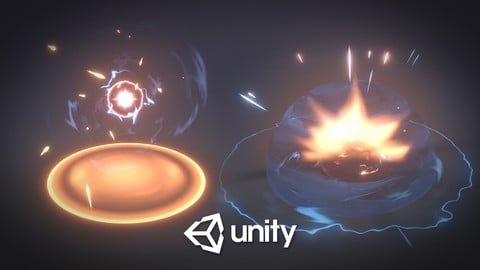
Unity VFX Graph - Beginner To Intermediate (2023)
4.5 (589 Reviews)
- Provider: Udemy
- Time: 4.3h
$69.99
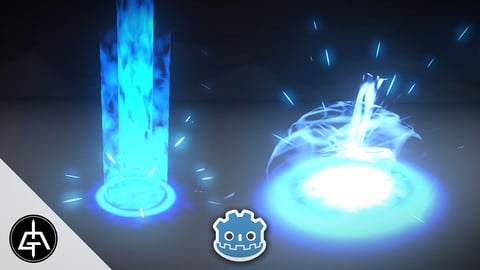
Godot - VFX for Games - Beginner to Intermediate (2025)
4.5 (134 Reviews)
- Provider: Udemy
- Time: 4.5h
$19.99
More Unity courses

Learn to make an Awesome Builder-Defender game in Unity! (2021)
4.9 (1,909 Reviews)
- Provider: Udemy
- Time: 10.1h
$79.99


RPG Core Combat Creator: Learn Intermediate Unity C# Coding (2025)
4.8 (11,337 Reviews)
- Provider: Udemy
- Time: 27.6h
$149.99

Learn To Code By Making a 2D Platformer in Unity (2017)
4.8 (2,597 Reviews)
- Provider: Udemy
- Time: 13.1h
$13.99

Learn Blender 3D Modeling for Unity Video Game Development (2026)
4.8 (2,152 Reviews)
- Provider: Udemy
- Time: 11.7h
$149.99

Learn To Create A Roguelike Game In Unity (2020)
4.8 (1,234 Reviews)
- Provider: Udemy
- Time: 19.4h
$16.99
 Reviews

By Felipe Cassiano Barbosa on 6/8/2026
Would like to have the textures and meshes for the visual effects as attachment to the lessons. Although it is great to have some lessons teaching how to use image editing and modelling tools, the course focuses on the particle system, so I think the files could be available for download.
By David Milic on 12/4/2025
I really enjoy watching Gabriel Aguiar and follow all of his content on YouTube. His explanations are clear and his calm voice makes the learning experience very pleasant. I started learning shaders some time ago and now I am expanding into particle systems and VFX graphs. Even though I have already created a good amount of VFX work, I often did things based on intuition. I was surprised by how much fundamental knowledge I gained from this course and how many gaps it helped me close. Keep up the good work!
By Kirsten Miller on 2/19/2025
Really excellent course. I found the process to be quite straightforward to follow, and incredibly in-depth. It feels like there's a natural sense of progress as I worked through the modules, and that I've learned some fundamentals for VFX. I found some parts a little quick, and had to keep pausing and redoing them to make sure I was doing them right, but this is likely due to my poor attention span than anything else! And in a lot of ways, this pace helps me learn quicker. Excited for doing the second course!
By Bassam Saleh on 9/21/2024
I very highly appreciated the optimization bit and this course gave me alot of insights on how things r generally done, so i would say its great for an entry level like me. however, 2 things I felt could be massively improved. 1- it is VERY difficult to follow along as the instructor is too fast and some of the softwares used arent free. 2- Instructor only used an old version of unity with only HDRP and I think showing URP equivalent of the shaders would have been a good idea.
By Aaron Joshua Sayson on 4/16/2024
The instructor can be fast at times but you'll be able to get the gist of the lessons if you follow along -- even w/ a more modern version of unity, but because of the version differences, results and such might be different for you so do take note of that. There are times where I'd wish that he'd explain this specific thing first and not later on, so if there's something you don't understand, let it play out a little first before researching (if you need to). But all in all, I'm quite satisfied with the takeaways I got from this course!
By Ori Ran on 4/18/2023
This was a very well explained and effective course! As a 3D artist who aims to be a Technical Artist in the future, learnt a lot from it and will definitely recommend it to anyone who would like to get into Game FX or Unity in general. Now? I will go and do more of your tutorials! Keep them coming...
By Florian Parvan on 11/21/2020
Having a more technical background (programming), this course was a bit hard to follow. You should have basic knowledge on how blender and photoshop/gimp works because you will have a hard time figuring out why things do not work the way you expect them to.
The instructor goes pretty quickly through the steps of how to make the effects, but does not go into very much detail about why you are doing it. If you have a solid digital art background, you will have no problem following along. If you are a programmer, be sure to follow a blender AND photoshop/ gimp course before so you don't get frustrated when you forget to do a step.
Regarding the end results, the effects are really top notch and if you understand what is being presented, you will have a pretty solid foundation on how to create stunning visual effects.
What I would have liked most is for the instructor to have gone slower when tweaking the parameters in the particle system, or at least mention the subcategory in which to find them. I had to pause the video multiple times per lesson in order to find the right place to tweak them.
By Chris Peterson on 11/14/2020
Very good explanation of settings and breaking down effects.
By An Duong on 11/14/2020
A little bit fast paced, but very informative and fun! Right off the bat you start making some very impressive looking effects, which will keep you wanting to learn more.
By Wallace Trowell on 11/7/2020
So far so good. Already learning VFX for the gme I am making.
By Chris Lacina on 11/7/2020
Nice background on effect types and their uses.
By Atakan Talay on 11/7/2020
That was helpful:) I recommend it.
 Quality Score
No CourseDuck member has rated this course yet. Taken it? Give each part a thumbs up or down.
Overall Score : 92 / 100

- Video Duration:
 5.9h
5.9h - Price: $129.99
- Provider: Udemy
- Updated:
 December 2019
 - Level:
 Beginner
 - Language:
 English
 - Certificate:
 Yes
Yes - Lectures:59 in 9 sections
- Practice:8 quizzes
- Students:22,300
- Subtitles:6 languages
- Udemy badge:Bestseller
30-day money-back guarantee on most paid courses
Udemy Coupon Price Tracker
