
 Web Development
 Data Science
 Python
 SQL
SQL JavaScript
 Artificial Intelligence
 IT & Software
 IT Certifications
 Hacking
 AWS
AWS Arduino
 DevOps
 3D Modeling
 Graphic Design
 Photoshop
 Drawing
 Digital Painting
 UX Design
 Business
 Data Analysis
 Communication Skills
 Project Management
 Leadership & Management
 Human Resources
 Digital Marketing
 Social Media Marketing
 Marketing
 SEO
SEO Google Analytics
 Branding
 Excel
Excel Office Productivity
 SAP
SAP PowerPoint
 Microsoft Access
 SharePoint
 Finance & Accounting
 Trading & Investing
 Accounting
 Bitcoin
 Personal Finance
 Video Editing & Animation
 Photography
 Adobe Premier Pro
 Adobe Lightroom
 Personal Development
 Productivity
 Career Development
 Life Coaching
 Health & Fitness
 Meditation & Mindfulness
 Yoga
Yoga Music
Music Music Production
 Guitar
 Piano
Piano Singing
 Language Learning
 Teaching & Academics
 Engineering
 Math
Math Lifestyle
Unreal Engine 5 - Learn to Create Professional Cinematics (Udemy.com)
Learn the necessary UE5 tools needed to create high-end cutscenes and animations, even as a beginner game developer!
Created by: Gavin Eisenbeisz
Last updated June 2021
 What you will learn
- How to install UE5
- How to navigate the engine, and edit levels
- How to import custom objects, Quixel Megascans, and marketplace assets
- How to use sequencer
- How to use all the fundamental cinematic tools in the engine
- How to animate a full cutscene
- How to add extra effects like camera shake, particles, character animation, and transitions
- How to activate your cinematics as cutscenes in your game
How it compares
Against the other 545 rated Udemy courses in 3D Modeling on CourseDuck:
- Rating4.4 out of 5higher than 26% of them
- Reviews1,501#54 of 546 by number of reviews
- Length2.5 hoursshorter than 80% of them
- Last updatedJune 2021earlier than 63% of them
 Course Description
If you're a game developer looking to level-up your cutscenes, or an animator wanting to learn real-time animation in Unreal Engine 5, then you're in the right place!
In this course I'll teach you everything you need to know to create cinematic animations in Unreal, by taking advantage of the many tools provided in the engine, and then walk you through the entire process of creating an awesome cutscene!
--------------------------------------------------------------------------------------------------------------------------------------------
If you don't have any experience in Unreal Engine 4, or 5, I've got you covered! I've dedicated part of this course to teaching the basic knowledge needed to complete this course. You'll learn how to install the engine, how to add objects to your new projects, and even how to navigate the engine and edit levels!
Once you learn the basics, or if you already have some experience, we'll hop into learning all of UE5s cinematic tools! I'll teach you how to use the Cinematic camera, which is created to simulate a real movie camera, as well as the virtual rail rig, and crane rig tools to achieve realistic and professional camera movement.
After learning those tools, we'll animate our cameras to create a full 4 shot cutscene using all the different animation methods. We'll edit all our shots together, then add camera shake, activate particle simulations for added detail, add multiple sound effects, as well as play and blend character animations to bring our cutscene to life.
I'll even show you how to activate and manipulate your cutscene using Blueprint visual scripting!

 Udemy Discount
The discount is applied through our link. Open the course from here and Udemy's current promotional price is applied at checkout on most courses, no code to type.
Some courses are excluded from Udemy's promotions. If the price does not drop, clear your browser cookies and use the button again.
Instructor Details

- 4.4 Rating
 1,501 Reviews
Gavin Eisenbeisz
Hi, I'm Gavin!
I own Two Star Games, an award winning indie game studio, and I have been creating my own games since 2013. Since then I've published games like Cloud Climber, and My Beautiful Paper Smile, and am currently developing Choo-Choo Charles. My games have been played by hundreds of thousands of people, been featured by PC Gamer, have been on the front page of sites like Steam, Itch and Gamejolt, and have been played by popular influencers like Markiplier, and FGTeeV.
I've accumulated extensive knowledge of game art, storytelling, design, and of tools like Unreal Engine over the years. It's my goal here on Udemy to provide some of that knowledge to you, in a complete and comprehensive way, so that you can start creating the experiences that you want to create.
 More courses by Gavin Eisenbeisz

Unreal Engine 5 - Realistic Environment Design for Beginners (2021)
4.5 (1,168 Reviews)
 Provider: Udemy
 Time: 4.3h
$84.99
Unreal Engine 5 Beginner Blueprints: Make your first game! (2021)
4.6 (756 Reviews)
- Provider: Udemy
- Time: 6.3h
$74.99

Unreal Engine 5- Beginner Lighting, Fog, and Post Processing (2021)
4.1 (730 Reviews)
- Provider: Udemy
- Time: 2.6h
$64.99
Unreal Engine 5 - Learn to Make a Professional Main Menu (2021)
4.3 (627 Reviews)
- Provider: Udemy
- Time: 1.5h
$69.99
More 3D Modeling courses

3D Printing with " Ultimaker CURA Slicer- Start to finish" (2025)
4.9 (192 Reviews)
- Provider: Udemy
- Time: 1h
$34.99

Girl and the Dog Creation in Zbrush for Intermediate Level (2020)
4.9 (173 Reviews)
- Provider: Udemy
- Time: 48.8h
$59.99



Blender Character Creator for Video Games (2026)
4.8 (9,160 Reviews)
- Provider: Udemy
- Time: 34.3h
$159.99

Master SOLIDWORKS 3D CAD using real-world examples (2022)
4.8 (2,451 Reviews)
- Provider: Udemy
- Time: 18.9h
$69.99
 Reviews

By Joe B. on 6/17/2025
Great Course. Gavin shows some really cool techniques for making cinematic sequences. Not really a follow along type course, but excellent for ideas on how to create your own awesome cinematics. Highly recommend.
By Enes on 8/20/2023
Kurs çok başarılı, bazı trickler de veriliyor, her şey gayet güzel bu kursta fakat tek ufak bir eksiklik var hazır effect yerine öğretici kendi hazırladığı effectleri sunarak bu kursa eklemiş olsaydı mükemmel olurdu. Emeğine sağlık, teşekkür ediyorum
By Tana Bacharova on 7/24/2023
Great course, very clear. I really enjoyed it. It has helped provide a starting point for understanding of using the sequencer and creating animations, which certainly will prove useful in my current work/projects,
By James Chapman on 6/7/2023
I have to say this Course is very depending on what sort of person you are. If your willing to do the research you will survive. I had to stop after the first few lessons Buy a course on Building a Whole level to Continue... Then after that the same thing after a few episodes, now I had to learn how to import characters and get animations. I'm very glad I did though!! So in away tho this made me angry a few times I don't think I would have learned as fast and now I can move pretty freely in Unreal Engine. So very 50-50 about this. If your a person who needs to be HandHeld then this course is not for you
By Mahith Madwesh on 6/4/2023
I am a total beginner to this course. Had to no idea what to do or where to start. First i did not follow through so just completed end to end to see how it actually is. The explanation, understanding, seeing this course makes you feel unreal is so good, awesome sequencer, camera effects so much more. I am excited to see more of this content and learn more and more.
By Tony G on 8/27/2022
I like this course since it is short and too the point. The instructor is very clear. Where I thought it could be better is in the details since I would use these techniques for virtual production and I'm not a game developer. 1) Applying animations to a mannequin. I don't know much about the inner workings of a mannequin or animations but I imagine both a mannequin and an animation must some prerequisite structure for them to work together. Would love to know what to look out for when picking character/animation assets. 2) Metahumans - I wouldn't expect a deep dive into this, but it would be nice to know if the animation process he went over applies to Unreal's metahuman.. 2) Blueprints - Other than following what he showed, there was no insight into how one could go about learning more about blueprints and the options available for cinematics. He did show a bunch of stuff but no references were provided. 3) Lip/face sync - Although it wasn't advertised, I do think many basic game cinematics can involve someone talking. This is left out and I think it is a big miss. 4) What about transferring animations? Say you want to switch the asset that is being animated. How do you do it? Despite these shortcomings I think the course is worth your time.
By Andrew Hofman on 5/14/2022
Just the right combination of structure, independent problem-solving/resource-gathering, and realistic goals to help the student learn in a meaningful manner. Provided me with exactly the knowledge I was hoping to gain on this subject.
By Lester Zamora on 4/23/2022
Thank you for this tutorial. It was good reviewing the basics of cinematics back again for UE5. I think most of the needed basic stuff has been tackled in the videos. My only suggestion was that it had more explanation on other parts of the UE5 cinematic tools. Nonetheless this is great. For beginners in cinematography, I do suggest you also find time learning cinematography in general: techniques, tricks, rules and guides on getting the right shot so that you can apply it to unreal engine.
By Greggory Fisher on 4/1/2022
Great Course. Teaches all the basics you'd need to make a cinematic cut scene. Is a bit fast at times and some tools aren't really explained, with reference to what they are and what they do. Overall, still a good course, would highly recommend this instructor. This is my third course with him and they're all great, especially the realistic environments for beginners course.
By Chris Strauss on 1/16/2022
Very good tutorial on learning to cutscenes. I been trying to learn unreal more for importing characters and making my own short films and the things you learn in this video can be transferred to doing that if you not interested in doing game cutscenes.
 Quality Score
No CourseDuck member has rated this course yet. Taken it? Give each part a thumbs up or down.
Overall Score : 88 / 100
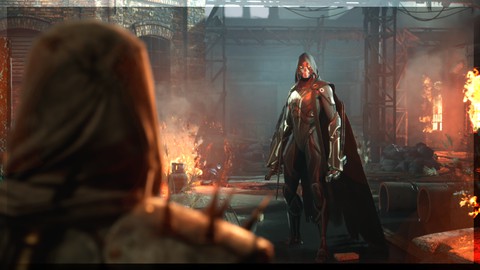
- Video Duration:
 2.5h
2.5h - Price: $89.99
- Provider: Udemy
- Updated:
 June 2021
 - Level:
 Beginner
 - Language:
 English
 - Certificate:
 Yes
Yes
30-day money-back guarantee on most paid courses
Udemy Coupon Price Tracker
