
 Web Development
 Data Science
 Python
 SQL
SQL JavaScript
 Artificial Intelligence
 IT & Software
 IT Certifications
 Hacking
 AWS
AWS Arduino
 DevOps
 3D Modeling
 Graphic Design
 Photoshop
 Drawing
 Digital Painting
 UX Design
 Business
 Data Analysis
 Communication Skills
 Project Management
 Leadership & Management
 Human Resources
 Digital Marketing
 Social Media Marketing
 Marketing
 SEO
SEO Google Analytics
 Branding
 Excel
Excel Office Productivity
 SAP
SAP PowerPoint
 Microsoft Access
 SharePoint
 Finance & Accounting
 Trading & Investing
 Accounting
 Bitcoin
 Personal Finance
 Video Editing & Animation
 Photography
 Adobe Premier Pro
 Adobe Lightroom
 Personal Development
 Productivity
 Career Development
 Life Coaching
 Health & Fitness
 Meditation & Mindfulness
 Yoga
Yoga Music
Music Music Production
 Guitar
 Piano
Piano Singing
 Language Learning
 Teaching & Academics
 Engineering
 Math
Math Lifestyle
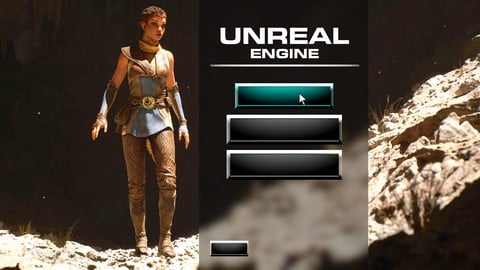
Unreal Engine 5 - Learn to Make a Professional Main Menu (Udemy.com)
Learn how widget blueprints work in UE5, as I teach how to create an animated main menu and graphics settings menu!
Created by: Gavin Eisenbeisz
Last updated August 2021
 What you will learn
- How to use Widget Blueprint to make UI menus
- How to animate widgets to give your game a professional touch
- How to make a working settings menu that adjust your games graphics settings
- How to make a main menu
How it compares
Against the other 70 rated Udemy courses in Unreal Engine on CourseDuck:
- Rating4.3 out of 5higher than 24% of them
- Reviews627#33 of 71 by number of reviews
- Length1.5 hoursshorter than 97% of them
- Last updatedAugust 2021earlier than 75% of them
 Course Description
In this course I'll show you the easiest way to create a professional main menu for your game. The menu we'll be creating is nearly identical to the menus I've created for my own video games like Cloud Climber, and My Friend is a Raven, which have been played by hundreds of thousands of people. That means these tools and techniques are "battle tested" and have proven themselves in a professional setting!
This course acts as a great starting point for anyone who is unfamiliar with UE5s Widget Blueprint system, and will get you up to speed on all the settings, navigation, and common errors that you'll run into, and how to fix them. By the time you're done with this 1.5 hour course, you'll not only have created an animated main menu, with a fully functioning graphics settings menu, but you'll also have the knowledge you need to start creating many other kinds of menus and widgets for your games!
----------------------------------------------------------------------------------------
This course is targeted at Unreal Engine users who already have a little bit of experience in UE4 or 5. You don't need to be a highly advanced programmer, creating your own triple A games, but I won't be explain the basics of UE5 in this course. I'll be skipping over things like installing the engine, navigating the engine, and won't be explaining the basics of Blueprint either. This way, we can hop straight into the fun of learning about widgets and menus!

 Udemy Discount
The discount is applied through our link. Open the course from here and Udemy's current promotional price is applied at checkout on most courses, no code to type.
Some courses are excluded from Udemy's promotions. If the price does not drop, clear your browser cookies and use the button again.
Instructor Details

- 4.3 Rating
 627 Reviews
Gavin Eisenbeisz
Hi, I'm Gavin!
I own Two Star Games, an award winning indie game studio, and I have been creating my own games since 2013. Since then I've published games like Cloud Climber, and My Beautiful Paper Smile, and am currently developing Choo-Choo Charles. My games have been played by hundreds of thousands of people, been featured by PC Gamer, have been on the front page of sites like Steam, Itch and Gamejolt, and have been played by popular influencers like Markiplier, and FGTeeV.
I've accumulated extensive knowledge of game art, storytelling, design, and of tools like Unreal Engine over the years. It's my goal here on Udemy to provide some of that knowledge to you, in a complete and comprehensive way, so that you can start creating the experiences that you want to create.
 More courses by Gavin Eisenbeisz
Unreal Engine 5 - Learn to Create Professional Cinematics (2021)
4.4 (1,501 Reviews)
 Provider: Udemy
 Time: 2.5h
$89.99

Unreal Engine 5 - Realistic Environment Design for Beginners (2021)
4.5 (1,168 Reviews)
- Provider: Udemy
- Time: 4.3h
$84.99
Unreal Engine 5 Beginner Blueprints: Make your first game! (2021)
4.6 (756 Reviews)
- Provider: Udemy
- Time: 6.3h
$74.99

Unreal Engine 5- Beginner Lighting, Fog, and Post Processing (2021)
4.1 (730 Reviews)
- Provider: Udemy
- Time: 2.6h
$64.99
More Unreal Engine courses

Unreal Engine 5: One Course Solution For Material (2026)
4.9 (1,774 Reviews)
- Provider: Udemy
- Time: 14.1h
$99.99

Unreal Engine 5 Blueprints - The Ultimate Developer Course (2026)
4.8 (4,636 Reviews)
- Provider: Udemy
- Time: 41.6h
$19.99

The Ultimate Unreal Engine 2D Game Development Course (2026)
4.8 (3,290 Reviews)
- Provider: Udemy
- Time: 12.1h
$99.99


Unreal 5 Materials - Part 1 Environments (2024)
4.8 (221 Reviews)
- Provider: Udemy
- Time: 14.4h
$79.99

Unreal Engine 5 - Gameplay Ability System - Top Down RPG (2026)
4.7 (3,529 Reviews)
- Provider: Udemy
- Time: 105.8h
$24.99
 Reviews

By James Markham Hall on 1/21/2026
Exceptional course! Packed full of APPLICABLE information that I was able to implement directly into my games. Even better at 1.5x, I was able to jam on it and get through all of this valuable material in record time. DRM protection wasn't really necessary, but it's fine, I just did screen shots of my own project and added them to our slack as we went along. I HIGHLY recommend this for anyone who wants a crash course in UE5 UMG or anyone who just needs to quickly create a menu for a project.
By Jonathan Tham on 9/22/2025
Not sure if it's clear or something are missing but - as someone who is learning straight from fresh especially in UI, there are things that are missing. For example adding a Canvas Panel first then adding all the elements within it. And also there should be some reassurance that if the game was for - for example third person, the getting all HUD first person is invalid and should show what to do if it's a third person game. I've attempted this part twice and it doesn't seem to work.
By Federica Gioacchini on 8/30/2025
It's a nice course, not properly for total beginners. Unfortunately two videos are without english subtitles (I prefer English to French); it could be useful if following without listening if you are in certain places. One only limit, very common in Unreal Community: teacher are not used to explain why things work in a particular way, basically but deeply. It's something that makes me crazy, sometimes. So...ok "how"...but "why" too.
By Seus Waaw on 5/15/2025
Pretty good course overall, could have been more complete with a few more options in the settings menu, covering stuff like check boxes, sliders and combo boxes (perhaps a slider for the audio, a check box for motion blur or vsync, combo for screen resolution or screen display), aswell as integrating the menu ingame (being able to access the settings/quit options by pressing esc for instance). But the pacing was great, short videos so nothing overwhelming for beginners.
By Yousuke fromJP on 8/26/2024
I am a beginner in UE5 learning from Japan. The content of the course was simple and concise, yet it effectively covered all the key points needed for implementation. I believe I can learn to create an attractive title menu quickly and without any confusion. I was also pleased to learn about features that were new to me. Thank you very much.
By Jerry Smith on 7/2/2023
I recommend this course. Some things I really liked: * It is really short * Teaches how to animate the UI (ie. like when hovering over a button, and animating the camera on the main menu) * While the teacher shows a simple settings implementation, it would be easy enough to expand on it if needed. I knew UE had a way to change various settings but I had never looked into it, so this was good to see how that worked, even if it is pretty basic. NOTE: This course does not cover Joystick support in the UI. If you have already created menus and hooked up button events and know how to animate the UI and how to switch between main menu to the game, or how to switch from main menu to settings menu, then there is no need to take this course. But if these things are of interest to you, then this is a quick and easy and clear course to learn from.
By Mike Crane on 7/16/2022
Highly recommended! This was a very good course that I would highly recommend to those who want to create a simple main menu for their games. This course gives you some very good ideas for making your menus look very professional. I also liked that the course was short (just over a hour long), but was packed with lots of useful information that I will be using in the future. Gavin is also a very good instructor - clear, understandable and his pace was on point. Thank you for this course!
By Andy Anderson on 4/22/2022
It's effective in that if you watch the content and connect the dots as he tells you to, you will have a functional main menu in a few hours. The instructor simply didn't seem interested in putting in the time required for true learning to occur. This course is more akin to watching your friend program for an hour, talking to you like you're on his technical level, and then handing you the source code so you can call it your own. How much was truly absorbed at the end of the day?
By Greggory Fisher on 4/13/2022
Great course. Everything you'd need to get started creating a main menu is covered. The instructor moves at a great pace and is very relatable. Content is extremely relevant. Even if you've never coded before, the code is fairly simple to follow. This is my third course with this instructor which I think says enough. Thank you!
By Shaul Hagen on 2/15/2022
This course is straight forward and delivers exactly what is advertised. If you are a true beginner you may want to start somewhere else but if you have some familiarity with Blueprints, animation timeline, assets, etc. you should be able to follow along quite easily. Come prepared with your own assets if you want to make something more straight forward. Instead of making a new level from scratch you can duplicate an existing level from the first person blueprint or another starter content level and then just add or delete items to make your own scene.
 Quality Score
No CourseDuck member has rated this course yet. Taken it? Give each part a thumbs up or down.
Overall Score : 86 / 100
- Video Duration:
 1.5h
1.5h - Price: $69.99
- Provider: Udemy
- Updated:
 August 2021
 - Level:
 Intermediate
 - Language:
 English
 - Certificate:
 Yes
Yes
30-day money-back guarantee on most paid courses
Udemy Coupon Price Tracker
