
 Web Development
 Data Science
 Python
 SQL
SQL JavaScript
 Artificial Intelligence
 IT & Software
 IT Certifications
 Hacking
 AWS
AWS Arduino
 DevOps
 3D Modeling
 Graphic Design
 Photoshop
 Drawing
 Digital Painting
 UX Design
 Business
 Data Analysis
 Communication Skills
 Project Management
 Leadership & Management
 Human Resources
 Digital Marketing
 Social Media Marketing
 Marketing
 SEO
SEO Google Analytics
 Branding
 Excel
Excel Office Productivity
 SAP
SAP PowerPoint
 Microsoft Access
 SharePoint
 Finance & Accounting
 Trading & Investing
 Accounting
 Bitcoin
 Personal Finance
 Video Editing & Animation
 Photography
 Adobe Premier Pro
 Adobe Lightroom
 Personal Development
 Productivity
 Career Development
 Life Coaching
 Health & Fitness
 Meditation & Mindfulness
 Yoga
Yoga Music
Music Music Production
 Guitar
 Piano
Piano Singing
 Language Learning
 Teaching & Academics
 Engineering
 Math
Math Lifestyle
Unreal Engine 5- Beginner Lighting, Fog, and Post Processing (Udemy.com)
I'll teach you the basics of lighting scenes in UE5, in this beginner friendly game development course!
Created by: Gavin Eisenbeisz
Last updated July 2021
 What you will learn
- Overviews for each individual light
- How to build lighting and avoid common errors
- How to use fog, and other atmospheric effects
- Basics of using post-process volumes
- How to fully light a scene in multiple different styles
How it compares
Against the other 281 rated Udemy courses in Game Development Fundamentals on CourseDuck:
- Rating4.1 out of 5higher than 8% of them
- Reviews730#51 of 282 by number of reviews
- Length2.6 hoursshorter than 86% of them
- Last updatedJuly 2021earlier than 70% of them
 Course Description
If you're a game developer looking to level-up your lighting abilities in Unreal Engine 5, then you're in the right place!
In this course I'll teach you everything you need to know to start lighting beautiful scenes, by taking advantage of all the different light types, as well as teach you the basics of post-processing, and fog.
---------------------------
If you don't have any experience in Unreal Engine 4, or 5, I've got you covered! I've dedicated part of this course to teaching the basic knowledge needed to complete this course. You'll learn how to install the engine, how to add objects to your new projects, and even how to navigate the engine and edit levels!
Once you learn the basics, or if you already have some experience, we'll hop into learning all of UE5s lighting tools! I'll teach you the basic universal lighting settings that you'll need to know about for all your projects. I'll show you how to use global illumination methods, and how to switch between different ones like Lumen and ray tracing. I'll explain each individual light type so that you can see how the unique settings of each function. As well as basic lighting, I'll get into some other crucial parts of lighting your scene, like building lighting, and how to avoid common errors.
After learning those tools, we'll dive into learning the basics of the exponential height fog, and post-processing effects that we can use to spice up our scenes. And finally, with all of the knowledge you've gained throughout the course, I'll demonstrate how we can put all these tools together by walking you through the lighting of two scenes from scratch!
---------------------------
If this sounds like something you're interested in, I look forward to teaching you the basics of lighting scenes in Unreal Engine 5!

 Udemy Discount
The discount is applied through our link. Open the course from here and Udemy's current promotional price is applied at checkout on most courses, no code to type.
Some courses are excluded from Udemy's promotions. If the price does not drop, clear your browser cookies and use the button again.
Instructor Details

- 4.1 Rating
 730 Reviews
Gavin Eisenbeisz
Hi, I'm Gavin!
I own Two Star Games, an award winning indie game studio, and I have been creating my own games since 2013. Since then I've published games like Cloud Climber, and My Beautiful Paper Smile, and am currently developing Choo-Choo Charles. My games have been played by hundreds of thousands of people, been featured by PC Gamer, have been on the front page of sites like Steam, Itch and Gamejolt, and have been played by popular influencers like Markiplier, and FGTeeV.
I've accumulated extensive knowledge of game art, storytelling, design, and of tools like Unreal Engine over the years. It's my goal here on Udemy to provide some of that knowledge to you, in a complete and comprehensive way, so that you can start creating the experiences that you want to create.
 More courses by Gavin Eisenbeisz
Unreal Engine 5 - Learn to Create Professional Cinematics (2021)
4.4 (1,501 Reviews)
 Provider: Udemy
 Time: 2.5h
$89.99

Unreal Engine 5 - Realistic Environment Design for Beginners (2021)
4.5 (1,168 Reviews)
- Provider: Udemy
- Time: 4.3h
$84.99
Unreal Engine 5 Beginner Blueprints: Make your first game! (2021)
4.6 (756 Reviews)
- Provider: Udemy
- Time: 6.3h
$74.99
Unreal Engine 5 - Learn to Make a Professional Main Menu (2021)
4.3 (627 Reviews)
- Provider: Udemy
- Time: 1.5h
$69.99
More Game Development Fundamentals courses

The Ultimate 2D Top Down Unreal Engine Course (2026)
4.9 (1,468 Reviews)
- Provider: Udemy
- Time: 17.1h
$94.99

Blender Skill Builder: Modelling Challenges (2026)
4.9 (144 Reviews)
- Provider: Udemy
- Time: 6.5h
$19.99

Jumpstart to 2D Game Development: Godot 4 for Beginners (2026)
4.8 (4,398 Reviews)
- Provider: Udemy
- Time: 67.6h
$89.99

Create a Complete 2D Survivors Style Game in Godot 4 (2023)
4.8 (3,761 Reviews)
- Provider: Udemy
- Time: 17.2h
$59.99

Master Lua Programming and Create Amazing Games with LÖVE! (2023)
4.8 (3,199 Reviews)
- Provider: Udemy
- Time: 8.5h
$13.99

Complete Godot 2D: Develop Your Own 2D Games Using Godot 4 (2025)
4.8 (1,619 Reviews)
- Provider: Udemy
- Time: 11.3h
$94.99
 Reviews

By Aki DAI on 7/2/2025
It's a great fun to see how tutor went through almost all light sources' settings to showcase what this parameter is for and how to use it, particularly when he is playing with some rarely used features, e.g., link a HDRI cubemap to the in-scattering color cube map of Exponential Height Fog actor. A very fine starting course for newbies who never used UE5's lighting system before. Although Epic Games just released UE5.6 a few weeks ago while this course is made with Early Preview edition of UE5.0, the essences of most frequently-used light sources stay the same, and lighting skills learnt in this course could be applied to new edition of Unreal Engine as well. Personally I love the second lighting demo scene, about how to illuminate an exterior night scene. Some hints covered in this section is quite inspiring and I am thinking of applying them in my projects later. A small suggestion to author is that, it seems that UE is releasing UE5.7 later in 2026, probably with a new voxel system. Could you create another course (or just update this course) with this edition of UE by applying more complex lighting skills in the same park scene, e.g., make a day-night shift? This scene is complex enough, with lots botanical assets and water surfaces. It will be interesting to create a lighting system there with ray-tracing features on. Some optimization skills on graphics could also be introduced while retouching as well. Thank you very much to tutor again for sharing this detailed course and look forward to more works from you, too.
By Ilya Honin on 3/6/2025
Хороший и емкий курс по базовому освещению в Unreal Engine. Довольно детально разбираются все параметры световых источников (указывается, что влияет на производительность, а что только на картинку), параметры тумана и пост-эффектов. Плюсом идут 2 практических упражнения в конце на дневное и ночное освещение, где можно сделать свой вариант и закрепить пройденный материал. Однозначно рекомендую новичкам для ознакомления!
By Lucian Donizetti MacIel on 5/21/2024
Very straight foward and good introduction to light setup in Unreal, but I fell a lack of explanation on more technical parameters (like how bake lights works and possible differences on newer Unreal versions) and I wanted some more theorical content on diferents environments (setting a scene on closed ambient like the "underground gallery" on the map would be great More configurations on sky (like cloud density and a moon texture) would be nice In general it's a great class, but i feel a bit more lessons would've improved it a lot
By Zoltan Jaksa on 1/16/2024
A few things were explained (what basic parameters are do) The course doesn't contain a guide about how to do an environment building or what to watch out for - not even useful tips. It feels like just a random tweaking parameters without any imagination. Saddest thing to hear from you instructor that "I don't really know how does it work or what is it" I bought the course to learn and not to get the advice to read about it on official unreal site.
By Clarissa Sarmiento on 9/29/2023
This course taught me a lot. I'm an intermediate UE5 user but I do not have much knowledge when it comes to using proper lighting in my scene. This is a good beginner course when it comes to lighting and highly recommend to those who are starting to learn about lighting. I do hope though that he does have an advance course on lighting since that would be a great follow up to this.
By David Whittinghill on 9/18/2022
I liked this course. It did what I expected; it walked through what was needed to get a basic understanding of Unreal's lighting, fog, and post processing systems. The course also had lots of helpful tips for optimization and when particular settings might be more (or less) useful. Any instructor has a quandary before them: whether to teach a system's settings (here's how you adjust parameter XYZ), or, whether to teach how to use parameter XYZ to achieve design goal ABC. Both approaches can be useful depending on each learner's needs. In this case, the instructor did a bit of both. The first part of the course walks you through what all the parameters are, giving you tips and info along the way. Then, at the end, he applies the parameters towards specific design objectives (a sunset scene versus a moonlit scene). He did not go into a great deal of depth in either but that seems perfectly appropriate for a course explicitly targeted for beginners. I think he struck the right balance. I would enjoy a course from this instructor that would go into intermediate and advanced topics, as his dictation is clear and his teaching style is pleasant and well paced. One suggestion for improvement of this course: remove Section 1: The Basics and instead recommend another course on installing UE in its place. This course is basic lighting, not basic UE and others cover basic UE more comprehensively. It is a distraction here. I would have much preferred those 35 minutes were spent on another design scenario (e.g. underground, arid, arctic, autumn, Mars, etc.). A lot of learning when/how to use UE's various gadgets is seeing others use them toward meeting their specific design goals. The two provided design examples were great but the course would have benefitted from a couple more. Still, overall, I am very satisfied with the course and highly recommend it.
By Marco Verrocchi on 9/13/2022
It's an extremely quick rundown of the lighting settings in Unreal, and the instructor REALLY goes fast through most of them, especially the ones that require a longer discussion (atmosphere, fog etc). Also, there's a high chance that what you'll see in the lesson and what you actually get is drastically different: lots of stuff clearly changed between UE5 Beta and the current release (Sept. 2022) and it really shows, because I was lost for half the time. The real issue though, is that half of the course is set in this huge sprawling map (free but extremely taxing on normal machines, I hope you have a beefy one otherwise I assume your FPS will tank) that is filled with pre rendered stuff and an insane amount of meshes. Result? I couldn't build the lighting, I have no idea why (which is why I bought a lighting course in the first place) and I can't really see all the minute details. ALL these lessons should've been based on creating a scene from the ground up, adding a bunch of meshes here and there and nothing more. The focus should've been the lighting system, not trying to get a nice screenshot out of the last section. As a result, I haven't learned really that much, you're better off following Epic's lessons from their community hub. They're not the easiest thing to follow, but they spend a lot more time describing how things work
By Timothy Carnahan on 8/9/2022
I appreciate the lighting course. There are a few problems. Even following the examples and parameters that were given, the images did not turn out even close to similar. The instructor is very good at what he does, but he is lacking in providing detailed reasoning as to why certain functions work the way they do. I would suggest slowing down your videos, providing a better understanding of what the light is doing (what is occlusion, vignette, etc.). Not a bad course, but I don't think it was as good as it could have been given the instructors knowledge base. (I know you have a lot of knowledge) All my best and thank you.
By Paul Fritz on 7/30/2022
A little bit slow at times and needs to be updated to Unreal 5.03 since the EA and final versions are enough different. Also, the Sky Light does not seem to work the same in 5.03 during the initial demo. Overall though, this course does show how to use the different elements of lighting and exponential height fog together to make your scenes look awesome.
By Ricardo Cruz on 5/6/2022
The course is good as a whole and it does help a lot to start learning the basics of lighting. Also, the instructor seems to really dominate the idea behind color grading and lighting, at the end you have 2 different scenes that you lit along the course, which means you do get at least a good first piece for a portfolio. Some notes to improve the course: - I missed more explanation on how to optimize the scene (even though the instructor did mention some things) - I missed learning about interior lighting. The instructor could add an interior scene to the course, with a day time and a night time as well. - Me and some other guys had a question about our scenes not showing the foliage of the trees in a small distance, the instructor never responded the question and I've lost some hours to find the fix. Also, I got stuck in the course for some days trying to fix that. This problem altered the visuals of the scene, thus making difficult to light it properly. - Personally I don't like to have "complete" explanations about how a tool works before starting the practice, I struggle to remember those details, thus I feel like I missed some time watching the entire second section. I'd prefer starting lightning the scene asap and he could spend more time explaining the settings that he alters once he add a certain light/post process to the scene. Maybe he could split the video in 2-3 parts if this would make the video too long. (This might be just my opinion on that matter, doesn't mean it's bad the way he did)
 Quality Score
No CourseDuck member has rated this course yet. Taken it? Give each part a thumbs up or down.
Overall Score : 82 / 100
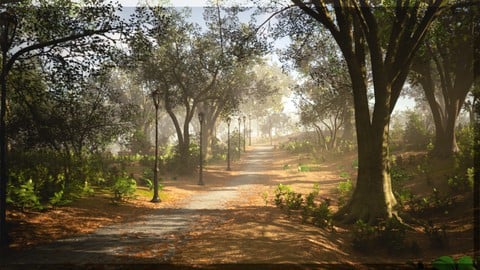
- Video Duration:
 2.6h
2.6h - Price: $64.99
- Provider: Udemy
- Updated:
 July 2021
 - Level:
 Beginner
 - Language:
 English
 - Certificate:
 Yes
Yes
30-day money-back guarantee on most paid courses
Udemy Coupon Price Tracker
