
 Web Development
 Data Science
 Python
 SQL
SQL JavaScript
 Artificial Intelligence
 IT & Software
 IT Certifications
 Hacking
 AWS
AWS Arduino
 DevOps
 3D Modeling
 Graphic Design
 Photoshop
 Drawing
 Digital Painting
 UX Design
 Business
 Data Analysis
 Communication Skills
 Project Management
 Leadership & Management
 Human Resources
 Digital Marketing
 Social Media Marketing
 Marketing
 SEO
SEO Google Analytics
 Branding
 Excel
Excel Office Productivity
 SAP
SAP PowerPoint
 Microsoft Access
 SharePoint
 Finance & Accounting
 Trading & Investing
 Accounting
 Bitcoin
 Personal Finance
 Video Editing & Animation
 Photography
 Adobe Premier Pro
 Adobe Lightroom
 Personal Development
 Productivity
 Career Development
 Life Coaching
 Health & Fitness
 Meditation & Mindfulness
 Yoga
Yoga Music
Music Music Production
 Guitar
 Piano
Piano Singing
 Language Learning
 Teaching & Academics
 Engineering
 Math
Math Lifestyle
VFX Shot Creation from Scratch with Maya and After Effects (Udemy.com)
The untold story of Vicki Lau and her journey in re-creating a startling incident from scratch, using visual effects.
Created by: Vicki Lau
Last updated February 2022
 What you will learn
- Know what, when and how to create a visual effects shot from scratch using various software
- Know how to use Autodesk Maya for 3D model creation
- Know how to use Adobe Photoshop for the creation of textures
- Know how to use Adobe After Effects for the compositing of a live-action shot
- See through the entire process of finishing a visual effects shot
- Compliment the visual effects skills picked up in the instructor's other VFX courses
How it compares
Against the other 43 rated Udemy courses in Houdini on CourseDuck:
- Rating4.5 out of 5higher than 44% of them
- Reviews36#33 of 44 by number of reviews
- Length4.2 hoursshorter than 60% of them
- Last updatedFebruary 2022more recently than 76% of them
 Quality Score
Overall Score : 90 / 100
 Course Description
The First "Filmtorial" of Its Kind in MOOC Industry & Possibly, the World.
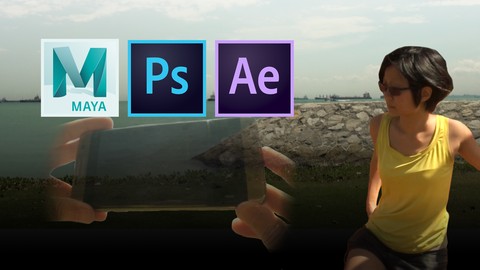
Using 3 different graphics software to solve footage shot from a mere mobile phone, learn by actually watching a short film story unfold whilst helping the story's main character create the final visual effects shot through the course's step-by-step guide to 3D modelling, texturing, animation, 2D tracking and compositing.
Why This Course?
- Taught by a real professional in the visual effects and film industry who worked on actual Hollywood blockbusters
- Actually be able to create your own visual effects shots from scratch, using your own mobile phone to capture usable footage
- Learn only what is necessary to be able to see a shot from pre-production to final rendering of visual effects
- Major and innovative leading course of a series of other more advanced visual effects tricks, tips and methods
- Participate in a new e-learning movement and style of learning by watching and being a part of the short film as student characters
It's like 3 courses and a movie ticket, for the price of 1 course.
You will Learn How:
- To use Autodesk Maya, Adobe Photoshop and Adobe After Effects effectively, based on the case shot provided
- To plan to shoot your own custom visual effects shots
- To solve problems with real world film shots and post-production scenarios
Whether you're a filmmaker, movie-goer or just an avid e-learner, be one of the first few students to experience a new style and movement of learning how to create your own visual effects shot from absolutely nothing.
Even if you don't want to become a visual effects artist, at least you will enjoy the film and experience.
2016 Vicki LauWho this course is for:
- Film students and graduates interested in visual effects post-production
- Professionals from other industries looking to learn visual effects post-production
- Aspiring or new filmmakers
- Movie-goers or short film lovers
- Students of the instructor's other VFX courses
- General students looking to learn something new in an interesting way

 Udemy Discount
The discount is applied through our link. Open the course from here and Udemy's current promotional price is applied at checkout on most courses, no code to type.
Some courses are excluded from Udemy's promotions. If the price does not drop, clear your browser cookies and use the button again.
Instructor Details

- 4.5 Rating
 36 Reviews
Vicki Lau
Vicki started as a humble student of digital media back in the small city of Singapore with a background in visual effects and programming in film and television. Without any contacts or connections in the United States, she began her career at the age of 18 from Singapore, working her way up into the Hollywood film industry and landing her first break working on AMC's hit series, The Walking Dead (Season 4), as well as other movies such as Guardians of the Galaxy, War for the Planet of the Apes and the recent Aquaman.
Already recognized by her country and by major organizations as an expert in her field, Vicki has made great strides for someone her age, being in consistently high demand for jobs - averaging about 4 job offers and requests for interviews per freelance month(s) of availability, whilst her peers are still struggling to find their first entry-level position in the field. At only 24 years of age, she was one of the youngest speakers and presenters at the SMPTE Annual Technical Conference in its time, where she was a panelist and speaker for virtual reality in motion pictures.
She gave a TEDx talk on visual effects and virtual reality in May 2016 at Napa Valley, CA and in November 2018, was invited to speak as a k
 More courses by Vicki Lau
VFX Compositing with Nuke: The Complete 2D Edition (2022)
4.4 (320 Reviews)
 Provider: Udemy
 Time: 4h
$59.99
VFX Compositing with After Effects: The Complete Edition (2022)
4.3 (272 Reviews)
- Provider: Udemy
- Time: 1.9h
$64.99
VFX Rotoscoping 101 with After Effects and Mocha (2022)
4.4 (241 Reviews)
- Provider: Udemy
- Time: 1h
$49.99
VFX Production On-Set: Becoming a Visual Effects Supervisor (2022)
4.3 (201 Reviews)
- Provider: Udemy
- Time: 3.4h
$59.99

More Houdini courses

Vehicle Modeling in Houdini 16.5 - SciFi Dropship (2019)
4.8 (1,214 Reviews)
- Provider: Udemy
- Time: 10.3h
Free
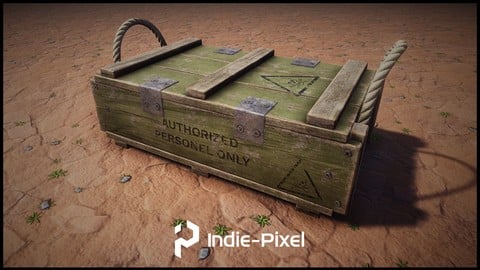
Houdini 16.5 - Procedural Prop Modeling - Ammo Crate (2020)
4.8 (206 Reviews)
- Provider: Udemy
- Time: 3.2h
$64.99
Master Houdini FX: Create Stunning Visual Effects rigs (2025)
4.7 (642 Reviews)
- Provider: Udemy
- Time: 18.8h
$89.99
 Reviews

Excellent course and good materials too. I personally liked the interweaving of clips and tutorials actually.
A very interesting presentation of teaching and entertainment. Based on what I had watched thus far, not only are the concepts memorable but the film sections are also engaging and keeps me wanting for more. Cannot wait to finish this course. Thank you.
Good tips and tricks using practical examples. However, the pretense of the course was a little cheesy and become tiresome towards to the end.
gostei pq ela explica o motivo do que esta sendo feito agora para ser usado depois e o que nao fazer no momento
I love her teaching style. She makes me laugh which keeps me interested and she also knows her stuff!
- Video Duration:
 4.2h
4.2h - Price: $59.99
- Provider: Udemy
- Updated:
 February 2022
 - Level:
 All Levels
 - Language:
 English
 - Certificate:
 Yes
Yes
30-day money-back guarantee on most paid courses
Udemy Coupon Price Tracker
