
 Web Development
 Data Science
 Python
 SQL
SQL JavaScript
 Artificial Intelligence
 IT & Software
 IT Certifications
 Hacking
 AWS
AWS Arduino
 DevOps
 3D Modeling
 Graphic Design
 Photoshop
 Drawing
 Digital Painting
 UX Design
 Business
 Data Analysis
 Communication Skills
 Project Management
 Leadership & Management
 Human Resources
 Digital Marketing
 Social Media Marketing
 Marketing
 SEO
SEO Google Analytics
 Branding
 Excel
Excel Office Productivity
 SAP
SAP PowerPoint
 Microsoft Access
 SharePoint
 Finance & Accounting
 Trading & Investing
 Accounting
 Bitcoin
 Personal Finance
 Video Editing & Animation
 Photography
 Adobe Premier Pro
 Adobe Lightroom
 Personal Development
 Productivity
 Career Development
 Life Coaching
 Health & Fitness
 Meditation & Mindfulness
 Yoga
Yoga Music
Music Music Production
 Guitar
 Piano
Piano Singing
 Language Learning
 Teaching & Academics
 Engineering
 Math
Math Lifestyle
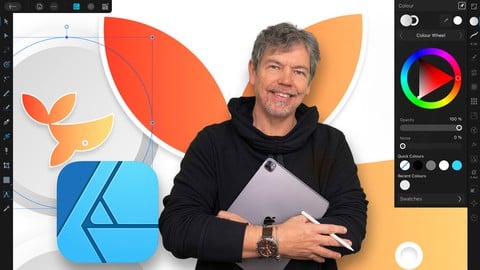
Affinity Designer on the iPad Course - Zero to Hero - V1 (Udemy.com)
Comprehensive course for those with no prior knowledge up to advanced - version 1
Created by: Tim Wilson
Last updated March 2024
 What you will learn
- The Essentials of Affinity Designer for those new to the software
- Create professional designs and illustrations
- Draw your own shapes and manipulate them using the Pen, Pencil, Geometry tools
- How to create infographics, logos and icons
- Learn to create eye-catching and amazing digital vector artwork with stunning color
- Create amazing artwork using repetition
- Understand color including RGB / CMYK, Spot as well as working with Gradients
- Create designs for use in print, packaging, advertising, social media, websites and mobile graphics
- Work with various personas including the Vector, Bitmap and Export personas
- Work with bitmap brushes and masks
- Learn to design UX layouts for mobile devices
How it compares
Against the other 28 rated Udemy courses in Affinity Designer on CourseDuck:
- Rating4.8 out of 5higher than 89% of them
- Reviews42#24 of 29 by number of reviews
- Length6.5 hourslonger than 75% of them
- Last updatedMarch 2024more recently than 89% of them
 Course Description
Learn to Create Beautiful Graphics on this Comprehensive Affinity Designer on the iPad Course
This is a comprehensive course in Affinity Designer on the iPad V1, starting from scratch for complete beginners, through to advanced techniques. Using the new iPad version, I show you the techniques and concepts using touch, gestures and the Apple pencil. You do not have to be able to draw to complete this Designer on the iPad course.
Using real life examples, I will demonstrate and give you exciting projects to carry out so you can easily put these into practice for your own artwork, graphic design work and marketing materials. Whether you want to get paid for your Designer skills, or you're doing this for fun / self-improvement, this course and the projects will help you build confidence to be able to translate into your own work.
I will take you through Affinity Designer on the iPad by first looking at a specific set of tools and techniques, and then reinforcing your knowledge in these with a step-by-step project at the end of most sets of lectures. The projects range from simple logos and icons, through to more complex posters, into in-depth graphics and UX design. All the content can be adapted for both print or web.
During the videos there will also be key phrases that appear to help you remember tools, shortcuts and techniques.
Music by Bensound - License code: KC9UHOTLCUFNPEXS

 Udemy Discount
The discount is applied through our link. Open the course from here and Udemy's current promotional price is applied at checkout on most courses, no code to type.
Some courses are excluded from Udemy's promotions. If the price does not drop, clear your browser cookies and use the button again.
Instructor Details

- 4.8 Rating
 42 Reviews
Tim Wilson
Tim divides his time between training, and undertaking design and photography projects. He has trained a range of companies including BBC, Disney, Aardman, Sky, Nissan, Ford, British Airways, Virgin, Barclays, KPMG, NHS, the Times and Adobe amongst many others.
Tim spent many years as a lecturer for Graphic Design and Photography Honour Degree students at universities. He loves sharing his passion for design and this is reflected by the enthusiasm from his students who rebook his courses to continue their professional development.
 More courses by Tim Wilson

Adobe Illustrator - Beginner to Pro Level With New AI (2026)
4.8 (1,368 Reviews)
 Provider: Udemy
 Time: 13.7h
$89.99


Affinity: The Complete Design Course – Beginner to Pro (2026)
4.8 (466 Reviews)
- Provider: Udemy
- Time: 23.8h
$19.99
Affinity Publisher - The Essentials for Beginners V1 & V2 (2022)
4.5 (441 Reviews)
- Provider: Udemy
- Time: 5.3h
$69.99
Affinity Designer Desktop V2 - From Beginner to Pro Level (2023)
4.6 (434 Reviews)
- Provider: Udemy
- Time: 11.3h
$84.99

Beginner to Wow - Affinity Photo Version 2 (2022)
4.9 (420 Reviews)
- Provider: Udemy
- Time: 4.8h
$69.99
More Affinity Designer courses


Affinity Designer: The Complete Guide to Affinity Designer (2024)
4.8 (5,274 Reviews)
- Provider: Udemy
- Time: 23.5h
$99.99

Affinity Designer for Beginners | Updated for Version 2 (2022)
4.8 (478 Reviews)
- Provider: Udemy
- Time: 4.3h
$74.99
Vector Drawing on the iPad with Affinity Designer (2019)
4.7 (1,702 Reviews)
- Provider: Udemy
- Time: 4.5h
$74.99


Essential Skills for Designers - Mastering the Pen Tool (2013)
4.7 (236 Reviews)
- Provider: Udemy
- Time: 2.1h
$64.99
 Reviews

By Rosemary Prevec on 3/17/2023
Loving this course so much. Tim is a sweetheart, and explains everything so carefully and well. Doing the exercises, which involves repeating techniques in different ways, really helps to cement the skills, and to learn efficient habits. Although I am currently using V2, it is easy enough to work out the few things that are different- the concepts are the same. Great course, thanks Tim!!!
By Eugénio Armando Bernardo on 3/12/2023
The instructor explains very slowly making the learn process very easy. And he really knows what he teaches. I’ve gotten other courses from this instructor.
By Olga Bauer on 2/25/2023
Great and solid course. I feel like there were covered many different aspects, so I can go on and use Affinity Designer by myself.
By Lyn wendtman on 2/15/2023
Using v2 on ipad for first time. Still finding tools confusing. Where is delete? Only under thec3 dots?
By Ana Luisa on 12/14/2022
Most excellent! Very informative and well put together.
By Faith Martin on 11/10/2022
Like his teaching method. Quiet approach unlike some of the more ‘enthusiastic’ offerings from US teachers on here which I do not get along with.
By Will Petrey on 9/21/2022
Tim's quick and focused lessons are a great way to learn this program.
By William Cross on 8/23/2022
Excellent Instructor. The course is taught at a pace that makes it easy for a beginner, but also allows an individual with intermediate knowledge to learn new tasks. The included projects help to solidify the skills being taught. Would recommend this course to anyone attempting to learn Affinity Design for the iPad.
By Brian Madden on 8/3/2022
Very good course. There’s tons of information and tips for Designer on iPad, presented in easy-to-follow bite sized chunks. I would definitely recommend.
By Cheryl Jay on 7/19/2022
Because it’s a good detailed course to learn to use Affinity Designer and it’s features
 Quality Score
No CourseDuck member has rated this course yet. Taken it? Give each part a thumbs up or down.
Overall Score : 96 / 100
- Video Duration:
 6.5h
6.5h - Price: $64.99
- Provider: Udemy
- Updated:
 March 2024
 - Level:
 Beginner
 - Language:
 English
 - Certificate:
 Yes
Yes
30-day money-back guarantee on most paid courses
Udemy Coupon Price Tracker
