
 Web Development
 Data Science
 Python
 SQL
 JavaScript
 Artificial Intelligence
 IT & Software
 IT Certifications
 Hacking
 Microsoft Azure
 AWS
 Arduino
 3D Modeling
 Graphic Design
 Photoshop
 Drawing
 Digital Painting
 UX Design
 Business
 Data Analysis
 Communication Skills
 Project Management
 Leadership & Management
 Human Resources
 Digital Marketing
 Social Media Marketing
 Marketing
 SEO
 Google Analytics
 Branding
 Excel
 Office Productivity
 SAP
 PowerPoint
 Microsoft Copilot
 Microsoft Access
 Finance & Accounting
 Trading & Investing
 Accounting
 Bitcoin
 Personal Finance
 Video Editing & Animation
 Photography
 Adobe Premier Pro
 Adobe Lightroom
 Personal Development
 Productivity
 Career Development
 Life Coaching
 Health & Fitness
 Yoga
 Meditation & Mindfulness
 Music
 Music Production
 Guitar
 Piano
 Singing
 Teaching & Academics
 Engineering
 Language Learning
 English Language
 Math
 Lifestyle
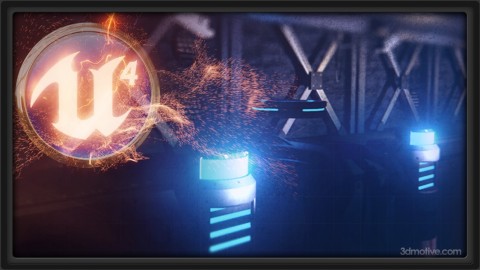
Building a Side-Scroller Game in Unreal 4 (Udemy.com)
Using 3ds Max and Unreal 4, we'll take a look at building an introductory side-scrolling game!
Created by: 3dmotive LLC
Last updated April 2017
 What you will learn
- Learn to build a side scroller with 3ds Max and UE4
- Learn the overview of building geometry for your level in 3ds Max
How it compares
Against the other 71 rated Udemy courses in Unreal Engine on CourseDuck:
- Rating4.0 out of 5higher than 7% of them
- Reviews35#70 of 72 by number of reviews
- Length2.9 hoursshorter than 88% of them
- Last updatedApril 2017earlier than 97% of them
 Course Description
In this course, instructor Greg Mirles walks us through the process of building a side-scroller level using both 3ds Max and Unreal engine 4. Here he will be covering his workflow for breaking down the concept, building and texturing the meshes, and then using a side-scroller UE4 blueprint to import the meshes and build the base game functionality.
(Students - please look under Section 1 / Lecture 1 downloads for the source files associated with the lesson.)
More about the Instructor:
Gregory Mirles is a Pittsburgh based 3D Environment Artist. He began his career working in the GIS/Simulations industry making 3D models. He worked as an associate environment artist at Schell Games as well as at Carnegie Mellon University on the Alice 3 Gallery. Currently Greg is a 3D Environment Artist at Perihelion Interactive where he is working on The Mandate - a sci-fi RPG with RTS elements, and is in charge of developing the environment art pipeline.

 Udemy Discount
The discount is applied through our link. Open the course from here and Udemy's current promotional price is applied at checkout on most courses, no code to type.
Some courses are excluded from Udemy's promotions. If the price does not drop, clear your browser cookies and use the button again.
Instructor Details

- 4.0 Rating
 35 Reviews
3dmotive LLC
3dmotive is High Quality 3d and Game Art Training by Industry Pros! Whether you are brand new to the world of Game Art, 3d, Architecture or Film - or maybe just interested in brushing up your techniques for intermediate or advanced levels of 3d with a focus on video games, 3dmotive is your one-stop-shop for all your 3d and Game Art related tutorials! Got questions? Interested in a new course topic? Let us know!
 More courses by 3dmotive LLC
Learn Advanced C# Scripting in Unity 5 for Games (2017)
4.6 (734 Reviews)
 Provider: Udemy
 Time: 5.5h
$11.99
Original price
Learn the "Hand-Painted" texturing style for video games (2016)
4.7 (594 Reviews)
- Provider: Udemy
- Time: 5.5h
$11.99
Original price
Model and Texture a Stylized Dungeon for Games (2016)
4.7 (483 Reviews)
- Provider: Udemy
- Time: 6.7h
$11.99
Original price
Introduction to KeyShot for Digital 3d Rendering (2017)
4.1 (364 Reviews)
- Provider: Udemy
- Time: 1.2h
Free
The Complete Unity 5 Intro - Learn to Build and Design Games (2016)
4.4 (284 Reviews)
- Provider: Udemy
- Time: 6h
$12.99
Original price
Building Modular Levels for Games with Unity and Blender (2016)
4.3 (267 Reviews)
- Provider: Udemy
- Time: 3.5h
$11.99
Original price More Unreal Engine courses

Unreal Engine 5: One Course Solution For Material (2026)
4.9 (1,774 Reviews)
- Provider: Udemy
- Time: 14.1h
$14.99
Original price
Unreal Engine 5 Blueprints - The Ultimate Developer Course (2026)
4.8 (4,636 Reviews)
- Provider: Udemy
- Time: 41.6h
$12.99
Original price
The Ultimate Unreal Engine 2D Game Development Course (2026)
4.8 (3,290 Reviews)
- Provider: Udemy
- Time: 12.1h
$13.99
Original price
Unreal Engine: Character Skill System (2025)
4.8 (562 Reviews)
- Provider: Udemy
- Time: 25.8h
$13.99
Original price
Unreal 5 Materials - Part 1 Environments (2024)
4.8 (221 Reviews)
- Provider: Udemy
- Time: 14.4h
$11.99
Original price
Unreal Engine 5 - Gameplay Ability System - Top Down RPG (2026)
4.7 (3,529 Reviews)
- Provider: Udemy
- Time: 105.8h
$15.99
Original price  Reviews

By Joshua Bassett on 6/12/2019
I was partially what I needed. I will be looking for more of these courses in the future.
By Quinton Delpeche on 1/16/2018
The course is value for money.
By Casey Leonard on 11/2/2017
Class was basically creating assets in 3dmax and ps then exporting and importing materialsfor a side scroller game and placing them in a scene. This class doesn't actually make a side-scroller game or get into blueprints. But information presented is clearly explained, just not what I was expecting from the title of the class.
By Vincent R. Henderson on 7/6/2017
A very informative course.
By Donna B on 5/8/2017
Loving the simplicity of this project. It is exactly what I need.
By Gaëtan Reboul on 12/20/2016
The unwrap step is missing
By Jeff Orczyk on 3/24/2016
Simple and easy to follow, even for a complete novice!
By Lazaro Moreira on 10/29/2015
He do somethings in 3ds max without explain, i think if he talk about the shortcuts and create a little introduction to 3ds max it will be a very better course.
By Jason Lissner on 6/29/2015
- good intro to UI,Materials, and general tips for beginners - easy to follow and recreate
By Christopher Nilssen on 3/13/2015
The title is a little misleading, and by the end of it I felt like it was only 1/2 way or less toward actually "building a side-scroller in Unreal 4". Section 1 is a fantastic resource for beginners in 3DS Max who are unfamiliar with UVs and texturing. Section 2 only really covers basic import of meshes and the creation of materials with a few functions illustrated. Also I was a little surprised that the concept was supposed to be 2D, but the final result was presented in 2.5D, even though the opening section claimed it would be a 2D game. Perhaps once/if camera and Blueprinting is added to this course it will be changed? At any rate, a good course if you haven't followed the "getting started" examples and documentation that comes with UE4, and are unfamiliar with 3DS Max > UE4 workflow. If this is NOT you, I'd recommend looking for more advanced topics or exploring the educational material made freely available by Epic.
 Quality Score
No CourseDuck member has rated this course yet. Taken it? Give each part a thumbs up or down.
Overall Score : 80 / 100
- Video Duration:
 2.9h
- Price: $11.99
- Provider: Udemy
- Updated:
 April 2017
- Level:
 Intermediate
- Language:
 English
- Certificate:
 Yes
30-day money-back guarantee on most paid courses
Udemy Coupon Price Tracker
