
 Web Development
 Data Science
 Python
 SQL
SQL JavaScript
 Artificial Intelligence
 IT & Software
 IT Certifications
 Hacking
 AWS
AWS Arduino
 DevOps
 3D Modeling
 Graphic Design
 Photoshop
 Drawing
 Digital Painting
 UX Design
 Business
 Data Analysis
 Communication Skills
 Project Management
 Leadership & Management
 Human Resources
 Digital Marketing
 Social Media Marketing
 Marketing
 SEO
SEO Google Analytics
 Branding
 Excel
Excel Office Productivity
 SAP
SAP PowerPoint
 Microsoft Access
 SharePoint
 Finance & Accounting
 Trading & Investing
 Accounting
 Bitcoin
 Personal Finance
 Video Editing & Animation
 Photography
 Adobe Premier Pro
 Adobe Lightroom
 Personal Development
 Productivity
 Career Development
 Life Coaching
 Health & Fitness
 Meditation & Mindfulness
 Yoga
Yoga Music
Music Music Production
 Guitar
 Piano
Piano Singing
 Language Learning
 Teaching & Academics
 Engineering
 Math
Math Lifestyle
Digital Illustration for Beginners in Adobe Illustrator (Udemy.com)
Learn to easily make professional illustratrations in Adobe Illustrator. Make high quality vector drawings easily.
Created by: Moy Lobito
Last updated August 2020
 What you will learn
- You will be able to create beautiful vector illustrations in Adobe Illustrator.
- At the end of the course you will understand the power of simplicity when it comes to vector illustrations.
- At the end of this course you will understand the different elements that make a great illustration.
- You will be able to apply your new knowledge in different Illustration projects, starting from day 1.
- You will become more confident and fluent in Adobe Illustrator and the vector illustration process.
How it compares
Against the other 100 rated Udemy courses in Illustrator on CourseDuck:
- Rating4.5 out of 5higher than 34% of them
- Reviews48#87 of 101 by number of reviews
- Length3.3 hoursshorter than 59% of them
- Last updatedAugust 2020more recently than 55% of them
 Course Description
In this course you will learn all you need to know to easily and effortlessly get started in the wonderful world of digital illustration in Adobe Illustrator. The techniques you'll learn in this course will help you create your own vectorial illustrations for this and any other project you work in the future.
We will use a variety of techniques that will save you a lot of time and will also simplify your job as a digital illustrator.
We will start by covering the basic digital-illustration concepts, where you will discover the most essential characteristics of any great vectorial illustration. After that I'll teach you how to use the most powerful tools in Adobe Illustrator, including the following:
- The Pen tool
- The Pathfinder tool
- The Shape Builder tool
- The Width tool
Then, you will learn how to effectively make the base shapes for the various elements within our illustration. After that, you will learn how to add volume by easily creating shadows and highlights. And finally, you'll learn how to quickly create different variants of the same illustration.
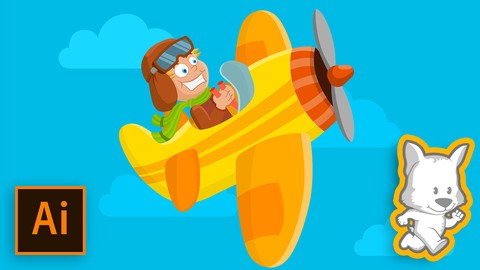
In summary, in this course you'll learn how to plan, sketch, outline, paint, and detail amazing and professional vectorial illustrations in Adobe Illustrator. In this course we will make the illustration you can see in the promo video, but you will be able to use all the techniques you learn here in any other illustration projects you decide to work in the future.
I'm 100% confident that by the end of this course you will have a solid understanding of the professional digital illustration workflow in Adobe Illustrator. And even better, you will have the confidence and motivation to make your own professional digital illustrations!

 Udemy Discount
The discount is applied through our link. Open the course from here and Udemy's current promotional price is applied at checkout on most courses, no code to type.
Some courses are excluded from Udemy's promotions. If the price does not drop, clear your browser cookies and use the button again.
Instructor Details

- 4.5 Rating
 48 Reviews
Moy Lobito
I am a 2D and 3D artist with over 20 years of professional experience. I've worked with international clients from all around the world.
I have experience making video courses and love helping aspiring artists become confident as they improve their skills. I specialize in 3D modeling, lighting, texturing and rendering.
I believe that anyone can be a great artist, and the amount of time that takes someone to get there usually depends on the quality of the guidance they have. That is why I always do my best on my courses and tutorials.
 More courses by Moy Lobito

Cinema 4D Masterclass: Project Based Cinema 4D Course (2022)
4.5 (150 Reviews)
 Provider: Udemy
 Time: 9.9h
$64.99
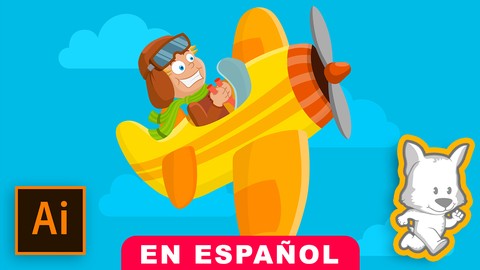
Ilustración Digital para Principiantes en Adobe Illustrator (2018)
4.7 (115 Reviews)
- Provider: Udemy
- Time: 3h
$19.99

Hard Surface 3D Modeling in Cinema 4D: Hyper Realistic Watch (2020)
4.1 (115 Reviews)
- Provider: Udemy
- Time: 8.9h
$64.99

3D character rigging for animation in Cinema 4D Masterclass (2020)
4.4 (103 Reviews)
- Provider: Udemy
- Time: 8.1h
$54.99

3D Character Creation in Cinema 4D: Modeling a 3D Robot (2017)
4.6 (82 Reviews)
- Provider: Udemy
- Time: 3.8h
$54.99
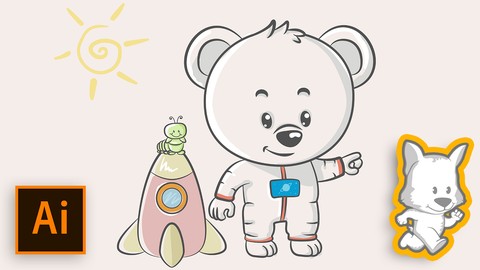
Adobe Illustrator for Children's Books: Watercolor Style (2017)
4.5 (76 Reviews)
- Provider: Udemy
- Time: 1.4h
$44.99
More Illustrator courses

Adobe Illustrator CC - Essentials Training Course (2025)
4.8 (33,107 Reviews)
- Provider: Udemy
- Time: 12.1h
$124.99

Adobe Illustrator CC – Advanced Training Course (2025)
4.8 (10,960 Reviews)
- Provider: Udemy
- Time: 10.2h
$174.99

Adobe Illustrator Advanced Vector Artwork (2020)
4.8 (1,988 Reviews)
- Provider: Udemy
- Time: 8.3h
$14.99

Adobe Illustrator - Beginner to Pro Level With New AI (2026)
4.8 (1,368 Reviews)
- Provider: Udemy
- Time: 13.7h
$89.99

How to create flat design icons in 15 minutes in Illustrator (2023)
4.8 (335 Reviews)
- Provider: Udemy
- Time: 5.4h
$124.99

Logo Design Mastery In Adobe Illustrator (2022)
4.7 (5,700 Reviews)
- Provider: Udemy
- Time: 5.8h
$139.99
 Reviews

By Emma Martin on 5/26/2026
I'm really enjoying this course. The instructor is clear and engaging, and it just makes the whole thing fun. It's a great way to learn!
By Vasuki S on 5/21/2021
More technical details could have been included, but he clarity on the topics are beautifully driver throughout the course.
By Phan Vu on 2/9/2021
So far so good, I love this course and the approach he's teaching is straighforward but effective. Well done.
By Riyan Ichwanudin on 6/27/2020
Saya sudah bisa menata tools yang sering digunakan pada Illustrator
By Elli Lampelo on 5/15/2020
If you are a beginner and/or have no prior knowledge on Illustrator and you want to quickly learn how to do basic vector illustrations, I can highly recommend this course! I didn't have much prior knowledge on Illustrator before taking this course. I've been trying to do some illustrations before, but Illustrator is so different from other software I failed just miserably. I took this course so that I would have basic knowledge to do vector based illustrations. I really, really enjoyed this course! It gave me all the basic tools and knowledge to do Illustrations. The instructor is very calm and he doesn't rush things. He explains very well what he's doing and which shortcuts you can use. I didn't make the same illustration he did, mainly because I am not character designer. I used my own sketches and I was able to try all the things that were thought on the course! In so many courses you kind of have to do the same artwork the instructor does, but (at least for me) on this course it definitely wasn't the case. I was very happy about that!
By Olayomi Adams on 10/29/2019
I love the step by step explanations. I have learnt alot so far! Please try to respond to questions promptly and also i will love you to do a course on Animate CC for beginners, i have always wanted to take that course but most instructors make it seem very difficult. i will appreciate your response on this please
By Made Ruth Taridayana on 5/28/2019
This course is excellent for beginners in illustration with basic skills of pentool-ing. The explanation is detailed and you will be guided one by one.
By Daniel Ayala on 10/21/2018
My experience while taking this course has been positive for the most part. What needs a little improvement is pacing down a key points during the lecture, perhaps for people like me, everything needs to be broken down slowly. I had problems grouping the plane when it was ready and done. So I had to let it be for now. Layering has always been complicated for me.
By Alain Berthelot on 7/27/2018
Great coure! I like the pathfinder techniques to cut out the shapes for the highlights and shadows.
By Agnaldo Rodrigues Moreno on 5/2/2018
It is a very good course for everyone who is initiating his path in Illustrator. The course is clear, objective and it achieves its promise. I am personally very happy with it! Thank you!
 Quality Score
No CourseDuck member has rated this course yet. Taken it? Give each part a thumbs up or down.
Overall Score : 90 / 100
- Video Duration:
 3.3h
3.3h - Price: $49.99
- Provider: Udemy
- Updated:
 August 2020
 - Level:
 All Levels
 - Language:
 English
 - Certificate:
 Yes
Yes
30-day money-back guarantee on most paid courses
Udemy Coupon Price Tracker
