
 Web Development
 Data Science
 Python
 SQL
SQL JavaScript
 Artificial Intelligence
 IT & Software
 IT Certifications
 Hacking
 AWS
AWS Arduino
 DevOps
 3D Modeling
 Graphic Design
 Photoshop
 Drawing
 Digital Painting
 UX Design
 Business
 Data Analysis
 Communication Skills
 Project Management
 Leadership & Management
 Human Resources
 Digital Marketing
 Social Media Marketing
 Marketing
 SEO
SEO Google Analytics
 Branding
 Excel
Excel Office Productivity
 SAP
SAP PowerPoint
 Microsoft Access
 SharePoint
 Finance & Accounting
 Trading & Investing
 Accounting
 Bitcoin
 Personal Finance
 Video Editing & Animation
 Photography
 Adobe Premier Pro
 Adobe Lightroom
 Personal Development
 Productivity
 Career Development
 Life Coaching
 Health & Fitness
 Meditation & Mindfulness
 Yoga
Yoga Music
Music Music Production
 Guitar
 Piano
Piano Singing
 Language Learning
 Teaching & Academics
 Engineering
 Math
Math Lifestyle
GIMP the complete course photo editing photo montage (Udemy.com)
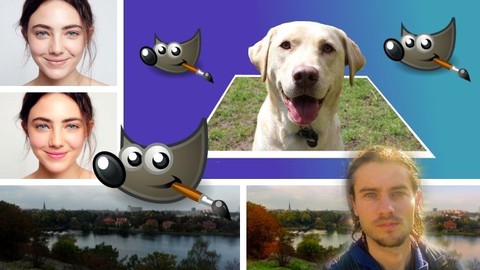
Master Gimp software for photo editing and photo montage
Created by: Nicolas Forgue
Last updated April 2026
 What you will learn
- Crop different elements
- Master editing tools
- Understand the layers
- Understand the layer mask
- Use the adjustment parameters
- Understand the vocabulary of photo editing
- Technics to edit photos
- Add effect
- Add filter
- Edit a face
- Edit a landscape
- Improve a face
- Make up a face
- Improve the colors of photos
- Improve dark photos
- Enhance any photos
- Work in black and white
 Quality Score
Overall Score : 66 / 100
 Course Description
Welcome to this Gimp training specially dedicated to photo editing and photo editing. This course will allow you to know all the important points of the Gimp software for editing. Gimp is a free self-service software that offers huge graphic possibilities. Knowing how to master the techniques and tools, you will be able to do any type of editing and photo editing. Many tools and techniques will be seen in the training, and the focus is essentially on learning dedicated to photography.
Who is the course for?
This training is for everyone who wants to learn and use Gimp especially for photo editing, photo editing, color work etc ... You are a graphic arts student, you are an amateur or professional photographer, or you just want to learn Gimp for personal use to beautify all your photos and create your own editing, this course is for you.
In the training program
- Master the clipping techniques
- Master retouching tools
- Understand the settings and vocabulary of editing a photo
- Create effects
- Retouch and correct portraits and bodies
- Retouch and correct landscapes
- Bring out the colors and improve any type of photo
- Realize selective blacks and whites
- Make montages with clipping
- Use the layer maskWho this course is for:
- Students in graphism design
- Students in photography
- People who want to edit and improve photos
- People who want to make photo montage
- Photographer

 Udemy Discount
The discount is applied through our link. Open the course from here and Udemy's current promotional price is applied at checkout on most courses, no code to type.
Some courses are excluded from Udemy's promotions. If the price does not drop, clear your browser cookies and use the button again.
Instructor Details

- 3.3 Rating
 3 Reviews
Nicolas Forgue
Bonjour tous et bienvenue sur mon profil, je m'appelle Nicolas. Fort de mon exprience et de mes comptences, je propose des formations dans plusieurs domaines. Mes niches principales sont le graphisme design, les business en ligne, le voyage et le dveloppement personnel. Je partage donc ces comptences avec toutes les personnes dsirant apprendre. Je m'efforce de proposer des cours structurs et adapts aux besoins des participants. C'est un rel plaisir que de crer et de proposer ces formations, en esprant vous apporter une relle valeur ajoute. N'hsitez pas participer mes cours!
Hello everyone and welcome to my profile, my name is Nicolas. With my experience and skills, I offer training in several areas. My main niches are design graphics, online business, travel and personal development. So I share these skills with everyone who wants to learn. I strive to offer courses that are structured and adapted to the needs of participants. It is a real pleasure to create and offer these courses, hoping to bring you real added value. Feel free to participate in my classes!
 More courses by Nicolas Forgue
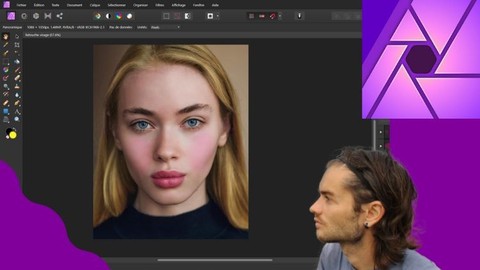
Affinity Photo version 2 le cours complet (2024)
4.2 (139 Reviews)
 Provider: Udemy
 Time: 14.4h
$39.99
More Affinity Photo courses

Beginner to Wow - Affinity Photo Version 2 (2022)
4.9 (420 Reviews)
- Provider: Udemy
- Time: 4.8h
$69.99
Affinity Photo for Beginners | Updated for Version 2 (2022)
4.8 (698 Reviews)
- Provider: Udemy
- Time: 6.8h
$84.99


GIMP 2.10 Masterclass: From Beginner to Pro Photo Editing (2025)
4.6 (4,118 Reviews)
- Provider: Udemy
- Time: 40.8h
$15.99
Affinity Photo: Master Photo Editing in Affinity Photo 2 (2026)
4.6 (1,333 Reviews)
- Provider: Udemy
- Time: 19.3h
$84.99
 Reviews

By Dragan
slowly and gradually the lecturer introduces us to a new world of graphics. He has crossed all the important points for me.Gimp is a good program and I support it because I believe that everyone who wants to learn, not just those who have money, have the right to know and perfect
- Video Duration:
 13.5h
13.5h - Price: $19.99
- Provider: Udemy
- Updated:
 April 2026
 - Level:
 All Levels
 - Language:
 English
 - Certificate:
 Yes
Yes
30-day money-back guarantee on most paid courses
Udemy Coupon Price Tracker
