
 Web Development
 Data Science
 Python
 SQL
 JavaScript
 Artificial Intelligence
 IT & Software
 IT Certifications
 Hacking
 Microsoft Azure
 AWS
 Arduino
 3D Modeling
 Graphic Design
 Photoshop
 Drawing
 Digital Painting
 UX Design
 Business
 Data Analysis
 Communication Skills
 Project Management
 Leadership & Management
 Human Resources
 Digital Marketing
 Social Media Marketing
 Marketing
 SEO
 Google Analytics
 Branding
 Excel
 Office Productivity
 SAP
 PowerPoint
 Microsoft Copilot
 Microsoft Access
 Finance & Accounting
 Trading & Investing
 Accounting
 Bitcoin
 Personal Finance
 Video Editing & Animation
 Photography
 Adobe Premier Pro
 Adobe Lightroom
 Personal Development
 Productivity
 Career Development
 Life Coaching
 Health & Fitness
 Yoga
 Meditation & Mindfulness
 Music
 Music Production
 Guitar
 Piano
 Singing
 Teaching & Academics
 Engineering
 Language Learning
 English Language
 Math
 Lifestyle
How to Make Logos in Affinity Designer (Udemy.com)
Learn the step-by-step process to create incredible logos in Affinity Designer
Created by: Affinity Revolution
Last updated June 2025
 What you will learn
- You will learn how to make logos in Affinity Designer
- You will learn how to find inspiration for your logo design
- You will learn how to use a paper & pencil sketch to guide your logo creation
- You will learn how to use the Shape Builder to create custom shapes
- You will learn how to find free commercial fonts
- You will learn how to fine tune the appearance of text
- You will learn how to create strokes with custom Pressure
- You will learn how to use shortcut keys to speed up your work
How it compares
Against the other 436 rated Udemy courses in Graphic Design on CourseDuck:
- Rating4.9 out of 5higher than 98% of them
- Reviews20#436 of 437 by number of reviews
- Length2.8 hoursshorter than 74% of them
- Last updatedJune 2025more recently than 50% of them
 Course Description
Welcome to your logo design masterclass! In this course, you will learn everything you need to make logos in Affinity Designer.
We will make 15 logos throughout this course, starting with some simple designs that anyone can follow along with. These projects are the perfect way to get started with logo design.
After covering the basics, we will create more advanced logos. Each project is designed to build on the previous one, so you can steadily improve your skills throughout the course.
Throughout the course, you will learn how to...
Find inspiration to plan your logo idea
Use a paper & pencil sketch to guide your logo creation
Find free commercial fonts that can be used in your logo
Use the Shape Builder to create custom shapes
Fine tune the appearance of your logo's text
Use the Pen Tool & Node Tool to create advanced designs
Create strokes with custom Pressure
Use shortcut keys to speed up your work
I'm a big believer in learning-by-doing, so this this course comes with everything you need to follow along with the course projects. By creating the projects alongside me, you will learn much more than you would from simply watching the videos.
By the time you finish these lessons, you will be a logo design master! :)

 Udemy Discount
The discount is applied through our link. Open the course from here and Udemy's current promotional price is applied at checkout on most courses, no code to type.
Some courses are excluded from Udemy's promotions. If the price does not drop, clear your browser cookies and use the button again.
Instructor Details

- 4.9 Rating
 20 Reviews
Affinity Revolution
Hi there! I'm Ally Anderson, the girl behind Affinity Revolution. I've been teaching people how to use the Affinity programs since 2016. Over these years, I've made hundreds of video tutorials for Affinity Photo, Designer, and Publisher. I love the whole Affinity suite, and am excited to share what I've learned with you! :)
 More courses by Affinity Revolution
Affinity Photo for Beginners | Updated for Version 2 (2022)
4.8 (698 Reviews)
 Provider: Udemy
 Time: 6.8h
$11.99
Original price
Affinity Publisher for Beginners | Updated for Version 2 (2022)
4.8 (539 Reviews)
- Provider: Udemy
- Time: 5.2h
$11.99
Original price
Affinity Designer for Beginners | Updated for Version 2 (2022)
4.8 (478 Reviews)
- Provider: Udemy
- Time: 4.3h
$11.99
Original price
Affinity Photo: Beyond the Basics! (2023)
4.7 (214 Reviews)
- Provider: Udemy
- Time: 6.3h
$11.99
Original price
Affinity Publisher: Beyond the Basics! (2022)
4.8 (159 Reviews)
- Provider: Udemy
- Time: 4.4h
$11.99
Original price
Affinity Designer: Beyond the Basics! (2023)
4.6 (152 Reviews)
- Provider: Udemy
- Time: 6h
$11.99
Original price More Graphic Design courses

Inkscape: From Beginner to Pro In Inkscape & Graphic Design (2025)
4.9 (331 Reviews)
- Provider: Udemy
- Time: 7.4h
$11.99
Original price
Adobe InDesign - From Basics to Professional Level Designs (2024)
4.9 (320 Reviews)
- Provider: Udemy
- Time: 11.4h
$11.99
Original price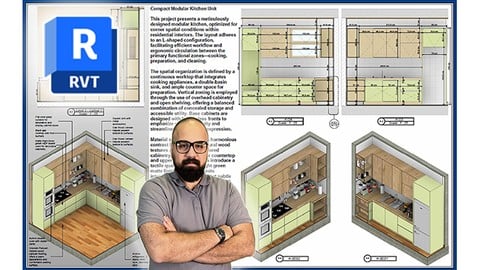
Shop Drawing & Details-Autodesk Revit 2025- for BIM Modelers
4.9 (300 Reviews)
- Provider: Udemy
- Time: 30.9h
$10.99
Original price
The Adobe Illustrator CC Mastery Course: Basics to Pro + AI (2026)
4.9 (268 Reviews)
- Provider: Udemy
- Time: 30.8h
$11.99
Original price

Software Architecture & System Design Practical Case Studies (2026)
4.8 (2,584 Reviews)
- Provider: Udemy
- Time: 4h
$14.99
Original price  Reviews

By Nikki Segovia on 11/2/2026
Super helpful to understand the basics of logo design. I am not sure if my version was slightly different than what she was using, but some of her functionalities were easier to access so I had to look for the buttons with the help tool.
By Zvonimir Štrucelj on 5/7/2026
Excellent course! Teacher doesn't theorize - she goes straight to different examples knowing this is by far best and most fun way to learn! Now that's Affinity is free through free Canva, there's really no excuse not to learn how to make logos :)
By Kota Naka on 11/26/2025
I learnt a lot. Thank you.
By Ravi Sharma on 8/25/2025
Amazing tutorial on making logos. Would recommend to anyone getting started with making logos.
By Joseph Lee on 6/20/2025
Amazing course for logo design in Affinity Designer!!!
By Dare Adelugba on 5/28/2025
This tutorial and all of her other ones are very easy to follow and understand. She is an excellent teacher and very knowledgeable about the subjects
By Prabhat Rana on 4/24/2025
Excellent instructor with a very calm demeanor and a good teaching philosophy. Learning by practice is an optimal method for softwares and Operating Systems. I will buy all of the courses from this instructor.
By Gian Marco Marenghi on 3/19/2025
Avevo già seguito su YouTube questa relatrice e la trovo molto preparata: spiega chiaramente i passaggi e ha un tono di voce sempre felice e rilassato, che non guasta.
 Quality Score
No CourseDuck member has rated this course yet. Taken it? Give each part a thumbs up or down.
Overall Score : 98 / 100

- Video Duration:
 2.8h
- Price: $9.99
- Provider: Udemy
- Updated:
 June 2025
- Level:
 Beginner
- Language:
 English
- Certificate:
 Yes
30-day money-back guarantee on most paid courses
Udemy Coupon Price Tracker
