
 Web Development
 Data Science
 Python
 SQL
SQL JavaScript
 Artificial Intelligence
 IT & Software
 IT Certifications
 Hacking
 AWS
AWS Arduino
 DevOps
 3D Modeling
 Graphic Design
 Photoshop
 Drawing
 Digital Painting
 UX Design
 Business
 Data Analysis
 Communication Skills
 Project Management
 Leadership & Management
 Human Resources
 Digital Marketing
 Social Media Marketing
 Marketing
 SEO
SEO Google Analytics
 Branding
 Excel
Excel Office Productivity
 SAP
SAP PowerPoint
 Microsoft Access
 SharePoint
 Finance & Accounting
 Trading & Investing
 Accounting
 Bitcoin
 Personal Finance
 Video Editing & Animation
 Photography
 Adobe Premier Pro
 Adobe Lightroom
 Personal Development
 Productivity
 Career Development
 Life Coaching
 Health & Fitness
 Meditation & Mindfulness
 Yoga
Yoga Music
Music Music Production
 Guitar
 Piano
Piano Singing
 Language Learning
 Teaching & Academics
 Engineering
 Math
Math Lifestyle
Intermediate iOS - Complex and Advanced iPhone Apps (Udemy.com)
Use Xcode and Swift 4 to take your app development skills to the next level
Created by: Nick Walter
Last updated November 2018
 What you will learn
- Security: TouchID and FaceID
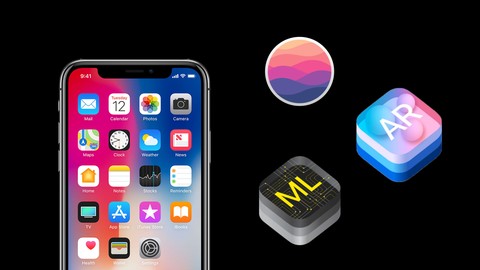
- Machine Learning with CoreML
- Create Advanced Augmented Reality Apps with ARKit
- Realm - A CoreData Alternative
- Make Your Apps Come to Life with Animations
- iPhone X Layout and Design
- Create Apps Without Storyboards
- Get a Job! Full-Length Mock Interview
How it compares
Against the other 160 rated Udemy courses in iOS Swift on CourseDuck:
- Rating4.1 out of 5higher than 4% of them
- Reviews205#104 of 161 by number of reviews
- Length12.6 hourslonger than 53% of them
- Last updatedNovember 2018earlier than 70% of them
 Course Description
Have you taken a beginner iOS course on Udemy? Do you have some experience with iOS programming, but are looking for MORE? Are you a junior developer looking to enhance your abilities? Are you ready to take your programming skills to the next level? Do you want to be able to take on more challenging projects? Do you want to learn advanced iOS development techniques such as CoreML, ARKit, Realm, animations, TouchID and Face ID security, Alamofire, etc.? Do you want to dive deeper, get paid to make apps, and launch your career in iOS development?
If you answered yes to any of these questions, then this is the course for you!
For those who are serious about iOS development, there comes a point when you're ready to move on, move forward, and escalate your capabilities. You want to build amazing apps, apps that can handle greater complexity, and apps that truly impress. You want to see how these skills can impact your career and increase your earning potential. You want to stand out among other iOS developers. You want to take your skills to the next level.
Welcome to my intermediate iOS development course! This is the ONLY intermediate iOS 11 course on Udemy and the ONLY course that will walk you through the latest, cutting-edge iOS development techniques, while also preparing you for your next job as an iOS developer. My top-rated beginner iOS courses are great to get you started, but this course goes deeper into iOS development than any other course, youtube video, or tutorial that you may have seen.
In this course we will create beautiful and complex apps while focusing on design and user experience. Together we will make five complete, intermediate to advanced-level apps. Check the promo video to see how awesome they look!
1. Journal App - This app is a Day One clone, if you've never used Day One before, I highly recommend that you try it! In my opinion, it's one of the most well-designed apps on the app store! As we create this app we will learn:
- Realm (which is an alternative to Core Data)
- How to create animations with Spring
- Making our app look great on an iPad with UISplitscreen
- Stack Views
- Tab Bar Controllers
- Design techniques to help make your apps look more polished
2. News Fun App with CoreML - A fun way to read the top stories of the day. As we create this app we will learn:
- CoreML - Machine Learning to assign topics to our articles
- Alamofire - A simpler way to work with APIs
- Download images asynchronously
- Load website in your app using WebKitViews
3. Furniture Fun App with ARKit - For this app, I brought in my friend Mohammed Azam, who is a serious pro when it comes to ARKit. He will teach us how to use augmented reality to try out furniture in our living room before we buy it. Enjoy the deep dive into ARKit!
4. Sketchpad App - Together we will create a drawing app that will let our users doodle their hearts out and share their art with the world! As we create this app we will learn how to:
- Build a drawing feature into your app
- Adjust your app's layout to work on iPhone X
- Integrate third-party code into your app
- Use collection views
- Share content with the iOS Share Sheet
5. Cryptocurrency Price Tracker App - I'm a huge nerd when it comes to cryptocurrency, so this app was really fun for me to make! This app will list a ton of cryptocurrencies and their current price. You can also keep track of how much you own and tap on each coin to see a chart that shows its price over the last 30 days. Our app will also generate a pdf showing your current crypto portfolio. As we create this app we will learn how to:
- Chart data in iOS
- Build an app without storyboards
- Protect your app with TouchID or FaceID
- Generate PDFs and print them
As you can tell, this is going to be a fun course! And on top of all of that, I also have a section where I talk about how to make money as an iOS developer, and then I walk you through a real-life iOS developer mock interview. Interviews are tough, but I know what it's like to be in your shoes, so I'll give you a bunch of interview tips!
I'm a self-taught programmer so I've spent tons of time experimenting, struggling, failing, and succeeding to learn new things. My own experience as an online student has made me want to change the way that people learn to code, which is why I created this course!
I’ve built iOS apps. I’ve had iOS internships. I’ve done iOS freelance work. I've worked as an iOS developer. I’ve coached and taught in meetups and live bootcamps that charge each student THOU$AND$. I've taught over 75,000 people on Udemy how to get started, but now I'm ready to teach YOU how to take the NEXT STEP in advancing your skills, launching your career, and boosting your confidence as a developer.
If you're excited for this course but you're a beginner to iOS development, make sure to check out my "How to Make a Freaking iPhone App" course first, and then you'll be all set to start with the intermediate stuff :)
Alright, let's get started! I think you're REALLY going to love this course!

 Udemy Discount
The discount is applied through our link. Open the course from here and Udemy's current promotional price is applied at checkout on most courses, no code to type.
Some courses are excluded from Udemy's promotions. If the price does not drop, clear your browser cookies and use the button again.
Instructor Details

- 4.1 Rating
 205 Reviews
Nick Walter
Hi! I'm Nick, and I love to code. About five years ago I decided that I wanted to learn to code, but I had limited access to programming resources, and I was getting frustrated with all of the YouTube videos and online tutorials out there. I experimented, struggled, and definitely failed a lot, but I finally got the hang of it, so I decided that I wanted to change the way that people learned to code, and I started teaching. My experience as an online student has directly influenced my teaching style, because I know what it is like to be in your shoes.
When
Apple announced their new programming language, Swift, in 2014, I made my big online teaching debut and created the
internet's first Swift course. Since that time, I have
become a full-time online instructor and I now have courses not only in Swift,
but also in iOS, Android, Django, Kotlin, Python, HTML, Blockchain, etc. I have also created five iOS apps from scratch that are currently live in the App Store and are being used by thousands of users worldwide.
I love sharing my excitement for coding with my students, and I try to make learning as fun and as easy as possible. Thanks for being part of my coding community!
 More courses by Nick Walter

Django 2.2 & Python | The Ultimate Web Development Bootcamp (2020)
4.6 (5,686 Reviews)
 Provider: Udemy
 Time: 10.1h
$84.99

Django 3 - Full Stack Websites with Python Web Development (2020)
4.6 (4,571 Reviews)
- Provider: Udemy
- Time: 8.4h
$124.99

The Ultimate Beginner's Guide to Django 1.11 (2019)
4.7 (1,632 Reviews)
- Provider: Udemy
- Time: 9h
$12.99

SwiftUI - Learn How to Build Beautiful, Robust, Apps (2019)
4.5 (1,300 Reviews)
- Provider: Udemy
- Time: 4.4h
$13.99
More iOS Swift courses

iOS 12 Swift 4.2 - The Complete iOS App Development Bootcamp (2021)
4.9 (562 Reviews)
- Provider: Udemy
- Time: 55.4h
$109.99

Noob to App Store - iPhone Apps with Swift, SwiftUI & iOS 15 (2021)
4.9 (342 Reviews)
- Provider: Udemy
- Time: 7.8h
$69.99

Deep Dive iOS 27 & SwiftUI 6: 90-Hour Project-Based Course (2026)
4.8 (983 Reviews)
- Provider: Udemy
- Time: 88.7h
$79.99

The Swift Arcade Data Structures and Algorithms Bootcamp (2022)
4.8 (839 Reviews)
- Provider: Udemy
- Time: 7.2h
$84.99

How To Make An App For Beginners (iOS/Swift - 2019)
4.8 (658 Reviews)
- Provider: Udemy
- Time: 4.3h
Free

SwiftUI iOS13 Coffee Shop Application, Order Products Online (2020)
4.8 (158 Reviews)
- Provider: Udemy
- Time: 8.2h
$109.99
 Reviews

By Jenya Korsun on 10/4/2022
The code is outdated. The structuring of the code is bad, the level of the courses is super beginner, although it is declared as intermediate. A lot of topics, but does not dive into any of them.
By Carlos Parada on 4/28/2020
It good course, really fast and he had awesome technical for create Views in Storyboards, the mix with ScrollView and CollectionView is a good example that its perfect work
By Anonymized User on 5/24/2019
I liked the course, but was a bit disappointed with all the hacks in the code to speed up the lecture. I think at this point, the courses should be teaching how to proper code, otherwise, if we wait for more advance courses the hacks are already automatic instead of exceptions. Also, this course mentions quite a lot of subjects, CoreML, Spring, etc, but doesn't really dive into them, or barely touch them. Perhaps, spending a bit more time with them to properly explain how they work, where to use them, etc. However, overall it's a great course, hope to see more!
By Jim Kovaric on 4/26/2019
I've been a software engr for over 30 years (operating systems, C, assembly, C++, java) and have decided to tackle iOS apps. This course is presented very well with plenty of details/explanations.
By Nikita Merkel on 4/10/2019
The level of application architecture in this course is strange
By William Lund on 9/22/2018
I really liked how much content was included in this course. There are a lot of beginning courses, but this course went beyond what more of the iOS courses provide. The teacher is very knowledgable on his topic and does a great job explaining things.
By Ryan Phillips on 5/28/2018
This is the second course of Nick's that I have taken. Very thorough and has a great way of explaining what he is doing without dumbing it down. Always excited to see new videos of his come out and I highly recommend his tutorials.
By Rommel Rico on 5/20/2018
This was a really cool course. I really liked Nick's course, both his teaching style and pacing were some of the best I've seen on Udemy. I am very satisfied with this course.
By Trueman Wong on 5/18/2018
The apps taught in this course was "spot-on". The apps taught in this course really help solidify previous concepts taught. I really like the detail spent on Autolayout in a practical situation as I have previously struggled trying to get user interfaces to look right. Thanks for another excellent course. You rock!
By Alexander Berdichevsky on 5/6/2018
The course is good, but it is incomplete(section 7). Why to release incomplete course? Also there is no assets attached to the course, it costs time to get images from internet. Also, besides augmented realty part, there is no complete lesson to download in order to equal to students done.
 Quality Score
No CourseDuck member has rated this course yet. Taken it? Give each part a thumbs up or down.
Overall Score : 82 / 100
- Video Duration:
 12.6h
12.6h - Price: $54.99
- Provider: Udemy
- Updated:
 November 2018
 - Level:
 All Levels
 - Language:
 English
 - Certificate:
 Yes
Yes
30-day money-back guarantee on most paid courses
Udemy Coupon Price Tracker
