
 Web Development
 Data Science
 Python
 SQL
SQL JavaScript
 Artificial Intelligence
 IT & Software
 IT Certifications
 Hacking
 AWS
AWS Arduino
 DevOps
 3D Modeling
 Graphic Design
 Photoshop
 Drawing
 Digital Painting
 UX Design
 Business
 Data Analysis
 Communication Skills
 Project Management
 Leadership & Management
 Human Resources
 Digital Marketing
 Social Media Marketing
 Marketing
 SEO
SEO Google Analytics
 Branding
 Excel
Excel Office Productivity
 SAP
SAP PowerPoint
 Microsoft Access
 SharePoint
 Finance & Accounting
 Trading & Investing
 Accounting
 Bitcoin
 Personal Finance
 Video Editing & Animation
 Photography
 Adobe Premier Pro
 Adobe Lightroom
 Personal Development
 Productivity
 Career Development
 Life Coaching
 Health & Fitness
 Meditation & Mindfulness
 Yoga
Yoga Music
Music Music Production
 Guitar
 Piano
Piano Singing
 Language Learning
 Teaching & Academics
 Engineering
 Math
Math Lifestyle
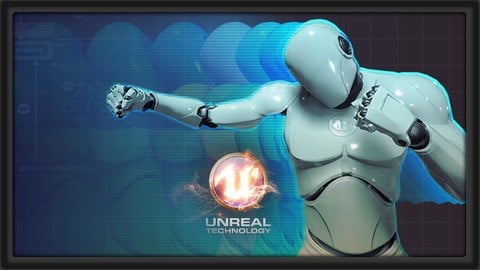
Learn the Animation Pipeline for Game Characters in Unreal 4 (Udemy.com)
Take your animated characters from Maya - to moving around in your level in Unreal Engine 4
Created by: 3dmotive LLC
Last updated July 2017
 What you will learn
- Import characters into Unreal Engine 4
- Set up character Blueprints to accept input
- Understand basic animation systems in the Unreal Engine
- Share animation scripting between characters
- Set up advanced features like IK and head look-at
How it compares
Against the other 545 rated Udemy courses in 3D Modeling on CourseDuck:
- Rating3.7 out of 5among the lower-rated ones
- Reviews146#374 of 546 by number of reviews
- Length5.2 hoursshorter than 55% of them
- Last updatedJuly 2017earlier than 90% of them
 Course Description
In Animation Pipeline in UE4, Chad Morgan will giving a comprehensive overview of all things animation in Epic's Unreal 4 Engine. Starting with exporting our character from Maya using the FBX format, we’ll import it into UE4 in such a way that will allow us to share animation blueprints across different characters. Then we’ll go over how to import animations and setting up things like additive aim poses and navigational blend spaces. We will cover the basic concepts of the blueprint scripting system in the Unreal Engine so we can set up our character and then our animation blueprint. We’ll cover how to hook up our character with input from the keyboard and gamepad, connect it to our anim blueprint, and have our character running around the level in the engine. In discussing anim blueprints, we’ll discuss concepts such as applying additive animations and setting up state machines. We’ll add extra features like ik systems, head look-at systems, other procedural animation systems.
More about the Instructor:
Chad Robert Morgan used his veteran’s benefits he earned from his tour in the US Navy to go to Sonoma State University where he earned his bachelors degree in Computer Science. He got his first job in the industry right after graduation with LucasArts where he learned how to rig characters in SoftImage and Maya, as well as how to apply his programming knowledge with MEL. Chad has worked in both film and games for nearly 20 years. Currently he runs his own company which published its first mobile game, The Last Rite – Endless Nightmare, as well as working at Whitemoon Dreams, the makers of WarMachine:Tactics and Starblood Arena.

 Udemy Discount
The discount is applied through our link. Open the course from here and Udemy's current promotional price is applied at checkout on most courses, no code to type.
Some courses are excluded from Udemy's promotions. If the price does not drop, clear your browser cookies and use the button again.
Instructor Details

- 3.7 Rating
 146 Reviews
3dmotive LLC
3dmotive is High Quality 3d and Game Art Training by Industry Pros! Whether you are brand new to the world of Game Art, 3d, Architecture or Film - or maybe just interested in brushing up your techniques for intermediate or advanced levels of 3d with a focus on video games, 3dmotive is your one-stop-shop for all your 3d and Game Art related tutorials! Got questions? Interested in a new course topic? Let us know!
 More courses by 3dmotive LLC
Learn Advanced C# Scripting in Unity 5 for Games (2017)
4.6 (734 Reviews)
 Provider: Udemy
 Time: 5.5h
$64.99

Learn the "Hand-Painted" texturing style for video games (2016)
4.7 (594 Reviews)
- Provider: Udemy
- Time: 5.5h
$64.99

Model and Texture a Stylized Dungeon for Games (2016)
4.7 (483 Reviews)
- Provider: Udemy
- Time: 6.7h
$69.99
Introduction to KeyShot for Digital 3d Rendering (2017)
4.1 (364 Reviews)
- Provider: Udemy
- Time: 1.2h
Free
The Complete Unity 5 Intro - Learn to Build and Design Games (2016)
4.4 (284 Reviews)
- Provider: Udemy
- Time: 6h
$64.99
Building Modular Levels for Games with Unity and Blender (2016)
4.3 (267 Reviews)
- Provider: Udemy
- Time: 3.5h
$34.99
More 3D Modeling courses

3D Printing with " Ultimaker CURA Slicer- Start to finish" (2025)
4.9 (192 Reviews)
- Provider: Udemy
- Time: 1h
$34.99

Girl and the Dog Creation in Zbrush for Intermediate Level (2020)
4.9 (173 Reviews)
- Provider: Udemy
- Time: 48.8h
$59.99



Blender Character Creator for Video Games (2026)
4.8 (9,160 Reviews)
- Provider: Udemy
- Time: 34.3h
$159.99

Master SOLIDWORKS 3D CAD using real-world examples (2022)
4.8 (2,451 Reviews)
- Provider: Udemy
- Time: 18.9h
$69.99
 Reviews

By Vineet Chander on 4/23/2023
A nice introduction to unreal animation concepts. The lecturer is very knowledgeable and easy to follow.
By Georgios Kourakos on 4/21/2021
The course does cover the basics of setting up animations in UE and covers some more advance concepts. However its not very well organized . There is a lot trial and error, which may be a common practice in actual development but when teaching a course this should be minimized as possible. In addition, the course is not so well structured so that one can follow. After some point I was just watching. However I have learnt several key points from this course, especially in the 4th section so I do not regret
By Michael Hickman on 2/15/2021
The information is good... However there are times when he seems to get ahead of himself, or confused and edits out the process. So I am left a little unclear of the final process.
By Dan Lauer on 5/14/2020
This is my second Udemy class. The first one was awesome and I learned a ton of stuff I could use right away. This one is pretty lame. The instructor seems unprepared and certainly unrehearsed. The provided assets are the finished work, not the starting point. He has many problems during the lecture that he seems surprised by, then doesn't really instruct as he is fumbling through the solution. Just finished the first of 4 section. Hopefully, I will be able to revise this to a more positive review further on.
By Alejandra Vargas Coronado on 8/12/2019
This guy knows a lot! It was really helpful : ) However, in some part he made comments different possibilities of using tools or making thinks in different ways, that won't be really easy to figure out when you are just starting. The course is really heavy, like, REALLY HEAVY, must pay a lot of attention to keep going. Apart from that, maybe a bit more order in the lesson and sometimes he change some stuff or cut the video, and instead of just showing how to fix a problem he was having he just explain what had happened.
By Griffin Faw on 11/12/2018
Seems cool. I see how the bicep thing could help me make a few sliders for a player custom character, which I always love in the games I play. The only reason I'm not giving this course a full 5/5 is I never give anything a 5/5, in case I find something better. I hope the course keeps it up. I'd recommend it if I knew any friends who were into game stuff like I am. While I don't find the delivery engaging, I find it relaxing.
By Shane Mitchell on 9/22/2018
Instructor is clearly unprepared and a lot of the time you are watching him make mistakes, then he snaps to another point further down the line, and says "so I fixed it eventually", which leaves gaps in the course. Although eventually he does get through it and everything works, this course may be too hard to understand if you have no prior experience with Anim Blueprints or Maya. If you do have a bit of skill then you should find some useful stuff in the course although it takes a while to dig it out.
By Michael Ricks on 1/4/2018
Great course! Learned a lot! Instructor is very knowledgeable in the deeper aspects of Unreal Engine 4. Highly recommended!
By Kali on 10/3/2017
C'est une introduction très légère, une introduction se doit de replacer le contexte et d'indiquer la direction qui sera empruntée le long du cours (le fil directeur) ce qui n'est pas le cas ici. De plus, à plusieurs reprises l'instructeur entame des manœuvres dans un silence monastique sans expliquer ce qu'il est en train de faire, quoi de plus perturbant? il y a vraiment de quoi s'y perdre
By Darrell Fyffe on 9/1/2017
I enjoyed the tutorial and the why it was presented and got a lot out of it. Instructor was great at explaining and made me think.
 Quality Score
No CourseDuck member has rated this course yet. Taken it? Give each part a thumbs up or down.
Overall Score : 74 / 100
- Video Duration:
 5.2h
5.2h - Price: $44.99
- Provider: Udemy
- Updated:
 July 2017
 - Level:
 Intermediate
 - Language:
 English
 - Certificate:
 Yes
Yes
30-day money-back guarantee on most paid courses
Udemy Coupon Price Tracker
