
 Web Development
 Data Science
 Python
 SQL
SQL JavaScript
 Artificial Intelligence
 IT & Software
 IT Certifications
 Hacking
 AWS
AWS Arduino
 DevOps
 3D Modeling
 Graphic Design
 Photoshop
 Drawing
 Digital Painting
 UX Design
 Business
 Data Analysis
 Communication Skills
 Project Management
 Leadership & Management
 Human Resources
 Digital Marketing
 Social Media Marketing
 Marketing
 SEO
SEO Google Analytics
 Branding
 Excel
Excel Office Productivity
 SAP
SAP PowerPoint
 Microsoft Access
 SharePoint
 Finance & Accounting
 Trading & Investing
 Accounting
 Bitcoin
 Personal Finance
 Video Editing & Animation
 Photography
 Adobe Premier Pro
 Adobe Lightroom
 Personal Development
 Productivity
 Career Development
 Life Coaching
 Health & Fitness
 Meditation & Mindfulness
 Yoga
Yoga Music
Music Music Production
 Guitar
 Piano
Piano Singing
 Language Learning
 Teaching & Academics
 Engineering
 Math
Math Lifestyle
Learn to Build an Outdoor Environment with Unreal Engine 4 (Udemy.com)
Learn to create a game level from scratch using an industry-standard game engine!
Created by: 3dmotive LLC
Last updated January 2017
 What you will learn
- Learn how to create a level in Unreal Engine 4 from scratch.
- Understand the Foliage system in UE4 to create great looking plants and trees for their games
- Learn object placement and layout basics of assets in UE4
- Understand how to setup lights, particles, and additional post-process assets to improve the visual look of their course
How it compares
Against the other 70 rated Udemy courses in Unreal Engine on CourseDuck:
- Rating3.5 out of 5higher than 2% of them
- Reviews223#54 of 71 by number of reviews
- Length4.2 hoursshorter than 80% of them
- Last updatedJanuary 2017earlier than 100% of them
 Course Description
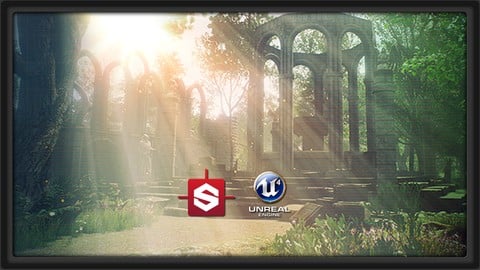
In this course we will create a game level from scratch using Unreal Engine 4. This course will all be about level design,lighting and rendering of a scene. We will be using free packs from the Unreal Marketplace for our level.There are many topics we will address in this course. First we will go over some of the basics of the UI, to include the location of all our windows and assets and how to do basic functions within the UI.
We will also be creating a simple terrain out of a mesh and we will use vertex painting on that to blend multiple materials together to get a realistic looking forest type ground. We will then setup all the foliage with the Unreal foliage painter, where we can setup different settings like scale, position, and rotation variation. Lastly, we will then paint all of our foliage on out terrain.
We will then place our objects - going from big objects to small which will be a fairly straight forward process, but we will be discussing the best and most logical places to place them. We will create our entire scene around a few camera angles so that we can get the best possible result from our final screenshots - but of course we will also make sure that the level is playable. After all that is done, we will finish by building the lighting of our scene where we will setup our sun light, reflection spheres, and tweak all our lighting settings. We will also be using post effects to change the visual look of our scene to our liking and to make everything look a bit more realistic. To wrap up the course, we will cover how to take screenshots ready to be used in your portfolio.
More about the Instructor:
Emiel Sleegers is a self-taught 3d artist currently residing in the Netherlands. He's been teaching himself 3D art for the past 3-4 years, and has worked as a freelance artist on numerous unannounced projects. He's a lover of all things 3d and enjoys sharing the knowledge he has obtained with others eager to learn.

 Udemy Discount
The discount is applied through our link. Open the course from here and Udemy's current promotional price is applied at checkout on most courses, no code to type.
Some courses are excluded from Udemy's promotions. If the price does not drop, clear your browser cookies and use the button again.
Instructor Details

- 3.5 Rating
 223 Reviews
3dmotive LLC
3dmotive is High Quality 3d and Game Art Training by Industry Pros! Whether you are brand new to the world of Game Art, 3d, Architecture or Film - or maybe just interested in brushing up your techniques for intermediate or advanced levels of 3d with a focus on video games, 3dmotive is your one-stop-shop for all your 3d and Game Art related tutorials! Got questions? Interested in a new course topic? Let us know!
 More courses by 3dmotive LLC
Learn Advanced C# Scripting in Unity 5 for Games (2017)
4.6 (734 Reviews)
 Provider: Udemy
 Time: 5.5h
$64.99

Learn the "Hand-Painted" texturing style for video games (2016)
4.7 (594 Reviews)
- Provider: Udemy
- Time: 5.5h
$64.99

Model and Texture a Stylized Dungeon for Games (2016)
4.7 (483 Reviews)
- Provider: Udemy
- Time: 6.7h
$69.99

Introduction to KeyShot for Digital 3d Rendering (2017)
4.1 (364 Reviews)
- Provider: Udemy
- Time: 1.2h
Free
The Complete Unity 5 Intro - Learn to Build and Design Games (2016)
4.4 (284 Reviews)
- Provider: Udemy
- Time: 6h
$64.99
Building Modular Levels for Games with Unity and Blender (2016)
4.3 (267 Reviews)
- Provider: Udemy
- Time: 3.5h
$34.99
More Unreal Engine courses

Unreal Engine 5: One Course Solution For Material (2026)
4.9 (1,774 Reviews)
- Provider: Udemy
- Time: 14.1h
$99.99

Unreal Engine 5 Blueprints - The Ultimate Developer Course (2026)
4.8 (4,636 Reviews)
- Provider: Udemy
- Time: 41.6h
$19.99

The Ultimate Unreal Engine 2D Game Development Course (2026)
4.8 (3,290 Reviews)
- Provider: Udemy
- Time: 12.1h
$99.99


Unreal 5 Materials - Part 1 Environments (2024)
4.8 (221 Reviews)
- Provider: Udemy
- Time: 14.4h
$79.99

Unreal Engine 5 - Gameplay Ability System - Top Down RPG (2026)
4.7 (3,529 Reviews)
- Provider: Udemy
- Time: 105.8h
$24.99
 Reviews

By Jean-Marc Wanner on 5/23/2020
Pas adapté pour débutant. Manque d'explications dès le début. Par exemple, il n'explique pas qu'il faut mettre les documents téléchargés dans le dossier content et la méthode qu'il montre pour importer le plan ne fonctionne pas avec les documents fournis. J'ai fini par trouver, mais en tatonant. Pour réaliser le sol, il montre rapidement comment il fait, et encore en laissant ses propres hésitations, sans expliquer pourquoi. On peut donc reproduire ce qu'il fait à condition de mettre la vidéo sur pause toutes les quelques secondes, sans comprendre le pourquoi. Manque d'explications et de pédagogie.
By Mat Stoner on 2/14/2020
I do not think it is for beginners. Fast speech, useful mouse moves and clicks distracting attention, most of actions not explained and not understandable. Hope next time I will learn more from it. UPDATE: After seeing a half of the course I must correct my first meaning and tell that this course is very useful for me. I did not manage to get all the shown things and techniques, only cca 70%, but it is more than anough for me. Satisfied.
By Michael Skelton on 7/25/2019
Pros: + Good insight into the foliage system and how it works. + Vertex painting terrain with materials. + Post effects overview. + Nice portfolio piece. Cons: - Biggest issue is how much of this needs to be updated to a current version of UE4. - No implementation or use of the landscape tool in what would have been a great project to learn to use it for. - Out dated tool instructions e.g the vertex painting doesn't work the same as it did I only worked it out from other peoples Q & A queries. - Assets used are poorly optimized and cause multiple crashes throughout importation. (I would recommend finding some other tree assets). - Some videos have a lot of dead air in when the teacher is deciding what to do, also some videos extends into a another with no announcement it is going to do so. - Poorly Edited videos. - Subtitles are trash for this. - No aftercare in q & a from the teacher. I'd say grab it if your interested in making something like whats presented but dont expect to be making large scale environments or landscapes once your finished.
By Mark Seely on 1/26/2019
Very much enjoyed starting from nothing and experiencing the steps in creating a visually inspiring image. My apprehension about what I could do has been reduced to only my imagination and not the abilities of the tools. Practice, practice and a little more practice, will result in impressive results. Thank you for opening my eyes, breaking down the barriers and introducing me to a new world of opportunity.
By Kirill on 11/6/2018
Проехался по всем фичам. Особенно понравился вертекс пеинт. Настройки для рисования кисти - это волшебство. Складывалось впечатление, что это я рисую в анриале). Большое спасибо! Некоторые вопросы не совсем понятны для новичка, так как темп художника. Иногда не успеваешь воспринять, какой инструмент используется, это моя проблема не знания инструментария. Я в любой момент могу повторить сделанное, или иногда отмотать и посмотреть снова, что не понял. Курс отличный, спасибо еще раз.
By Caroline Lord on 7/4/2018
This was a frustrating course! It felt like a recorded stream of consciousness, rather than a structured course and while this would work well for youtube or twitch, for paid content it is incredibly frustrating! If I am paying for a course and the tutor makes a mistake ( or in this case many mistakes), rather than fumbling for five mins trying to make it right, they should stop recording, figure it out and re-record. The tutor is obviously very good in his field, but unfortunately this tutorial does not play to his strengths, the tutorial is full of incomplete and out of date information, particularly with regards materials and particle effects. He also often mentions optimising scenes for game levels as opposed to these portfolio shots, but no information is given on how we would even start doing that. The only useful part was the lighting and post effects, though the photoshop work is unnecessary imo, these titbits could have been condensed into a 15min vid. The tutor also seems to have disappeared and it's very disheartening to see all the Q&A questions unanswered unless responded to by a helpful student. Oh and also to add, the bonus content section is just a single page advert asking you to sign up for more courses.......
By Anonymized User on 8/29/2017
The 3 stars isnt a reflection of the teacher, he is knowledgeable and I thought his teaching style was excellent. The content is out of date though. It was done on an older version of Unreal, enough has changed to make you use google to fill in th blanks. The QA section has no engagement from the teacher or 3dmotive either, but to be fair I notice this a lot with 3d motive courses so again it probably isnt the teachers fault. I do think this tutorial still has some value, with a bit of googling here and there you can create a scene just like in the promo and learn some tips and tricks that arent covered in other Unreal courses. If you only have to buy one Unreal course though, Epic games have their own on here which is more up to date.
By Joseph Thokash on 7/17/2017
I'm not sure why this course is so poorly reviewed. I think there are two main issues most of the reviewers seem to have - instructor moving too fast and instructor not explaining enough. This course may move a little fast for a beginner but there's a pause button for a reason. Udemy has also conveniently included "rewind 15 seconds" and "slow down" controls to their video player so this shouldn't be an issue. As for how thoroughly everything is explained, I don't know where the instructor could've explained more thoroughly. Everything the instructor did was explained pretty well. He may have used terms that a (completely new) beginner might not yet know, but he still explained everything pretty well. Even for courses I thought were great I still found reason to take a star off. This is easily the best course I've ever taken online. Definitely worth. I would buy this course at full price.
By Emil Kamal on 6/17/2017
If you are beginner you wont understand a word. Lecturer uses professional language and doing everything fast. Starting from the first minute you will have more questions than answers. You will basically watch a guy do his thing and talk along the way. You will have no idea why and what he is doing. But to the end of the tutorial you will learn some pretty awesome tricks.
By Paul Colose on 4/6/2017
My issues are as follows: First, some of the instruction is so "hodge-podge", meaning instructor does an activity, then amends it, then goes back and amends again. Would be more useful if he wasn't figuring it out as he goes, but instead follows a set plan that gets the final product he is after. All of the iterations (that weren't explained as to "why" they were done) could be edited out to reduce noob confusion. Secondly, the videos are very fast-paced for someone with limited UE environment building experience. Thirdly, it would be nice to know some of the "whys" and "hows" of the decisions made, or at least references to some supporting literature on materials in UE4, even if it is referring to another Udemy video. I'd like to know how you figured all of this out, not just blindly follow instructions. That's not learning. It seems that the course has been abandoned instead of updated to account for version changes. That seems to happen a lot in Udemy, but I guess you get what you pay for sometimes. I'm sure this could be a fantastic, five star course if a little more attention to detail was paid. As it is, I am really enjoying it. I'll happily post another final review of the course when I am finished.
 Quality Score
No CourseDuck member has rated this course yet. Taken it? Give each part a thumbs up or down.
Overall Score : 70 / 100
- Video Duration:
 4.2h
4.2h - Price: $49.99
- Provider: Udemy
- Updated:
 January 2017
 - Level:
 Beginner
 - Language:
 English
 - Certificate:
 Yes
Yes
30-day money-back guarantee on most paid courses
Udemy Coupon Price Tracker
