
 Web Development
 Data Science
 Python
 SQL
SQL JavaScript
 Artificial Intelligence
 IT & Software
 IT Certifications
 Hacking
 AWS
AWS Arduino
 DevOps
 3D Modeling
 Graphic Design
 Photoshop
 Drawing
 Digital Painting
 UX Design
 Business
 Data Analysis
 Communication Skills
 Project Management
 Leadership & Management
 Human Resources
 Digital Marketing
 Social Media Marketing
 Marketing
 SEO
SEO Google Analytics
 Branding
 Excel
Excel Office Productivity
 SAP
SAP PowerPoint
 Microsoft Access
 SharePoint
 Finance & Accounting
 Trading & Investing
 Accounting
 Bitcoin
 Personal Finance
 Video Editing & Animation
 Photography
 Adobe Premier Pro
 Adobe Lightroom
 Personal Development
 Productivity
 Career Development
 Life Coaching
 Health & Fitness
 Meditation & Mindfulness
 Yoga
Yoga Music
Music Music Production
 Guitar
 Piano
Piano Singing
 Language Learning
 Teaching & Academics
 Engineering
 Math
Math Lifestyle
RealFlow 10 lessons (Udemy.com)
Collection of video tutorials on creating dynamics and fluid simulation.
Created by: Andrii Zamorskyi
Last updated April 2019
 What you will learn
- Learn to work in the best fluid simulation program — RealFlow
- Learn basics of fluid simulations theory
- Know about main parameters and settings
- How to do large-scale simulation with a huge amount of particles, and small-scale scenes with different viscosity settings
- Make import-export information between RealFlow and 3D packages
How it compares
Against the other 43 rated Udemy courses in Houdini on CourseDuck:
- Rating4.2 out of 5higher than 9% of them
- Reviews117#19 of 44 by number of reviews
- Length13.5 hourslonger than 86% of them
- Last updatedApril 2019earlier than 74% of them
 Course Description
Fluid simulation is a special section of visual effects. The simulation process has a large number of features.
The liquid has a number of properties that are not presented in other systems. And we have a deal with density, viscosity, pressure and even surface tension. All this greatly affects on the result. And if you also take into account the different scale of the simulations — from drops of dew on the leaf to the giant tsunami, it becomes clear — why it is so difficult to create such things in CG.
Some 3D packages have their own tools for fluid simulations Houdini — Fluid Solver, 3ds max — PhoenixFD plugin, Maya — Bifrost, Cinema4D — RealFlow plugin.
But, unlike them, RealFlow was created directly for this kind of simulation — liquid. From the first versions, it has a big changes and every time it becomes more interesting and diverse in terms of tools and opportunities.
In this package, using the example of various scenes, I’ll try to show you the possibilities of the program in different situations, using different particle systems, tools and scales.

 Udemy Discount
The discount is applied through our link. Open the course from here and Udemy's current promotional price is applied at checkout on most courses, no code to type.
Some courses are excluded from Udemy's promotions. If the price does not drop, clear your browser cookies and use the button again.
Instructor Details

- 4.2 Rating
 117 Reviews
Andrii Zamorskyi
I work in the industry since 2009. Initially created FX for television and commercials. After that begin to work with movies. The main direction is the visual effects and compositing. Co-founder and teacher in the school of computer graphics. The author of many lessons from 3ds max, Houdini, RealFlow, After Effects, Nuke.
 More courses by Andrii Zamorskyi


More Houdini courses

Vehicle Modeling in Houdini 16.5 - SciFi Dropship (2019)
4.8 (1,214 Reviews)
 Provider: Udemy
 Time: 10.3h
Free

Houdini 16.5 - Procedural Prop Modeling - Ammo Crate (2020)
4.8 (206 Reviews)
- Provider: Udemy
- Time: 3.2h
$64.99
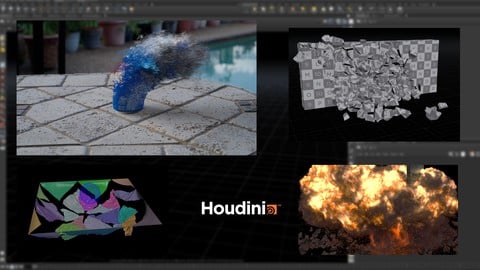
Master Houdini FX: Create Stunning Visual Effects rigs (2025)
4.7 (642 Reviews)
- Provider: Udemy
- Time: 18.8h
$89.99
 Reviews

By Gergo Virag on 4/4/2025
Lots of things is missing from the explanation of Realflow features (Daemons, Maxwell render, soft body dynamics, fractures, etc). It gives you a solid basic about the program. The explanation is slow because of the language barrier. Some lessons end are missing. The examples were interesting.
By Antonio Generoso on 3/20/2024
I liked this course a lot! After completing it, you will surely have a solid knowledge of RealFlow. Also, the single projects are very interesting. The explanations are very clear and they go quite deep into the settings of RealFlow. The course is well-structured and after touching all the basics, it goes from simple projects up to more complicated ones. I was impressed. The coach made a great job! I absolutely recommend this course if you want to learn RealFlow. I use Cinema 4D, but the compositing lessons in 3D-Max and Nuke were also very interesting for me.
By Gabriel Castillo on 4/7/2021
The course was great and explained things in detail, although sometimes the explanation skipped some key points, probably go slower when you are jumping around on all the values. But I was able to solve that with constant pausing!! But great course overall!!.. thanks!
By Neal Sopata on 1/2/2021
It was a great start. I really like that the teacher showed how the files for the cash and the project were set up and organized. My only comment was that there should be an explanation on how to set up the View, Nodes, Node Params and Relationship Editor boxes. I just bought RF10 and when you open it up, all you see is one big Single View box. I finally figured out you need to split that box several times to create boxes for the Nodes, Node Params and Relationship Editor. Overall though great presentation!
By Michael Denny on 11/30/2020
Learned a lot. Maybe breaking it up into shorter videos would have made it easier to consume. I was able to speed up the playback which made it easier for me to understand.
By Piyush Dingore on 10/21/2020
The course is very well organized and taught... The teacher explains all the details and workings of the nodes and their properties,.. This course has been really informative and helpful for me..
By Leonardo dos Santos Pinheiro on 5/9/2020
The course is good. It does not show all capabilities of RealFlow (like soft body), but gives a good foundation for the student. The final video is interesting because the student learns that any RealFlow simulation will need to be rendered and composited.
By Yonatan Shefranov on 2/18/2020
This is without a doubt the best Realflow course on Udemy. Andril is a good Instructor but the barrier of language ( English isn't his mother language ) makes it harder on him and therefore some of his lessons can be sometimes had to follow or understand even so Andril will most likely answer your questions if you post them ( not always but most of the time ). I would suggest to those of you who know russian language to visit his site and check it out ( he has a lot more to teach and he is amazing Instructor when he teaches in russian ). All in all if you want to start learning the basics of Realflow 10 this is the course for you ( there will be some advanced things in the last section ), you need to prepare for long simulation time therefore I would suggest at first create low quality of simulation and after finishing the lesson try to create a more higher quality simulation. Some of his lessons combine compositing with Nuke so beware if you are a beginner at Nuke or has experience just skip it.
By Ratnadeep Kar on 12/25/2019
This is a long but interesting course, the teacher have mentioned the use of every tools with great examples. This is a perfect course for beginners with zero knowledge about real flow to learn the software and its uses , in a step by step manner and also how to composite shots using realflow and other vfx software like Nuke
By Abdullah Rashed on 4/2/2019
Great course, it goes into detail and explains every setting, it can be slow at times but putting the video speed on x2 or x1.5 solves that issue
 Quality Score
No CourseDuck member has rated this course yet. Taken it? Give each part a thumbs up or down.
Overall Score : 84 / 100

- Video Duration:
 13.5h
13.5h - Price: $49.99
- Provider: Udemy
- Updated:
 April 2019
 - Level:
 All Levels
 - Language:
 English
 - Certificate:
 Yes
Yes
30-day money-back guarantee on most paid courses
Udemy Coupon Price Tracker
