
 Web Development
 Data Science
 Python
 SQL
SQL JavaScript
 Artificial Intelligence
 IT & Software
 IT Certifications
 Hacking
 AWS
AWS Arduino
 DevOps
 3D Modeling
 Graphic Design
 Photoshop
 Drawing
 Digital Painting
 UX Design
 Business
 Data Analysis
 Communication Skills
 Project Management
 Leadership & Management
 Human Resources
 Digital Marketing
 Social Media Marketing
 Marketing
 SEO
SEO Google Analytics
 Branding
 Excel
Excel Office Productivity
 SAP
SAP PowerPoint
 Microsoft Access
 SharePoint
 Finance & Accounting
 Trading & Investing
 Accounting
 Bitcoin
 Personal Finance
 Video Editing & Animation
 Photography
 Adobe Premier Pro
 Adobe Lightroom
 Personal Development
 Productivity
 Career Development
 Life Coaching
 Health & Fitness
 Meditation & Mindfulness
 Yoga
Yoga Music
Music Music Production
 Guitar
 Piano
Piano Singing
 Language Learning
 Teaching & Academics
 Engineering
 Math
Math Lifestyle
SwiftUI 2.0 Apps on iPhone, iPad, Mac, Watch & TV (Udemy.com)
Make Apps and Widgets for iOS 14, macOS 11, watchOS 7 and tvOS 14 using Xcode 12, Swift 5, WidgetKit and Apple Watch
Created by: Nick Walter
Last updated January 2021
 What you will learn
- Fundamentals of SwiftUI Views
- Data Flow in SwiftUI
- Creating Widgets with SwiftUI
- SwiftUI for iPhones
- SwiftUI for iPads
- SwiftUI for Apple Watches
- SwiftUI for Macs
- SwiftUI for Apple TVs
How it compares
Against the other 160 rated Udemy courses in iOS Swift on CourseDuck:
- Rating4.4 out of 5higher than 30% of them
- Reviews317#81 of 161 by number of reviews
- Length10.2 hoursshorter than 54% of them
- Last updatedJanuary 2021more recently than 59% of them
 Course Description
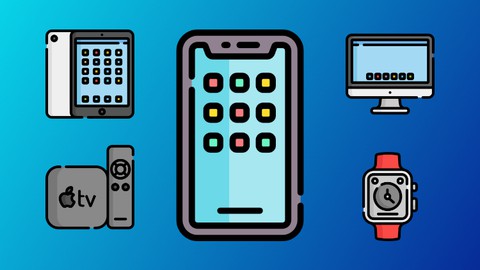
This one is SO much fun. We're gonna start by learning the basics of SwiftUI and then using it to the fullest extent! We're creating an app called HypedList first for the iPhone, and then for the iPad, Apple Watch, Mac Computer, and finally the Apple TV. Yes! ALL THE APPLE PLATFORMS. We'll even be creating widgets that run on iOS and macOS.
You'll get to learn the true magic of SwiftUI as we get to reuse a size-able chunk of our codebase across each platform. And, you'll see how to craft your apps for each platform to truly take advantage of each device to thrill your users.
Get an idea of what the course is all about by watching the promo video and using the free previews.

 Udemy Discount
The discount is applied through our link. Open the course from here and Udemy's current promotional price is applied at checkout on most courses, no code to type.
Some courses are excluded from Udemy's promotions. If the price does not drop, clear your browser cookies and use the button again.
Instructor Details

- 4.4 Rating
 317 Reviews
Nick Walter
Hi! I'm Nick, and I love to code. About five years ago I decided that I wanted to learn to code, but I had limited access to programming resources, and I was getting frustrated with all of the YouTube videos and online tutorials out there. I experimented, struggled, and definitely failed a lot, but I finally got the hang of it, so I decided that I wanted to change the way that people learned to code, and I started teaching. My experience as an online student has directly influenced my teaching style, because I know what it is like to be in your shoes.
When
Apple announced their new programming language, Swift, in 2014, I made my big online teaching debut and created the
internet's first Swift course. Since that time, I have
become a full-time online instructor and I now have courses not only in Swift,
but also in iOS, Android, Django, Kotlin, Python, HTML, Blockchain, etc. I have also created five iOS apps from scratch that are currently live in the App Store and are being used by thousands of users worldwide.
I love sharing my excitement for coding with my students, and I try to make learning as fun and as easy as possible. Thanks for being part of my coding community!
 More courses by Nick Walter

Django 2.2 & Python | The Ultimate Web Development Bootcamp (2020)
4.6 (5,686 Reviews)
 Provider: Udemy
 Time: 10.1h
$84.99

Django 3 - Full Stack Websites with Python Web Development (2020)
4.6 (4,571 Reviews)
- Provider: Udemy
- Time: 8.4h
$124.99

The Ultimate Beginner's Guide to Django 1.11 (2019)
4.7 (1,632 Reviews)
- Provider: Udemy
- Time: 9h
$12.99

SwiftUI - Learn How to Build Beautiful, Robust, Apps (2019)
4.5 (1,300 Reviews)
- Provider: Udemy
- Time: 4.4h
$13.99
More iOS Swift courses

iOS 12 Swift 4.2 - The Complete iOS App Development Bootcamp (2021)
4.9 (562 Reviews)
- Provider: Udemy
- Time: 55.4h
$109.99

Noob to App Store - iPhone Apps with Swift, SwiftUI & iOS 15 (2021)
4.9 (342 Reviews)
- Provider: Udemy
- Time: 7.8h
$69.99

Deep Dive iOS 27 & SwiftUI 6: 90-Hour Project-Based Course (2026)
4.8 (983 Reviews)
- Provider: Udemy
- Time: 88.7h
$79.99

The Swift Arcade Data Structures and Algorithms Bootcamp (2022)
4.8 (839 Reviews)
- Provider: Udemy
- Time: 7.2h
$84.99

How To Make An App For Beginners (iOS/Swift - 2019)
4.8 (658 Reviews)
- Provider: Udemy
- Time: 4.3h
Free

SwiftUI iOS13 Coffee Shop Application, Order Products Online (2020)
4.8 (158 Reviews)
- Provider: Udemy
- Time: 8.2h
$109.99
 Reviews

By Klaus Hellwig on 5/17/2023
Gut erklärt und mit viel Energie und Überzeugung erläutert. Es gefällt mir das man dem Tutor den Spaß ansehen kann. Leider sind einige Themen schon nicht mehr "BestPractices" (z.B. NavigationView). Das müsste mal aktualisiert werden da es nach Apple Deprecated ist!
By Marco Reyes on 12/17/2022
It is a good introduction to the multiplatform world, the teacher has some bad practices like to write a lot of nested if statements and copie and paste a lot, but in general this course is easy follow while you are creating the app. From my point of view, the code for the macOS is avoidable, since you need to apply some architectural design patterns to have an acceptable result and this course doesn't do anything regarding that.
By Rafael Schwemmer on 6/9/2021
An excellent course, a lot of work but also a lot of fun. Nick's teaching style is great and his enthusiasm much appreciated. He also replies to every single question, making sure that every issue a student might have is addressed. I really learned a lot from this course. Thank you Nick!
By Daniel Maurelle on 2/26/2021
The instructor's method of building apps is confusing to me. He does not follow a clear structure and to my humble opinion his code is prone to many errors. I think he did not think 100% SwiftUI, as he introduced some manual state handling, and the the point on why we have SwiftUI now, is that we do not need to pull or push data from view to model or viceversa. I would have encouraged students to know more and rely on the reactive programming side of SwiftUI, so that in conjunction with state and functional programming we could build simple and reliable apps.
By Mat Crovitz on 1/18/2021
There were times where I felt like "concepts" were a bit glossed over. Perhaps, my level of understanding of swift and in particular swiftUI wasn't where it needed to be coming in. That being said, I was able to follow along, key in the code by pausing, and testing, etc.. The work involved in changing the code to work on a particular platform was somewhat daunting. Perhaps a 30 second explanation of what we had to do, before he started doing it. Again, based on my IT experience I was able to keep up. I want to especially note that Nic is the most responsive instructor I have ever seen with these tutorials. Great job!
By Slawomir Sokolowski on 1/9/2021
That is the first course that I finished. Everything was shown step by step so I am grateful for the opportunity to be a part of it. Thank you. What I still need is more of being able to read and comprehend swift apple manuals to be in a position of finding right functions to incorporate them in my dream apps, and debugging the code I am writing. Any suggestions?
By Joe Bachman on 1/4/2021
This course was great with diving deeper into the iOS development. I will admit, I did not complete the rest of the course as the apps I am developing for work won't be on MacOS, iPad, or WatchOS, but I would say if you are looking for an "all-in-one" course, this is the course you want to get!
By Bruno Miguel Lopes Teles Ribeiro on 12/11/2020
I've taken Nick's course "Build Your First iPhone App - iOS 14 Apps Using Swift 5" and loved it. Now, as I wanted to learn SwiftUI, I decided to enrol in this course of his and it totally met my expectations. Nick knows how to explain things properly and in a clear way. I've learned a lot in this two courses from him. Thanks Nick!
By Zoltan X on 12/1/2020
I love that Nick makes mistakes. The finding of these gives a plus to this course. Seeing myself making the same finding the same. Good experience. The other thing I like is the overall extent. Nick introduces a lot of "what to touch and look for" through very simple apps. I always feel watching his trainings that those are too simple for me. Then I buy the next one from him and though the training is simple, I again learn a lot. That ia probably his style. Good value.
By Dieter Roussaint on 11/19/2020
Absolut toller Kurs. Es werden wirklich alle Geräte bedient. Man lernt auch sehr viel wie man alle Oberflächen in einem Projekt behandelt. Schade ist, dass als Datenablage nicht CoreData behandelt wird. Das wäre noch die Krönung.
 Quality Score
No CourseDuck member has rated this course yet. Taken it? Give each part a thumbs up or down.
Overall Score : 88 / 100
- Video Duration:
 10.2h
10.2h - Price: $69.99
- Provider: Udemy
- Updated:
 January 2021
 - Level:
 All Levels
 - Language:
 English
 - Certificate:
 Yes
Yes
30-day money-back guarantee on most paid courses
Udemy Coupon Price Tracker
