
 Web Development
 Data Science
 Python
 SQL
SQL JavaScript
 Artificial Intelligence
 IT & Software
 IT Certifications
 Hacking
 AWS
AWS Arduino
 DevOps
 3D Modeling
 Graphic Design
 Photoshop
 Drawing
 Digital Painting
 UX Design
 Business
 Data Analysis
 Communication Skills
 Project Management
 Leadership & Management
 Human Resources
 Digital Marketing
 Social Media Marketing
 Marketing
 SEO
SEO Google Analytics
 Branding
 Excel
Excel Office Productivity
 SAP
SAP PowerPoint
 Microsoft Access
 SharePoint
 Finance & Accounting
 Trading & Investing
 Accounting
 Bitcoin
 Personal Finance
 Video Editing & Animation
 Photography
 Adobe Premier Pro
 Adobe Lightroom
 Personal Development
 Productivity
 Career Development
 Life Coaching
 Health & Fitness
 Meditation & Mindfulness
 Yoga
Yoga Music
Music Music Production
 Guitar
 Piano
Piano Singing
 Language Learning
 Teaching & Academics
 Engineering
 Math
Math Lifestyle
The Ultimate Blender 3D Nodes Course (Udemy.com)
Master Nodes, Procedural Materials and Compositing! Blender 5.1+ Compatible!
Created by: Alex Cordebard
Last updated May 2026
 What you will learn
- By the end of this course you will have learned ALL of the SHADER nodes, all their options and HOW to practically use them
- By the end of this course you will have learned ALL the COMPOSITING nodes, all their options and HOW to practically use them
- By the end of this course you will have created MANY procedural materials from metal, glass, snow, fire, wood, cloth, plastic, grass and MANY, MANY more
- By the end of this course you will have composted several different renders and learned HOW to composite renders using ANY compositing node
How it compares
Against the other 100 rated Udemy courses in Blender on CourseDuck:
- Rating4.7 out of 5higher than 70% of them
- Reviews808#31 of 101 by number of reviews
- Length47 hourslonger than 94% of them
- Last updatedMay 2026more recently than 89% of them
 Course Description
Fully compatible with Blender 5.1 & above!
Learn ALL Shader Nodes & ALL Compositing Nodes In Blender!
Have you ever wanted to be able to make your own materials from scratch or composite your renders so they stand out but were always overwhelmed by nodes? Well no problem! In this course we will learn every single node and ALL of their options. Not only will we learn what each node does but how to use it practically for materials or compositing.
What is covered in this course
In this course we will cover ALL shader nodes and ALL compositing nodes. If you are not familiar with nodes at all, no worries as we will cover everything from the beginning! This course is best done in order as each video builds on the last but if you want to learn a particular node for a project you are working on you can just search for a node as we go over one node per video and each node can be learned independently from other videos!
With every node that we learn, we will use it in a practical way to create a material or composition. So not only will you learn what the nodes do and their options, but HOW to use them.
All Shader Nodes
Once you know these, you will be able to create any procedural material that you want like metal, snow, lava, cloth, plastic, grass, dirt and MUCH MUCH more and be able to confidently use shader nodes. With every shader node we learn here, we will use it in a practical way to create an object with a material for our scene!
ALL Input Nodes: Ambient Occlusion Node - Attribute Node - Bevel Node - Camera Data Node - Fresnel Node - Geometry Node - Curves Info Node - Layer Weight Node - Light Path Node - Object Info Node - Particle Info Node - Point Info Node - RGB Node - Tangent Node - Texture Coordinate Node - UV Map Node - Value Node - Color Attribute Node - Volume Info Node - Wireframe Node
ALL Output Nodes: AOV Output Node - Material Output Node
ALL Shader Nodes: Add Shader Node - Anisotropic BSDF Node - Diffuse BSDF Node - Emission Node - Glass BSDF Node - Glossy BSDF Node - Hair BSDF Node - Holdout Node - Mix Shader Node - Principled BSDF Node - Principled Hair BSDF Node - Principled Volume Node - Refraction BSDF Node - Specular BSDF Node - Subsurface Scattering Node - Toon BSDF Node - Translucent BSDF Node - Transparent BSDF Node - Velvet BSDF Node - Volume Absorption BSDF Node - Volume Scatter Node
ALL Texture Nodes: Brick Texture Node - Checker Texture Node - Gradient Texture Node - IES Texture Node - Image Texture Node - Magic Texture Node - Musgrave Texture Node - Noise Texture Node - Point Density Node - Voronoi Texture Node - Wave Texture Node - White Nose Texture Node
ALL Color Nodes: Bright/Contrast Node - Gamma Node - Hue Saturation Value Node - Invert Node - Light Falloff Node - Mix Node - RGB Curves Node
ALL Vector Nodes: Bump Node - Displacement Node - Mapping Node - Normal Node - Normal Map Node - Vector Curves Node - Vector Displacement Node - Vector Rotate Node - Vector Transform Node
ALL Converter Nodes: Blackbody Node - Clamp Node - Color Ramp Node - Combine Color Node - Combine XYZ Node - Float Curve Node - Map Range Node - Math Node - RGB to BW Node - Separate Color Node - Separate XYZ Node - Shader to RGB Node - Vector Math Node - Wavelength Node
ALL Group Nodes: Make Group - Ungroup - Group Input Node - Group Output Node
ALL Compositing Nodes
Once you've learned compositing nodes, you will be able to composite your renders and make them stand out! From things such as adding glare, color correction, green screening to masking and much more, we will learn it ALL!
ALL Input Nodes: Bokeh Image Node - Image Node - Mask Node - Movie Clip Node - Render Layers Node - RGB Node - Scene Time Node - Texture Node - Time Curve Node - Track Position Node - Value Node
ALL Out Nodes: Composite Node - File Output Node - Levels Node - Split Viewer Node - Viewer Node
ALL Color Nodes: Alpha Over Node - Brightness/Contrast Node - Color Balance Node - Color Correction Node - Exposure Node - Gamma Node - Hue Correct Node - Hue Saturation Value Node - Invert Node - Mix Node - Posterize Node - RGB Curves Node - Tone Map Node - Z Combine Node
ALL Converter Nodes: Alpha Convert Node - Color Space Node - Color Ramp Node - Combine Color Node - Combine XYZ Node - ID Mask Node - Math Node - RGB to BW Node - Separate Color Node - Separate XYZ Node - Set Alpha Node - Switch View Node
ALL Filter Nodes: Anti-Aliasing Node - Bilateral Blur Node - Blur Node - Bokeh Blur Node - Defocus Node - Denoise Node - Despeckle Node - Dilate/Erode Node - Directional Blur Node - Filter Node - Glare Node - Inpaint Node - Pixelate Node - Sun Beams Node - Vector Blur Node
ALL Vector Nodes: Map Range Node - Map Value Node - Normal Node - Normalize Node - Vector Curves Node
ALL Matte Nodes: Box Mask Node - Channel Key Node - Chroma Key Node - Color Key Node - Color Spill Node - Cryptomatte Node - Difference Key Node - Distance Key Node - Double Dge Mask Node - Ellipse Mask Node - Keying Node - Keying Screen Node - Luminance Key Node
ALL Distort Nodes: Corner Pin Node - Crop Node - Displace Node - Flip Node - Lens Distortion Node - Map UV Node - Movie Distortion Node - Plane Track Deform Node - Rotate Node - Scale Node - Stabilize Node - Transform Node - Translate Node
ALL Group & Layout Nodes & Options
This course contains close to 40 hours of content!
Over 170 video lectures!
And one awesome teacher!
-Use the skills you learn to create your own procedural materials, textures and compositing
-Learn and follow along while we create many different awesome materials
-Finish the course with having created many materials and compositions and the skills to create your own!
-Lifetime access!
By the end of this course, you will emerge equipped with everything you need to know for shader nodes and compositing nodes!

 Udemy Discount
The discount is applied through our link. Open the course from here and Udemy's current promotional price is applied at checkout on most courses, no code to type.
Some courses are excluded from Udemy's promotions. If the price does not drop, clear your browser cookies and use the button again.
Instructor Details

- 4.7 Rating
 808 Reviews
Alex Cordebard
My name is Alex and I am a 3D artist, teaching and working with 3D graphics for the last 8 years and helping thousands to also master the art of 3D! I have a passion for art, for teaching and helping students to not only learn but have a fun experience while doing so. Blender 3D program is my drug of choice and I love it. I've been passionate about art my whole life and look to instill that passion to my students through my teachings!
I am a positive guy and originally from France. I love helping people and putting a smile on their face. I am an artist at heart not only with 3D art but with poetry and music. Look forward to serving you!
 More courses by Alex Cordebard

The Ultimate Blender 3D Sculpting Course (2026)
4.8 (3,904 Reviews)
 Provider: Udemy
 Time: 37.2h
$119.99
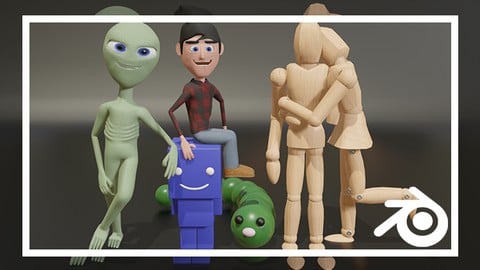
Ultimate Blender 3D Character Creation & Animation Course (2026)
4.6 (3,623 Reviews)
- Provider: Udemy
- Time: 35.6h
$139.99

Learn 3D Animation - The Ultimate Blender A-Z Guide (2026)
4.6 (2,419 Reviews)
- Provider: Udemy
- Time: 28.6h
$79.99

Learn 3D Animation - The Ultimate Blender A-Z Guide (2026)
4.6 (1,947 Reviews)
- Provider: Udemy
- Time: 28.7h
$16.99
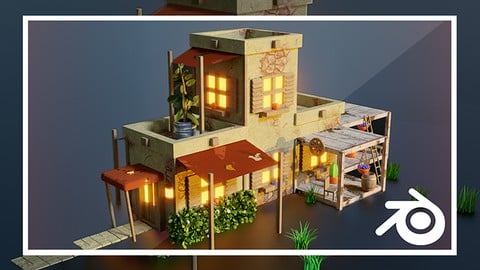
The Ultimate Blender 3D Geometry Nodes Course (2026)
4.6 (1,725 Reviews)
- Provider: Udemy
- Time: 54.4h
$109.99
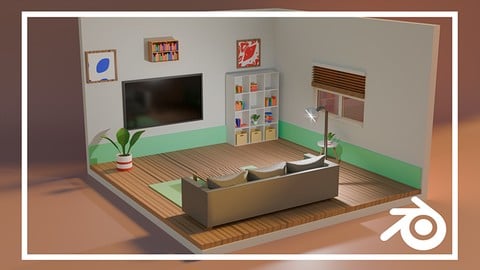
More Blender courses

Low Poly Landscapes: Blender Bite Sized Course (2025)
4.9 (1,704 Reviews)
- Provider: Udemy
- Time: 6.2h
$99.99

Absolute Beginners 3D character in Blender course (2022)
4.9 (1,133 Reviews)
- Provider: Udemy
- Time: 14.5h
$94.99


Complete Blender Creator: 3D Modelling (Compatible with 4.3) (2026)
4.8 (69,132 Reviews)
- Provider: Udemy
- Time: 13.8h
$199.99
The Ultimate Blender 3D Sculpting Course (2026)
4.8 (3,904 Reviews)
- Provider: Udemy
- Time: 37.2h
$119.99

Blender Total! From Basic to Advanced 3D! (2025)
4.8 (2,407 Reviews)
- Provider: Udemy
- Time: 21.3h
$109.99
 Reviews

By Ankit Dighe on 6/26/2026
Words can't describe the kind of immense knowledge I have gained from this course. What a spectacular journey it is. Also, my deep gratitude to Alex for solving my each and every single doubt with patience. And for the first time I am able to understand the nodes category work because in this entire course every single node has been explained very well and in-depth which no institutions does even after spending in lakhs. This is a one stop solution for all those who want to master Shading and Compositing in Blender and a much needed course. There's a long way to go and I'm extremely Happy to find this course to begin my journey here with Shading and Compositing in Blender. So, for all the CGI artist and Designers; do a favour on your self and enroll in this Awesome shading and compositing mastery course. It's an immersive learning experience.
By Alexander Khrystychenko on 5/22/2026
this person is a scammer!!! the course is called working in blender 5+, but in fact the author uses version 3, why deceive people like that??? and now I can't get my money back because it says I watched too much. You are a scammer
By William Cousett on 3/18/2026
I started this course knowing very little about Blender other than a few short animations I made in it. There's so much possible, I chose this course first because I wanted something concrete that didn't rely on a ton of modeling knowledge. Alex did a great job going through each and every node while explaining why combinations worked the way they did, and I feel like I'm leaving with a better mindset on how to approach making my own shaders. Math is a very powerful skill to have here, but even if you aren't savvy, you will be by the end. I would definitely approach the course in chunks, because there is a lot here, but I'm thankful for the time Alex put into it. I think the section I enjoyed most was the bonus section, which really to me is the highlight of the course. Putting everything together really showcases what you learn in the course, and you know a course is good when you can start predicting and finding your own solutions without having to pause and rewind. So, thanks for a good time!
By Samuel L Benning on 12/6/2025
Still early in the course, but really like it so far. The instructor thoroughly explains everything in a way that's easy to understand. I was working through a different course that glossed over the shader node setup for the materials in the scene, and I felt like I was just adding / connecting nodes without actually understanding what I was doing. This course is very promising so far, and I feel like I'll be walking away with a really solid understanding of the shader node system.
By Matthew Stride on 6/20/2025
Another amazing course. Every Shader and Compositing node is explained in detail and also put to use in a practical sense to achieve a variety of interesting effects. I was surprised to learn what is possible when using these nodes when they are utilized in creative ways. The compositing nodes section also touches on some basic VFX (via the compositor) which was really cool to learn. The course is very thorough and really gives a good understanding of how everything works.
By kira tkachenko on 6/5/2025
I just finished the composite nodes section, and I can't say it, but it's the most amazing course that I have ever seen! Alex is excellent tutor and a guy with positive soul. He really poured in it his heart and soul! I look back at my previous project's before this course, and I can see that this course help me, A LOT, with blender shader and compositor nodes. Alex goes really in depth in all the nodes, explains. I really appreciate Alex for this course, thanks Alex!.
By Sagar on 11/16/2024
Hey Alex Cordebard, I really enjoyed your course and have been following your work for a long time. I've taken your Geometry Nodes, Physics, and Sculpting courses as well. I'm confident those will be just as valuable as this one. However, I feel the composition section could be improved. I’ve learned so much from this course and truly appreciate your teaching style. I would like to request an in-depth Animation and Rigging course like P2Design. By the way, if anyone wants to learn about shading nodes in depth, this course is perfect for you go and take it. Alex, you’re just amazing. Thank you for this valuable course!
By David Romakh on 10/15/2024
Pedantic yet somewhat enjoyable due to the instructor's personality. The course is putting emphasis on the theoretical aspect with simple practical examples after the theoretical explanation of a particular node. Bonus section dives more on the practical side, which is a nice addition to the course because it reinforces concepts from the theoretical section. In my opinion this course has the perfect structure for beginners. Will there be a video about ray portal BSDF node?
By Jürgen W on 2/3/2024
Dieser Kurs war ausgezeichnet. Auch wenn ich nicht alles verstanden habe, so habe ich doch sehr viel gelernt. Nun kann ich loslegen und Üben, denn wie man so schön sagt, "Übung macht den Meister". This course was excellent. Even though I didn't understand everything, I learned a lot. Now I can get started and practice, because as they say, "practice makes perfect".
By Schirley Amaral on 4/27/2023
This is an amazing course, Alex is a true Master. I had another course in the same subject with another person that was good, but Alex's course is truly something else. He explains everything, all the details without making it boring, he always find a practical example to show how to use all the nodes. I already made about 5 of his courses now, all of his courses are very good! Go for it! Thank you once more, I learned a lot! I wish you all the success that you deserve and more!
 Quality Score
No CourseDuck member has rated this course yet. Taken it? Give each part a thumbs up or down.
Overall Score : 94 / 100
- Video Duration:
 47h
47h - Price: $94.99
- Provider: Udemy
- Updated:
 May 2026
 - Level:
 All Levels
 - Language:
 English
 - Certificate:
 Yes
Yes
30-day money-back guarantee on most paid courses
Udemy Coupon Price Tracker
