
 Web Development
 Data Science
 Python
 SQL
SQL JavaScript
 Artificial Intelligence
 IT & Software
 IT Certifications
 Hacking
 AWS
AWS Arduino
 DevOps
 3D Modeling
 Graphic Design
 Photoshop
 Drawing
 Digital Painting
 UX Design
 Business
 Data Analysis
 Communication Skills
 Project Management
 Leadership & Management
 Human Resources
 Digital Marketing
 Social Media Marketing
 Marketing
 SEO
SEO Google Analytics
 Branding
 Excel
Excel Office Productivity
 SAP
SAP PowerPoint
 Microsoft Access
 SharePoint
 Finance & Accounting
 Trading & Investing
 Accounting
 Bitcoin
 Personal Finance
 Video Editing & Animation
 Photography
 Adobe Premier Pro
 Adobe Lightroom
 Personal Development
 Productivity
 Career Development
 Life Coaching
 Health & Fitness
 Meditation & Mindfulness
 Yoga
Yoga Music
Music Music Production
 Guitar
 Piano
Piano Singing
 Language Learning
 Teaching & Academics
 Engineering
 Math
Math Lifestyle
Unity 2D Platformer Game Development Course (Udemy.com)
Learn how to utilize the Unity asset store to learn how to create, and to create stunning 2D games!
Created by: Dragan Neskovic
Last updated August 2018
 What you will learn
- Learn how to create 2D games in Unity 3D.
How it compares
Against the other 183 rated Udemy courses in Unity on CourseDuck:
- Rating3.7 out of 5higher than 1% of them
- Reviews198#122 of 184 by number of reviews
- Length1.7 hoursshorter than 92% of them
- Last updatedAugust 2018earlier than 83% of them
 Course Description
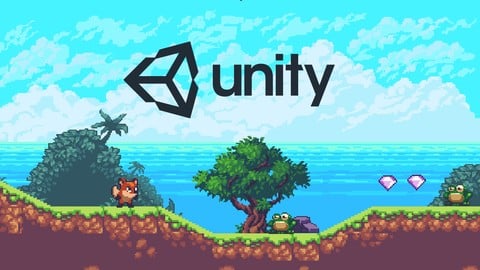
In this course we will take advantage of the Unity Asset store and find stunning 2D pixel art assets, that are free for use.
We will use these assets to learn and better understand how 2D games are made in Unity.
We will cover techniques as:
2D Level Design
What are Tiles and how to work with them
How the Unity 2D grid works and how to set it up properly
How to set up animations and make sure the framerate is set up properly
Character movement
Gravity and how to use physics to our advantage
Camera Follow
Creating a Main Menu and a score

 Udemy Discount
The discount is applied through our link. Open the course from here and Udemy's current promotional price is applied at checkout on most courses, no code to type.
Some courses are excluded from Udemy's promotions. If the price does not drop, clear your browser cookies and use the button again.
Instructor Details

- 3.7 Rating
 198 Reviews
Dragan Neskovic
Hello everyone, I'm Dragan.
Since I was a kid I dreamed about creation, about making something happen, making something alive and remarkable, something that will last forever.
As video games were my biggest passion, inspired by incredible physics and graphics back then, I started creating my own. Through my life I worked with many studios, as a freelancer and group leader, and also as both programmer and game designer.
During my game development timetable I worked in Unreal Engine, Game Maker and Unity 3D. Currently, I primarily use Unity 3D as it suits me the best if I could choose. As I've already been through a lot during my game development experience, I'm ready and glad to share my knowledge with others, so that is where I decided to make courses.
 More courses by Dragan Neskovic
Unity : Beginner to Advanced - Complete Course (2017)
4.2 (1,927 Reviews)
 Provider: Udemy
 Time: 7.2h
$14.99
The Complete Unity Indie Game Developer Course (2017)
4.1 (1,249 Reviews)
- Provider: Udemy
- Time: 5.1h
$64.99
Become an iOS/Android Game Developer with Unity 2017
4.1 (356 Reviews)
- Provider: Udemy
- Time: 5.1h
$39.99

Unity 5.5: develop and publish games quickly (2017)
4.2 (111 Reviews)
- Provider: Udemy
- Time: 1.6h
$19.99
More Unity courses

Learn to make an Awesome Builder-Defender game in Unity! (2021)
4.9 (1,909 Reviews)
- Provider: Udemy
- Time: 10.1h
$79.99


RPG Core Combat Creator: Learn Intermediate Unity C# Coding (2025)
4.8 (11,337 Reviews)
- Provider: Udemy
- Time: 27.6h
$149.99

Learn To Code By Making a 2D Platformer in Unity (2017)
4.8 (2,597 Reviews)
- Provider: Udemy
- Time: 13.1h
$13.99

Learn Blender 3D Modeling for Unity Video Game Development (2026)
4.8 (2,152 Reviews)
- Provider: Udemy
- Time: 11.7h
$149.99

Learn To Create A Roguelike Game In Unity (2020)
4.8 (1,234 Reviews)
- Provider: Udemy
- Time: 19.4h
$16.99
 Reviews

By Kevin Allen on 6/1/2020
Coming from the perspective of a teacher, I prepare video lessons for my students on design software as well as video editing. The videos prepared in this lesson should have been checked and edited before they were uploaded. It's frustrating to be following along only to have the instructor go back and correct themselves several times. Additionally, there was a lot of video time spent just watching the instructor speak to themselves while they kind of fumble through the lesson (not often, but still. Why not edit these moments out?) Also, I get how you would have the scripts available for beginners. But, as a beginner, I wanted to understand the script and C# logic so that I could improve. That's the whole point of learning. Finally, I followed every step and the final game was buggy. The frog killed me no matter what and my jump animation wasn't engaging. I would have asked in the Q&A how to fix this but it seems to have been abandoned by the authors. While I learned some new things, I still can't help but feel like these videos were rushed for the sake of getting some easy cash. Not inspired to follow future lessons by this author.
By Philip Saenz on 4/18/2020
It was a good, relatively quick intro course into making 2D platform games in Unity. Nothing was too advanced, and I never felt lost. This course prepared me for delving deeper into making 2D platform games. Good course.
By Michael Elliott on 12/4/2019
It was a very direct, step-by-step, directions on how to create your own "Mario-like" 2D game. I plan to go back through it several times to make sure I see what exactly is done as the instructor moves a tad fast. Getting the "player controller" code to work with was worth the price of the course for me.
By Michael Coetzee on 11/24/2019
Great course for beginners, i recommend taking the time to practice with these short but insightful lessons. Only recommendation will be to include the exporting into the platform that will run the game. Thanks !!
By Adam Martin on 8/13/2019
A good course for learning the interface and the very basics of Unity. A little confusing in the middle when the lecturer changes. He's not a smooth as the other lecturer that starts and finished the course.
By FlameRasengan on 8/4/2019
Everything was going well until I got to the Camera Follow lecture. The script was not given to you in C sharp form, they gave you a txt. Even if I duplicated it on to my own C sharp file ,the script was outdated. So if you want a game that doesn't move the camera I think you would want this course
By Shane G Rice on 7/6/2019
Took a minute to adjust to the accent thanks to my *Stupid* american mindset. Besides that, he explains well. i only had an issue so far (2 classes in) with not being able to place objects in. he doesn't explain how the "Order in Layer" system works. I had to figure that out myself; but, you can't have your hand held on everything. Some Troubleshooting Required.
By Bryan on 3/6/2019
The course actually has the makings of a GREAT course, but several basic and necessary components are neglected. Such as: - The game doesn't end or reset when the Player dies - The camera never properly frames the gameplay - The player can run off the edge of its world in either direction - Some OBVIOUS errors, like the Player often dying when it jumps on the Frog (it is supposed to get points) are left in the game. This error actually occurs multiple times when the author is playing the game, yet he IGNORES it. (He even said "The game is working perfectly.") - Many questions posted have never been answered. The tone of the delivery is good, and explanations provided are also pretty good. It is actually quite sad to see someone get so close to greatness and then choose not to achieve it.
By Jason Moss on 10/30/2018
It’s a really good course at some parts I got stuck but usually it’s just my own stupidity but this course is great and I recommend it everyone who is interested in game development
By Paul Russell on 9/13/2018
I found some really interesting, insightful content here: but poorly explained, and in some cases, not even explained at all. I hated the "magic" prepared scripts: anyone wanting to write their own game would wish to understand these. Also, the instructor moved like a rocket through some sections: was he under some time constraint? I think with some more work, this could be a really good course, but currently, it needs more input.
 Quality Score
No CourseDuck member has rated this course yet. Taken it? Give each part a thumbs up or down.
Overall Score : 74 / 100
- Video Duration:
 1.7h
1.7h - Price: See price on Udemy
- Provider: Udemy
- Updated:
 August 2018
 - Level:
 Beginner
 - Language:
 English
 - Certificate:
 Yes
Yes
30-day money-back guarantee on most paid courses
Udemy Coupon Price Tracker
