
 Web Development
 Data Science
 Python
 SQL
SQL JavaScript
 Artificial Intelligence
 IT & Software
 IT Certifications
 Hacking
 AWS
AWS Arduino
 DevOps
 3D Modeling
 Graphic Design
 Photoshop
 Drawing
 Digital Painting
 UX Design
 Business
 Data Analysis
 Communication Skills
 Project Management
 Leadership & Management
 Human Resources
 Digital Marketing
 Social Media Marketing
 Marketing
 SEO
SEO Google Analytics
 Branding
 Excel
Excel Office Productivity
 SAP
SAP PowerPoint
 Microsoft Access
 SharePoint
 Finance & Accounting
 Trading & Investing
 Accounting
 Bitcoin
 Personal Finance
 Video Editing & Animation
 Photography
 Adobe Premier Pro
 Adobe Lightroom
 Personal Development
 Productivity
 Career Development
 Life Coaching
 Health & Fitness
 Meditation & Mindfulness
 Yoga
Yoga Music
Music Music Production
 Guitar
 Piano
Piano Singing
 Language Learning
 Teaching & Academics
 Engineering
 Math
Math Lifestyle
Unity Editor Scripting - Beginner to Expert (Updated 2025) (Udemy.com)
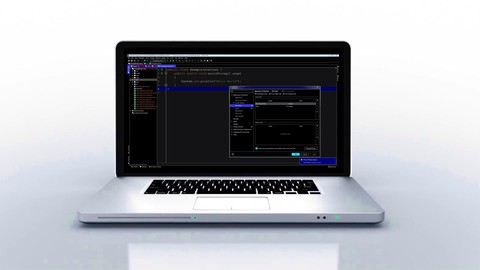
Use C# to customize and extend the Unity Editor to make it easier to use for your projects. Build 10 tools hands-on!
Created by: Robert Gioia
Last updated February 2025
 What you will learn
- Go from little/no Editor Scripting knowledge to advanced by the end of the course
- Learn how to build custom tools with Unity Editor Scripting
- Create 9 tools you can use in Unity to automate tasks, speed up your workflow, and more
- Understand both UI Toolkit and IMGUI and the strengths and weaknesses of both
- Create a tool to automate viewing your game across aspect ratios
- Build a favorites system that allows you to save objects to favorites to easily instantiate them in other places
- Code autosave logic to automatically save any changes you make at regular intervals
- Design an automatic file organizer that allows you to sort files of different types into their corresponding folders at the click of a button
- Learn techniques that you can apply to the game projects you work on in the future
- Become a better, more professionally qualified Unity developer
- Understand how asset store tools are created
How it compares
Against the other 281 rated Udemy courses in Game Development Fundamentals on CourseDuck:
- Rating4.5 out of 5higher than 43% of them
- Reviews34#268 of 282 by number of reviews
- Length3.4 hoursshorter than 82% of them
- Last updatedFebruary 2025more recently than 56% of them
 Course Description
If you are looking to learn Unity Editor Scripting to customize the Unity editor, then this course is for you! This course will take you from beginner to expert in Unity Editor Scripting. Throughout the course we will build 10 custom editor tools hands-on that you can use in your game projects, and apply the techniques to create your own custom tools.
Get ready to learn:
What editor scripting is and how it can dramatically increase your productivity
The different strategies for creating editor scripts using IMGUI and UI Tookit
Get practice using UI Builder, UXML, and C# to create custom tools
The key classes, functions, and other coding constructs to be aware of when creating editor scripts
Get excited to build:
10 hands-on custom tools for Unity that you can use in your game projects:
Custom hierarchy buttons to automate common tasks
A batch rename tool that allows you to rename groups of game objects at once
A missing references detector to save time hunting down null reference exceptions
Code to automatically link game objects to their fields in the inspector so you don't have to manually drag and drop them
Autosave logic that will continuously save the changes you make
A favorites system to make reusing common objects easier
An art asset optimizer to compress images without jeopardizing quality
A tool to automate checking your UI across different aspect ratios at once
A custom GameObject debugger to help you quickly find and fix issues with objects in the scene
Get empowered to create:
You own editor scripts, custom inspectors, and editor tools
Assets for the Unity Asset Store
By using the techniques taught in this course, you will speed up your development time and customize your Unity workflow.
What if you have questions?
Any questions you have can be posted to the Q&A forum or messaged to me on Udemy. I check my Udemy account every day to see if students have questions, and do my best to be as responsive and helpful as possible.
If you get stuck at any point during this course, send me a message and I will get you unstuck!
There is no risk in taking this course!
This course comes with a full 30 day money-back guarantee. You either end up with Unity Editor Scripting skills, go on to build custom tools and potentially make Asset Store assets, or you try the course and simply get all your money back if you don’t like it…
You literally can’t lose.
Are you ready to master editor scripting and maximize your potential as a Unity developer? Then enroll now using the “Add to Cart'' button on the right!

 Udemy Discount
The discount is applied through our link. Open the course from here and Udemy's current promotional price is applied at checkout on most courses, no code to type.
Some courses are excluded from Udemy's promotions. If the price does not drop, clear your browser cookies and use the button again.
Instructor Details

- 4.5 Rating
 34 Reviews
Robert Gioia
My name is Rob and I currently work as a Team Lead of a Professional Services team. I've also worked as a Senior Solutions Architect working with some of the top clients in the mobile app space and as a Mobile Software Engineer. I have a Bachelor of Science degree in Information Technology from NJIT.
As a student who never programmed until I got to college I want to help others looking to enter the tech industry and teach them the techniques I used to learn programming quickly and effectively.
My teaching focuses on conveying the most relevant skills that you can use to build your portfolio and get real, hands-on technical experience geared towards landing you your dream tech industry job.
I am an industry professional who also has teaching experience and a passion for learning and teaching about the latest programming languages and technologies.
The topics I enjoy teaching and am very knowledgeable about include: Artificial Intelligence, Mobile App Development, and Computer Programming.
 More courses by Robert Gioia

Complete C# Course – Beginner to Expert (C# 12 Updated 2024)
4.4 (1,663 Reviews)
 Provider: Udemy
 Time: 25.7h
$94.99


Beginner's Guide to Information Technology (2022)
4.7 (409 Reviews)
- Provider: Udemy
- Time: 54 mins
$59.99


More Game Development Fundamentals courses

The Ultimate 2D Top Down Unreal Engine Course (2026)
4.9 (1,468 Reviews)
- Provider: Udemy
- Time: 17.1h
$94.99

Blender Skill Builder: Modelling Challenges (2026)
4.9 (144 Reviews)
- Provider: Udemy
- Time: 6.5h
$19.99

Jumpstart to 2D Game Development: Godot 4 for Beginners (2026)
4.8 (4,398 Reviews)
- Provider: Udemy
- Time: 67.6h
$89.99

Create a Complete 2D Survivors Style Game in Godot 4 (2023)
4.8 (3,761 Reviews)
- Provider: Udemy
- Time: 17.2h
$59.99

Master Lua Programming and Create Amazing Games with LÖVE! (2023)
4.8 (3,199 Reviews)
- Provider: Udemy
- Time: 8.5h
$13.99

Complete Godot 2D: Develop Your Own 2D Games Using Godot 4 (2025)
4.8 (1,619 Reviews)
- Provider: Udemy
- Time: 11.3h
$94.99
 Reviews

By Ester Segura on 9/17/2025
Creo que falta entrar mas en detalle sobre que hacen ciertos métodos. Hay poca explicación.
By Dmitry Berestennikov on 12/19/2024
This course shows brilliant practices and important aspects of Unity Tools scripting. But it has some disadvantages: 1. There is no explanation of what is going on in code while showig it to me as a stuident in most of the cases. So I have to search for answers myself. As a result, that means, this course just shows how to script, but doesn't teach it. 2. The first and the last video in each section has just no sence: author tells what will be done and what was done. But that doesn't help any way. While watching videos you understand the aim anyway, and of course you understand the final result in the end whithout additional explanations of "what we have done today". Thank you for your hard work and I hope you'll take into account my comments :)
By K CG on 9/28/2024
Solid and to the point. Lots of info packed into short amount of time. No fluff
By jeremy burt on 7/30/2024
Enhance your skills with our Unity Editor Scripting course! Streamline workflows and boost productivity. Thank you for scripting with us!
By Maxime Brind'Amour on 6/26/2024
Yes, but but I think it was lacking a bit of explication on the code we were actually writing.
By J B on 4/28/2024
Good course overall. Short (3-ish hours) but the pacing is fast so it covers more ground than you'd think. The trade-off for the fast pacing is that it's more of a code-along than a course most of the time. The code gets read out loud as it's being written but not really explained. Doesn't really go in-depth on many of the concepts either but it does expose you to many different editor scripting aspects which is great. Expect to do a decent amount of documentation digging on your own though to really grasp the concepts being covered. Most of the course is on IMGUI. Barely touches on UIToolkit / UIBuilder (8 total minutes). This may or may not be a good thing depending on your preferences but it's not quite what I expected from the course description. Each section has a great overview of the features of the tool being made at the beginning which is something I wish more Udemy courses had. In my opinion, this is more of an introductory course than a "Beginner to Export" one. I don't think I'd call myself even an intermediate after completing it and certainly not an expert, but I would recommend to anyone wanting to get started with editor scripting.
By Simon Sobo on 4/2/2024
If I could give this course than five stars I would. The instructor is flat out BRILLIANT!
 Quality Score
No CourseDuck member has rated this course yet. Taken it? Give each part a thumbs up or down.
Overall Score : 90 / 100

- Video Duration:
 3.4h
3.4h - Price: See price on Udemy
- Provider: Udemy
- Updated:
 February 2025
 - Level:
 All Levels
 - Language:
 English
 - Certificate:
 Yes
Yes
30-day money-back guarantee on most paid courses
Udemy Coupon Price Tracker
